
Brother HL-L9470CDNT Manual
PDF manual · 353 Pages
English



Quick check
Incorrect answer, please try again.
Chat with your Brother HL-L9470CDNT manual using AI
Get instant AI answers from your Brother HL-L9470CDNT manual
Ask anything about the Brother HL-L9470CDNT. Answers come from this manual, with the pages they are based on.
HL-L9470CDNT Maintenance Schedule
Clean the paper pick-up rollers and separator pad if paper jams or multiple sheets feed frequently.
Wipe the laser scanner windows with a dry, soft lint-free cloth if printouts are light or faint.
Slide the green tab to clean all four corona wires inside the drum unit if vertical colored streaks appear.
Clean the drum surface if white spots or colored spots at 94 mm intervals appear on printed pages.
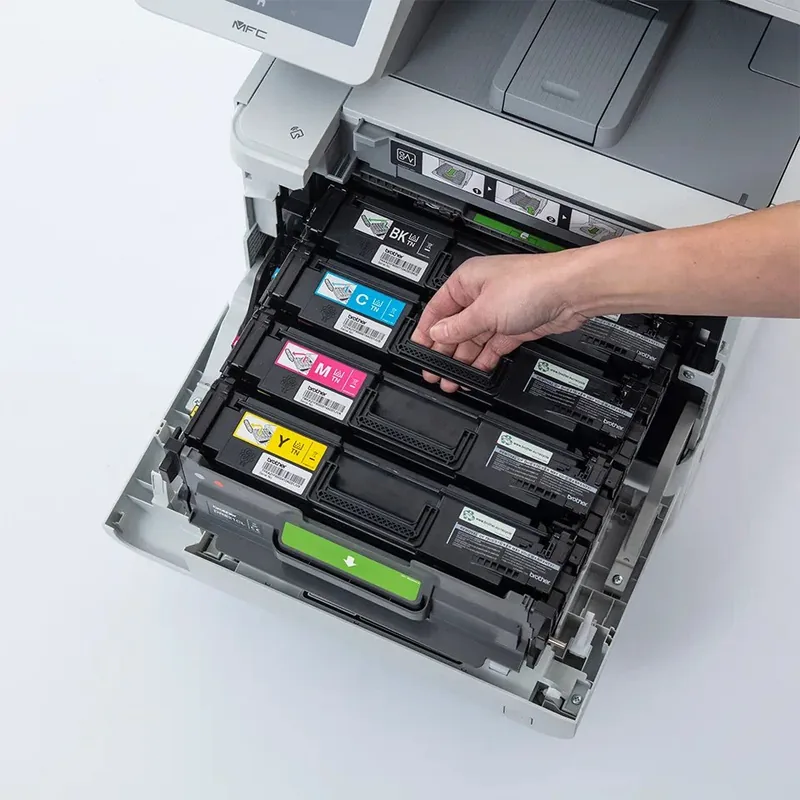
Replace the toner cartridge for the indicated color when the LCD displays 'Replace Toner'.
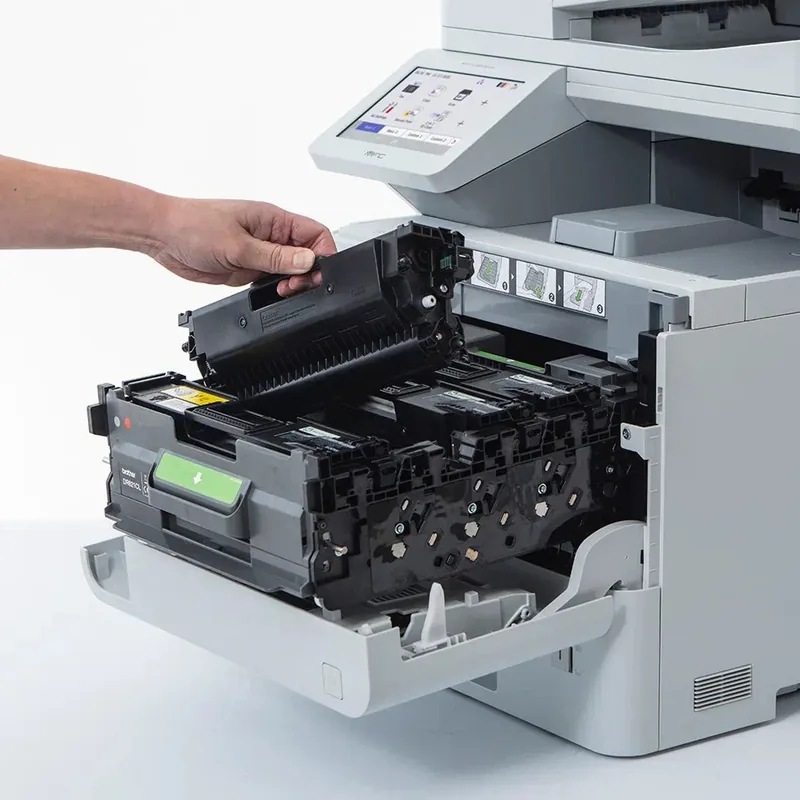
Replace the drum unit when the LCD displays 'Drum Stop' or 'Supplies Replace Drum'.
Replace the belt unit when the LCD displays 'Supplies Replace Belt'. Order a new one when 'Belt End Soon' appears.
Replace the waste toner box when the LCD displays 'Replace WT Box' or 'Supplies WT Box End'.
Ask a Question
Do you recommend HL-L9470CDNT?
Yes NoFrequently Asked Questions
This machine supports various operating systems including Windows 10, Windows Server, macOS, and Linux. Drivers and utilities are available on the support website for cross-platform compatibility.
Is this answer helpful?
Security is a top priority with Secure Print, SSL/TLS encryption, and user authentication options. Sensitive data remains hidden until a user enters a password at the machine control panel.
Is this answer helpful?
Yes, direct printing is supported from USB flash drives compatible with the mass storage standard. Users can print photos or documents without needing to connect a computer.
Is this answer helpful?
The printer handles various media types including plain paper, labels, envelopes, and glossy paper. The multi-purpose tray allows loading specialized paper for specific tasks.
Is this answer helpful?
Clear indicators on the touchscreen and software monitor toner and drum life. Replacing supplies is straightforward and ensures consistent print quality over long periods of heavy use.
Is this answer helpful?
Yes, the device supports wireless networking with standard protocols. It integrates seamlessly into office infrastructures with options for secure connections and remote management tools.
Is this answer helpful?
Advantages and Disadvantages
Advantages

- High productivity color output suitable for busy business environments.
- Intuitive tiltable touchscreen LCD interface simplifies daily navigation.
- Robust network security features including SSL/TLS and Secure Print.
- Flexible wireless and wired connectivity options for office layouts.
- Straightforward maintenance with clear indicators for toner and drums.
Disadvantages

- Large physical footprint may require significant desk or floor space.
- Ongoing consumable costs for toner cartridges can be high.
- Initial network setup can be complex for non-technical users.
- Premium price point compared to smaller consumer grade models.
- Learning curve exists for utilizing advanced security features.
Product Specification
Format
A4
Type
Laser Printer
Color System
4-color
Consumables
TN-821, DR-821CL
Printing
2400x600dpi - 40/40 Pages/min (A4)
Paper Feeder
1120 Sheets (1x 520 Sheets + 1x 500 Sheets + 1x 100 Sheets), Duplex Unit
Memory
1GB (RAM)
Connections
1x USB Type-B 2.0, 2x USB Type-A 2.0 (Host)
Network
Gigabit LAN, NFC, AirPrint, Cloud Print, Mobile Print
Display
Color, 3.5", Touchscreen
Power Consumption
770W (typical), 85W (standby), 15.6W (sleep), 0.04W (off), TEC: 0.66kWh/Week
Sound Pressure Level
56.5dB(A)
Emulation
XPS, PCL 6, PCL 5c, PostScript 3, PDF 1.7
Dimensions
17.40x21.10x21.30 in
Weight
79.15 lbs
Features
Direct Print
Manufacturer Warranty
3 Years (On-site, in AT/DE/PL), 1 Year in UK
Note
HLL9470CDWNTG1 = DE Model, HLL9470CDNTG2 = AT Model
Product Description
Brother HL-L9470CDNT Laser Multicolor Review
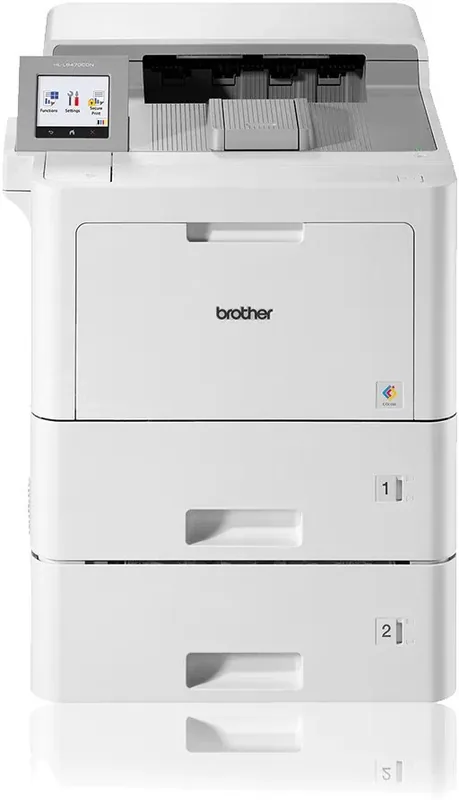
The Brother HL-L9470CDNT Laser multicolor Manual provides insights into advanced printing technology designed for business environments. This device offers rapid color output with sharp text clarity ideal for reports and marketing materials. The integrated control panel features a tiltable touchscreen LCD that simplifies navigation for every user. Staff members can configure settings quickly without needing extensive training on complex menus. Connectivity options ensure flexibility with both wireless and wired network connections available for various office layouts securely. High speed printing ensures deadlines are met consistently without delays or interruptions during critical projects.
Network Security and Performance
Secure operations are a top priority with built-in features like Secure Print and SSL/TLS encryption. Sensitive documents remain hidden on the machine until a user enters a correct password at the panel. This prevents unauthorized access to confidential information left in output trays accidentally. Wireless networking supports standard protocols for seamless integration into office infrastructures easily. Administrators can manage user accounts and permissions remotely through web-based management tools effectively. Status monitoring software notifies IT teams of potential issues before they impact daily productivity significantly. Network traffic remains protected against external threats through robust security measures.
Maintenance and Media Versatility
Ongoing maintenance is streamlined with clear indicators for toner replacement and drum life. The multi-purpose tray handles diverse media types including envelopes and labels easily. Standard paper trays accommodate large volumes reducing the frequency of refills required throughout the day. Users can adjust paper settings directly from the touchscreen to match the loaded media accurately. Direct printing from USB drives removes the computer from the equation for standalone tasks conveniently. Firmware updates are accessible online to ensure the system runs with the latest features securely and safely. The Carbon Copy function allows sending data to different trays for varied paper types simultaneously. Color calibration ensures vibrancy is retained throughout the lifespan of the unit.
Conclusion and Support
Comprehensive guides help users troubleshoot common issues like paper jams or network errors efficiently. Regular cleaning routines prevent print quality degradation over time significantly. The machine supports various operating systems and drivers for cross-platform compatibility across Windows and Mac. Brother customer support remains available for parts and technical assistance if needed during operation. This printer balances high performance with manageable maintenance schedules effectively for small teams. Optional upgrades such as mailboxes can further customize the workflow for larger volume printing needs. Proper care ensures longevity and consistent service over many years of heavy use. It is a reliable asset for modern business communication needs.
Search for 67,706 Manuals online


Type-in Brand or Model