
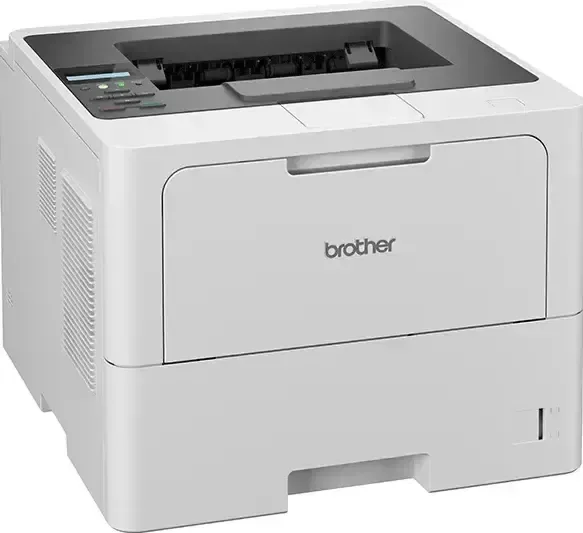
Brother HL-L6210DW Manual
PDF manual · 384 Pages
English



Quick check
Incorrect answer, please try again.
Chat with your Brother HL-L6210DW manual using AI
Get instant AI answers from your Brother HL-L6210DW manual
Ask anything about the Brother HL-L6210DW. Answers come from this manual, with the pages they are based on.
HL-L6210DW Maintenance Schedule
Perform this maintenance when the LCD displays 'Drum !' or vertical lines appear. Slide the green tab back and forth to clean.
Replace the toner cartridge when the LCD displays 'Replace Toner'. Order a new one when 'Toner Low' appears.
Replace the drum unit when the LCD displays 'Replace Drum'. Order a new one when 'Drum End Soon' appears.
Clean the rollers if paper is jammed or multiple sheets feed together frequently.
Wipe the screen with a soft, lint-free cloth to maintain visibility and touch response.
Ask a Question
Do you recommend HL-L6210DW?
Yes NoFrequently Asked Questions
Yes, supports Wi-Fi and wired Ethernet for network access.
Is this answer helpful?
Use Secure Print with a PIN required at the device.
Is this answer helpful?
Yes, Universal Print allows printing from anywhere online.
Is this answer helpful?
Yes, automatic two-sided printing is available.
Is this answer helpful?
Replace toner and clean components when prompted by the display.
Is this answer helpful?
Yes, compatible with Brother apps and AirPrint.
Is this answer helpful?
Advantages and Disadvantages
Advantages

- High monthly duty cycle supports heavy office workloads effectively.
- Secure Print feature requires code before confidential data releases.
- Wireless and Ethernet connections offer flexible network integration.
- Automatic duplex printing reduces paper consumption significantly.
- User-friendly control panel simplifies navigation and settings.
Disadvantages

- Monochrome printing limits output to black and white only.
- Initial network setup may require administrator privileges and access.
- Color is not available which might be needed for graphics.
- Firmware updates might be necessary for new connectivity features.
- Toner replacement requires opening the front cover mechanism.
Product Specification
Format
A4
Type
Laser Printer
Color System
Monochrome
Consumables
TN-3600, TN-3600XL, TN-3600XXL, TN-3610, TN-3610XL, DR-3600
Printing
1200x1200 dpi - 50/50 ppm (ISO) (A4)
Paper Supply
520 sheets (1x 520 sheets), Duplex unit
Memory
1 GB (RAM)
Connections
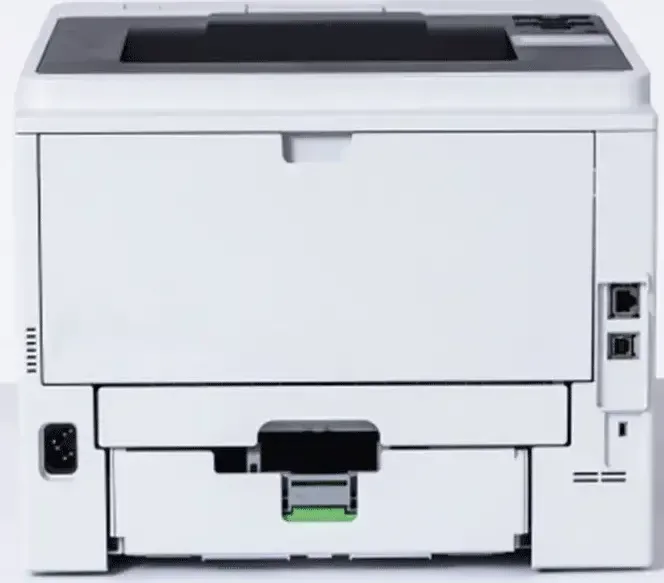
1x USB-B 2.0
Network
Gb LAN, Wi-Fi 4 (WLAN 802.11a/b/g/n), Wi-Fi Direct, AirPrint, Mopria, Universal Print (Azure Cloud Print)
Display
Monochrome, 1-line, Touchscreen
Power Consumption
710 W (typical), 31 W (standby), 0.5 W (sleep), 0.04 W (off)
Sound Pressure Level
54.0 dB(A)
Emulation
XPS, PCL 6, PostScript 3, PDF 1.7
Chassis Color
Gray
Dimensions
14.69 x 11.38 x 15.28 in
Weight
28.00 lbs
Manufacturer Warranty
3 years in AT/DE/PL, one year in UK
Product Description
Elevate Productivity with the Brother HL-L6210DW Laser Monochrome
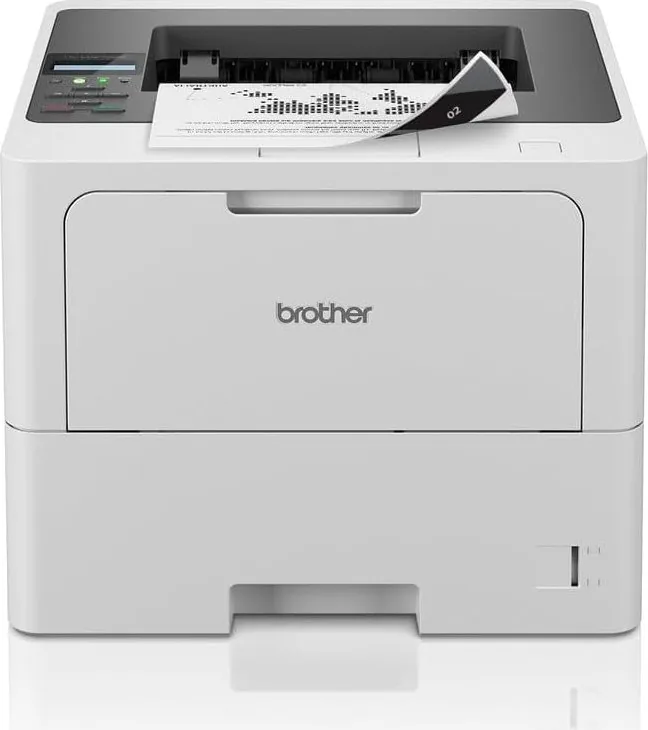
The Brother HL-L6210DW Laser Monochrome represents a significant step forward for busy offices requiring speed and reliability. This high-performance unit delivers consistent output for large workloads while maintaining a compact footprint. Users appreciate the durable construction designed to withstand daily heavy use in professional environments. The sleek design integrates well into modern office aesthetics without dominating the workspace. Details in the Brother HL-L6210DW Laser Monochrome Manual are extensive for setup.
Enhanced Connectivity Solutions
Seamless integration into existing business networks is crucial. Wireless capabilities support mobile workflows allowing staff to send tasks from anywhere within range. A Gigabit Ethernet port ensures stable wired connections for desktop computers. Cloud-based printing extends functionality beyond the local office. This flexibility supports remote teams working from various locations without installing drivers on every single device.
Intuitive Control Interface
Navigating settings is straightforward with the clear control panel display. Touch interactions simplify menu access for users of all technical backgrounds. The screen provides real-time status updates regarding paper levels and potential issues. Clear indicators guide staff through maintenance tasks effortlessly. This user-friendly approach reduces downtime caused by operational errors or confusion during setup.
Advanced Security Protocols
Protecting sensitive data is a top priority for modern enterprises. Secure features allow users to lock tasks until they authenticate at the device. Network security tools help prevent unauthorized access. Encryption standards ensure that information remains protected during transmission. These measures safeguard financial records and client information from potential breaches or leaks. Regular updates patch vulnerabilities.
Efficient Paper Management
Managing materials is efficient with the adjustable trays supporting various weights. Automatic two-sided printing saves resources by reducing single-sided sheet usage. Large capacity options minimize the frequency of reloads. Sensors detect media types accurately to ensure proper feeding. Regular maintenance notifications keep the system running smoothly by alerting administrators when parts require attention.
Cloud and Mobile Integration
Modern workflows demand flexibility. Universal Print capabilities enable printing from anywhere over the internet. Mobile applications connect seamlessly with tablets and smartphones. Drivers are easy to install on supported operating systems. Backup functions ensure data remains safe even during system interruptions. These features combined provide a robust solution for today's digital demands. Network security protocols are robust.
Final Assessment
Investing in this hardware ensures a productive workflow for professionals. Cost-effective toner usage contributes to lower long-term expenses. The balance of speed and security makes it a top choice. This machine is ideal.
Important Notes
Ensure the environment is well ventilated for optimal performance. Regular cleaning is recommended to prevent debris buildup. Always use genuine supplies for the best quality results.
Search for 67,706 Manuals online


Type-in Brand or Model