
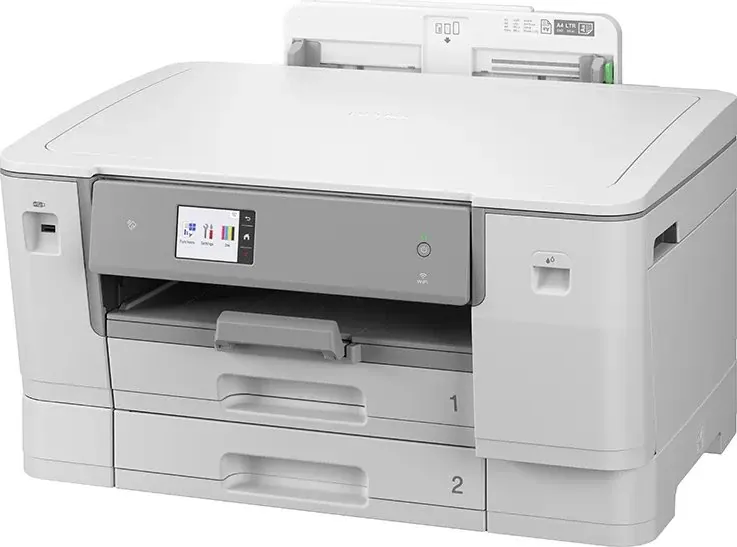
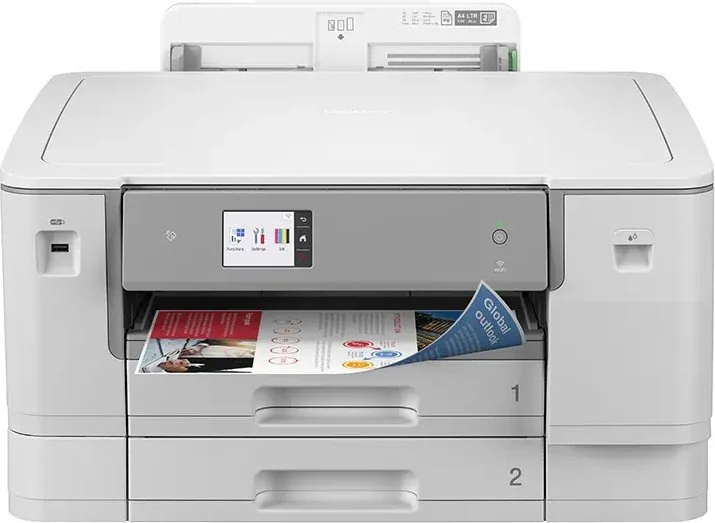
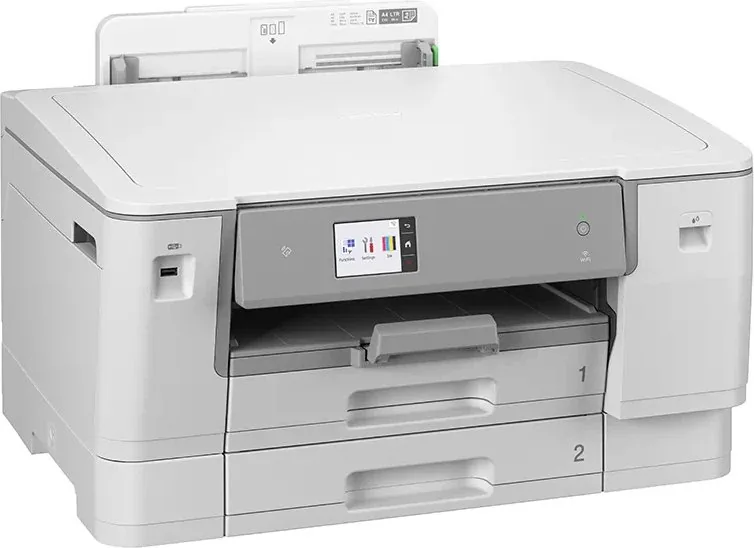
Brother HL-J6010DW Manual
PDF manual · 365 Pages
English



Quick check
Incorrect answer, please try again.
Chat with your Brother HL-J6010DW manual using AI
Get instant AI answers from your Brother HL-J6010DW manual
Ask anything about the Brother HL-J6010DW. Answers come from this manual, with the pages they are based on.
Ask a Question
Do you recommend HL-J6010DW?
Yes NoFrequently Asked Questions
It supports common sizes including A3, A4, Ledger, Letter, Legal, Folio, A5, A6, photo sizes, index cards, and selected envelopes. The multi-purpose tray also supports custom long paper up to 1200 mm in length.
Is this answer helpful?
Yes. Automatic two-sided printing is available for suitable regular paper. The printer also supports booklet printing, arranging pages so they can be folded into a booklet. Borderless printing is not available with duplex printing.
Is this answer helpful?
The printer supports USB, Ethernet, wireless networking, Wi-Fi Direct, AirPrint, Mopria Print Service, and Brother mobile printing applications. This gives users several ways to print from compatible computers and mobile devices.
Is this answer helpful?
Yes. Tray 1 and the multi-purpose tray support photo media and envelopes within their stated capacities. Select the matching paper type and size before printing, and remove glossy or photo sheets promptly to reduce smudging.
Is this answer helpful?
Secure Print holds a protected Windows print job until a four-digit password is entered on the printer touchscreen. After the job is released and printed, the secured data is cleared from the printer memory.
Is this answer helpful?
Built-in maintenance options include ink-volume checks, print-head cleaning, print-quality checks, alignment checks, nozzle improvement, roller cleaning guidance, and machine-status monitoring. These tools help maintain reliable print quality.
Is this answer helpful?
Advantages and Disadvantages
Advantages

- Supports A3, Ledger, Legal, photo media, envelopes, and long paper up to 1200 mm.
- Automatic two-sided printing, booklet layouts, poster mode, and N-in-1 printing add flexibility.
- Offers USB, Ethernet, Wi-Fi, Wi-Fi Direct, AirPrint, Mopria, and Brother mobile printing.
- Touchscreen controls provide quick access to ink, maintenance, tray, network, and secure-print settings.
- Includes advanced network security features such as SSL/TLS, IPsec, SNMPv3, and authentication.
Disadvantages

- Tray 2 is limited to plain and recycled paper.
- Long-paper printing requires the MP tray and one sheet must be fed at a time.
- Borderless printing is unavailable for envelopes and automatic two-sided printing.
- Glossy and photo sheets may need immediate removal to prevent smudging or jams.
- Some advanced print controls are specific to Windows driver software.
Product Specification
Format
A3
Type
Inkjet printer
Color system
4-color, 4 x individual cartridges
Consumables
LC427, LC427XL
Printing
4,800 x 1,200 dpi - 22/20 ppm (A4) (ISO)
Paper input
500 sheets (2 x 250 sheets), duplex unit
Memory
512 MB (RAM)
Connections
1 x USB-A 2.0 (host)
Network
Gigabit LAN, Wi-Fi 4 (WLAN 802.11b/g/n), WPS, NFC, Wi-Fi Direct, AirPrint, Mobile Print, Mopria
Display
color, 2.7 in, touchscreen
Power consumption
24 W (typical), 5 W (standby), 0.9 W (sleep), 0.03 W (off), TEC: 0.17 kWh/week
Sound pressure level
53 dB(A)
Emulation
XPS, PCL 6, PostScript 3, PDF 1.7
Case color
gray
Dimensions
22.68 x 12.4 x 18.78 in
Weight
43.21 lb
Special features
USB direct scan, borderless printing, PictBridge, direct print
Manufacturer warranty
3 years in Austria/Germany/Poland (on-site after registration), 1 year in the UK
Product Description
Brother HL-J6010DW Ink, Multicolor
The Brother HL-J6010DW Ink, Multicolor is designed for busy home offices and small workgroups that need flexible, high-impact color printing across everyday and oversized formats. With support for A3, Ledger, Legal, Letter, photo media, envelopes, and selected long-paper projects, this inkjet printer helps transform routine reports, marketing pieces, photos, and creative layouts into polished output.
Built for versatile printing
Its dual paper trays and multi-purpose tray make it easier to keep commonly used paper ready while reserving another source for specialty media. Tray 1 supports a broad range of media, while Tray 2 is suited to plain or recycled paper. The multi-purpose tray is a practical choice for envelopes, glossy sheets, card stock, and single long sheets up to 1200 mm in length.
The printer includes automatic two-sided printing for reducing paper use and producing professional reports, handouts, and booklets. Windows users can also choose multi-page layouts, poster printing, scaling, watermarking, reverse order, and print profiles. Color and greyscale modes offer useful control for vibrant presentations or efficient monochrome output.
Connected printing options
The Brother HL-J6010DW Ink, Multicolor supports USB, Ethernet, wireless networking, Wi-Fi Direct, AirPrint, Mopria Print Service, and Brother mobile printing tools. These options help users print from computers and compatible mobile devices without being tied to a single connection method. Direct USB printing and supported online-service features add further convenience for quick output.
A responsive touchscreen LCD provides access to settings, ink information, maintenance tools, secure-print controls, and wireless status. The panel also simplifies tray configuration, allowing paper size and media type settings to match what is loaded. Correct media settings are important for dependable feeding, cleaner results, and better color quality.
Maintenance and security support
Routine care is straightforward with built-in functions for checking ink volume, cleaning print heads, improving print quality, checking alignment, and monitoring machine status. The printer can also alert users to paper and maintenance conditions. For shared environments, secure printing, user authentication, SSL/TLS, SNMPv3, IPsec, certificate management, and Secure Function Lock features provide stronger control over printing and network access.
Whether you need broad-format color pages, duplex office output, photos, or special media, the Brother HL-J6010DW Ink, Multicolor combines flexible handling with modern connectivity. Brother HL-J6010DW Ink, Multicolor - Read, Download & Print Free is a useful search phrase for shoppers comparing features, setup guidance, and maintenance information.
Notes
- Match the paper type and size settings to the loaded media for best results.
- Use compatible Brother ink and recommended media when consistent color output matters.
- Keep firmware and drivers updated to maintain available features and performance.
Search for 67,706 Manuals online


Type-in Brand or Model