
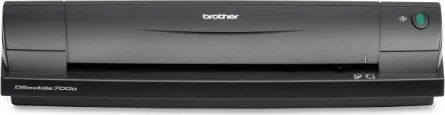
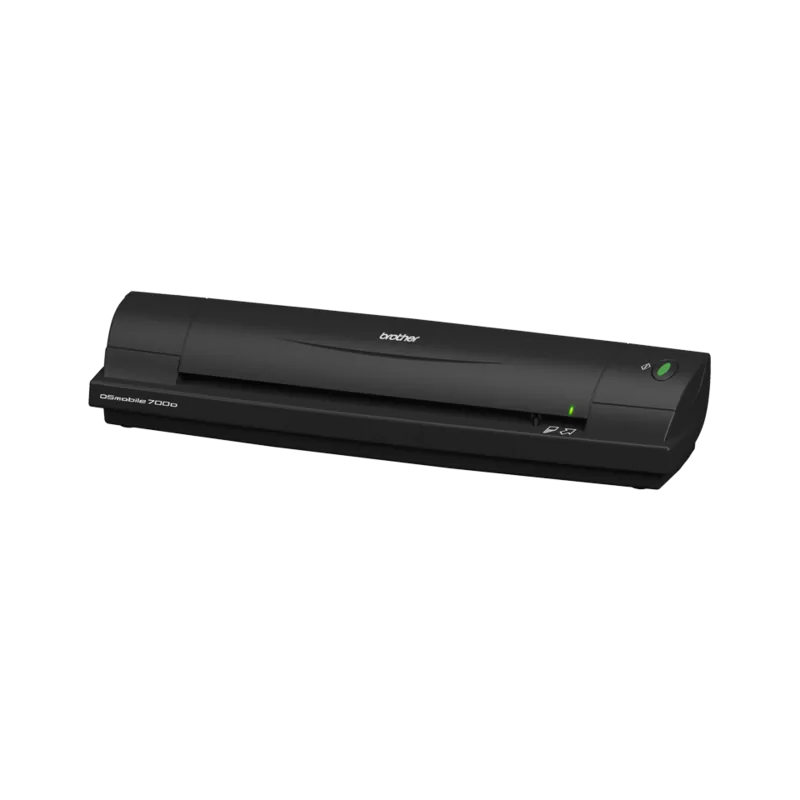
Brother DSmobile DS-700D Manual
PDF manual · 48 Pages
English



Quick check
Incorrect answer, please try again.
Chat with your Brother DSmobile DS-700D manual using AI
Get instant AI answers from your Brother DSmobile DS-700D manual
Ask anything about the Brother DSmobile DS-700D. Answers come from this manual, with the pages they are based on.
Ask a Question
Do you recommend DSmobile DS-700D?
Yes NoVideo Manual
Scanner portatile professionale Brother DS 600 - DS 700 D Verona
Frequently Asked Questions
Yes. Once drivers are installed from the DVD, the scanner operates independently using USB bus power without needing constant internet access for basic scanning functions.
Is this answer helpful?
Yes. The included BizCard software automatically reads names, addresses, and emails from cards after scanning with the TWAIN interface.
Is this answer helpful?
The device offers an optical resolution of up to six hundred by six hundred dots per inch for sharp and detailed image capture.
Is this answer helpful?
Yes. Regular cleaning with the provided sheet and mild alcohol prevents dust accumulation on the sensor and ensures consistent image quality.
Is this answer helpful?
No. It draws power directly from the USB port, so no separate power adapter is required for operation anywhere a USB port is available.
Is this answer helpful?
Approximately eighteen to nineteen seconds for a standard A4 page at two hundred dpi resolution when scanning in color mode.
Is this answer helpful?
Yes, but you must recalibrate the scanner using the black and white sheet when moving it to a new computer to ensure accuracy.
Is this answer helpful?
Advantages and Disadvantages
Advantages

- Portable and lightweight design ideal for mobile professionals needing quick access to scanning.
- Supports automatic duplex scanning for efficient handling of two-sided documents seamlessly.
- Compatible with Windows XP, Vista, 7 and Mac OS X versions for wide usage.
- Includes PageManager and BizCard software suites for enhanced document workflow efficiency.
- USB bus power eliminates the need for external power adapters on most devices.
Disadvantages

- No built-in battery, requiring connection to a powered USB port constantly during use.
- Paper weight limit restricts use of very heavy card stocks or materials above limit.
- Requires manual calibration setup if moving the scanner to a different computer system.
- Software installation initially requires DVD drive or internet download access for drivers.
- No Wi-Fi connectivity option, relying strictly on USB physical connection for data transfer.
Product Specification
Type
Mobile document scanner (CIS)
Resolution
600 x 600 dpi
Speed
10/3 ppm (B&W/Color)
Paper/Film Format
A4
Paper/Film Feeder
1 Sheet DADF, Duplex Unit, Single Sheet
Connections
1x USB 2.0
Software
OCR Software
Product Description
Discover the Brother DSmobile DS-700D Portable Scanner
Taking digital organization to the next level, the Brother DSmobile DS-700D stands out as a versatile companion for professionals on the go. Designed for efficiency, this compact device handles both single and double-sided scanning with remarkable ease. Whether you are archiving important contracts or digitizing business cards, the DS-700D delivers crisp results. Users often refer to the thorough setup steps found in the Brother DSmobile DS-700D Manual to ensure optimal performance right from the start. This resource guides owners through initial calibration and software configuration to maximize the utility of the machine.
Seamless Connectivity for Windows and Mac
This scanner supports a wide range of operating systems, including Windows versions like Vista, 7, and XP, as well as Mac OS X versions ranging from 10.4 to 10.7. Compatibility is key, and the included drivers ensure smooth operation without constant hassle. Installation involves inserting the provided DVD and following on-screen prompts to configure the TWAIN and WIA drivers correctly. Once set up, the hardware interfaces instantly via USB bus power, eliminating the need for external adapters. This portability makes it ideal for remote work environments or travel scenarios where reliable scanning is essential. The device also includes hardware buttons to start scans directly without needing keyboard shortcuts.
Software Suite for Enhanced Productivity
Beyond the hardware, the scanner comes equipped with valuable software tools. PageManager allows users to scan, organize, and edit images effortlessly. For business professionals, BizCard software automates contact information extraction from cards. These applications integrate deep functionality without overwhelming the user. The system supports multiple file formats such as PDF, JPEG, and TIFF, ensuring flexibility in document management. Calibration is a critical step mentioned repeatedly to maintain image quality standards. Adjusting the scanner manually ensures accurate color reproduction and sharp text recognition during every scan cycle. It also supports Adobe PDF output for immediate sharing.
Safety and Maintenance Guidelines
Operating the device requires adherence to certain safety protocols. Users should avoid exposing the unit to liquids, extreme temperatures, or direct sunlight. Regular cleaning using the provided sheet and isopropyl alcohol keeps the sensor clear of dust and debris. Failure to follow these steps may void the warranty or lead to operational issues. Keeping the USB cable intact and free from damage is also emphasized for long-term reliability. With these precautions in mind, this portable tool remains a robust solution for modern workflows. Note: Always check the warranty page online for local registration details upon setup. Additionally, the device accommodates paper up to three hundred fifty-six millimeters in length and weighs very little, fitting into standard bags easily. The scan speed reaches six hundred dots per inch for high fidelity.
Search for 67,706 Manuals online


Type-in Brand or Model