
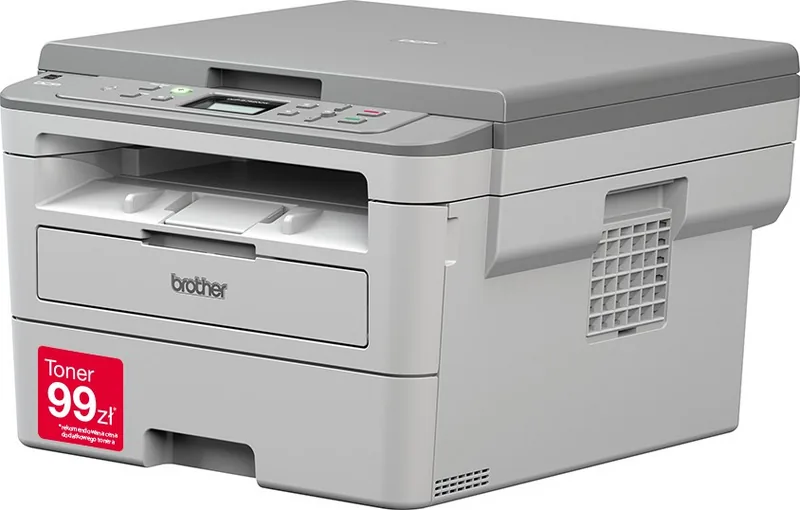
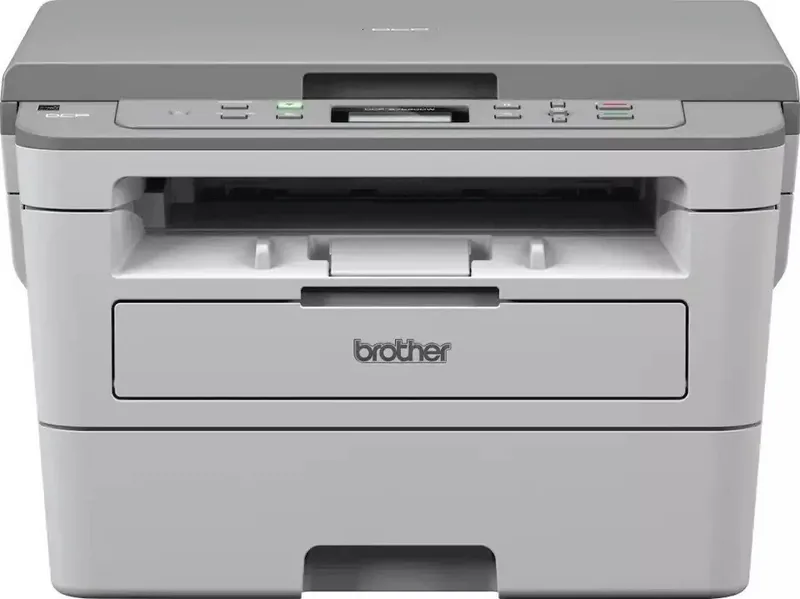
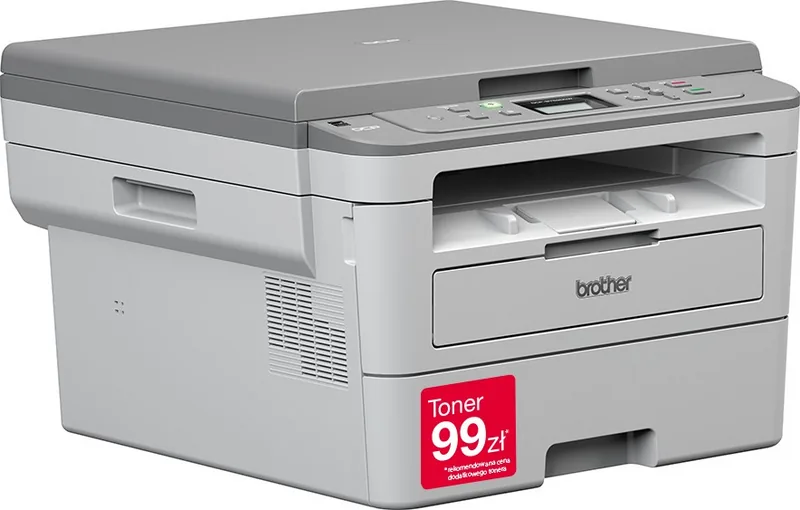
Brother DCP-B7520DW Manual
PDF manual · 22 Pages
English



Quick check
Incorrect answer, please try again.
Chat with your Brother DCP-B7520DW manual using AI
Get instant AI answers from your Brother DCP-B7520DW manual
Ask anything about the Brother DCP-B7520DW. Answers come from this manual, with the pages they are based on.
Ask a Question
Do you recommend DCP-B7520DW?
Yes NoFrequently Asked Questions
For advanced procedures, features, network tasks, and troubleshooting, use the Online User's Guide via support.brother.com/manuals. It is designed with quick navigation, a search box, and a structured layout so you can jump directly to the needed topic.
Is this answer helpful?
Start with the LCD messages and follow the on-screen guidance. You can also check Brother Status Monitor on your computer for a clearer view of the machine condition. If needed, use the troubleshooting link from Status Monitor to find the matching fix online.
Is this answer helpful?
Verify the power cord is connected and the machine is on, remove any orange protective parts, confirm paper is inserted correctly, ensure interface cables are securely connected, and for network models confirm the access point/router is powered and its link indicator is active.
Is this answer helpful?
Use the paper tray for plain, thin, recycled, and thick paper. Use the manual feed slot for a wider range including plain, thin, recycled, bond paper, thick paper, labels, and envelopes. Always adjust the guides, fan the paper when needed, and do not exceed the marked capacity.
Is this answer helpful?
Confirm the wireless setting is activated (ON) and that your network details are correct. Recheck SSID and security information, including authentication method, encryption method, and the network key. Also note the device does not support 5 GHz SSIDs.
Is this answer helpful?
The guide lists TN-B020 toner at approximately 2,600 pages. The DR-B020 drum is listed at approximately 12,000 pages. Yields may vary with media type and usage, and replacement should be triggered by control panel or Status Monitor alerts.
Is this answer helpful?
Advantages and Disadvantages
Advantages

- Online User's Guide adds advanced instructions, network workflows, and comprehensive troubleshooting beyond the basics.
- Status Monitor helps you identify errors quickly with color-coded status and one-click troubleshooting access online.
- Paper loading guidance covers common media types, including recycled paper, thin stock, and envelopes.
- Wireless support includes an installer approach plus specific checks for SSID, security, and error codes.
- Supply expectations are clearly stated: TN-B020 toner (~2,600 pages) and DR-B020 drum (~12,000 pages).
Disadvantages

- Many advanced features and deeper setup details are primarily handled in the Online User's Guide.
- Wireless setup may require careful configuration because this model does not support 5 GHz SSIDs.
- Some guidance points to authorized service for parts replacement, reducing DIY repair options.
- Noise and placement advice may require separate-room setup if noise emissions exceed the stated threshold.
Product Specification
Format
A4 (Printing), A4 (Scanning)
Type
Printer/Scanner/Copier
Color system
1-color, 1x single toner
Consumables
TN-B023, DR-B023
Printing
1200x1200dpi - 34 ppm (A4)
Scanning
1200x1200dpi (CIS) (A4)
Copying
600x600dpi - 34 ppm (A4)
Paper feed
250 sheets, duplex unit
Memory
128MB (RAM)
Connections
1x USB-B 2.0
Network
LAN, Wi-Fi 4 (WLAN 802.11b/g/n), WPS, Wi-Fi Direct, AirPrint, Cloud Print, Mobile Print, Mopria
Display
monochrome, 2-line
Power consumption
475W (typical), 42W (standby), 6.2W (sleep)
Sound pressure level
49.0dB(A)
Emulation
PCL 6, PostScript 3, PDF 1.7
Housing color
grey
Dimensions
16.14x10.71x15.69in
Weight
23.15lb
Special features
Blue Angel
Manufacturer warranty
3 years in AT/DE/PL, one year in UK
Product Description
Brother DCP-B7520DW Laser, monochrome Manual
Built for everyday monochrome printing
The Brother DCP-B7520DW Laser, monochrome Manual approach puts a practical, routine-focused guide at your fingertips. This monochrome laser model is designed to handle common office tasks with clear step-by-step help for setup, daily operation, and maintenance basics. If you want consistent black-and-white output for documents, forms, and reports, the DCP-B7520DW family is aimed at making printing and scanning workflows easier to manage.
Quick setup, then deeper guidance online
You can start with in-box references that cover safety, initial setup, and essential fax/copy/scan basics. For more detailed features and network use, the Online User's Guide expands what you can do, including printing, scanning, copying, fax-related content (where applicable), Brother ControlCenter actions, troubleshooting, and networking tips. The online guide is built for fast finding, with search and a topic index that helps you jump directly to the right procedure.
Clear controls and guided troubleshooting
The control panel overview highlights how to navigate everyday actions: mode switching for copy and scan, menu access for settings, and an LCD that displays helpful status information. For issues that arise, Brother's Status Monitor provides a visual way to check machine condition and access troubleshooting online. Error guidance also shows on the LCD, and paper or document jams are mapped to specific areas so you know where to look first.
Paper handling and wireless connection tips
Loading paper is organized by tray vs manual feed slot, with guidance for plain, thin, recycled, thick, bond paper, labels, and envelopes. For wireless models, the WiFi button and installer workflow are explained so you can connect to your network. Wireless troubleshooting includes common causes and fixes, such as verifying authentication and encryption settings, confirming SSID and network key details, and noting that this device does not support 5 GHz SSIDs.
Supplies and key performance expectations
When supplies need replacement, error messages will appear on the control panel or in Status Monitor. The toner cartridge (TN-B020) is listed at approximately 2,600 pages, while the drum unit (DR-B020) is listed at approximately 12,000 pages (with page yield details based on ISO/IEC 19752 and usage conditions).
Key results
- Faster help with online browsing tools: search, index, and step-by-step formatting.
- Practical troubleshooting: Status Monitor, LCD guidance, and jam location cues.
- Reliable daily paper support: trays and manual feed for multiple media types.
- Wireless readiness: installer workflow plus targeted error-code guidance.
Notes
- Power consumption is 0 W after you turn off the machine and unplug it.
- If you need to replace internal parts, contact Brother Authorized Service Centers.
- Brother supports recycling through return schemes and accepts machines and consumables for recycling (region details apply).
Search for 67,706 Manuals online


Type-in Brand or Model