
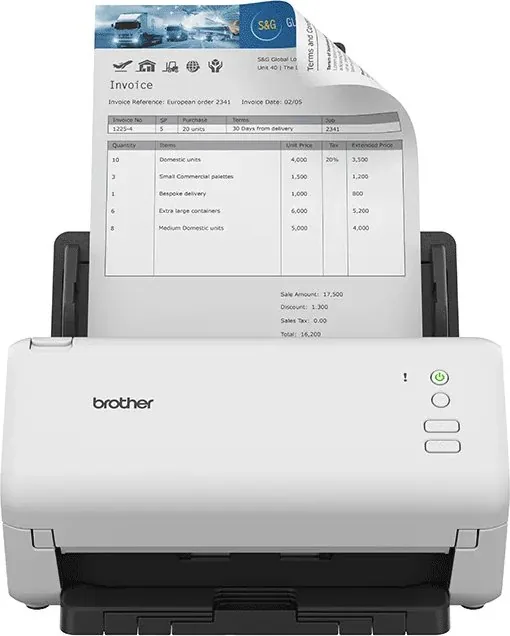
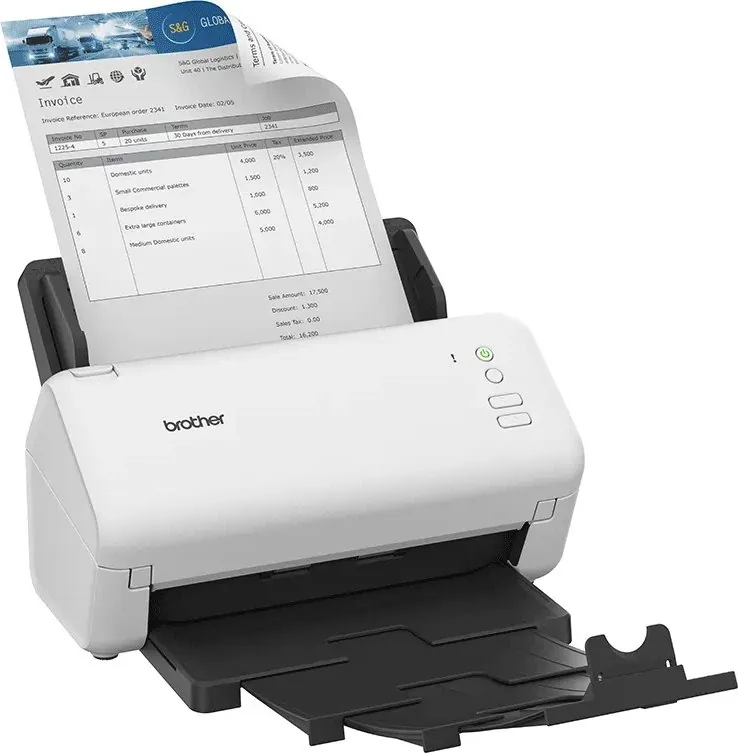
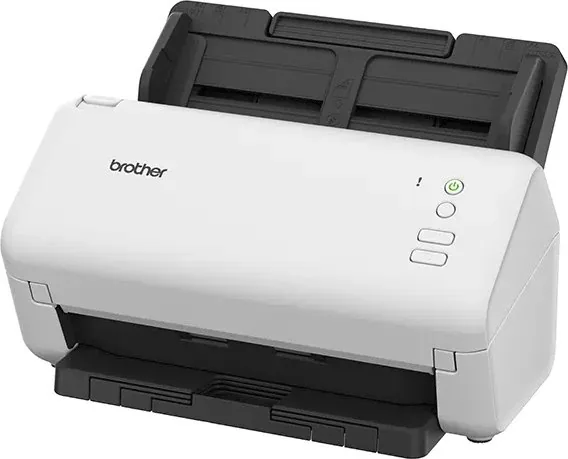
Brother ADS-4100 Manual
PDF manual · 10 Pages
English



Quick check
Incorrect answer, please try again.
Chat with your Brother ADS-4100 manual using AI
Get instant AI answers from your Brother ADS-4100 manual
Ask anything about the Brother ADS-4100. Answers come from this manual, with the pages they are based on.
Ask a Question
Do you recommend ADS-4100?
Yes NoFrequently Asked Questions
Press settings, select setup, then network and follow prompts. You can also download software.
Is this answer helpful?
No, you must use the provided adapter to ensure safety and warranty compliance.
Is this answer helpful?
No, alcohol may damage the finish or cause electrical hazards.
Is this answer helpful?
Check the placement location and ensure vents are not blocked by walls.
Is this answer helpful?
Change it via the settings menu immediately upon first setup.
Is this answer helpful?
Keep plastic bags away from children during unboxing the scanner.
Is this answer helpful?
Visit the support website and download the latest updates for your model.
Is this answer helpful?
Advantages and Disadvantages
Advantages

- Versatile connectivity options including USB and network capabilities
- Automatic Document Feeder speeds up daily scanning tasks
- Secure default password settings for networked models
- Clear status LEDs indicate device operational state
- Compatible with Windows and Mac operating systems
Disadvantages

- Requires exclusive use of the provided power adapter
- Plastic bags pose a choking hazard for children
- Cannot be transported by holding the document feeder
- Network setup may fail if routers are not restarted
- Harsh cleaners can damage the exterior housing finish
Product Specification
Type
Document Scanner (CIS)
Resolution
1200 x 1200 dpi
Speed
35/35 ppm (B/W/Color)
Paper-/Film Format
A4
Paper-/Film Feeder
60 Sheet DADF, Duplex Unit
Ports
1x USB 3.0, 1x USB-A 2.0 (Host)
Wireless
N/A
Software
OCR Software
Power Consumption
23W (typical), 5.4W (standby), 0.1W (sleep)
Dimensions
11.77 x 8.50 x 7.48 in
Weight
5.73 lbs
Features
USB Direct Scan, Double Sheet Detection
Manufacturer Warranty
3 Years (On-Site)
Product Description
Mastering the Brother ADS 4100 ## Comprehensive Desktop Scanning Solutions The Brother ADS 4100 represents a significant step forward in desktop scanning technology designed for modern office workflows. This device integrates seamlessly into your digital environment, offering rapid document management solutions without cluttering your workspace. Whether you are organizing important invoices or archiving old papers, this unit simplifies the process through intuitive hardware design. The Automatic Document Feeder allows for bulk scanning, significantly reducing manual handling time for daily tasks and increasing overall efficiency within any professional setting. ## Versatile Connectivity and Network Access One of the primary strengths of this scanner lies in its versatile connection methods suitable for diverse environments. Users can engage the system via standard USB links for direct computer attachment or utilize network capabilities for shared access across an entire office. For models equipped with wireless functionality, setting up a secure connection involves straightforward menu navigation to locate your specific network name. Once connected, the status indicators on the display provide clear feedback on operational states such as readiness or power saving modes. Network security is maintained through default passwords found on the device label. Users are strongly advised to change this credential immediately to prevent unauthorized access to your network and protect sensitive data from external threats. ## Essential Safety and Placement Protocols Stability is crucial for the longevity of this electronic equipment and user safety. Ensure the machine sits on a flat, stable surface away from moisture or extreme heat sources. Avoid placing the unit on carpets or near radiators to prevent overheating and potential fire hazards. The provided power adapter must be used exclusively to maintain warranty validity and electrical safety compliance. Always keep plastic packaging away from children to avoid choking risks during unboxing procedures. Never place heavy objects on the scanner or allow liquids to come into contact with the housing material. Dust and debris can accumulate in ventilation slots, so keep the rear of the unit clear of walls to ensure proper airflow and cooling. ## Software, Maintenance, and Support Resources Setup software facilitates easy installation from the official support portal for all major operating systems. Drivers must be refreshed regularly to ensure compatibility with newer versions and latest security patches within your computer. The system supports standalone operation for models with network capabilities, allowing direct access via local area connections for remote users. If errors occur, the online help section offers detailed guides for resolving paper jams or connectivity drops quickly. Firmware updates can be downloaded to keep features aligned with current standards and security protocols. By following these operational procedures, users can maximize the lifespan of their hardware while maintaining high scanning quality across various business environments. Always refer to the safety section before attempting any physical adjustments to prevent injury and ensure proper maintenance. Do not use alcohol or ammonia-based cleaners as they may damage the exterior finish. Always keep the original packaging for potential transport to prevent damage. Resources like the Brother ADS-4100 Manual provide necessary guidance without requiring complex technical knowledge. This ensures consistent performance over many years of use. Regarding warranty, Brother adheres to strict guidelines which protect the user and the device throughout its lifecycle. Unauthorized changes to internal components will invalidate these protections immediately.
Search for 67,706 Manuals online


Type-in Brand or Model