
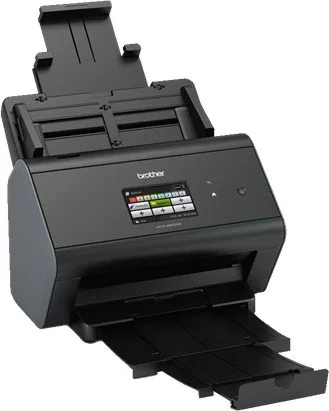

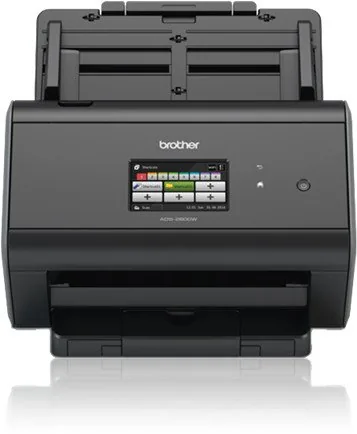
Brother ADS-2800W Manual
PDF manual · 283 Pages
English



Quick check
Incorrect answer, please try again.
Chat with your Brother ADS-2800W manual using AI
Get instant AI answers from your Brother ADS-2800W manual
Ask anything about the Brother ADS-2800W. Answers come from this manual, with the pages they are based on.
ADS-2800W Maintenance Schedule
Perform routine maintenance when the Planned Maintenance message appears. Clean the rollers and reset the counter.
The device counts scan operations. Replace the pickup roller after approximately 200,000 scans.
The device counts scan operations. Replace the separation roller after approximately 200,000 scans.
Ask a Question
Do you recommend ADS-2800W?
Yes No
isom57
6 months ago
How difficult is the installation process, and what level of scanning quality can be expected with this device?

Manual.ly
6 months ago
Based on user feedback, the scanner is designed for easy installation with minimal setup time. Users regularly report excellent scanning quality and high reliability for various tasks.

Marta Kowalski
10 months ago
Is the scanner easy to install, and does it deliver reliable scan quality in everyday use?
Manual.ly
10 months ago
Yes. Customers report that the scanner is very easy to set up and install. Once installed, it performs excellently and produces consistently good scan results. The overall build and scan quality are described as top-tier, so it should work well for day-to-day use without hassle.
Frequently Asked Questions
Use the touchscreen menu to navigate to network settings and select your Wi-Fi SSID. Enter the password to establish a secure connection. You can also use an Ethernet cable for a more stable wired connection option.
Is this answer helpful?
Yes, the device supports direct email scanning. Configure your SMTP settings in the network menu and enter recipient addresses through the touchscreen interface for direct delivery without PC involvement.
Is this answer helpful?
The scanner supports common formats including PDF, JPEG, TIFF, and PNG. You can select the preferred format during the scan setup process to match your specific archiving or editing requirements.
Is this answer helpful?
Use the card mode setting found in the scanner options. Ensure the stack is not too thick, generally limited to five cards, to prevent jams during the feeding process.
Is this answer helpful?
Yes, updates are available via the Brother Solutions Center website. Download the latest firmware utility for your computer and follow the instructions to update the device software remotely.
Is this answer helpful?
The automatic document feeder can hold up to fifty sheets of standard paper. Thick documents reduce this capacity, so check the guidelines for optimal loading amounts.
Is this answer helpful?
Access the system settings via the menu and select the reset option. Confirm the action carefully as this will erase all custom configurations and return the scanner to default.
Is this answer helpful?
Advantages and Disadvantages
Advantages

- Fast scanning speeds and high capacity automatic document feeder for efficient batch processing of office papers.
- Supports multiple scanning destinations including email, network folders, and cloud services for flexible workflow integration.
- Advanced security features such as user authentication and encryption protect sensitive data from unauthorized access attempts.
- Intuitive touchscreen interface simplifies operation and reduces training time for new employees starting with the device.
- Robust connectivity options allow both wireless and wired network connections for maximum office setup flexibility.
Disadvantages

- Initial setup can be complex for users unfamiliar with network configuration and printer driver installation procedures.
- Physical dimensions are relatively large, potentially requiring significant desk space compared to home consumer models.
- Consumables like pick rollers and maintenance kits require replacement after extended periods of heavy daily usage.
- Some advanced software features require specific operating system versions or additional license installations to activate fully.
- Noise levels may be slightly higher during operation compared to compact scanners designed for quiet home office environments.
Product Specification
Type
Document Scanner (CIS)
Resolution
600x600dpi
Speed
30/30 ppm (B/W/Color)
Paper/Film Format
A4
Paper/Film Feeder
50 Sheets DADF, Duplex Unit
Memory
512MB (RAM)
Ports
1x USB 2.0, 1x USB-A 2.0 (Host), 1x Gigabit Ethernet
Wireless
Wi-Fi 4 (WLAN 802.11b/g/n)
Display
Color, 3.7 in, Touchscreen
Software
OCR Software
Features
USB Direct Scan
Product Description
Elevate Your Office Workflow With the Brother ADS-2800W
The Brother ADS-2800W represents a pinnacle of efficiency for modern businesses looking to streamline their office management and digitize paperwork quickly. This high-performance scanner is designed to integrate seamlessly into daily operations, ensuring that physical papers are quickly converted into digital assets without compromising quality or speed. Users often refer to the official guide as the Brother ADS-2800W Manual to understand the full capabilities of this versatile machine fully. It is built for speed and reliability in demanding office environments where time is money.
One of the standout features is the expansive output tray and the automatic document feeder. It handles a wide variety of paper sizes, from standard business cards to legal papers with ease. The touchscreen interface allows for intuitive navigation, making setup and adjustments straightforward even for non-technical staff. Connectivity options are robust, supporting both wireless and wired connections to ensure flexibility across different network environments and ensuring your team can work from anywhere within the office comfortably. Features like scan to email and scan to folder allow for direct data transfer without needing a computer involved in the process.
Security is paramount for any business handling sensitive information on a daily basis. This model includes advanced authentication methods like Active Directory support and configurable user restrictions to prevent unauthorized access. These features prevent unauthorized access and ensure that confidential data remains protected during the scanning process for compliance reasons. Additionally, the ability to scan directly to cloud services like Evernote and Dropbox simplifies remote collaboration and data sharing among team members efficiently without storing sensitive data locally on a hard drive unnecessarily.
Maintenance is minimal thanks to durable components designed for high-volume usage over years of service. The device prompts users for necessary updates via the Brother Solutions Center, ensuring optimal performance over time without manual intervention required constantly. Whether you are archiving records or processing invoices, this device adapts to your specific needs for long-term productivity gains and operational stability in your workflow. This device is engineered for continuous operation in busy environments.
In summary, integrating this scanner into your workflow reduces physical clutter and enhances digital accessibility for your organization significantly. It is a reliable solution for small to medium enterprises seeking professional-grade scanning capabilities without complexity. You will find that it pays for itself in reduced time and improved organization of your physical files for future retrieval. Investing in this technology ensures long-term value.
Notes
- Ensure your network supports the protocols for optimal scanning performance.
Search for 67,706 Manuals online


Type-in Brand or Model
Lisa Weber
8 months ago
Is the scanner easy to set up and install?
Manual.ly
8 months ago
Yes, our device features a straightforward setup process. Users frequently report that installation is quick and the performance is excellent right out of the box.