
British Telecom BT4600 Manual
PDF manual · 92 Pages
English



Quick check
Incorrect answer, please try again.
Chat with your British Telecom BT4600 manual using AI
Get instant AI answers from your British Telecom BT4600 manual
Ask anything about the British Telecom BT4600. Answers come from this manual, with the pages they are based on.
BT4600 Maintenance Schedule
Replace with two new AAA Ni-MH 550mAh rechargeable batteries when they run out of charge more quickly.
Clean with a damp cloth or anti-static wipe. Never use household polish or dry cloths.
Ask a Question
Do you recommend BT4600?
Yes NoFrequently Asked Questions
It adds advanced call management features like nuisance-call blocking, allow and block lists, VIP contacts, and announce mode, while still offering everyday cordless phone functions such as handsfree calling and an answer machine.
Is this answer helpful?
Yes, Caller Display is required for features like call blocking and full caller identification. Without it, some call-screening tools will be limited, and charges may apply depending on your provider.
Is this answer helpful?
Yes. You can block numbers during a call, from the calls list, or directly through the call blocking menu. You can also block by area code or manage separate blocked and allowed lists.
Is this answer helpful?
The phonebook can store up to 200 contacts. Saved contacts can sync to other handsets registered to the same base, which is useful in homes with more than one handset.
Is this answer helpful?
Yes. It includes a digital answer machine with up to 60 minutes of recording time, plus options for answer and record, answer only, call screening, and remote access.
Is this answer helpful?
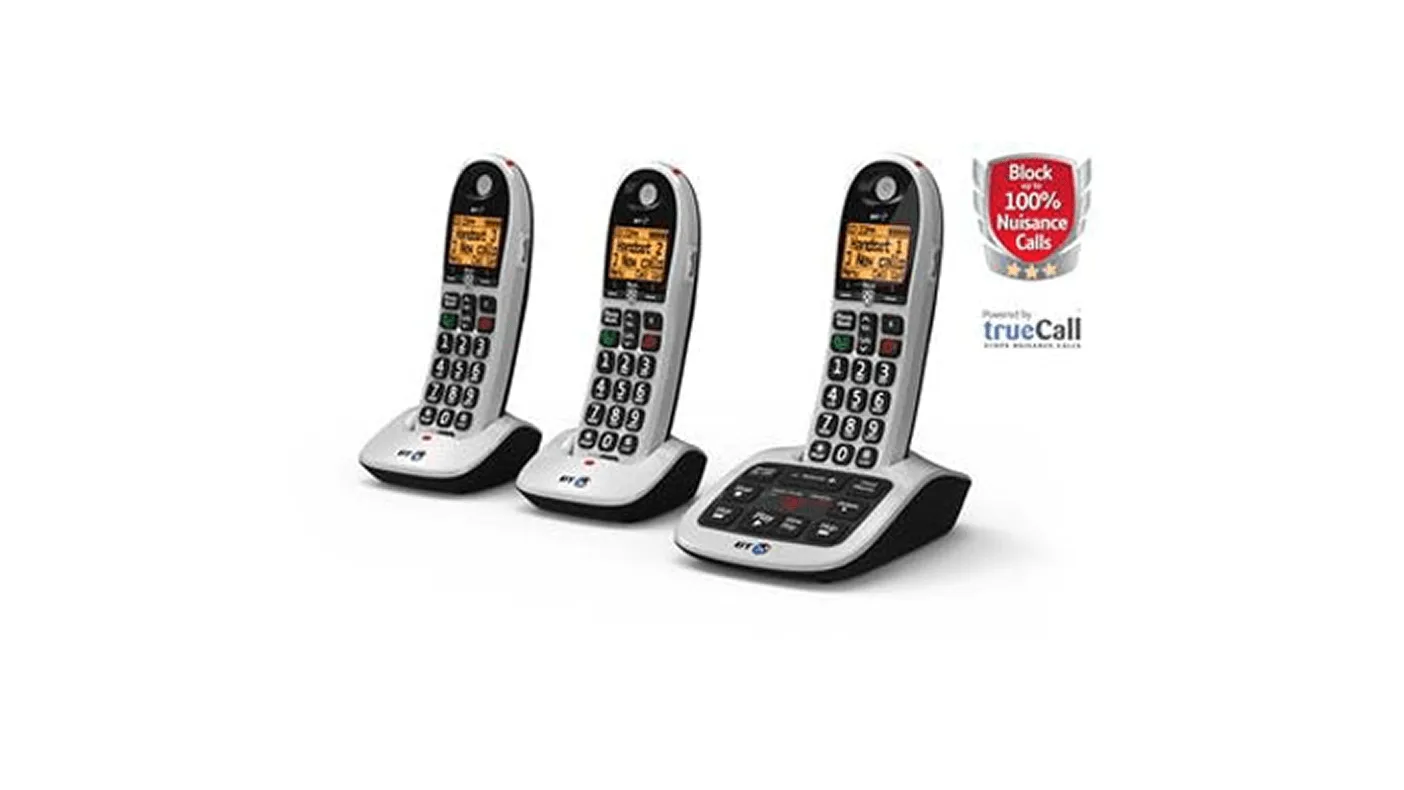
Yes. You can register up to six GAP-compatible handsets to the base. Additional handsets can share contacts, speed-dial entries, and time/date settings.
Is this answer helpful?
It has an in-built inductive coupler designed for use with digital hearing aids, which can make calls easier to hear for users who need that support.
Is this answer helpful?
Advantages and Disadvantages
Advantages

- Strong nuisance-call blocking with announce, block, and allow options.
- Large buttons and clear menus make it easier to use every day.
- Built-in answer machine, call recording, and remote access add flexibility.
- Supports multiple handsets and keeps contacts synchronized across them.
Disadvantages

- Full call blocking needs Caller Display from the network provider.
- Some features may take time to learn because the menu is extensive.
- Battery performance depends on using the supplied rechargeable batteries.
- Not suitable as the only emergency calling option during a power cut.
Product Specification
Type
Analog telephone (cordless)
Display
monochrome
Phonebook
200 entries
Interfaces
1x analog, DECT, 1x Headset (0.14in jack)
Answering machine
yes (1h)
Features
Caller ID, Hands-free function, Big button phone, Hearing aid compatible
Dimensions
7.20x2.40x1.57in (Handset), 6.77x4.49x2.09in (Base)
Weight
0.31lb (Handset), 0.44lb (Base)
Product Description
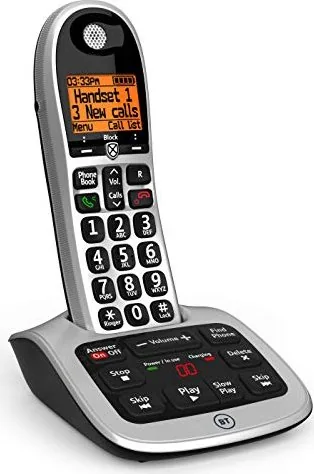
British Telecom BT4600: a smart cordless phone built for calmer calls
The British Telecom BT4600 Manual gives a clear picture of a cordless phone designed around convenience, control, and call confidence. At first glance, it stands out with its big-button layout, large display, and practical handset design, but its real strength is how it helps users manage unwanted interruptions without making everyday calling feel complicated.
A phone that puts call control first
The BT4600 is especially appealing for households that deal with nuisance or unknown calls. Its call blocking tools let you screen callers, build allow and blocked lists, and decide whether a new number should ring through, announce itself, or be sent straight to the answer machine. That balance between protection and flexibility makes it a strong fit for busy homes, older users, and anyone who wants a calmer home phone experience.
Easy to set up, easy to live with
The setup process is straightforward: charge the handset, enter the time and date, and follow the guided steps to personalize the phone. You can add contacts, assign VIP status to important numbers, and save speed-dial entries for people you call often. The phone also supports multiple handsets, so it can grow with the home without extra wiring.
Everyday features that feel thoughtfully chosen
Beyond call blocking, the BT4600 includes handsfree calling, voicemail access, redial via the calls list, a built-in answer machine, recording options, and adjustable tones and volumes. The handset also supports hearing aid users with an inductive coupler, and the large buttons make dialing less stressful. For families or shared homes, features like internal calling, call transfer, and 3-way calling add even more value.
Why it stands out
The BT4600 is not trying to be a flashy gadget; it is trying to be useful every day. It offers a reassuring mix of accessibility, practical control, and customizable communication tools. If you want a cordless phone that helps filter unwanted calls while still keeping important people within easy reach, this model has a lot to offer.
Notes
- Caller Display is needed for the full call-blocking experience.
- Important numbers should be saved as contacts or VIPs.
- The answer machine can be managed from the handset, base, or remotely.
Search for 67,706 Manuals online


Type-in Brand or Model