

Braun DigiFrame 17 Motion Manual
PDF manual · 73 Pages
English



Quick check
Incorrect answer, please try again.
Chat with your Braun DigiFrame 17 Motion manual using AI
Get instant AI answers from your Braun DigiFrame 17 Motion manual
Ask anything about the Braun DigiFrame 17 Motion. Answers come from this manual, with the pages they are based on.
Ask a Question
Do you recommend DigiFrame 17 Motion?
Yes NoFrequently Asked Questions
It supports JPEG, BMP, and PNG images; MP3 audio; and video formats including MPEG1, MPEG2, MPEG3, H.264, RM, RMVB, MOV, MJPEG, and DivX.
Is this answer helpful?
The DigiFrame supports SD, SDHC, and MMC memory cards, USB 2.0 devices, and its built-in 4 GB memory. Content can also be managed through a USB connection to a compatible computer.
Is this answer helpful?
The integrated motion sensor allows the frame to respond to activity nearby. Together with standby mode and scheduled power settings, it can help make the display more suitable for spaces where continuous operation is unnecessary.
Is this answer helpful?
Yes. The frame supports slideshows with MP3 background music. Photo playback also includes controls for playlists, zooming, rotating images, moving an enlarged image, and selecting previous or next content.
Is this answer helpful?
Yes. The HDMI-IN connection lets you use a compatible HDMI source as the input. Select HDMI through the Source control and confirm the selection to switch to the external signal.
Is this answer helpful?
Enable Auto Copy in the settings menu to copy supported media from a USB device to an SD card. The frame displays progress and starts a slideshow after copying is complete. Files must be in the USB drive root directory.
Is this answer helpful?
Advantages and Disadvantages
Advantages

- Supports photos, MP3 audio, and numerous video formats for flexible multimedia playback.
- Built-in motion sensor, standby mode, clock, and automatic on/off settings support efficient daily use.
- Includes 4 GB internal memory plus SD, SDHC, MMC, USB 2.0, and HDMI-IN connectivity.
- Offers slideshow music, adjustable image settings, stereo speakers, headphone output, and direct playback controls.
Disadvantages

- Auto Copy requires media to be stored in the USB drive root directory rather than inside folders.
- The frame must be restarted after computer-based media changes or after inserting a memory card.
- Computer connection guidance specifically references older Windows versions.
- Only MP3 is listed for audio playback, which may limit music format flexibility.
Product Specification
Display
17 in
Resolution
1440 x 900
Brightness
250 cd/m2
Contrast
350:1
Viewing angles
130 degrees/110 degrees
Formats
JPG, JPEG, H.264, MPEG-1, MPEG-2, MPEG-4, XviD, MP3, WMA
Internal storage
4 GB
Card reader
SD/SDHC/MMC
Ports
1x Mini USB 2.0, 1x USB 2.0 (Host), 1x HDMI, 3.5 mm jack
Dimensions (W x H x D)
16.14 x 10.63 x 1.18 in
Weight
2.65 lb
Special features
Integrated speakers (2 x 2 W), remote control, security lock (Kensington), VESA
Product Description
Braun DigiFrame 17 Motion - Read, Download & Print Free
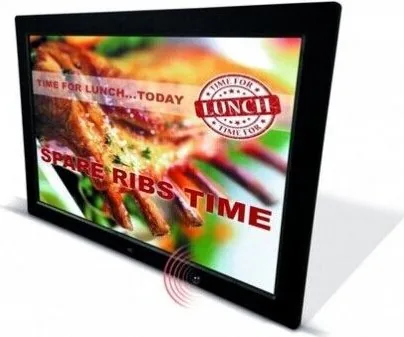
The Braun DigiFrame 17 Motion is a versatile digital photo frame designed to bring images, music, and videos into everyday spaces. Its built-in motion sensor helps the display respond when someone enters the room, making it a practical choice for homes, reception areas, shops, or family gatherings. With a 17-inch format and broad media compatibility, it provides a flexible way to present favorite memories or visual content without relying on a computer for daily playback.
Media Playback and Storage
This model supports JPEG, BMP, and PNG images, MP3 audio, and a wide selection of video formats, including MPEG, H.264, MOV, MJPEG, DivX, RM, and RMVB. Content can be played from SD, SDHC, or MMC cards, as well as USB 2.0 storage devices. The integrated 4 GB memory offers convenient space for a core collection of media, while USB computer connectivity enables users to copy, delete, or manage stored items.
A slideshow can be enhanced with background music, creating a more engaging presentation than a static image display. Photo controls include zoom, rotation, movement, playlist access, and previous or next selection. Music and video modes add practical playback controls such as pause, fast forward, rewind, mute, playlist selection, and video aspect adjustment.
Motion Sensor and Everyday Convenience
The defining feature of the Braun DigiFrame 17 Motion is its integrated motion sensor. This can make the frame feel more responsive in locations where the display does not need to run continuously. Standby support, a built-in clock, and automatic power-on and power-off scheduling provide additional options for managing daily operation.
Users can also adjust brightness, contrast, and color saturation to better suit room lighting and the character of displayed content. A scrolling subtitle function is available during photo, music, and video playback, which may be useful for adding short messages or labels to a presentation.
Connections and Extra Features
Beyond media playback, the frame includes stereo speakers, a headphone jack, and HDMI input. HDMI-IN lets the DigiFrame serve as a display for a compatible external HDMI source. Direct remote-control buttons for photo, music, video, calendar, setup, volume, zoom, and rotation make common functions easy to reach.
The Auto Copy setting can transfer eligible media from a USB device to an SD card and automatically begin a slideshow afterward. For successful copying, media must be placed in the root directory of the USB drive.
Notes
- Restart the frame after editing media through a computer connection or inserting a memory card.
- Check format compatibility before transferring content.
- Use the scheduled power settings and motion sensor to tailor operation to the installation environment.
Search for 67,706 Manuals online


Type-in Brand or Model
Karin Weber
6 months ago
Is the device easy for seniors to use, and is the remote control available in German?
Manual.ly
6 months ago
The menu system is designed to be simple and intuitive, and users report that it is easy to operate even for seniors. Please note that the remote control buttons are labeled in English, which may be less convenient for people who do not speak English. Image quality is reported to be very good.