

Braun DigiFrame 1094 Manual
PDF manual · 73 Pages
English



Quick check
Incorrect answer, please try again.
Chat with your Braun DigiFrame 1094 manual using AI
Get instant AI answers from your Braun DigiFrame 1094 manual
Ask anything about the Braun DigiFrame 1094. Answers come from this manual, with the pages they are based on.
Ask a Question
Do you recommend DigiFrame 1094?
Yes NoFrequently Asked Questions
It supports JPEG, BMP, and PNG for images; MP3 for audio; and MPEG1, MPEG2, MPEG3, H264, RM, RMVB, MOV, MJPEG, and DivX for video files.
Is this answer helpful?
Yes, you can connect via USB 2.0 or use the HDMI-IN port to display content directly from your computer or other HDMI-enabled devices.
Is this answer helpful?
Navigate to the Settings menu, select Auto Copy, and set the value to On. Ensure files are in the USB root directory before starting.
Is this answer helpful?
Yes, it comes with integrated stereo speakers and also includes a headphone jack for private listening.
Is this answer helpful?
Yes, the main menu includes a dedicated Calendar section where you can browse and view dates directly on the screen.
Is this answer helpful?
Absolutely. The setup menu allows you to customize brightness, contrast, and color saturation to match your room lighting.
Is this answer helpful?
Advantages and Disadvantages
Advantages

- Supports extensive video and image formats including H264 and DivX
- Built-in HDMI-IN allows direct connection to external media players
- Automatic file copy feature transfers data from USB to SD card seamlessly
- Adjustable screen settings for brightness, contrast, and saturation
- Includes calendar function and auto on/off scheduling capabilities
Disadvantages

- File copying fails if media files are not stored in the USB root folder
- Limited to specific video codecs which may exclude some modern formats
- No Wi-Fi connectivity requiring physical media connections for updates
- Audio quality depends on external speakers if headphones are not used
- Menu navigation requires remote or button inputs which may be slow
Product Specification
Display
10.1"/25.7cm
Resolution
1024x600
Viewing Angle
178°/178°
Formats
JPEG, MP3, WMA, MPEG-1, MPEG-2, MPEG-4, AVI, H.264, DivX, Xvid, MOV
Internal Storage
N/A
Card Reader
SD/SDHC/MMC/MS
Connections
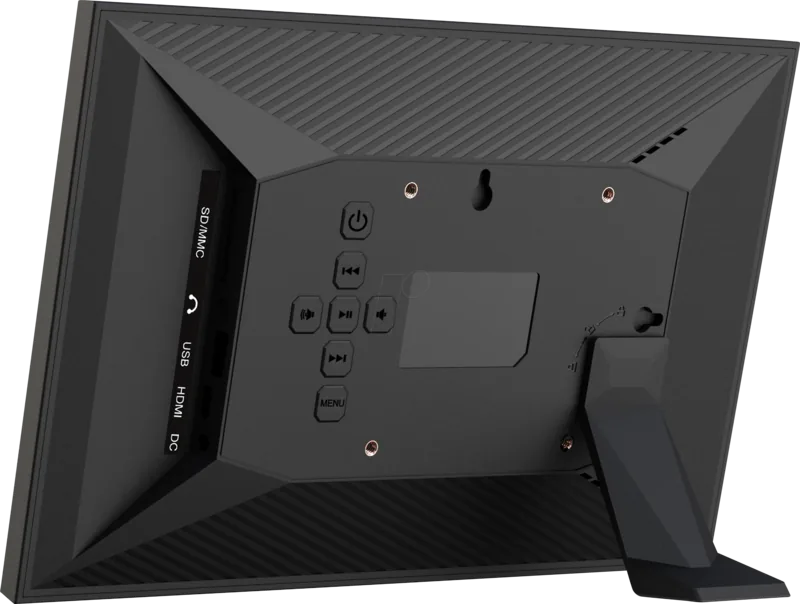
1x USB 2.0, 1x HDMI, 3.5mm Jack
Dimensions (WxDxH)
273x186x23mm
Weight
440g
Features
IPS Panel, Motion Sensor, Built-in Speakers, Security Lock (Kensington), VESA 50x75, Remote Control
Product Description
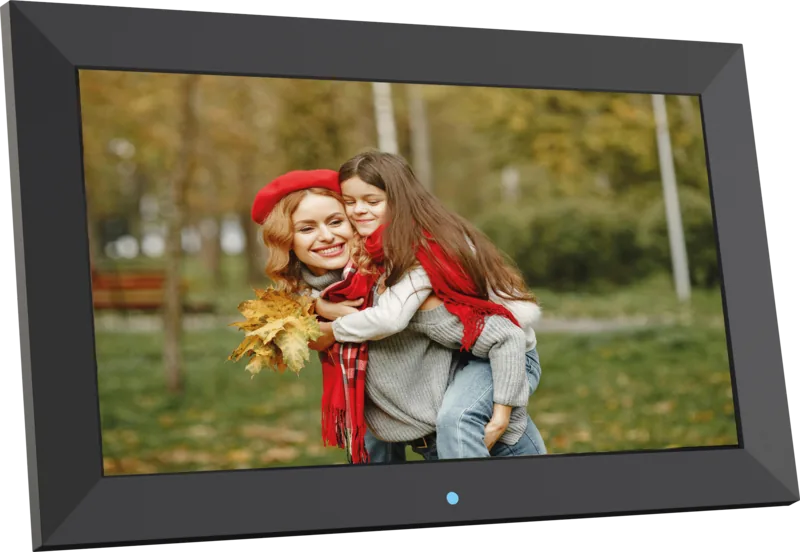
Braun DigiFrame 1094 Black: The Ultimate Digital Display Solution
The Braun DigiFrame 1094 in sleek black is a sophisticated digital picture frame designed to bring your cherished memories to life with stunning clarity. This device goes beyond simple photo display by offering a versatile multimedia experience that accommodates photos, music, and videos all in one place. Its modern design fits seamlessly into any home or office environment while providing powerful functionality for users of all technical levels.
Equipped with a robust set of features, the Braun DigiFrame 1094 supports a wide range of image formats including JPEG, BMP, and PNG. For audio lovers, it plays MP3 files effortlessly, while video enthusiasts can enjoy content in various formats such as MPEG, H264, DivX, and MOV. The frame also features built-in stereo speakers and an earphone jack, ensuring high-quality sound whether you are hosting a party or enjoying a quiet evening at home.
Connectivity is a standout aspect of this product. It includes USB 2.0 ports and an HDMI input, allowing you to easily connect external devices or stream content directly from your computer or media player. The frame supports SD, SDHC, and MMC memory cards, giving you flexible options for loading your media library. Additionally, the automatic copy function simplifies file management by transferring data from USB drives to SD cards without manual intervention.
User control is intuitive thanks to the on-screen menu system. You can adjust brightness, contrast, and color saturation to suit your viewing preferences. The built-in clock enables automatic power-on and off scheduling, ensuring your frame operates only when needed. A calendar function adds practical utility, keeping track of important dates alongside your visual displays. With scrolling subtitles support, the Braun DigiFrame 1094 enhances the viewing experience for movies and music videos alike.
Notes
- Ensure files are in the root directory of USB devices for successful copying.
- Supports multiple OSD languages for international users.
- Complies with CE regulations for safe home use.
Search for 67,706 Manuals online


Type-in Brand or Model
eaque49
4 months ago
Is the product worth buying based on customer satisfaction?
Manual.ly
4 months ago
Yes, multiple customers have expressed full satisfaction with the product. Reviews consistently highlight positive experiences, indicating high quality and reliability. If you are looking for a dependable option, this product appears to meet expectations well.