

Bose Smart Soundbar 900 Manual
How many stars do you give the Smart Soundbar 900 manual?
PDF manual · 1242 Pages
English



/ 1242

Quick check
Incorrect answer, please try again.
Chat with your Bose Smart Soundbar 900 manual using AI
Get instant AI answers from your Bose Smart Soundbar 900 manual
Ask anything about the Bose Smart Soundbar 900. Answers come from this manual, with the pages they are based on.
Smart Soundbar 900 Maintenance Schedule
Wipe the outside surfaces of the soundbar with a soft, dry cloth. Do not use liquids, sprays, solvents, or abrasives.
Insert two AAA batteries into the remote when they run out, matching polarity symbols.
The soundbar updates automatically when connected to the Bose Music app and Wi-Fi network.
Ask a Question
Do you recommend Smart Soundbar 900?
Yes NoDo you recommend Smart Soundbar 900?
Yes NoFrequently Asked Questions
The preferred method is using an HDMI cable connected to the HDMI eARC port on both the TV and the soundbar. If your TV lacks eARC, you can use the HDMI ARC port or the optical audio port. Ensure your TV settings allow audio pass-through for the best experience.
Is this answer helpful?
No, you cannot activate both voice assistants simultaneously. You must choose one default assistant during setup via the Bose Music app. However, you can switch between them if needed, though only one will be active at any given moment.
Is this answer helpful?
ADAPTiQ is a feature that measures the acoustic properties of your room to optimize sound quality. Using the included headset microphone, you walk around the room while the soundbar plays test tones. The system then adjusts equalization settings to compensate for room reflections and resonances.
Is this answer helpful?
Yes, the soundbar supports various streaming services. You can connect via Bluetooth, use AirPlay 2 for Apple devices, or set up presets within the Bose Music app to access services like Spotify, Pandora, and others directly.
Is this answer helpful?
Absolutely. The Bose Smart Soundbar 900 is compatible with optional Bose Bass Modules (like the 700 or 500) and Bose Surround Speakers. These can be wirelessly connected to enhance bass response and create a true surround sound environment.
Is this answer helpful?
To perform a factory reset, press and hold the Power button and Skip Forward button on the remote for five seconds until the light bar pulses white twice. This clears all network and audio settings, returning the unit to its original state.
Is this answer helpful?
Advantages and Disadvantages
Advantages

- Dolby Atmos technology provides immersive three-dimensional surround sound
- ADAPTiQ audio calibration tailors sound to your specific room acoustics
- Integrated Google Assistant and Amazon Alexa offer hands-free control
- HDMI eARC connection supports high-quality audio formats like Dolby TrueHD
- SimpleSync technology allows pairing with Bose headphones or speakers for private listening
Disadvantages

- Requires HDMI eARC port on TV for full Dolby Atmos functionality
- Voice assistants cannot be activated simultaneously on the same device
- No built-in subwoofer; requires separate purchase for deep bass
- Remote control batteries are not rechargeable and must be replaced regularly
- Placement restrictions apply to ensure up-firing speakers remain unblocked
Product Specification
Type
Soundbar
Channels
2.0
Audio Decoder
Dolby Atmos, Dolby Digital, Dolby Digital Plus, Dolby TrueHD
Streaming Clients
Amazon Music, Apple AirPlay 2, Deezer, Google Cast, Spotify
Voice Assistants
Amazon Alexa, Google Assistant
HDR
No
Video Connections
1x HDMI Out
Audio Connections
eARC, 1x Digital Audio In (optical)
Additional Connections
RJ-45
Wireless
Bluetooth 4.2, Wi-Fi
Dimensions
41.14x2.28x4.21 inches (WxHxD)
Consists of
Soundbar
Product Description
Elevate Your Home Entertainment with the Bose Smart Soundbar 900
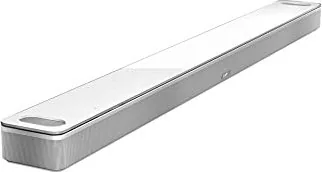
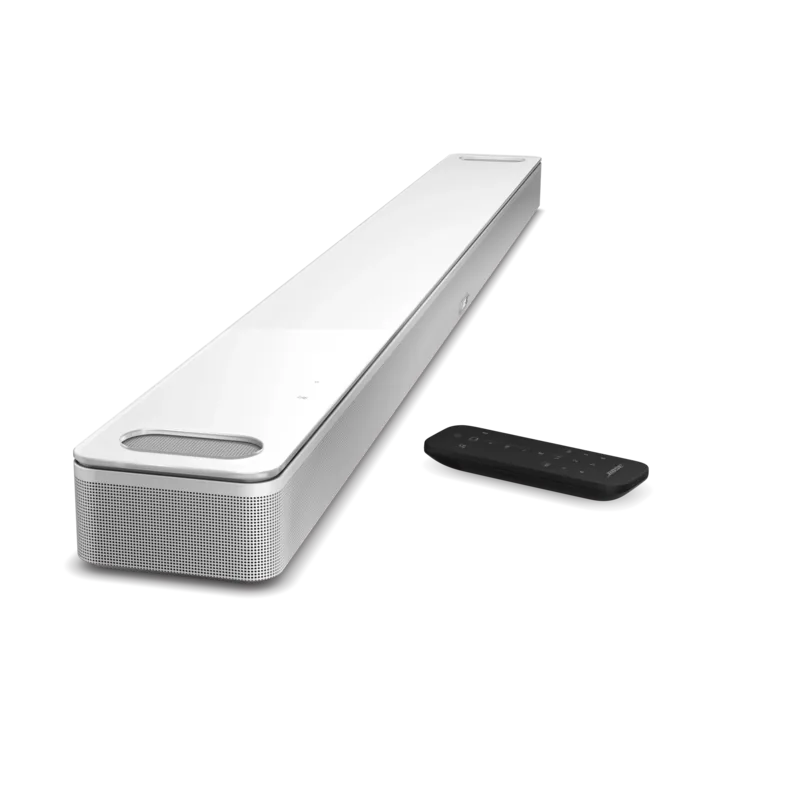
The Bose Smart Soundbar 900 represents a pinnacle in modern audio engineering, designed to transform your living room into an immersive theater. This sleek device goes beyond simple sound enhancement by delivering a fully encompassing surround-sound experience powered by Dolby Atmos technology. The soundbar utilizes specialized up-firing speakers that bounce sound off the ceiling, creating a three-dimensional audio field that surrounds you from all directions. Whether you are watching action-packed movies or listening to high-fidelity music, the result is a rich, detailed soundscape that feels larger than the physical space allows.
Setup is intuitive and user-friendly, primarily managed through the Bose Music app available on smartphones and tablets. This app serves as the central hub for configuring your soundbar, allowing you to stream music, adjust presets, and integrate voice assistants like Google Assistant and Amazon Alexa seamlessly. One of the standout features is ADAPTiQ audio calibration, which customizes the audio output to fit the specific acoustics of your unique room. By using the included headset to measure sound characteristics at multiple locations, the system ensures optimal clarity and balance regardless of your furniture layout or wall materials.
Connectivity options are robust, supporting HDMI eARC for the highest quality audio transmission, though optical connections remain a viable alternative for older televisions. The soundbar also embraces wireless convenience with Bluetooth streaming and AirPlay 2 support for Apple users. For those seeking deeper bass or rear channel expansion, it pairs effortlessly with optional Bose Bass Modules and Surround Speakers. Voice control capabilities extend further with Voice4Video technology, enabling you to control your TV and cable box directly through the soundbar, eliminating the need to juggle multiple remotes. With its premium build quality featuring a tempered glass top and a minimalist design, the Bose Smart Soundbar 900 is not just an audio device but a sophisticated centerpiece for any modern home.
Search for 67,732 Manuals online


-
No results found.
Type-in Brand or Model