
Bosch UniversalDetect Manual
PDF manual · 205 Pages
English


Quick check
Incorrect answer, please try again.
Chat with your Bosch UniversalDetect manual using AI
Get instant AI answers from your Bosch UniversalDetect manual
Ask anything about the Bosch UniversalDetect. Answers come from this manual, with the pages they are based on.
UniversalDetect Maintenance Schedule
Inspect for visible damage or loose internal parts to ensure safe function. Do not use if damaged.
Wipe dirt with a dry, soft cloth. Do not immerse in water or use cleaning agents.
Switch off the tool and wipe dirt with a microfibre cloth. Ensure sensor area is dry before use.
Ask a Question
Do you recommend UniversalDetect?
Yes NoFrequently Asked Questions
It is used to locate hidden metal objects, live electrical cables, and wooden substructures behind walls, ceilings, and floors. It is especially useful before drilling or mounting items in drywalls and other common interior surfaces.
Is this answer helpful?
It has three main modes: Metal, Current, and Wood. You can also combine two modes at the same time, which helps narrow down whether a detected signal is a cable, metal object, or wooden support.
Is this answer helpful?
No. Current mode works best for single-phase live cables and depends on good grounding, proper voltage, and wall conditions. Very damp walls, metal shielding, or metal pipes can prevent reliable detection.
Is this answer helpful?
Yellow usually means the tool has detected a signal and is refining the location. Red indicates an object has been found with higher confidence, and the device may also sound an alert if that option is enabled.
Is this answer helpful?
Mostly, but not always. Wood mode can also react to plastic pipes, especially if they contain water. For that reason, Bosch recommends confirming the result before drilling, cutting, or fastening anything.
Is this answer helpful?
Check the surface conditions, keep the sensor area clean and dry, ensure proper grounding, and recalibrate the device if needed. Interference from nearby objects, extreme temperatures, or difficult wall materials can also affect results.
Is this answer helpful?
Advantages and Disadvantages
Advantages

- Three detection modes support metal, live cable, and wood searches in one compact tool.
- Touchscreen controls and status indicators make operation simple and readable.
- Lightweight design and AAA battery power make it easy to carry and use around the home.
- Helpful sound, calibration, and help features improve everyday DIY convenience.
Disadvantages

- Accuracy can drop on damp walls, metallic materials, or surfaces with poor grounding.
- Wood mode may also detect water-filled plastic pipes, which can cause false assumptions.
- Live cable detection is limited to single-phase lines and depends on conditions such as voltage and humidity.
- Touchscreen damage, extreme temperatures, and interference near the sensor can affect reliability.
Product Specification
Suitable for
Wood substructures 0.98 in, ferrous metals 3.94 in, non-ferrous metals, live wires 1.97 in, non-live wires
Display
yes
Special features
Softgrip, automatic shut-off after 5min, automatic calibration
Power supply
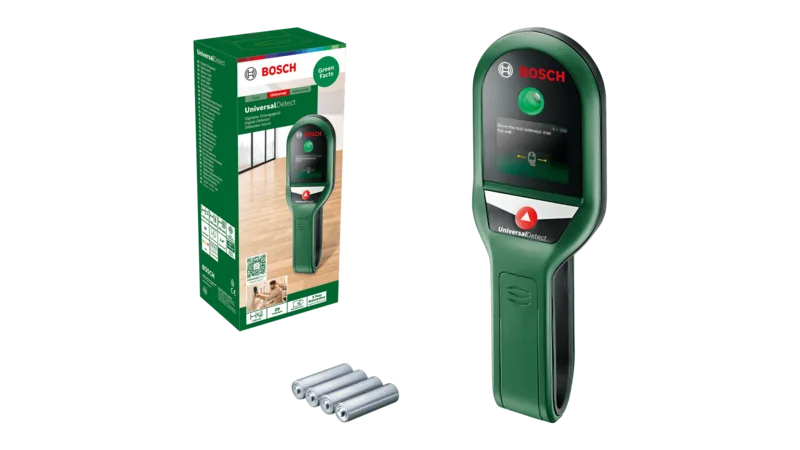
Battery operated (4x AAA battery)
Weight
0.75 lb
Scope of delivery
Battery
Product Description
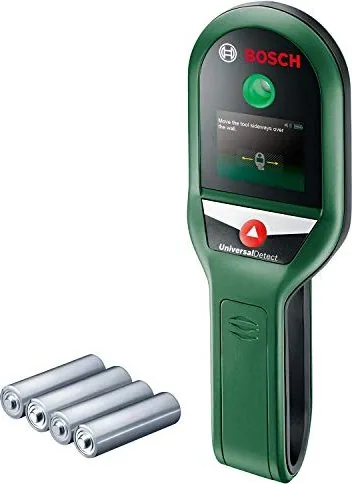
Bosch DIY UniversalDetect Multi Detector
The Bosch DIY UniversalDetect Multi Detector is a practical wall-scanning tool made for home renovation, fixture installation, and everyday repair work. Designed to help users locate hidden metal, live cables, and wooden substructures, it brings a compact, easy-to-handle form factor together with a touchscreen interface and clear visual feedback. For anyone searching for the Bosch DIY UniversalDetect Multi Detector Manual, the main idea is simple: this tool is built to reduce guesswork before drilling, cutting, or mounting on walls, ceilings, and floors.
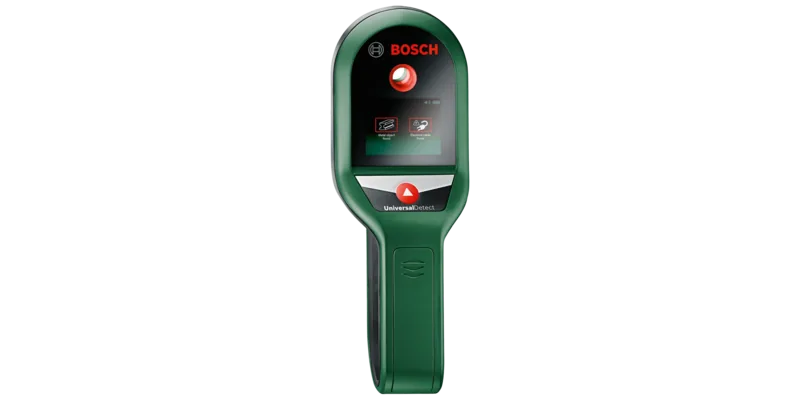
What makes it especially appealing is its three-mode approach. The detector can be used in Metal, Current, and Wood modes, allowing it to adapt to different surfaces and job types. In drywalls, it can help identify wooden beams and also warn about plastic pipes filled with water. In Metal mode, it looks for copper pipes, rebar, and other conductive objects. In Current mode, it is intended to detect single-phase live cables, provided the surface conditions and grounding are suitable. The illuminated ring and on-screen prompts make the experience intuitive, even for DIY users who are not technically minded.
The device also stands out for its practical safety focus. Bosch reminds users that no detector is perfect, so it should always be combined with good judgment and other clues such as building plans or visible installation paths. That caution is important, because wall composition, humidity, insulation materials, and embedded metal can affect the reading. Still, the detector’s auto-calibration, touch controls, sound settings, and help menu add convenience and help keep the workflow smooth.
In everyday use, the UniversalDetect feels like a well-balanced helper rather than a complex measuring instrument. It is light, battery-powered, and designed for quick checks before common tasks around the house. If your projects often involve plasterboard walls, hanging shelves, or tracing hidden services, this Bosch detector offers a smart mix of simplicity and safety awareness.
Notes
- Best results come from moving the tool slowly and steadily across the surface.
- Drywalls, moisture, metal layers, and poor grounding can reduce accuracy.
- Recalibration may help if the tool keeps detecting metal where none exists.
Search for 67,732 Manuals online


Type-in Brand or Model