
Bosch Purion Manual
PDF manual · 82 Pages
English


Quick check
Incorrect answer, please try again.
Chat with your Bosch Purion manual using AI
Get instant AI answers from your Bosch Purion manual
Ask anything about the Bosch Purion. Answers come from this manual, with the pages they are based on.
Ask a Question
Do you recommend Purion?
Yes NoFrequently Asked Questions
It is an on-board computer for Bosch eBike systems. It lets you view ride data, change assistance levels, check battery status, control lights on supported setups, and use walk assist when pushing the bike.
Is this answer helpful?
Yes. It displays battery charge level and estimated range, along with trip distance and total distance. This makes it easier to plan longer rides and monitor when the battery needs recharging.
Is this answer helpful?
Yes. You can adjust assistance during the ride using the plus and minus buttons. Available levels usually include OFF, ECO, TOUR, SPORT or eMTB, and TURBO, depending on the bike configuration.
Is this answer helpful?
Walk assist helps move the bike at low speed while walking beside it. It is useful on ramps or steep paths, but it should only be used when pushing the bike and with the wheels in contact with the ground.
Is this answer helpful?
The on-board computer uses two CR2016 button cells. If the display shows a low battery warning, the internal batteries should be replaced to avoid damage and keep the unit working properly.
Is this answer helpful?
Yes. Bosch recommends an annual technical check of the eBike system, including software and mechanical parts. The unit should also be cleaned with a soft, damp cloth and never with high-pressure water.
Is this answer helpful?
Advantages and Disadvantages
Advantages

- Compact anthracite design keeps the handlebar area tidy and easy to use.
- Shows speed, range, battery level, trip data, and service status in one view.
- Offers multiple assistance modes for commuting, touring, and steeper terrain.
- Includes walk assist, light control, and diagnostic support for convenience.
Disadvantages

- Small display focuses on essentials, so it is less feature-rich than larger Bosch units.
- Some assistance settings may be preset and not fully adjustable on every bike.
- CR2016 internal batteries need replacement when low, adding minor upkeep.
- USB port is for diagnostics only, so it offers no general charging or extra functions.
Product Specification
Colors
black
Display
monochrome, backlit
Connection
wired
Interfaces
USB
Navigation
no
Power supply
Battery (1x CR2016)
Weight
0.22 lb
Product Description
Bosch eBike Purion 1500mm Anthracite Manual
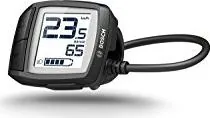
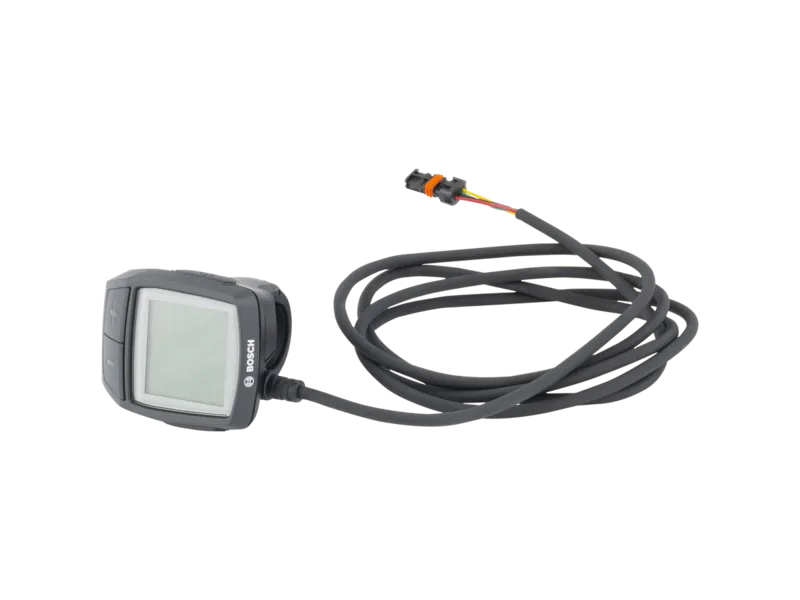
The Bosch eBike Purion in anthracite is a compact, practical on-board computer designed for riders who want clear control without a crowded handlebar setup. With its slim profile and 1500mm cable length, it fits neatly into modern eBike builds while keeping essential ride information easy to read at a glance. The result is a clean cockpit that feels intuitive from the first ride.
What makes this system appealing is its focus on everyday usability. The display shows speed, trip distance, total distance, range, battery status, lighting information, and service reminders in one place. Instead of overwhelming the rider with extra menus, it presents the most useful data in a straightforward way. The Bosch eBike Purion 1500mm anthracite Manual highlights a system built for riders who value direct control and dependable feedback during commutes, touring, or weekend rides.
The Purion controller also gives quick access to assistance levels, including ECO, TOUR, SPORT, TURBO, and OFF, with eMTB available on compatible setups. That flexibility helps riders adapt to hills, city traffic, and longer journeys without stopping to adjust complicated settings. Push assistance adds another layer of convenience when walking the bike, while integrated light control supports safer riding in low-light conditions.
Beyond ride comfort, the Purion is designed with maintenance and reliability in mind. The unit uses CR2016 batteries, includes a USB diagnostic port for servicing, and offers IP54 protection against dust and splashes when properly closed. It also supports automatic shutdown for energy saving, battery charge monitoring, and clear error-code guidance when the system needs attention. For riders who prefer simplicity with Bosch reliability, this display/controller is a strong match.
Notes
- Best suited for Bosch eBike systems that support Purion compatibility.
- Keep the USB cover closed to maintain protection.
- Check battery status and service alerts regularly for smoother rides.
- A good option for riders who want essential functions in a minimal design.
Search for 67,732 Manuals online


Type-in Brand or Model