
Bosch Intuvia Manual
PDF manual · 98 Pages
English


Quick check
Incorrect answer, please try again.
Chat with your Bosch Intuvia manual using AI
Get instant AI answers from your Bosch Intuvia manual
Ask anything about the Bosch Intuvia. Answers come from this manual, with the pages they are based on.
Ask a Question
Do you recommend Intuvia?
Yes NoFrequently Asked Questions
It is an on-board computer for Bosch eBike systems that displays riding data, battery status, assistance levels, range, and other useful trip information. It also helps control lighting and certain ride functions.
Is this answer helpful?
Yes. The assistance level can usually be adjusted at any time through the operating unit. Available modes may include ECO, TOUR, SPORT, eMTB, and TURBO, depending on the bike’s configuration.
Is this answer helpful?
Yes. When removed from the holder, the Intuvia can run on its internal battery. It will also remember key values such as distance and the last selected assistance level.
Is this answer helpful?
Yes, if the bike and display are powered and the USB cover is opened. The port can charge many USB devices, but it must be fully closed before riding in wet conditions.
Is this answer helpful?
It shows the charge level of the eBike battery pack, not the internal display battery. When the battery is low, assistance may stop gradually while lighting and display power remain available.
Is this answer helpful?
Check the code, press any button to return to the normal display, and follow the suggested action. Some issues can be solved by restarting the system, but serious faults should be checked by an authorized dealer.
Is this answer helpful?
Advantages and Disadvantages
Advantages

- Clear display for speed, battery, range, and trip data.
- Supports multiple assistance modes for flexible riding.
- USB port and light control add everyday convenience.
- Push-assistance helps when walking the bike uphill.
Disadvantages

- Some settings may be locked or limited by the bike maker.
- USB use is not weatherproof and needs care in rain.
- Error troubleshooting may still require a dealer visit.
- The unit must be removed when parking to reduce damage risk.
Product Specification
Colors
black
Display
monochrome, backlit
Connection
wired
Interfaces
USB
Navigation
no
Compatibility
Shimano Di2
Power supply
Rechargeable battery
Weight
0.33 lb
Product Description
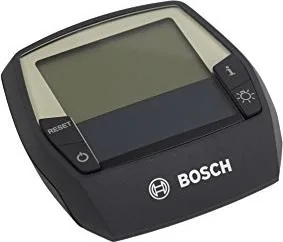
Bosch eBike Intuvia Anthracite: A Practical Handlebar Companion
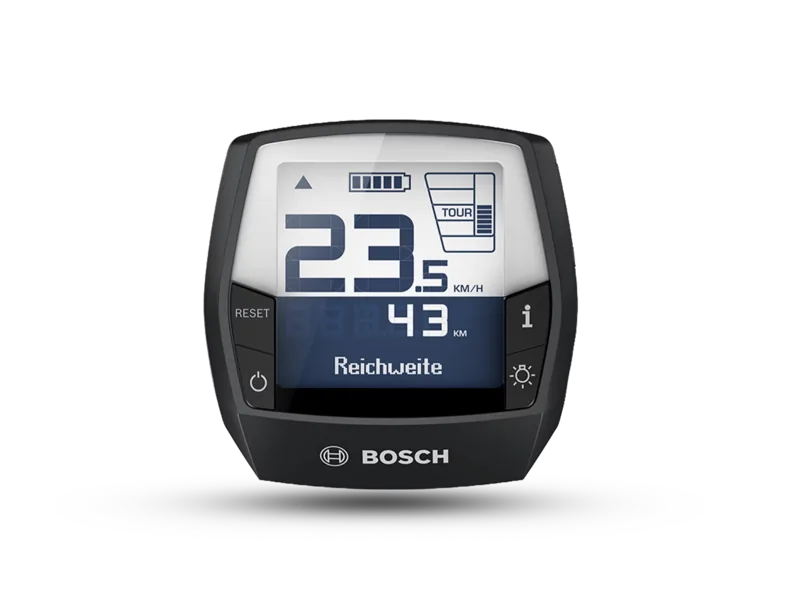
The Bosch eBike Intuvia anthracite is designed for riders who want clear riding data, simple control, and dependable everyday use. Built as a smart on-board computer for Bosch eBike systems, it focuses on the essentials: speed, battery status, assistance level, range, and riding statistics. The anthracite finish gives it a clean, understated look that fits neatly on the handlebar without drawing too much attention.
The Bosch eBike Intuvia anthracite Manual shows that this display is more than a basic screen. It helps riders manage assistance modes such as ECO, TOUR, SPORT, eMTB, and TURBO, making it easier to match power output to terrain and riding style. Whether you are commuting through the city, touring for distance, or climbing hills, the display keeps the most relevant information visible at a glance.
One of the strongest points of the Intuvia is usability. The large display is easy to read, and the separate operating unit lets you change settings without taking your hands far from the bars. It also includes practical functions like trip distance, average speed, total distance, and estimated range. For riders who value efficient riding, the shift recommendation feature can help support smoother gear changes and better battery use.
The system also adds convenience beyond riding data. Integrated light control, push-assistance mode, and USB charging support make the Intuvia useful in daily life. If your eBike includes these functions, you can charge small devices, manage lighting, and monitor the bike’s status from one compact interface. The internal battery keeps the display working even when removed from the holder, which is helpful for checking settings or charging via USB.
Maintenance is straightforward as well. The display is protected against dust and splashes, and the manual emphasizes simple cleaning, proper storage, and regular system checks. Error codes are clearly listed, helping riders identify issues such as connection faults, battery problems, or sensor errors before visiting a dealer.
Notes
- Best suited for Bosch eBike systems with compatible components.
- Some functions depend on the bike’s setup and manufacturer configuration.
- Not intended to be used as a lifting handle.
- For safety, stop before entering detailed settings.
Search for 67,732 Manuals online


Type-in Brand or Model