
Bosch DIY UniversalVac 18 Manual
PDF manual · 111 Pages
English



Quick check
Incorrect answer, please try again.
Chat with your Bosch DIY UniversalVac 18 manual using AI
Get instant AI answers from your Bosch DIY UniversalVac 18 manual
Ask anything about the Bosch DIY UniversalVac 18. Answers come from this manual, with the pages they are based on.
UniversalVac 18 Maintenance Schedule
Empty the dust container after every use to maintain optimal suction performance.
Brush coarse dirt filter and tap fine dust filter clean if suction power is insufficient.
Wipe housing with damp cloth and clean dirty charging contacts with a dry cloth.
Ask a Question
Do you recommend UniversalVac 18?
Yes NoFrequently Asked Questions
No. The manual states the vacuum cleaner is only suitable for vacuuming dry substances. Liquids can increase the risk of electric shock. Use it for dry household debris only.
Is this answer helpful?
No. The manual specifically instructs that the vacuum must only be used and stored indoors. Rain or moisture entering the top part increases the risk of electric shock.
Is this answer helpful?
Press the on/off button fully and hold it for a few seconds. The battery charge indicator shows the status with three green LEDs (for example, 3 LEDs means at least 66 percent).
Is this answer helpful?
Check three main items: the dust container is not full, the coarse and fine filters are not clogged with dust, and the battery state of charge is not too low. Regularly emptying and cleaning filters restores optimum suction.
Is this answer helpful?
Empty the container after each use. Hold the vacuum slightly downward to prevent dust from falling out when opening. Press the release button, remove the container, shake it over a suitable waste bin, then refit it until it clicks.
Is this answer helpful?
No. The manual clearly says the fine dust filter must not be wet cleaned. Clean it dry by brushing/tapping as described, and assemble the filter unit in the reverse order.
Is this answer helpful?
Yes. The lithium-ion battery can be charged at any time without reducing its service life. The battery also uses protection circuitry (ECP) and NTC monitoring, so charging is allowed only within the temperature range of about 0 to 45 C.
Is this answer helpful?
Advantages and Disadvantages
Advantages

- Cordless 18V handheld design for fast household clean-ups, with compact weight around 1.3 kg.
- 0.5 l dust container helps reduce frequent emptying during typical chores.
- Useful cleaning attachments: crevice nozzle, brush, floor nozzle, extension options for hard-to-reach areas.
- Clear battery charge indicator using three green LEDs when the power switch is pressed.
- Safety features include indoor-only guidance and battery protection with ECP and NTC charging temperature monitoring.
Disadvantages

- Only suitable for vacuuming dry materials; liquids increase risk of electric shock.
- Must be used and stored indoors, not outdoors or in wet conditions.
- Fine dust filter must not be wet cleaned, limiting cleaning methods to dry care.
- Performance can drop if the dust container is full or filters are clogged, requiring regular maintenance.
- Vacuuming harmful health-risk substances is prohibited, restricting what debris it can handle.
Product Specification
Type
Handheld vacuum cleaner
Operating mode
Battery operation (18V, 2.5Ah, Li-ion)
Capacity
16.91 fl oz
Runtime
20 min
Weight
2.87 lb (without suction accessories)
Scope of delivery
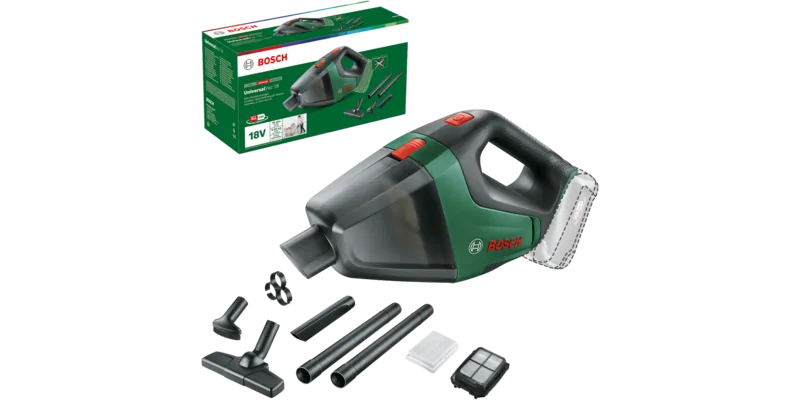
Charger, extension wand, floor nozzle, crevice tool, furniture brush, replacement filter
Product Description
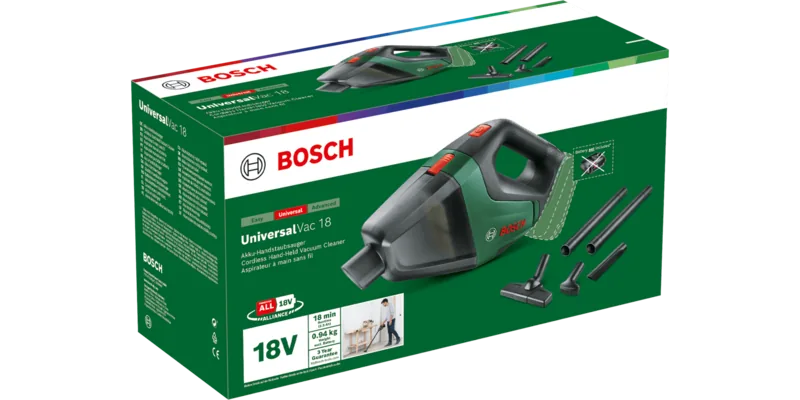
Bosch DIY UniversalVac 18 Cordless handheld vacuum cleaner incl. battery 2.5Ah Manual
A compact cordless vacuum for everyday dry messes
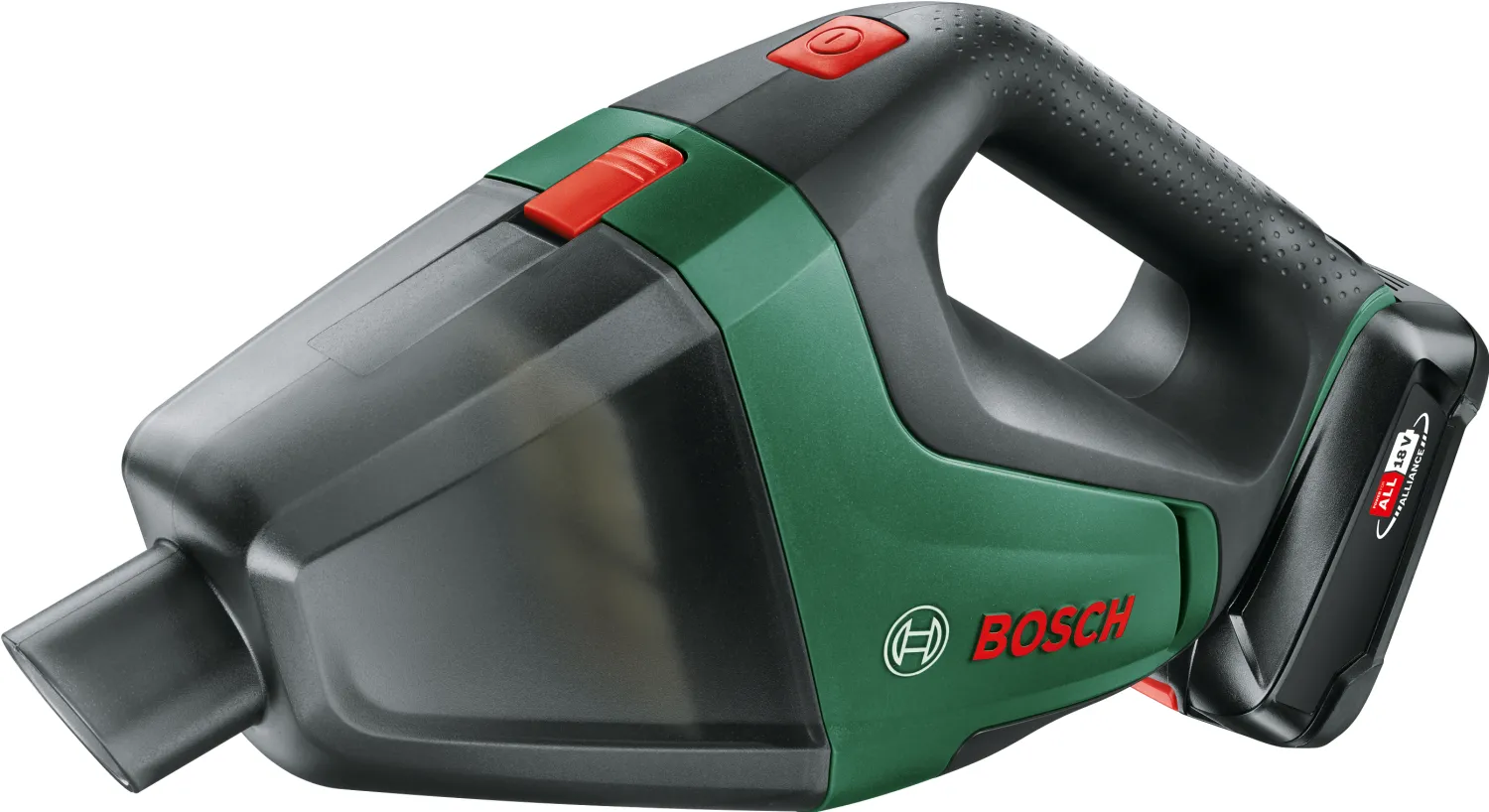
The Bosch DIY UniversalVac 18 Cordless handheld vacuum cleaner incl. battery 2.5Ah is built for quick clean-ups around the home, using an 18V lithium-ion system. The unit is designed as a dry vacuum for household and domestic use, delivering practical suction in a compact form (about 1.3 kg) with a 0.5 l dust container.
Out of the box, the vacuum setup supports flexible cleaning routes. You can use the included options such as a crevice nozzle for corners, a brush for delicate surfaces, and a floor nozzle for larger dry areas. An extension tube and a flexible extension help reach hard-to-access spots without dragging out larger appliances.
How it works and what the manual emphasizes
For safe operation, the manual stresses that the vacuum must only be used and stored indoors. It is also intended only for dry materials that are not harmful to health. Do not vacuum substances that can pose health risks (for example asbestos-related dust). The manual also highlights ventilation and recommends qualified repair work with original spare parts.
Before switching on, make sure the filter unit is securely fitted and that the filters are not damaged. The on/off button controls operation, while the battery charge indicator provides feedback via three green LEDs when the switch is pressed fully for a few seconds.
Charging follows the battery protection logic: the system uses Electronic Cell Protection (ECP) and includes NTC temperature monitoring, allowing charging within about 0 to 45 C. The lithium-ion battery can be recharged at any time without reducing its service life.
Maintenance for lasting performance
To keep suction strong, empty the dust container after each use. The manual advises holding the unit slightly downward to reduce the chance of dust escaping when opening. Clean the housing occasionally with a damp cloth and wipe soiled charging contacts with a dry cloth.
Filter cleaning is a key routine. The coarse dirt filter can be brushed, while the fine dust filter must not be wet cleaned. The manual also provides a simple troubleshooting checklist: weak suction usually means a full dust container, clogged filters, or a low battery charge.
Notes
- Remove the battery before cleaning, maintenance, accessory changes, or storage.
- Do not continue pressing the power button after automatic switch-off.
- For disposal and transport, follow the provided battery handling guidance.
Key results
- Dry-only indoor handheld vacuum with a 0.5 l dust container and 18V lithium-ion power.
- Battery charge indicator with 3 green LED states plus low-charge protection (ECP).
- Maintain performance by emptying the container regularly and cleaning filters as instructed.
- Fine dust filter requires dry cleaning only, while airflow performance depends on unclogged filters.
Search for 67,706 Manuals online


Type-in Brand or Model