

Blue Microphones Yeti Manual
PDF manual · 5 Pages
English



Quick check
Incorrect answer, please try again.
Chat with your Blue Microphones Yeti manual using AI
Get instant AI answers from your Blue Microphones Yeti manual
Ask anything about the Blue Microphones Yeti. Answers come from this manual, with the pages they are based on.
Ask a Question
Do you recommend Yeti?
Yes NoFrequently Asked Questions
No. The Blue Yeti is plug-and-play on macOS (10.10 or higher) and Windows (7, 8.1, 10). Connect via the supplied USB cable, then select Blue Yeti as your input/output device in system or app audio settings.
Is this answer helpful?
Cardioid: focused on the front—ideal for solo vocals, streaming, and voiceovers. Bidirectional: records front and back—great for interviews or duets. Omnidirectional: captures sound from all directions—useful for multi-person panels or ambient room recording. Stereo: uses left and right channels for a wide, realistic image—best for instruments or choirs.
Is this answer helpful?
Plug headphones into the Yeti’s 3.5mm headphone jack and adjust the headphone volume knob. The direct headphone output provides real-time monitoring with minimal latency, independent of your computer’s audio buffer.
Is this answer helpful?
Yes. Remove the included desk stand and thread the Yeti onto any standard threaded mount. For broadcast use, a desktop boom arm such as the Compass and a shockmount like the Radius III are recommended to reduce vibrations and ambient noise.
Is this answer helpful?
The Blue Yeti records at a 48kHz sample rate and 16-bit resolution, which provides high-quality audio suitable for podcasts, streaming, and many recording applications.
Is this answer helpful?
For stable power and consistent performance, plug the Yeti directly into your computer’s USB port. USB hubs can sometimes cause power or data reliability issues that affect audio quality or device recognition.
Is this answer helpful?
Blue Microphones offers a two-year limited warranty against defects in materials and workmanship when purchased from an authorized dealer. The warranty excludes misuse, modification, unauthorized repairs, and certain other conditions; contact Blue for details.
Is this answer helpful?
Advantages and Disadvantages
Advantages

- Four switchable polar patterns (cardioid, bidirectional, omnidirectional, stereo) for versatile recording scenarios.
- Plug-and-play USB connectivity with no drivers required for quick setup on Mac and PC.
- Built-in headphone output with volume control enables real-time, zero-latency monitoring.
- Tactile controls: gain knob, pattern selector, and mute button for instant adjustments.
- Robust build with standard threaded mount compatibility for desk stands and studio arms.
Disadvantages

- USB connection limits advanced routing and multitrack recording compared with XLR interfaces.
- Desktop form factor may pick up desk vibrations without a shock mount.
- No onboard digital signal processing or adaptive noise reduction features.
- Heavier than some desktop mics; may need stronger boom arms or mounts.
- Best performance requires direct USB port—USB hubs can introduce instability.
Product Specification
Transducer Principle
Condenser
Polar Pattern
Figure-8, Omnidirectional, Cardioid, Stereo
Connection
USB
Frequency Range
20Hz-20kHz
Max. SPL
120dB
Power Supply
USB
Features
Headphone Jack (3.5mm)
Dimensions
4.72x4.92x11.61in
Weight
1.21 lb
Product Description
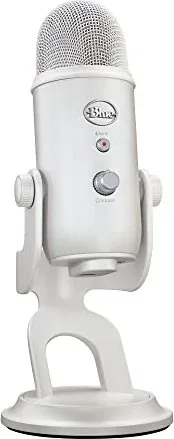
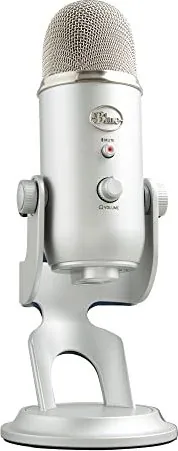
Blue Microphones Yeti — Professional Multi-Pattern USB Microphone
Discover the Blue Microphones Yeti, a versatile USB microphone built for creators who demand professional sound without complicated setups. Boasting Blue’s tri-capsule array, Yeti delivers four switchable polar patterns—cardioid, bidirectional, omnidirectional, and stereo—so you can adapt to podcasting, streaming, voiceover, music, interviews, and group recordings with a single mic.
Its plug-and-play design requires no drivers: connect via USB to a Mac or PC, select Yeti in your system or app audio settings, and begin recording. The integrated headphone output with volume control enables real-time, zero-latency monitoring, while the microphone gain knob and mute button give immediate tactile control over input level and muting. The side-address design encourages proper placement—speak into the side with the Blue logo facing the sound source for best results.
Yeti’s patterns serve distinct uses: cardioid for focused solo vocals and streaming, bidirectional for two-person interviews or duets, omnidirectional for capturing room ambience or multi-person panels, and stereo for a natural, wide acoustic capture ideal for instruments or choirs. The robust build, desktop stand, and standard threaded mount compatibility allow easy placement on desk stands or studio arms; add a shock mount for improved isolation.
Technical highlights include a 48kHz sample rate, 16-bit depth, three 14mm condenser capsules, frequency response tailored for vocal and instrument clarity, and a high max SPL for handling louder sources. It’s compatible with popular streaming and recording software like OBS, Discord, Audacity, GarageBand, Ableton, and Skype, making it a go-to solution for content creators of all levels.
Whether you’re starting a podcast, streaming gameplay, recording vocals or instruments, Yeti combines accessible controls and flexible pickup patterns with reliable audio quality. Its warranty coverage and broad platform compatibility make it a dependable choice for home studios and mobile creators alike.
Notes
- Best used plugged directly into a computer USB port (avoid hubs) for consistent power and performance.
- For broadcast setups, pair with a boom arm (e.g., Compass) and optional Radius III shockmount for vibration isolation.
- Set system output volume to 100% on macOS when first configuring to ensure correct monitoring levels.
Search for 67,706 Manuals online


Type-in Brand or Model