
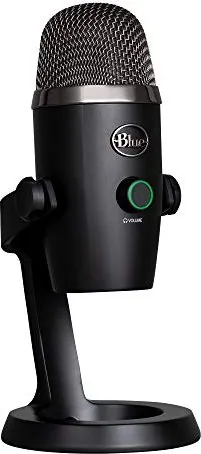
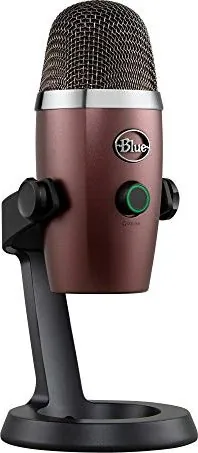
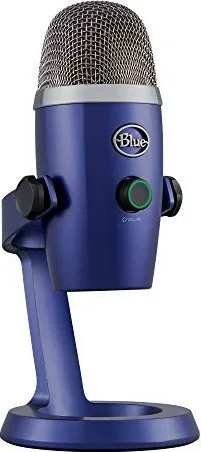
Blue Microphones Yeti Nano Manual
PDF manual · 8 Pages
English



Quick check
Incorrect answer, please try again.
Chat with your Blue Microphones Yeti Nano manual using AI
Get instant AI answers from your Blue Microphones Yeti Nano manual
Ask anything about the Blue Microphones Yeti Nano. Answers come from this manual, with the pages they are based on.
Ask a Question
Do you recommend Yeti Nano?
Yes NoFrequently Asked Questions
No, the Yeti Nano features true plug-and-play functionality. You do not need to install any drivers on Windows or macOS. Simply connect the USB cable, and the microphone will be recognized immediately by your operating system.
Is this answer helpful?
The Yeti Nano offers two switchable polar patterns: Cardioid and Omnidirectional. Cardioid is best for solo recording by focusing on sound in front of the mic, while Omnidirectional captures sound equally from all directions for group settings.
Is this answer helpful?
Yes, the Yeti Nano is fully compatible with popular streaming software such as OBS, XSplit, Discord, and Gameshow. Its low latency and high-quality audio make it an excellent choice for game streamers and content creators.
Is this answer helpful?
To mute the microphone, press the button integrated into the headphone volume control on top of the unit. When muted, the LED indicator will turn red. Pressing it again unmutes the mic, and the light will turn green.
Is this answer helpful?
Yes, the Yeti Nano includes a standard 1/8-inch (3.5mm) headphone jack. This allows you to monitor your audio in real-time with zero latency, ensuring you hear exactly what is being recorded without delays.
Is this answer helpful?
Yes, you can remove the included desk stand and attach the provided stand adapter. This allows you to thread the microphone onto a standard threaded microphone mount or boom arm for more flexible positioning.
Is this answer helpful?
Advantages and Disadvantages
Advantages

- Dual condenser capsules deliver exceptional 24-bit broadcast quality audio
- Switchable cardioid and omnidirectional patterns suit various recording scenarios
- Zero-latency headphone jack allows for real-time monitoring during recording
- True plug-and-play compatibility requires no driver installation on PC or Mac
- Compact design with premium finish fits perfectly on any desktop or camera setup
Disadvantages

- Only supports two polar patterns compared to competitors offering four
- Fixed base limits height adjustment unless removed for external mounting
- No built-in gain control knob on the unit itself requiring software adjustment
- Headphone output lacks a dedicated mute indicator separate from the main LED
- Requires direct USB connection avoiding hubs to ensure optimal power delivery
Product Specification
Type
Streaming microphone, desktop microphone
Design
digital (24bit/48kHz)
Transducer principle
Condenser
Polar pattern
Omnidirectional, Cardioid
Connection
USB
Frequency range
20Hz-20kHz
Max SPL
120dB
Power supply
USB
Package contents
Desktop stand
Features
Headphone jack (3.5mm)
Dimensions
3.78x4.29x8.31in
Weight
1.39lbs
Product Description
Elevate Your Audio with the Blue Microphones Yeti Nano
The Blue Microphones Yeti Nano represents a pinnacle of compact audio engineering, designed specifically for creators who demand broadcast-quality sound without sacrificing desk space. Whether you are launching a new podcast, streaming gameplay on Twitch, conducting professional voiceovers, or engaging in high-definition video calls, this premium USB microphone delivers the clarity and depth your content deserves. Its sleek, modern aesthetic ensures it looks as impressive on camera as it sounds, featuring a premium finish that complements any workspace.
At the heart of the Yeti Nano lies Blue's legendary dual condenser capsule array. This technology captures rich, full-bodied audio across two distinct polar patterns: cardioid and omnidirectional. The cardioid mode is ideal for isolating your voice from background noise, making it perfect for solo recording sessions. Conversely, the omnidirectional setting captures sound equally from all directions, which is excellent for roundtable discussions or capturing the ambient atmosphere of a live performance. Users can seamlessly switch between these modes using the intuitive pattern selector button located on the back of the unit.
Connectivity is effortless thanks to true plug-and-play functionality on both Windows and macOS systems. No driver installation is required; simply connect the included USB cable, and the system recognizes the device instantly. The microphone features a zero-latency headphone output, allowing you to monitor your recordings in real-time without any delay. A dedicated mute button provides instant control over your audio feed, indicated by a clear LED status light that turns red when muted and green when active. Additionally, the built-in headphone volume knob allows for precise adjustments to your monitoring levels.
For those seeking further versatility, the Yeti Nano includes a standard thread mount. By removing the desk stand and attaching the provided adapter, you can mount the microphone onto a boom arm or shock mount like the Radius III to minimize vibration noise. With support for 24-bit audio at sample rates up to 48kHz, the Yeti Nano ensures every nuance of your voice is captured with studio-grade precision. It is the ultimate tool for anyone looking to upgrade their audio setup quickly and effectively.
Important Notes
- Always speak directly into the front of the microphone where the logo is located.
- For best performance, connect directly to a computer USB port rather than using a hub.
- Register your product on the official website to access free support and exclusive offers.
Search for 67,706 Manuals online


Type-in Brand or Model