
Blue Microphones Compass Manual
PDF manual · 4 Pages
English



Quick check
Incorrect answer, please try again.
Chat with your Blue Microphones Compass manual using AI
Get instant AI answers from your Blue Microphones Compass manual
Ask anything about the Blue Microphones Compass. Answers come from this manual, with the pages they are based on.
Ask a Question
Do you recommend Compass?
Yes NoFrequently Asked Questions
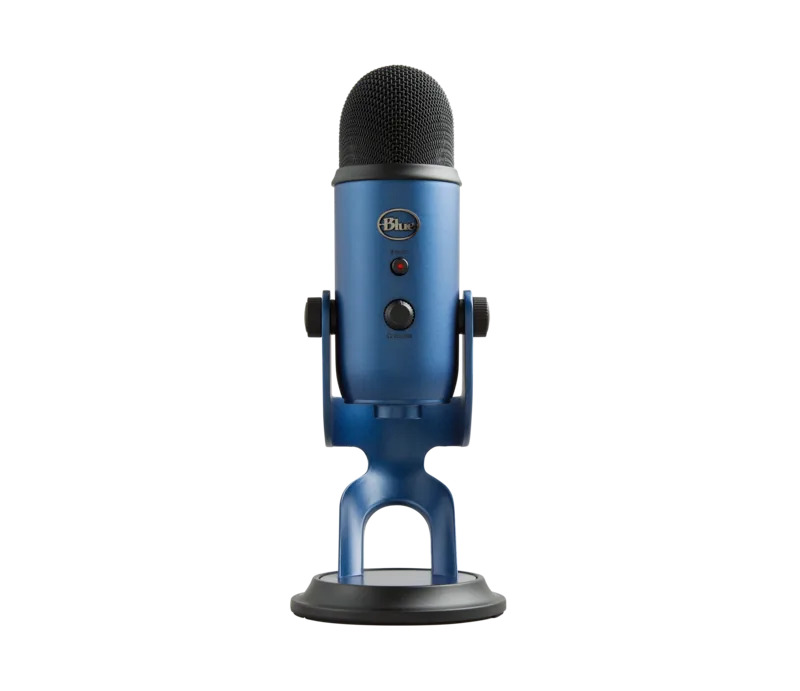
Compass supports broadcast-style microphones and shock mounts up to 2.4 pounds, including models such as the Yeti and Yeti Pro. It uses 3/8" threading with a 5/8" adapter included for broader compatibility.
Is this answer helpful?
You can mount Compass using the included C-clamp for non-permanent setups or a desk-insert bushing for permanent mounting. The desk-insert requires a 1-inch hole drilled at least 2.5 inches from desk edges; the bushing is secured from beneath with the supplied nut.
Is this answer helpful?
Open the snap covers along the top side of the boom arm tubes, tuck the microphone cable into the hidden cable channel, then close the snaps to conceal and secure the cable for a tidy appearance.
Is this answer helpful?
Adjust the friction hinges at each pivot by rotating the thumbscrews clockwise to increase resistance. For larger compensation, access the spring tension screw inside the base: turn clockwise to increase tension for heavier mics or counterclockwise to reduce tension for lighter mics.
Is this answer helpful?
Compass features a tube-style boom arm with a maximum horizontal reach of 32 inches, hidden-channel cable management, and a professional on-camera look. It is designed in the USA and manufactured in China.
Is this answer helpful?
Yes. Blue Microphones provides a two-year limited warranty against defects in materials and workmanship when purchased from an authorized dealer. The warranty excludes damage from misuse, unauthorized servicing, or alterations.
Is this answer helpful?
Yes. Compass supports mounting microphones upright or suspended upside down via compatible shock mounts or mic clips using the provided threading and adapter.
Is this answer helpful?
Advantages and Disadvantages
Advantages

- Supports microphones and shock mounts up to 2.4 lbs, accommodating popular broadcast mics like Yeti and Yeti Pro.
- Integrated hidden cable channel with snap closures keeps cables tidy and out of sight for a clean setup.
- Adjustable friction hinges and internal spring tension screw enable precise balancing for various mic weights.
- Includes C-clamp for quick desktop mounting and a 3/8" to 5/8" adapter for broader compatibility.
- Smooth, quiet operation with a professional on-camera aesthetic ideal for streaming and broadcast.
Disadvantages

- Requires drilling a 1-inch hole for permanent desk-insert mounting, which may not be suitable for all desks.
- C-clamp mounting is ineffective on overly rounded or overhanging desk edges.
- Maximum weight limit of 2.4 lbs may exclude heavier broadcast microphones or rigs with large shock mounts.
- Made in China despite being designed in the USA, which may matter to some buyers.
- Internal adjustments (spring tension) require access inside the base and may be fiddly for some users.
Product Specification
Type
Microphone arm
Material
Aluminum
Base construction
Table clamp
Thread
3/8", 5/8"
Length
31.50 in
Scope of delivery
Thread adapter
Color
black
Product Description
Blue Microphones Compass — Premium Desktop Boom Arm
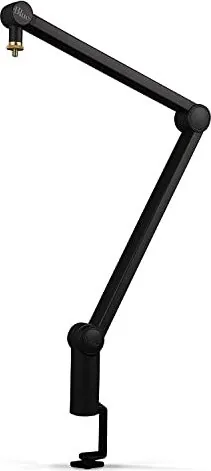
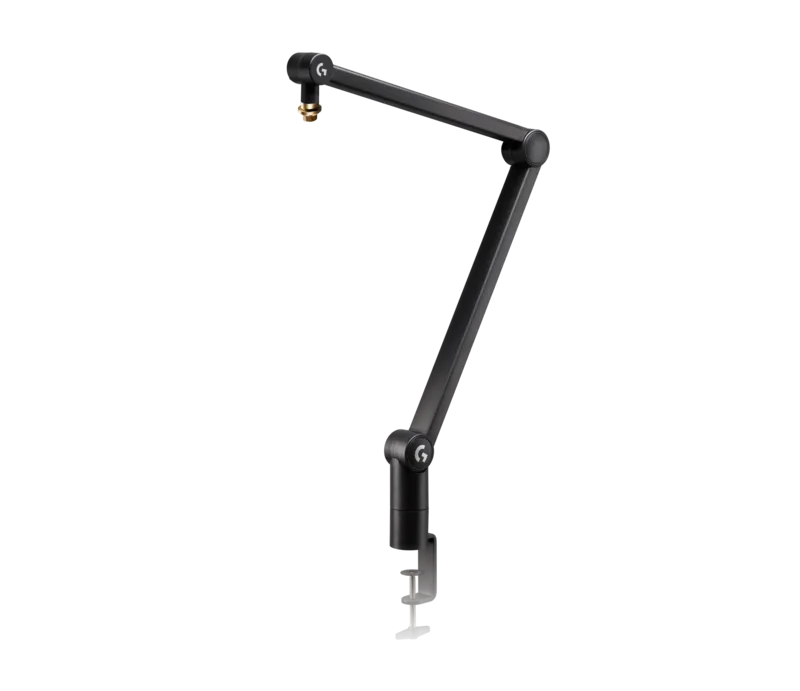
The Blue Microphones Compass is a refined, tube-style desktop boom arm built for broadcast applications such as podcasting, game streaming, voice-over work, and live streaming. With internal springs, adjustable friction hinges, and integrated cable management, Compass delivers smooth, quiet operation and a sleek on-camera appearance while supporting microphones and shock mounts up to 2.4 pounds, including popular models like the Yeti and Yeti Pro.
Compass installs easily using the included C-clamp and also supports a permanent desk-insert bushing for fixed mounting. The desk-insert method requires drilling a 1-inch hole at least 2.5 inches from desk edges and securing the bushing with the supplied nut; the arm then drops into the bushing and rotates smoothly. For non-permanent setups, the C-clamp secures the arm to flat desk surfaces—rounded or overhanging edges are not suitable.
Microphones attach to Compass via a 3/8" threaded mount (5/8" adapter included) and can be mounted upright or suspended upside down. The boom features a hidden cable channel with snap closures to route microphone cables discreetly through the arm for a clean setup. Balance the mic at the mid pivot so it holds at a 90-degree position and make minor tightenings to the base thumbscrew if the arm is fully extended.
Fine-tuning is straightforward: adjustable friction hinges at the base, midpoint, and near the mic mount let you increase or decrease resistance by rotating thumbscrews. For heavier or lighter mics, adjust the internal spring tension via the screw in the base—clockwise to tighten for heavier loads, counterclockwise to loosen for lighter gear.
Compass offers a practical blend of durability and aesthetics, designed to complement on-camera setups while providing professional-level functionality. It includes the boom arm, C-clamp, and a 3/8" to 5/8" adapter. The arm boasts a 32" maximum horizontal reach, hidden-channel cable management, and support for up to 2.4 lbs.
Notes
- Designed in the USA; manufactured in China.
- Two-year limited warranty against defects when purchased from an authorized dealer.
- Not suitable for desks with overly rounded or overhanging edges.
Search for 67,706 Manuals online


Type-in Brand or Model