
BH Fitness RC12 TFT Manual
PDF manual · 36 Pages
English



Quick check
Incorrect answer, please try again.
Chat with your BH Fitness RC12 TFT manual using AI
Get instant AI answers from your BH Fitness RC12 TFT manual
Ask anything about the BH Fitness RC12 TFT. Answers come from this manual, with the pages they are based on.
RC12 TFT Maintenance Schedule
Lubricate the sliding belt if walking motion is jerky or if error E5 (motor overload) appears.
Check tension on the sliding belt and drive belt if walking motion is jerky or belt skews off center.
Ask a Question
Do you recommend RC12 TFT?
Yes NoFrequently Asked Questions
The RC12 includes Manual mode, 36 preset programs, a customizable User program, three Target modes (time, distance, calories), Navigation mode for continuous video playback, and Heart Rate Control (HRC) to train to a set pulse.
Is this answer helpful?
HRC lets you set a target BPM and the treadmill will automatically decrease speed if you exceed it or increase speed if you are below it. Use the handgrip pulse sensors or a telemetric chest strap for mandatory heart rate measurement.
Is this answer helpful?
Safety is provided by a removable safety key that must be inserted for operation and clips to your clothing to stop the treadmill if pulled. A red START/STOP button also allows immediate manual stopping.
Is this answer helpful?
Access the Apps section from the main menu, insert a USB device containing music files to play audio, and connect to Wi‑Fi in the upper-right corner of the screen to enable internet-related features.
Is this answer helpful?
Regularly lubricate the sliding belt, check and adjust the belt and drive-belt tension, ensure the treadmill sits level, and verify the power outlet is properly earthed. Follow the fault chart for specific error codes and remedies.
Is this answer helpful?
Check the current limiter (circuit breaker) is pressed in, switch the machine off before resetting it, lubricate the belt, and verify motor wiring connections per the troubleshooting guide.
Is this answer helpful?
Yes. Choose language via the globe/sphere icon at the top right of the main screen, and switch between kilometres and miles via Settings > MIL SWITCH.
Is this answer helpful?
Advantages and Disadvantages
Advantages

- Large TFT touchscreen with multilingual support and unit switching.
- Wide program variety: Manual, 36 presets, User, Target, Navigation, and HRC.
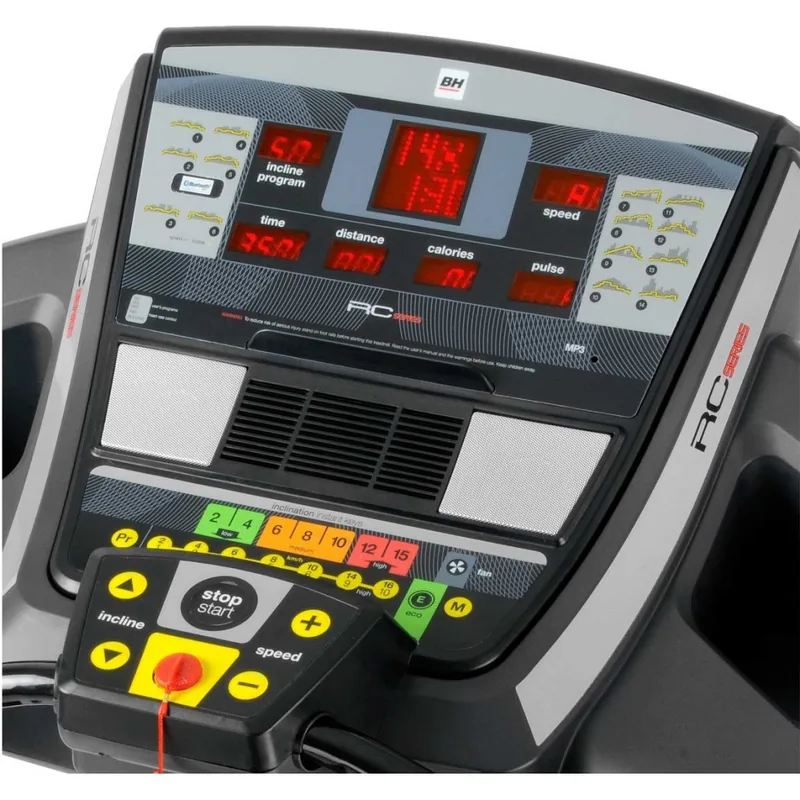
- Quick access speed and incline keys for fast adjustments.
- Safety key plus START/STOP button for immediate emergency stops.
- Multimedia support via USB and Wi‑Fi connectivity; ECO mode to save power.
Disadvantages

- Heart rate readings are indicative, not medical-grade; chest strap recommended.
- Some variants limited to 20 km/h rather than 22 km/h.
- Requires regular lubrication and belt tension adjustments for optimal performance.
- Electrical safety depends on proper earth/grounded outlet to avoid shocks.
- Troubleshooting may require checking controller/motor connections for certain errors.
Product Specification
Motor Power
3HP Continuous Power, 4.5HP Peak Power
Speed
0.62-13.67mph
Incline
0-15% electronically adjustable
Running Surface
61.02x21.65in
Max. User Weight
330.69lbs
Dimensions
78.74x37.01x58.27in
Weight
302.03lbs
Special Features
Transport Wheels, Hand Pulse Measurement, Chest Strap Compatible, Ventilation
Product Description
BH Fitness RC12 TFT Laufband — Smart, powerful, user-focused
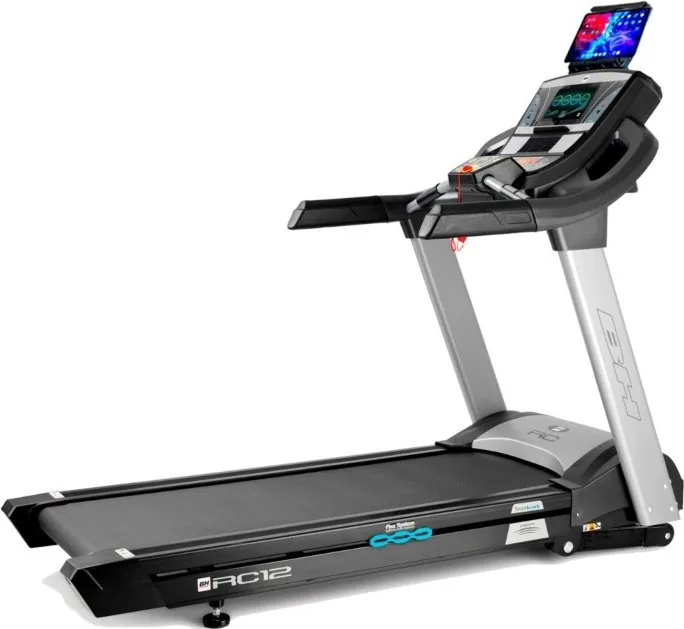
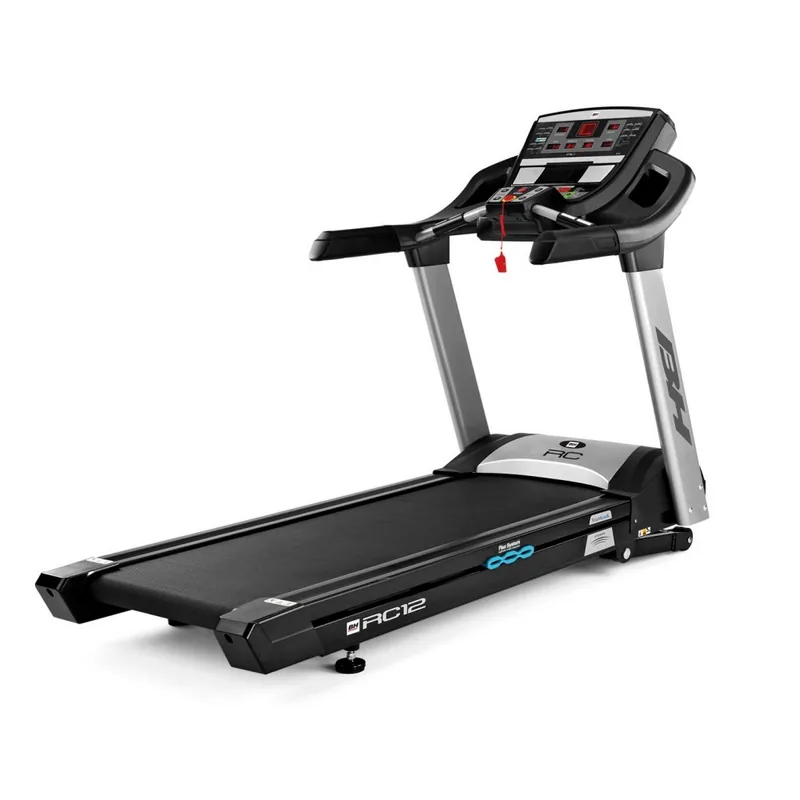
The BH Fitness RC12 TFT Laufband is a feature-rich treadmill built for home and light commercial use. Centered around a responsive TFT touchscreen, it combines intuitive controls, multiple workout modes, and safety features to support varied training goals. With quick-access keys for speed and incline, a USB port for multimedia, and ECO mode for energy-efficient operation, the RC12 aims to make workouts smoother and more engaging.
Versatile training options
This treadmill offers one Manual mode, 36 preset programs, a customizable User program, three Target modes (time, distance, calories), Navigation mode (video playback during workouts), and Heart Rate Control (HRC). HRC uses handgrip sensors or a chest telemetry strap to automatically adjust speed so you stay near a set BPM. Speeds range up to 22 km/h (20 km/h on some variants) and incline adjusts from 0 to 15 levels.
Ease of use and connectivity
The large TFT touchscreen provides language selection, unit switching (km/miles), and access to multimedia apps. You can play music from a USB stick and connect to Wi‑Fi for online features. Quick keys let you jump to common speed and incline values without navigating menus, while ECO mode optimizes settings to reduce power consumption.
Safety and maintenance
Safety is managed via a dedicated safety key that must be inserted for operation and clips to the user’s clothing to trigger an immediate stop if pulled. A red START/STOP button also provides instant shutdown. Routine maintenance tips include lubricating the belt, checking belt tension and drive-belt tension, and ensuring the treadmill is plugged into a properly earthed outlet to avoid shocks.
Practical troubleshooting
Common error codes and solutions are provided for faults such as connection errors between controllers (E1), motor wiring (E2), speed sensor issues (E3), motor overload (E5), and missing safety key (E7). The manual also lists checks for problems like jerky motion, band drifting, or motor stoppage and offers corrective actions.
Final thoughts
The BH Fitness RC12 TFT Laufband packs a comprehensive set of training features, safety systems, and multimedia options into a single treadmill platform. It’s suitable for users who want program variety, heart-rate guided workouts, and modern connectivity, while providing clear maintenance and troubleshooting guidance.
Notes:
- Use handgrip sensors or a chest strap for accurate HRC operation.
- Keep the incline at its lowest setting before folding the treadmill.
- Regularly lubricate and check belt/drive tensions for best performance.
Search for 67,706 Manuals online


Type-in Brand or Model