
Bellcome 4-Wire Video Door Phone Kit Manual
PDF manual · 10 Pages
English


Quick check
Incorrect answer, please try again.
Chat with your Bellcome 4-Wire Video Door Phone Kit manual using AI
Get instant AI answers from your Bellcome 4-Wire Video Door Phone Kit manual
Ask anything about the Bellcome 4-Wire Video Door Phone Kit. Answers come from this manual, with the pages they are based on.
Ask a Question
Do you recommend 4-Wire Video Door Phone Kit?
Yes NoFrequently Asked Questions
Yes, the system supports parallel connections of two outdoor areas. Each panel gets a unique address (e.g., VPA1 for address 1, VPA2 for address 2) and requires its own SCU power supply if they have separate gates.
Is this answer helpful?
Press and hold the PROG button on the SCU for three seconds until the red LED lights up. Then touch each RFID card or tag to the outdoor panel's reader area for one second. Two beeps confirm successful programming.
Is this answer helpful?
If connected to the optional 12V battery, the system switches to battery operation. The BAT LED will glow green, indicating the system is running on backup power until the mains are restored or the battery depletes.
Is this answer helpful?
Yes, the LCK terminals support AC locks up to 5A or DC locks up to 3A. You can also connect an electromagnetic lock requiring 24V DC, provided it does not exceed the current limit specified in the manual.
Is this answer helpful?
Yes, while Family 1 units come pre-set to address 1, you can reprogram Family 2, 3, or higher units by pressing specific buttons on the SCU and the indoor unit to assign new addresses like 2, 3, etc.
Is this answer helpful?
Advantages and Disadvantages
Advantages

- Supports multiple family addresses with unique ID programming
- Includes RFID card access for secure keyless entry
- Compatible with various indoor monitor sizes up to 7 inches
- Allows auxiliary control for gates and garage doors
- Long-distance video transmission using standard Ethernet cables
Disadvantages

- Requires professional installation for electrical safety compliance
- Complex initial setup for multi-building parallel connections
- Dependent on stable power supply and battery backup
- No mobile app integration mentioned in standard manual
- Analog camera connection limits resolution compared to IP systems
Product Specification
Display
7", Touchscreen
Image sensor
1/3" CMOS
Detection range
not specified (vertical), not specified (horizontal)
Connection
4-wire
Participants
1
Expandability
3x external station
Package contents
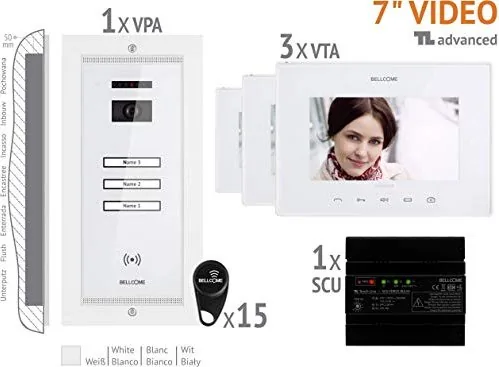
1x external station, 3x internal stations
Features
Access control (RFID reader)
Product Description
Enhancing Home Security with the Bellcome Video and Audio Door Intercom System
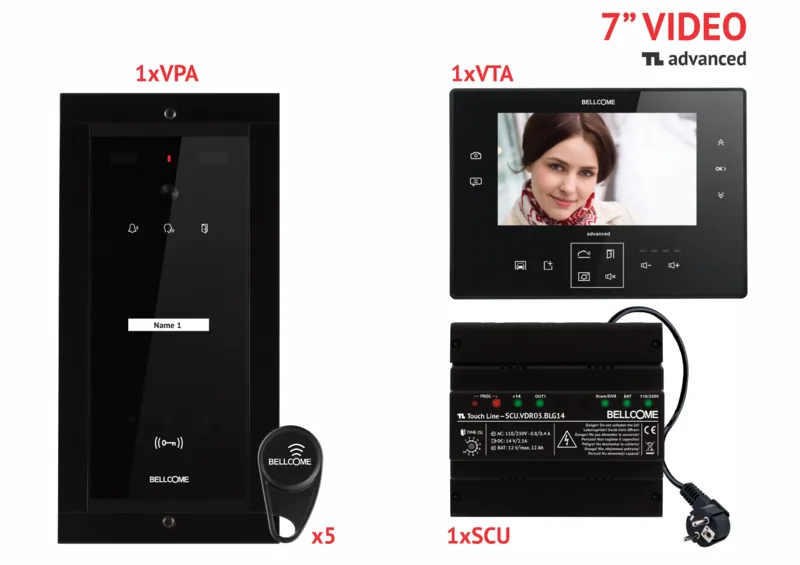
The Bellcome Video and Audio Door Intercom System represents a significant leap in residential security, offering homeowners a seamless blend of visual verification and clear communication. Designed for multi-family buildings and single homes alike, this comprehensive kit allows residents to see and speak with visitors before granting access. The system supports various configurations, including advanced video outdoor panels equipped with RFID card readers for secure, keyless entry.
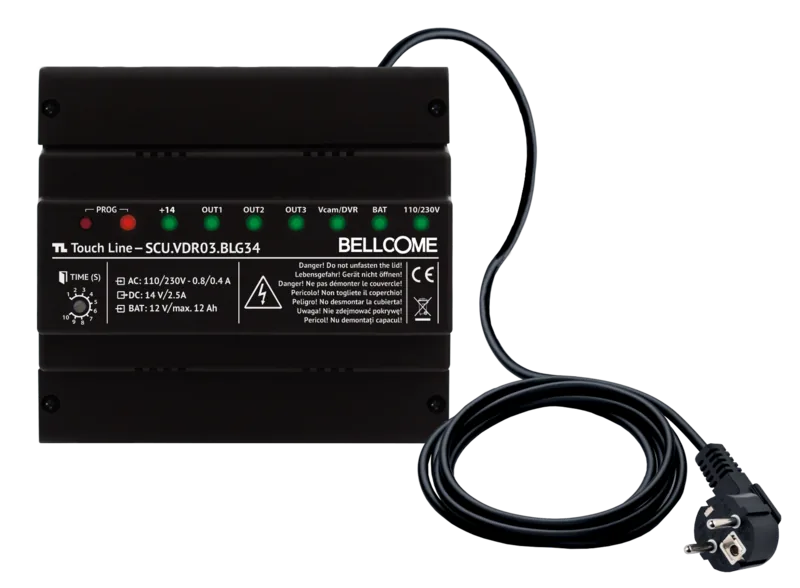
At the heart of the installation is the SCU power supply unit, which acts as the central hub connecting outdoor stations to indoor monitors. Whether you choose the smart+ audio-only units or the high-definition video displays ranging from 3.5 inches to 7 inches, the setup ensures reliable performance. The system accommodates multiple families by assigning unique addresses to each indoor unit, allowing for targeted calls without cross-interference. Installation is straightforward when following the detailed wiring diagrams, utilizing standard cabling like UTP cat5e or cat6e for video transmission over long distances.
Security is paramount, and the Bellcome system delivers through its integrated RFID technology. Residents can program cards or tags directly at the outdoor panel, enabling authorized individuals to enter with a simple tap. The system also supports auxiliary outputs for garage doors, gates, and external lighting, making it a versatile addition to any modern home automation setup. With built-in troubleshooting guides and LED status indicators, maintenance becomes easier, ensuring your security network remains operational around the clock.
Notes:
- Ensure all electrical connections are made by authorized personnel.
- Always disconnect power before working on the SCU unit.
- Use recommended cable types to maintain signal integrity.
Search for 67,706 Manuals online


Type-in Brand or Model