
Be Cool BC29TFRC Manual
PDF manual · 139 Pages
English



Quick check
Incorrect answer, please try again.
Chat with your Be Cool BC29TFRC manual using AI
Get instant AI answers from your Be Cool BC29TFRC manual
Ask anything about the Be Cool BC29TFRC. Answers come from this manual, with the pages they are based on.
BC29TFRC Maintenance Schedule
Disconnect from mains. Use a neutral detergent and soft cloth. Do not use solvents or alcohol on plastic parts. Ensure no water enters the motor.
If the remote is not used for a prolonged period (4 weeks or more), remove the CR2025 batteries to prevent leakage or damage.
Ask a Question
Do you recommend BC29TFRC?
Yes NoFrequently Asked Questions
Join the two base halves pulling the cable through the middle. Press them together until they click, then attach the housing and secure with the locking nut clockwise.
Is this answer helpful?
Unauthorized repairs, improper use, or modifications invalidate the guarantee immediately. Contact authorized centers instead to avoid losing coverage rights for future claims.
Is this answer helpful?
Yes, but children under eight must be supervised. Never let them play with the unit or insert objects into vents. Keep cables accessible and out of reach of pets.
Is this answer helpful?
No. Disconnect power and use a damp cloth. Water entering the motor causes damage. Never submerge any part of the unit in liquid or high pressure spray.
Is this answer helpful?
The timer allows setting operation up to 7.5 hours. Use the remote or panel buttons to select the desired time interval accurately for night cycles.
Is this answer helpful?
The remote control requires a CR2025 battery. Replace old ones responsibly according to local disposal laws to minimize environmental impact and pollution risks.
Is this answer helpful?
Advantages and Disadvantages
Advantages

- Remote control included for convenient operation from distance without reaching the unit.
- Three adjustable speed levels offer versatile airflow customization for different needs.
- Low noise operation measured at 46 dB ideal for undisturbed sleep environments.
- Built-in timer reduces energy waste by automating shutdown schedules accurately.
- Slim vertical design saves valuable floor space compared to traditional fans.
Disadvantages

- Battery needs periodic replacement for the remote control to function properly.
- Not suitable for outdoor environments or damp areas like bathrooms or basements.
- Two-year warranty is restricted to specific regions and excludes certain damages.
- Cannot be used with extension cords due to overheating risks and safety hazards.
- Warranty becomes void if unauthorized parties attempt any internal repair work.
Product Specification
Operating Mode
AC Power (50W)
Color
Black
Speed Settings
3
Oscillation Range
horizontal oscillating (switchable off)
Special Features
Remote control, Night mode, Breeze mode, Auto-shutoff after 7.5 hours (adjustable)
Smart Home
No
Dimensions
10.63x29.33in (Diameter x Height)
Product Description
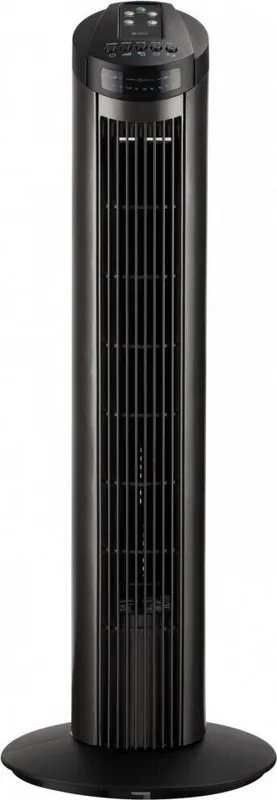
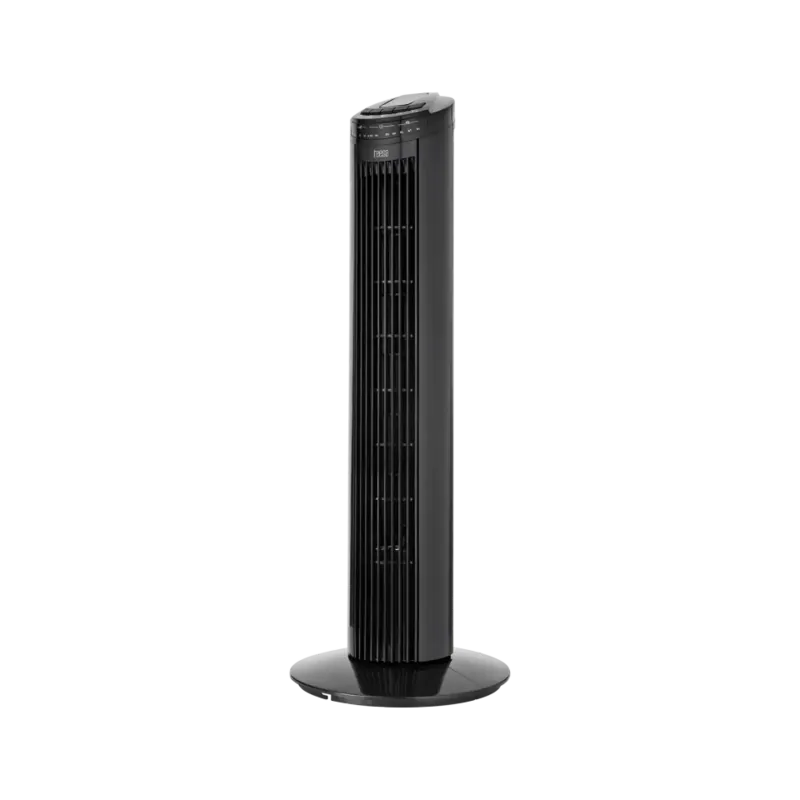
Embrace Comfort with the Be Cool 74cm Tower Fan Black
Cooling your living space effectively requires a reliable unit that blends style with functionality. The Be Cool 74cm Tower Fan black offers exactly that experience for homeowners seeking modern airflow management. By referring to the Be Cool 74cm Tower Fan black Manual, users can maximize the potential of this appliance safely. This tower fan is designed specifically for dry rooms within private households, ensuring consistent performance without excessive energy consumption. Its slim vertical design allows it to fit discreetly in corners or beside furniture without obstructing pathways. Measuring roughly 74 cm in height, it delivers significant coverage relative to its footprint.
Operational Excellence
The unit provides three distinct speed settings to match varying weather conditions. From gentle breezes on cool evenings to robust winds on hot afternoons, the controls adapt easily. The remote control adds convenience by allowing adjustments from across the room. A digital display confirms the selected mode and active timer instantly. Users can choose between Eco, Nature, and Sleep modes for tailored air distribution. The oscillation feature sweeps air horizontally, covering larger floor areas efficiently. Timers allow operation from half an hour up to seven and a half hours automatically. This flexibility ensures you only run it when necessary for maximum efficiency.
Assembly and Installation Steps
Putting the fan together requires basic alignment of the base stand components. Pull the cable through the center while joining the halves securely. Position the housing over the base and tighten the locking nut carefully. Ensure all holes align perfectly before final securing. Once assembled, place the unit on a flat, dry surface away from walls. Connect it directly to a grounded wall socket rated for the correct voltage. Avoid using loose connectors which may cause sparks or instability during operation.
Safety and Maintenance Protocols
Safety remains a top priority during operation and storage. Always disconnect power before cleaning the exterior surfaces. Use a soft, dry cloth to wipe plastic components gently. Avoid solvents or acidic cleaners that could degrade materials over time. Water must never penetrate the internal motor housing. Keep children away from moving parts and ensure the stand is stable on flat floors. Do not use extension cords which might overheat. Protect the cable from twisting or crushing to maintain integrity. Covering the device is prohibited as it traps heat internally.
Technical Specifications and Support
Rated voltage operates between 220 to 240 volts with standard frequency compatibility. The device runs quietly at approximately 46 decibels, suitable for bedrooms and offices. Battery type for the remote is CR2025, requiring periodic replacement for optimal signal transmission. A two-year warranty covers manufacturing defects provided maintenance guidelines are followed strictly. Authorized service centers handle repairs to preserve validity. Keep proof of purchase ready for any future claims regarding defect resolution or replacement eligibility within the stipulated term. Remove batteries if unused for four weeks or longer to prevent leakage. Proper disposal follows electronic waste regulations to protect the environment. Weighing just 2.4 kilograms, it moves easily when needed. Enjoy seamless cooling today with this durable engineering marvel suitable for various seasons.
Search for 67,706 Manuals online


Type-in Brand or Model