
Batavia Maxxpack 18V Manual
PDF manual · 72 Pages
English



Quick check
Incorrect answer, please try again.
Chat with your Batavia Maxxpack 18V manual using AI
Get instant AI answers from your Batavia Maxxpack 18V manual
Ask anything about the Batavia Maxxpack 18V. Answers come from this manual, with the pages they are based on.
Ask a Question
Do you recommend Maxxpack 18V?
Yes NoFrequently Asked Questions
No, only use the battery pack supplied with the appliance. Other batteries could burst or cause injury.
Is this answer helpful?
A solid green LED light indicates the battery is fully charged.
Is this answer helpful?
Charge only between 10 C and 40 C to avoid damage.
Is this answer helpful?
Approximately 50 minutes for the 70W model or 30 minutes for the 105W model.
Is this answer helpful?
Let it cool down before charging to prevent permanent damage.
Is this answer helpful?
Do not expose the charger to water or moisture. Indoor use only.
Is this answer helpful?
Yes, capacity will reduce slightly after 100 cycles and more after 500 cycles.
Is this answer helpful?
Advantages and Disadvantages
Advantages

- Fast charging times for various battery capacities
- Intelligent LED indicators show charge status clearly
- Universal voltage input supports global usage
- Temperature sensors protect battery health
- Automatic stop prevents overcharging issues
Disadvantages

- Indoor use only prevents outdoor application
- Strict battery compatibility requirements limit options
- Temperature sensitivity affects charging in extremes
- Battery capacity degrades after many cycles
- Requires specific tool model pairing for safety
Product Specification
Type
Charger
Battery Voltage
18V
Battery Type
Li-Ion
Product Description
Master Your Workspace with the Batavia Maxxpack Charger Manual Insights
Maintaining power tools requires reliable equipment to ensure peak performance. The Batavia Maxxpack Charger is designed specifically for modern users who demand efficiency and safety in their daily operations. This charging solution supports a variety of 18V battery packs, ensuring your tools are always ready when you need them most. Understanding the nuances of this charger can significantly extend the lifespan of your valuable battery assets.
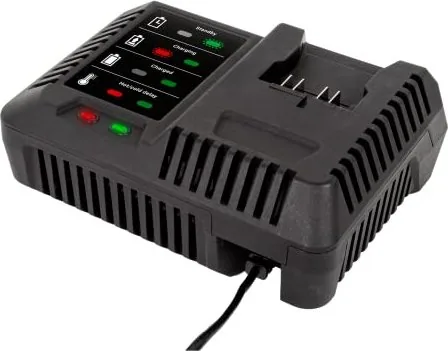
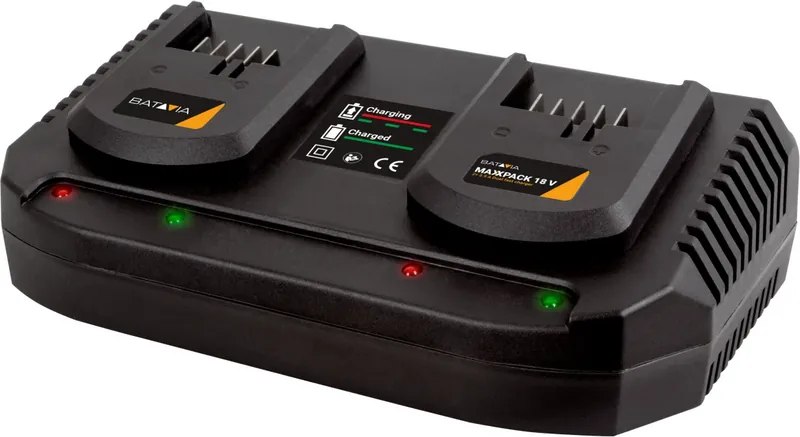
One of the standout features is the intelligent LED indicator system. When you plug the device into a standard electrical outlet, a green LED illuminates to confirm the power source is active. Once you insert a battery, the status changes dynamically. The red LED flashes during the charging process to indicate active power transfer. When the battery reaches full capacity, the green LED stays solid, eliminating guesswork about charge levels. This visual feedback is crucial for busy professionals who need to track productivity without constant monitoring.
Safety remains a top priority in the design of this unit. It is engineered to charge batteries only within specific ambient temperatures between 10 C and 40 C. This protects the lithium-ion cells from thermal stress which can lead to degradation or hazards. Users should avoid exposing the charger to moisture or opening the unit for repairs, as this voids safety certifications and poses electrical risks. The charger automatically monitors voltage and temperature during operation to protect against overcharging.
Another key aspect is the compatibility with specific tools. It is intended solely for the battery pack supplied with the appliance or tool. Using generic batteries not designed for this charger can create fire risks or damage the tool. Proper storage is equally important. When not in use, disconnect the charger from the power supply to conserve energy. Store batteries in a cool, dry place away from metal objects that could short-circuit the contacts.
Over time, battery capacity naturally decreases. After approximately 100 charge cycles, you might notice a slight reduction in tool runtime or torque. This is a normal characteristic of lithium technology rather than a defect. By following the correct charging procedures and avoiding deep discharge, you maximize the utility of each cycle. Whether you are a DIY enthusiast or a professional contractor, investing time in learning these guidelines ensures your equipment lasts longer.
Battery health is critical for tool longevity. The charger protects against rapid degradation by stopping charge when full. This prevents overheating and extends cell life significantly. Understanding the Batavia Maxxpack Charger Manual helps prevent common mistakes that lead to permanent damage. Always check contacts for cleanliness before insertion to ensure optimal connection. The charger is designed for indoor use only to prevent weather-related failures. Adhering to these recommendations guarantees a smooth workflow and maximizes the value of your investment.
Proper disposal of old units is also highlighted in official documentation. Never throw away electronic waste in regular refuse bins. Recycle components responsibly to support the environment. The charger supports universal voltage inputs ranging from 100 to 240 volts globally. This versatility makes it suitable for international use without adapters. By respecting these operational boundaries, users ensure reliable performance year after year.
Search for 67,706 Manuals online


Type-in Brand or Model