
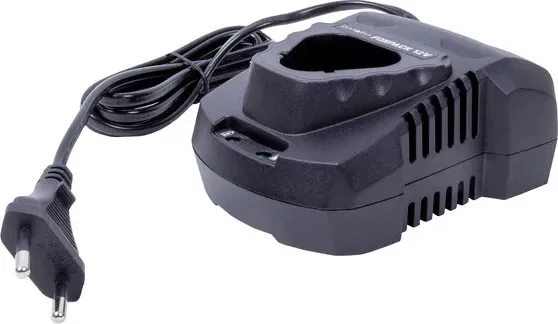
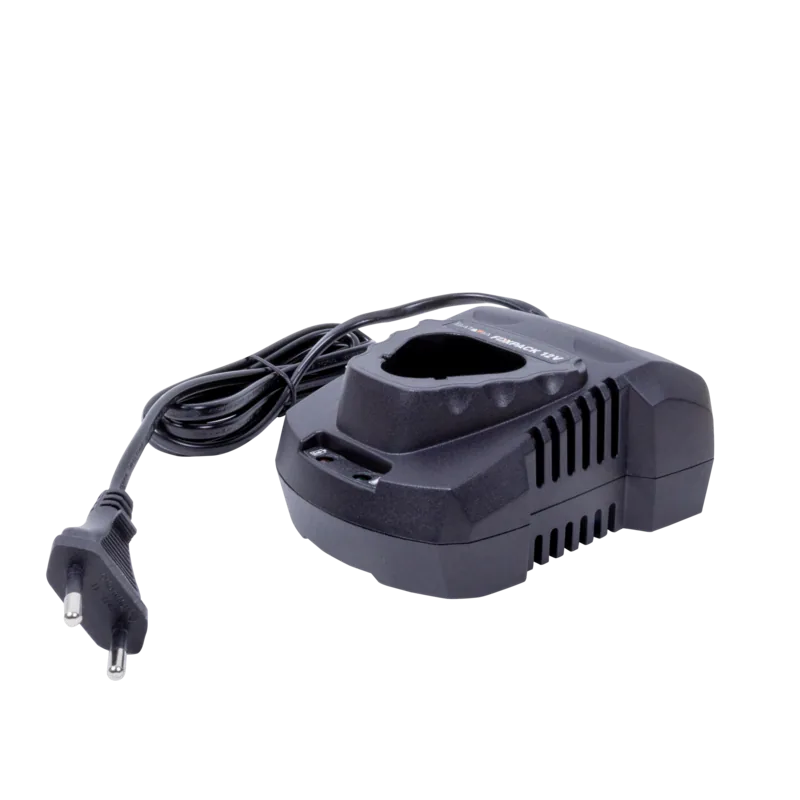

Batavia Fixxpack 12V Manual
PDF manual · 68 Pages
English



Quick check
Incorrect answer, please try again.
Chat with your Batavia Fixxpack 12V manual using AI
Get instant AI answers from your Batavia Fixxpack 12V manual
Ask anything about the Batavia Fixxpack 12V. Answers come from this manual, with the pages they are based on.
Fixxpack 12V Maintenance Schedule
It is recommended to charge Lithium-ion batteries after each use so they will be fully charged when needed.
Ensure that the exterior of the battery is clean and dry before connecting to the charger or machine.
When not in use and before cleaning and servicing, disconnect the battery charger from the power supply.
Ask a Question
Do you recommend Fixxpack 12V?
Yes NoFrequently Asked Questions
Plug the charger into a compatible electrical outlet and check that the voltage matches the plate. Ensure the area is ventilated and dry. Insert the battery pack carefully into the charger slot until it clicks or aligns fully. Do not force the connection.
Is this answer helpful?
A green light indicates the charger is powered or the battery is fully charged. A red light signals that the battery is currently in the active charging state. Once the red light turns off and green returns charging is complete.
Is this answer helpful?
No, only use it with the specific Batavia tools and battery packs designed for this charger. Using incorrect batteries may cause damage, overheating, or personal injury. Always verify the model compatibility before connecting.
Is this answer helpful?
This product has a two-year warranty covering all defects in workmanship or materials from the date of purchase. You must keep your original receipt of purchase to make any warranty claims.
Is this answer helpful?
Do not dispose of electric tools with domestic refuse. Take defective components to a special refuse collection point. Contact your local council or specialist shop for disposal instructions to protect the environment.
Is this answer helpful?
If the battery is hot from use, allow it to cool for about fifteen minutes. Charging a hot battery can degrade performance. Ideally, charge at ambient temperatures between ten and forty degrees Celsius.
Is this answer helpful?
No, the charger is intended for indoor use only. Do not expose the charger to water or moisture. Never probe the charger or open the housing. Keep it in a dry, well ventilated area.
Is this answer helpful?
Advantages and Disadvantages
Advantages

- Fast charging time of approximately 40 minutes for 2Ah batteries.
- Intelligent temperature and voltage monitoring for safety.
- Clear LED indicator lights for charge status and completion.
- Wide input voltage range compatible with international power standards.
- Two-year warranty included for material and workmanship defects.
Disadvantages

- Charger should not be used in outdoor wet conditions.
- Batteries cannot remain on charger indefinitely after full charge.
- Do not use with any battery packs other than specific Batavia models.
- Charging current varies significantly depending on battery capacity model.
- Charger is not waterproof and must be kept away from moisture.
Product Specification
Type
Charger
Battery Voltage
12V
Battery Type
Li-ion
Weight
8.47oz
Product Description
Welcome to the Batavia Fixxpack Fast Charger
The Batavia Fixxpack Fast Charger is an essential component for maintaining power tool operations. Designed to complement a range of Batavia 12V and 14.4V power tools, this device ensures your lithium ion batteries are reliably charged and ready for use. The product line includes models BT CLC009 and BT CLC010, catering to different capacity requirements.
Operating the Charger The process begins by plugging the unit into an electrical outlet. Ensure the mains voltage matches the rating plate specifications before connecting. For correct function, always operate it in a well ventilated indoor area. Avoid exposure to water or moisture at all times. Once connected, a green LED indicator illuminates on the front panel. This signifies that the unit is ready for battery use. Next, slide your battery pack onto the charger unit carefully. The battery contacts must align correctly, so do not force the connection. If resistance is met, check for physical damage or misalignment.
Indicator Lights and Status Visual feedback is provided through specific LED signals for user convenience. When the battery is inserted and charging commences, a red LED light illuminates. This confirms the active charging cycle is taking place. The device monitors the internal cell temperature and voltage throughout the process. Once the battery reaches full capacity, the red light switches off and the green LED lights up again. This signals that charging is complete and the battery is ready for removal.
Safety and Maintenance Strict adherence to safety guidelines protects both the user and the device. Never attempt to replace the charger unit with a regular mains plug. Avoid charging damaged or deformed batteries, as this poses a risk of fire. Do not expose the battery to extreme heat sources or temperatures exceeding forty degrees Celsius. If the battery is hot, allow it to cool for fifteen minutes before charging. Furthermore, do not leave batteries attached to the charger for extended periods. This practice is vital for maximizing the number of charge cycles over the product lifespan.
Technical Specifications and Warranty The unit supports input voltages ranging from 100 to 240 volts AC. Output voltage is optimized for 12V or 14.4V systems depending on the model variant purchased. A standard 2Ah battery charges in approximately forty minutes with the fast model. The product carries a comprehensive two year warranty against material defects from the date of purchase. Keeping your original receipt is mandatory for any claims under this warranty policy. Contact the client service centre if malfunctions occur due to workmanship issues.
Disposal and Long Term Care When the battery reaches the end of its functional life, proper disposal is critical. Do not dispose of electric tools in domestic refuse. Take defective components to a special refuse collection point or follow local council instructions. For long term storage of batteries, never leave them in a discharged state as this can permanently damage lithium ion cells. Store them at a high charge state and separate from the power tool. Capacity naturally reduces over time, with performance dropping slightly after 100 cycles and reaching a minimum after 500 cycles.
Search for 67,706 Manuals online


Type-in Brand or Model