Manual.ly Logo

Basetech Full HD Game Capture Dongle Manual

0.0 · 0 Ratings

PDF manual · 4 Pages

English

M: QW-35-FL
page

/ 4

Loading...
584be9634a3da4bce3c2484df6b35e37672b page 2
Overview
1 2
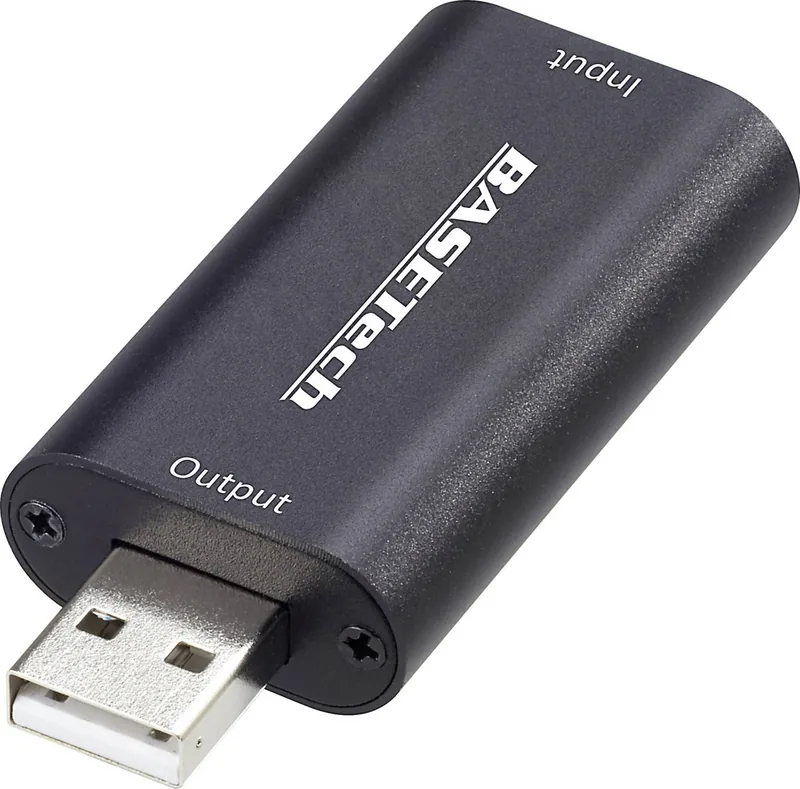
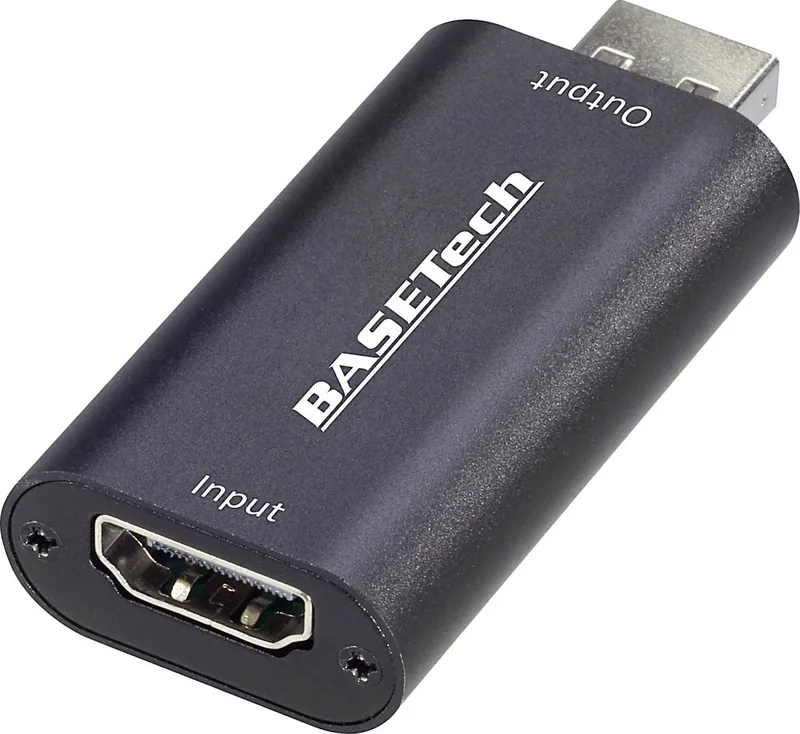
1 Input: HDMI
2 Output: USB-A
Connection
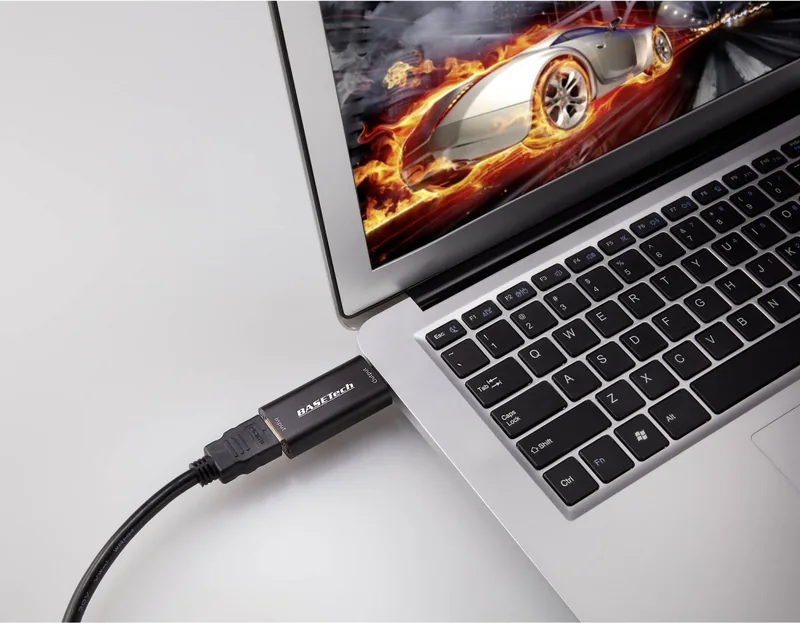
1. Connect your source to the HDMI Input.
For optimal signal performance the HDMI cable should be < 15 m long.
2. Connect the USB-A Output to an available port on your computer.
3. The hardware is plug and play.
If connecting for the rst time, you may need to wait a few moments for your computer to
recognize it as a new device.
4. Load your preferred acquisition software. Some examples include VLC Player, OBS Studio,
and AMCap.
OBS: Open Broadcaster Software
®
Open Broadcaster Software is a free and open-source cross-platform streaming and recording
program. OBS Studio is available for download here: www.obsproject.com.
Below is a quick setup guide and is for reference only.
1. Connect one end of the capture device to the signal source, and the other end to your
computer. See section “Connection” for further details.
2. Launch the software.
3. Under the “Sources” window, select “+” to add a new source.
4. Select “Video Capture Device”.
5. Set the image size.
6. Select “Studio Mode” (double window).
7. Select “Start Recording”.
Refer to www.obsproject.com/wiki for further information relating to setup and use.
Care and cleaning
• Disconnect the product from any peripherals before each cleaning.
• Do not use any aggressive cleaning agents, rubbing alcohol or other chemical solutions as
they can cause damage to the housing and malfunctioning.
• Clean the product with a dry, bre-free cloth.
Disposal
Electronic devices are recyclable waste and must not be disposed of in the house-
hold waste. At the end of its service life, dispose of the product in accordance with
applicable regulatory guidelines.
You thus fulll your statutory obligations and contribute to the protection of the envi-
ronment.
Technical data
Working current ............................ 5 V/DC, 0.4 A
Input.............................................. HDMI: 4K max. 3840 x 2160 p, 30 Hz
Output ........................................... USB-A 2.0: HD max. 1920 x 1080 p, 60 Hz
HDMI cable ................................... AWG26 max.15 m
USB standards ............................. Conform to USB Video and UVC standard
Conform to USB Audio UAC standard;
Colour support .............................. 8/10/12-bit deep colour
Plug and play ................................ yes
Supported OS ............................... Windows
®
XP 32/64 bit (or above), MacOS 10.10 (or above),
Linux Ubuntu 5.8 (or above)
Operating conditions ..................... -10 to +55 ºC, 5 – 90 % RH (non-condensing)
Storage conditions ........................ -20 to +60 ºC, 5 – 90 % RH (non-condensing)
Dimensions ................................... 64 x 28 x 13 mm (L x W x H)
Weight .......................................... 22 g
Operating Instructions
USB 2.0 Video Capture Dongle, Black
Item No. 2266974
Intended use
The product is an HDMI to USB-A capture device that outputs audio and video to a computer. It
has plug and play support for Windows
®
, MacOS, and Linux. It also works with commonly used
acquisition software such as VLC Player, OBS Studio, and AMCap.
It is intended for indoor use only. Do not use it outdoors. Contact with moisture, e.g. in bath-
rooms, must be avoided under all circumstances.
For safety and approval purposes, you must not rebuild and/or modify this product. If you use
the product for purposes other than those described above, the product may be damaged.
In addition, improper use can result in or other hazards. Read the instructions carefully and
store them in a safe place. Make this product available to third parties only together with its
operating instructions.
This product complies with the statutory national and European requirements. All company
names and product names are trademarks of their respective owners. All rights reserved.
HDMI is a registered trademark of HDMI Licensing L.L.C.
Delivery content
• Video capture device
• Operating instructions
Up-to-date operating instructions
Download the latest operating instructions at www.conrad.com/downloads or scan the QR code
shown. Follow the instructions on the website.
Explanation of symbols
The symbol with the exclamation mark in the triangle is used to indicate important
information in these operating instructions. Always read this information carefully.
The arrow symbol indicates special information and advice on operation.
Safety instructions
Read the operating instructions carefully and especially observe the safety
information. If you do not follow the safety instructions and information on
proper handling in this manual, we assume no liability for any resulting per-
sonal injury or damage to property. Such cases will invalidate the warranty/
guarantee.
a) General information
• The device is not a toy. Keep it out of the reach of children and pets.
• Do not leave packaging material lying around carelessly. This may become dan-
gerous playing material for children.
• Protect the appliance from extreme temperatures, direct sunlight, strong jolts,
high humidity, moisture, ammable gases, steam and solvents.
• Do not place the product under any mechanical stress.
• If it is no longer possible to operate the product safely, take it out of operation and
protect it from any accidental use. Safe operation can no longer be guaranteed
if the product:
- is visibly damaged,
- is no longer working properly,
- has been stored for extended periods in poor ambient conditions or
- has been subjected to any serious transport-related stresses.
• Please handle the product carefully. Jolts, impacts or a fall even from a low height
can damage the product.
• Consult an expert when in doubt about the operation, safety or connection of
the appliance.
• Maintenance, modications and repairs must only be completed by a technician
or an authorised repair centre.
• If you have questions which remain unanswered by these operating instructions,
contact our technical support service or other technical personnel.
b) Connected devices
• Also observe the safety and operating instructions of any other devices which are
connected to the product.
This is a publication by Conrad Electronic SE, Klaus-Conrad-Str. 1, D-92240 Hirschau (www.conrad.com). All rights in-
cluding translation reserved. Reproduction by any method, e.g. photocopy, microlming, or the capture in electronic data
processing systems require the prior written approval by the editor. Reprinting, also in part, is prohibited. This publication
represent the technical status at the time of printing.
Copyright 2020 by Conrad Electronic SE. *2266974_v2_0820_02_dh_m_en

Chat with your Basetech Full HD Game Capture Dongle manual using AI

Get instant AI answers from your Basetech Full HD Game Capture Dongle manual

Ask anything about the Basetech Full HD Game Capture Dongle. Answers come from this manual, with the pages they are based on.

Ask a Question

0/1000

Do you recommend Full HD Game Capture Dongle?

Yes No

Frequently Asked Questions

A

While the input accepts up to 4K, the device outputs video via USB-A 2.0 at a maximum resolution of 1920 x 1080 pixels (Full HD) at 60 Hz.

Is this answer helpful?

A

No, the device uses Plug and Play technology. It is recognized automatically by Windows XP or newer, MacOS 10.10+, and Linux Ubuntu 5.8+ without additional drivers.

Is this answer helpful?

A

It works with standard acquisition software such as VLC Player, AMCap, and Open Broadcaster Software (OBS Studio). OBS is highly recommended for streaming.

Is this answer helpful?

A

No, this product is designed exclusively for indoor use. Exposure to moisture, humidity, or outdoor conditions will damage the device and void the warranty.

Is this answer helpful?

A

To prevent signal loss and ensure optimal performance, the HDMI cable connecting your source should not be longer than 15 meters.

Is this answer helpful?

M: QW-35-FL

Advantages and Disadvantages

Advantages

  • Supports HDMI input up to 4K and outputs HD 1080p at 60Hz for smooth video
  • True Plug and Play functionality requires no manual driver installation
  • Compatible with major OS including Windows, MacOS, and Linux
  • Works seamlessly with popular software like OBS Studio and VLC Player
  • Compact and lightweight design makes it easy to transport
VS

Disadvantages

  • HDMI cable length must not exceed 15 meters for optimal signal quality
  • Intended strictly for indoor use and cannot be used outdoors
  • Cannot be modified or rebuilt by the user due to safety regulations
  • Requires external power from the USB port (5V/DC)
  • Does not support outputting 4K resolution over the USB connection
M: QW-35-FL

Product Specification

Resolution

1920x1080p (60fps/rec)

Inputs

HDMI

Outputs

N/A

Interface

USB-A 2.0

Dimensions

2.52x1.10x0.51in

Weight

0.77oz

M: QW-35-FL

Product Description

Unlock Your Gaming Potential with the Basetech Game Capture Full-HD Dongle

The Basetech Game Capture Full-HD Dongle is a compact and powerful solution designed for gamers, streamers, and content creators who want to record or broadcast their gameplay without expensive consoles. This sleek device acts as a bridge between your gaming console and your computer, capturing high-quality video and audio signals seamlessly.

Seamless Connectivity

Connecting your favorite games has never been easier. The dongle features an HDMI input that accepts signals up to 4K resolution at 30 Hz, ensuring you capture every detail of your game. It then outputs this data via a USB-A 2.0 port directly to your PC, supporting HD resolutions up to 1920 x 1080 pixels at a smooth 60 Hz. The hardware operates on a Plug & Play basis, meaning no complex driver installations are required for supported operating systems like Windows, MacOS, and Linux.

Software Compatibility

Once connected, the device works effortlessly with popular recording and streaming software. Users have successfully tested it with VLC Player, AMCap, and the widely acclaimed OBS Studio. For those new to broadcasting, OBS Studio offers a free, open-source platform perfect for creating professional-looking streams. Simply connect the source, launch your software, add the video capture device as a source, and start recording in seconds.

Durable and Reliable Design

Built for indoor use only, this black USB 2.0 video recorder is lightweight at just 22 grams and measures a mere 64 x 28 x 13 mm. It supports deep color depths of 8, 10, or 12 bits, providing vibrant colors for your recordings. To maintain its performance, clean the device regularly with a dry, fiber-free cloth, avoiding any harsh chemicals or alcohol. Remember to disconnect all peripherals before cleaning to ensure safety.

Whether you are archiving your best gaming moments or setting up a live stream for an audience, the Basetech Game Capture Full-HD Dongle delivers reliable performance with minimal setup hassle.

M: QW-35-FL

© Copyright 2026 Manual.ly