
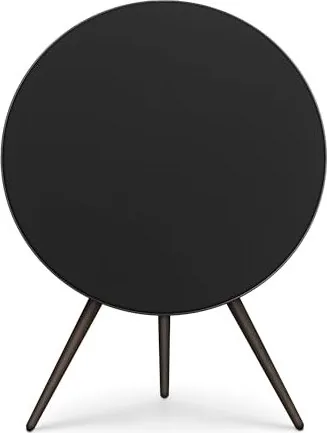
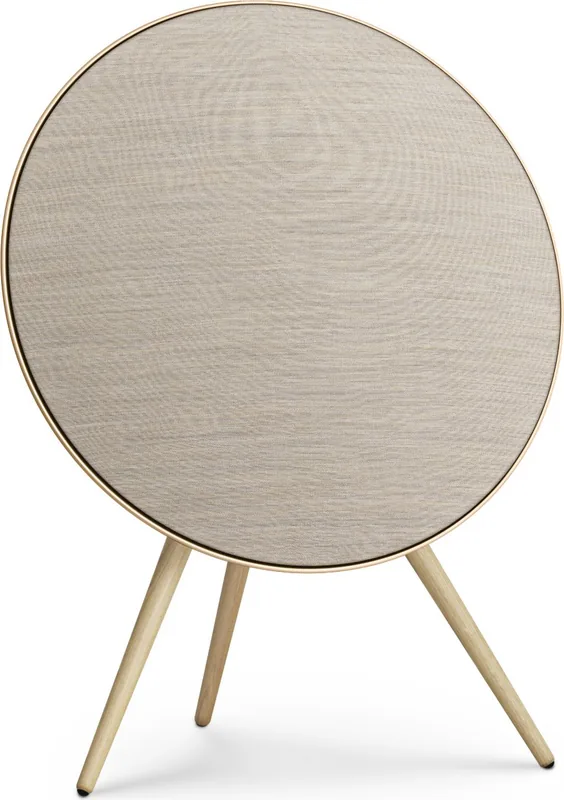
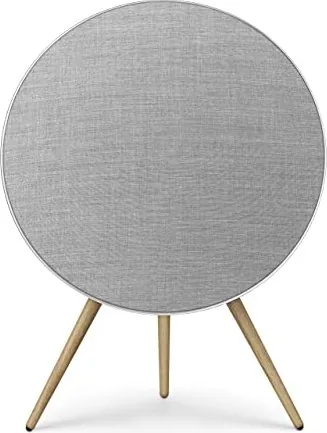
Bang & Olufsen Beosound A9 5th Gen Manual
PDF manual · 142 Pages
English



Quick check
Incorrect answer, please try again.
Chat with your Bang & Olufsen Beosound A9 5th Gen manual using AI
Get instant AI answers from your Bang & Olufsen Beosound A9 5th Gen manual
Ask anything about the Bang & Olufsen Beosound A9 5th Gen. Answers come from this manual, with the pages they are based on.
Ask a Question
Do you recommend Beosound A9 5th Gen?
Yes NoFrequently Asked Questions
Remove the three legs from the box and attach them to the speaker base. Place the speaker where desired, connect the power cable, and wait for the indicator to turn orange. Download the app to configure the device.
Is this answer helpful?
White solid indicates the device is connected and ready. Blue indicates Bluetooth pairing is complete. Red means there is an error or overheating. Green blinking shows a software update is in progress.
Is this answer helpful?
Yes, you need two Beosound A9 units of the same generation. Select stereo pairing in the app under sound settings to merge them into a single left and right channel experience.
Is this answer helpful?
Press and hold the Wi-Fi setup button for eight seconds until you hear a signal. The speaker will restart. Wait for the indicator to flash white before setting it up again.
Is this answer helpful?
Yes, you can create a Beolink Multiroom group to play music in different rooms simultaneously. Alternatively, stream to other speakers using AirPlay 2 or Chromecast.
Is this answer helpful?
Use the touch-sensitive dots on the rear. Slide your hand right to increase volume or left to decrease volume. Tap the center to start playback from the last integrated source.
Is this answer helpful?
Yes, by default updates occur at night when connected to power and the internet. You can change this setting within the official Bang & Olufsen application on your phone.
Is this answer helpful?
Advantages and Disadvantages
Advantages

- Active Room Compensation optimizes sound based on placement automatically.
- Touch-sensitive rear dots provide intuitive volume and playback control.
- Multiroom support allows syncing with other speakers via Beolink or AirPlay.
- Automatic software updates ensure the device always has the latest features.
- Premium cylindrical design integrates well with modern home aesthetics.
Disadvantages

- Initial setup requires the Bang & Olufsen app and an internet connection.
- The speaker command a high price point compared to standard competitors.
- Factory reset process involves holding specific buttons for eight seconds.
- Stereo pairing requires purchasing a second identical speaker unit.
- Microphone status light only indicates on or off without mute modes.
Product Specification
Power
1700W Peak
Tuner
Internet Radio
Streaming Clients
Apple AirPlay 2, Deezer, Google Cast, Spotify
Voice Assistants
No
Audio Connections
AUX In (3.5mm Jack)
Additional Connections
USB-C, RJ-45
Wireless
Bluetooth 5.3, Wi-Fi 5 (WLAN 802.11a/b/g/n/ac)
Power Supply
AC Power
Features
Automatic Room Correction
Dimensions
27.60x35.75x16.18in (WxHxD)
Weight
32.41 lbs
Product Description
Discover the Bang & Olufsen BeoSound A9 Experience
The Bang & Olufsen BeoSound A9 (5th Gen) redefines luxury audio with its striking cylindrical design and advanced sound engineering. Placing this speaker in your living room instantly elevates the aesthetic while delivering room-filling performance. To ensure the device meets your specific expectations, users are often directed to consult the Bang & Olufsen BeoSound A9 (5th Gen) Manual for detailed configuration steps. This approach allows for personalized sound shaping that adapts to your unique environment without guesswork. It ensures you get the most out of the hardware.
Seamless Connectivity and Control Mechanisms
Operating the speaker is intuitive thanks to the touch-sensitive dots located on the upper rear panel. These controls manage playback, volume, and track navigation effortlessly without physical buttons. For those who prefer digital oversight, the official application unlocks the full potential of the hardware. Active Room Compensation utilizes internal sensors to adjust frequency response based on speaker placement in the room. This feature best accessed via the app should run every time the speaker is moved to optimize acoustics immediately for your specific layout. Multiroom capabilities allow you to sync this unit with other compatible speakers using Beolink, AirPlay, or Chromecast protocols.
Advanced Features for the Modern Smart Home
Connectivity options ensure total flexibility in your daily life. You can connect via secure Wi-Fi, standard Bluetooth, or use Ethernet for a stable wired connection. The stereo pairing feature transforms two units into a powerful left and right channel setup, requiring identical generations for compatibility. Software updates occur automatically overnight to maintain performance standards without user intervention. Light indicators provide at-a-glance status regarding network connections, microphone privacy, and power states. A solid white light means ready, while red indicates errors or overheating requiring cooling time.
Setup and Maintenance Essentials Guide
Unboxing involves mounting three legs marked with labels for correct orientation on the floor. Connect the enclosed power cable and wait 1-2 minutes until the indicator turns orange. Voice assistance includes a microphone button on the panel for enabling or disabling privacy modes. USB-C ports support service and external source connections. If connectivity issues persist or performance degrades locally, a factory reset is available by holding specific buttons for eight seconds. The device automatically enters standby mode after three minutes of inactivity. Whether streaming high-resolution audio or hosting gatherings, this device serves as a robust hub for your digital entertainment, ensuring quality and reliability throughout daily use without interruption.
Search for 67,732 Manuals online


Type-in Brand or Model