
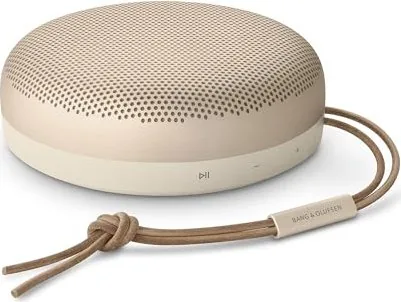
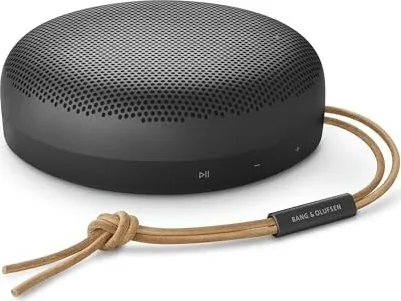
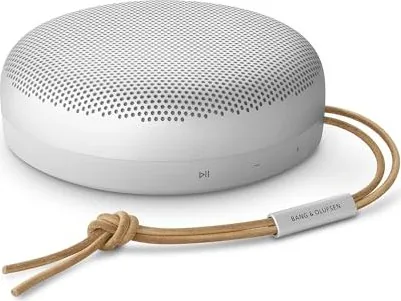
Bang & Olufsen Beosound A1 2nd Gen Manual
PDF manual · 43 Pages
English



Quick check
Incorrect answer, please try again.
Chat with your Bang & Olufsen Beosound A1 2nd Gen manual using AI
Get instant AI answers from your Bang & Olufsen Beosound A1 2nd Gen manual
Ask anything about the Bang & Olufsen Beosound A1 2nd Gen. Answers come from this manual, with the pages they are based on.
Ask a Question
Do you recommend Beosound A1 2nd Gen?
Yes NoFrequently Asked Questions
Press the power button until the top indicator turns solid white. The light stays on to confirm it is ready for setup.
Is this answer helpful?
Hold the Bluetooth button for two seconds until the light flashes blue. Select the device from your phone or computer list.
Is this answer helpful?
Yes, you can pair two units for stereo. Hold the Bluetooth button on the first speaker for five seconds until white. Do the same for the second speaker.
Is this answer helpful?
Lights flash green for incoming calls. Short press to answer and long press to end. The mic button mutes during meetings.
Is this answer helpful?
Orange flashes while charging. Green means full. Orange for five minutes warns at 40%, red at 20%, and blinking starts below 10%.
Is this answer helpful?
Press the microphone button quickly to mute. The light turns solid red. Press again to unmute.
Is this answer helpful?
Yes, Amazon Alexa can be used. Wake it with a keyword or mic button. Configure the settings in the app to enable it.
Is this answer helpful?
Advantages and Disadvantages
Advantages

- Easy Bluetooth setup with clear light indicators for pairing status.
- Intuitive playback controls for skipping tracks and adjusting volume levels.
- Integrated voice assistant support for hands-free interaction and tasks.
- Versatile stereo pairing option allows connecting two units for wide sound.
- Clear battery indicators warn users about low charge levels effectively.
Disadvantages

- Voice assistant remains off by default until specific app configuration steps are completed.
- Manual stereo pairing requires specific button holds that may confuse casual users.
- Battery warning system uses colors but lacks exact percentage display on device.
- Conference calls require manual computer setting updates to route audio correctly.
- Setup depends heavily on the Bang & Olufsen app for full customization features.
Product Specification
Power
60W Peak
Frequency Range
55Hz-20kHz
Connections
USB-C
Wireless
Bluetooth 5.1, aptX, aptX Adaptive, Multipoint
Power Source
Li-Ion Battery (3000mAh), USB-C
Battery Life
18h
Voice Assistants
Amazon Alexa
Features
Waterproof (IP67), Stereo-Pairing, Hands-free
Dimensions
5.24x5.24x1.81 in (WxHxD)
Weight
1.23 lbs
Product Description
Elevate Your Audio with the Bang & Olufsen Beosound A1 2nd Gen
The Bang & Olufsen Beosound A1 2nd Gen is a compact powerhouse designed for modern listeners. It combines legendary sound engineering with a sleek Danish design. This portable Bluetooth speaker fits anywhere, offering versatility for home or travel. To fully utilize its potential, understanding the setup process is key. The Bang & Olufsen Beosound A1 2nd Gen Manual provides essential guidance for first-time users. It is built to last through many adventures. Experience premium quality with every feature enabled.
Setup and Connectivity
Getting started begins with power. Press the power button until the top indicator turns solid white. This signals readiness for setup via the Bang & Olufsen app. For wireless connections, long hold the Bluetooth button for two seconds. The light will flash blue, inviting your device to pair. Once connected, the light turns solid blue briefly before returning to white. You can also pair two units manually for stereo sound. Hold the Bluetooth button on one speaker for five seconds until white, then repeat on the second.
Playback and Control
Music management is intuitive. Use the Play/Pause button to start or stop tracks. A quick double press skips to the next song, while three presses move to the previous one. Volume levels are adjusted using the plus or minus keys. The app enhances music features further. For conference calls, the speaker acts as a remote microphone. Connect via USB or Bluetooth to a computer. Check settings to ensure audio routing is correct.
Calls and Voice Assistant
Incoming calls flash the indicator green. Accept a call with a short press, or reject with a long press. Use the microphone button to mute yourself during meetings. The light turns solid red when muted. Voice assistants like Alexa are supported. Wake it with a keyword command or the mic button. Default settings keep it off until configured in the app.
Power Management
Battery status is visible through color indicators. Charging displays an orange flash. Full charge shows green light. Be aware of low battery warnings. At 40%, an orange light glows for five minutes. At 20%, it turns red. Below 10%, it begins to flash. Use the app to check precise levels. Register your product online for software updates and support. This ensures your device remains modern and functional for years.
Notes
Always check the app for the latest features. Ensure your device list names the source correctly for calls. This overview simplifies the experience and helps you enjoy high fidelity audio wherever you go.
Search for 67,732 Manuals online


Type-in Brand or Model