

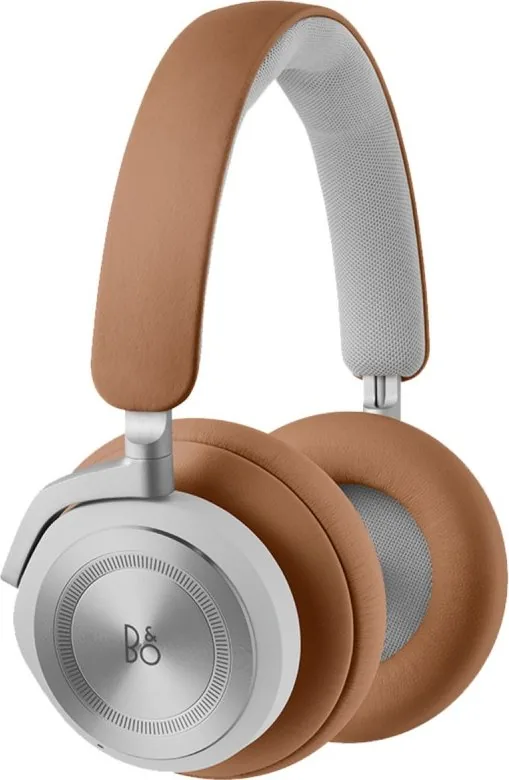
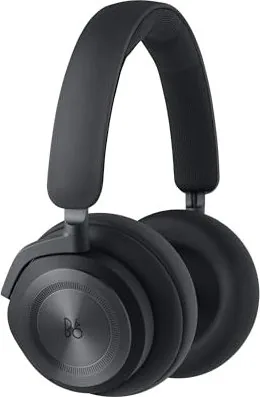
Bang & Olufsen Beoplay HX Manual
PDF manual · 2 Pages
English



Quick check
Incorrect answer, please try again.
Chat with your Bang & Olufsen Beoplay HX manual using AI
Get instant AI answers from your Bang & Olufsen Beoplay HX manual
Ask anything about the Bang & Olufsen Beoplay HX. Answers come from this manual, with the pages they are based on.
Ask a Question
Do you recommend Beoplay HX?
Yes NoFrequently Asked Questions
Use a short press on the designated control to turn Beoplay HX on or off. Once powered on, the headphones can be connected to a previously paired Bluetooth device or placed into pairing mode for a new connection.
Is this answer helpful?
Press and hold the power control to enter Bluetooth pairing mode. Then open the Bluetooth settings on your phone, tablet, or computer and select Beoplay HX from the available devices.
Is this answer helpful?
The gestures can play or pause audio, skip to the next or previous track, and raise or lower volume. This allows common listening controls to be handled directly from the headphones.
Is this answer helpful?
Active Noise Cancellation is a listening mode intended to reduce distracting surrounding sound. It can be useful when traveling, working, or listening in environments where you want more focus on music or calls.
Is this answer helpful?
Transparency mode is intended to let more outside sound be heard while wearing the headphones. It is useful when you want greater awareness of conversations, announcements, or activity around you.
Is this answer helpful?
Yes. The available information lists line-in support, allowing a wired audio connection when preferred. USB-C is also included for charging and convenient connectivity.
Is this answer helpful?
Use the Bang & Olufsen app and its Beosonic feature to adjust the listening experience. The app also supports updates, helping keep the headphones current over time.
Is this answer helpful?
Advantages and Disadvantages
Advantages

- Gesture controls provide quick access to playback, track skipping, and volume adjustment.
- Active Noise Cancellation and Transparency mode support focused listening or environmental awareness.
- The Bang & Olufsen app and Beosonic offer personalized sound settings.
- Bluetooth, USB-C, and line-in support flexible wireless and wired use.
Disadvantages

- Advanced sound personalization requires use of the Bang & Olufsen app.
- Gesture controls may take time to learn for users new to touch-operated headphones.
- The supplied information does not specify battery life, codec support, or water resistance.
- Noise control modes may not be needed by listeners who prefer a simple wired setup.
Product Specification
Type
Headphones (Over-Ear)
Design
Headband
Design principle
Closed-back
Microphone
Integrated
Connection
3.5 mm jack
Wireless
Bluetooth 5.1, AAC, aptX, aptX Adaptive, Google Fast Pair, Microsoft Swift Pair, Multipoint
Cable
3.94 ft, single-sided, detachable
Controls
Touch control
Battery life
35 h (with ANC), 40 h (without ANC)
Battery
USB-C charging port, 3 h charging time
Frequency range
20 Hz-22 kHz
Impedance
24 ohms
Sensitivity
95 dB
Drivers
1.57 in
Software features
Voice assistant, equalizer presets, custom equalizer, app control
Weight
10.05 oz (without cable)
Product Description
Bang & Olufsen BeoPlay HX - Read, Download & Print Free
The Bang & Olufsen Beoplay HX is a premium wireless headphone designed for everyday listening, travel, calls, and quiet moments at home. Its clean Scandinavian styling is matched by a straightforward control experience, letting listeners manage music, volume, and sound modes without interrupting their routine. The result is a refined option for people who value both elegant design and practical wireless convenience.
Simple controls for daily listening
Beoplay HX uses intuitive touch gestures on the earcups. A short press turns the headphones on or off, while a longer press activates Bluetooth pairing for connecting a compatible phone, tablet, or computer. Swipe gestures move to the next or previous track and adjust volume up or down. A tap controls play and pause, making common actions easy to access while commuting, working, or relaxing.
The multi button supports access to listening features, including Active Noise Cancellation and Transparency mode. Active Noise Cancellation helps reduce surrounding distractions when focus or calm is important. Transparency mode allows more awareness of nearby sounds, which can be useful during conversations, announcements, or walks in busy areas. Switching between these modes gives the listener more control over how much of the environment is heard.
Wireless, wired, and personalized sound
Bluetooth connectivity makes Beoplay HX suitable for cable-free music and calls across a range of daily devices. For situations where a physical connection is preferred, the headphones also include line-in support. USB-C provides a modern connection for charging and helps keep the setup convenient alongside other current devices.
The Bang & Olufsen app expands the experience with Beosonic personalization. This feature lets users explore sound settings and shape playback to better match their preferences. Instead of relying on a single fixed sound profile, listeners can make adjustments through the app and update their Beoplay HX experience over time.
Designed around flexible listening
Whether used for playlists, podcasts, focused work, or travel, Beoplay HX combines tactile controls with adaptable sound modes. The headphones are especially appealing to listeners who want a polished, uncomplicated way to control playback while retaining options for app-based customization. Bluetooth, USB-C, line-in, noise management, and gesture controls create a versatile setup for changing environments.
Notes
- Use Bluetooth pairing mode when connecting a new device.
- Explore Beosonic in the Bang & Olufsen app to personalize sound.
- Choose Active Noise Cancellation for reduced distractions or Transparency mode for greater awareness.
- Use swipe and tap gestures for quick playback and volume control.
Search for 67,732 Manuals online


Type-in Brand or Model