
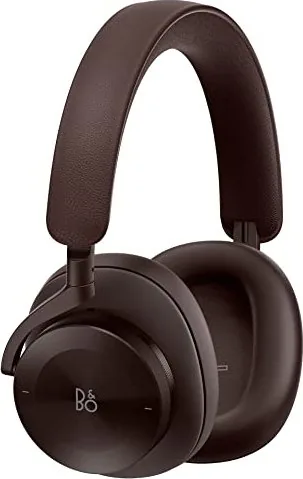
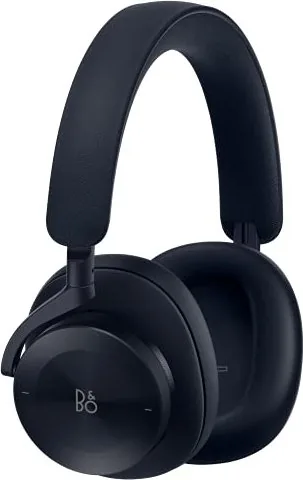
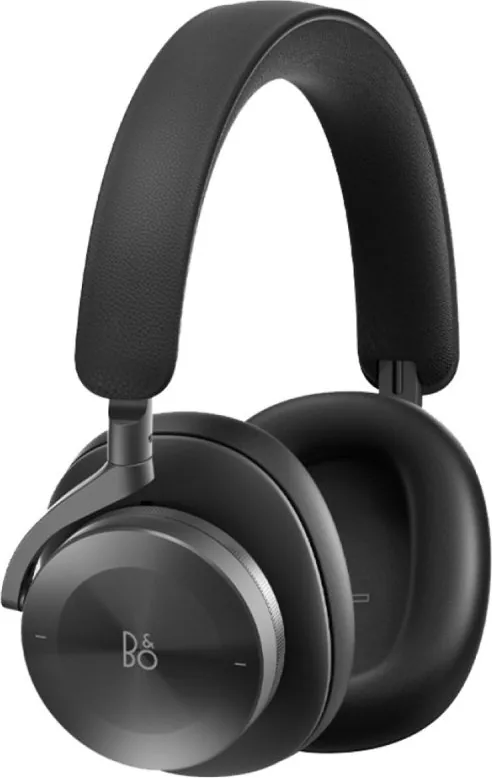
Bang & Olufsen Beoplay H95 Manual
PDF manual · 102 Pages
English



Quick check
Incorrect answer, please try again.
Chat with your Bang & Olufsen Beoplay H95 manual using AI
Get instant AI answers from your Bang & Olufsen Beoplay H95 manual
Ask anything about the Bang & Olufsen Beoplay H95. Answers come from this manual, with the pages they are based on.
Ask a Question
Do you recommend Beoplay H95?
Yes NoFrequently Asked Questions
Slide the switch to ON to power on. To start Bluetooth pairing, move the switch to the top position and hold for 2 seconds. Release when you hear a tone and the indicator flashes blue, then pair via device Bluetooth settings or the Bang & Olufsen app.
Is this answer helpful?
Rotate the left earcup dial: turn backward to increase ANC until you hear feedback for maximum cancellation; turn forward to raise Transparency. Center the dial for neutral mode. Adaptive ANC is on by default and can be disabled in the app.
Is this answer helpful?
Use the aluminum touch disc on the right earcup: tap center to play/pause or answer calls, swipe forward/back to skip tracks, long press to end or reject calls, and swipe forward to transfer an active call to your smartphone.
Is this answer helpful?
A full charge takes about two hours using the included USB-C cable. The LED shows solid green when fully charged; it turns red and emits an audible prompt when battery falls below 10%. The headphones can be used while charging.
Is this answer helpful?
Ensure sliders are fully pulled out, rotate earcups flat, and fold them toward the headband. The case has a compartment for the mini-jack cable, charging cable, and flight adapter for neat storage and travel convenience.
Is this answer helpful?
Yes. The headphones remember previously connected devices and will attempt to reconnect to them automatically when powered on, easing everyday use across multiple devices.
Is this answer helpful?
The app enables initial setup, product personalization, firmware updates, and advanced audio features like toggling adaptive ANC, fine-tuning sound, and accessing music-enhancing functions for a tailored listening experience.
Is this answer helpful?
Advantages and Disadvantages
Advantages

- Adaptive ANC that auto-adjusts to environment for effective noise control.
- Premium materials and comfortable ear cushions for long listening sessions.
- Intuitive physical controls: rotary dials for volume and ANC/transparency.
- Long battery life with quick 2-hour full charge and usable while charging.
- Includes robust carrying case with compartment for cables and adapter.
Disadvantages

- High price point typical of flagship premium headphones.
- Large folded footprint may be bulky for very light travelers.
- Learning curve for multi-gesture aluminum touch controls.
- ANC adaptive behavior may require app tuning for personal preference.
- Requires Bang & Olufsen app for full customization and firmware features.
Product Specification
Type
Headphones (Over-Ear)
Form Factor
Headband
Principle
closed
Microphone
integrated
Connection
3.5mm jack
Wireless
Bluetooth 5.1, AAC, aptX, aptX Adaptive, Google Fast Pair, Microsoft Swift Pair, Multipoint
Cable
4.10 ft, single-sided, detachable
Control
Touch Control
Operating time
38h (with ANC), 50h (without ANC)
Battery
USB-C charging port, 3h charging time
Frequency range
20Hz-22kHz
Impedance
12Ω
Sensitivity
101.5dB
Driver
1.57 in
Device features
adaptive active noise cancellation (ANC), Ambient mode, rotatable earcups, foldable
Software features
Voice assistant (Amazon Alexa, Google Assistant), Equalizer presets, individual equalizer, App control
Weight
0.71 lb
Product Description
Bang & Olufsen BeoPlay H95 — Premium Comfort and Precision Sound
The Bang & Olufsen BeoPlay H95 delivers flagship-class audio, luxurious materials, and thoughtful controls for discerning listeners. Designed with premium aluminum and plush ear cushions, these over-ear headphones combine refined aesthetics with advanced features—adaptive active noise cancellation (ANC), high-fidelity drivers, and a tactile aluminum touch interface—making them ideal for travel, work, and focused listening.
Features and Experience
BeoPlay H95 focuses on intuitive, physical controls alongside smart adaptive technologies. A three-position switch powers the headphones and initiates Bluetooth pairing with a two-second hold. Playback and call handling are managed via the aluminum touch disc on the right earcup: tap to play/pause, swipe to skip tracks, and long press to end calls. Volume and ANC/transparency are controlled by rotary dials on the earcups for precise, glove-friendly adjustments.
Adaptive ANC automatically tunes noise cancellation to your environment; rotating the left dial increases ANC toward the rear until a feedback tone signals maximum cancellation. Turning it forward increases Transparency mode so ambient sound is amplified for awareness. The dial’s center position provides a neutral mode with both ANC and Transparency off. ANC can be toggled or fine-tuned in the Bang & Olufsen app for personalized performance.
Battery life and convenience match the premium build: a full charge via the included USB-C cable takes about two hours, with a green LED indicating full charge and a red warning when battery drops below 10%. The headphones remain usable while charging and will auto-power off after 15 minutes of inactivity. They remember paired devices and will attempt automatic reconnection on power-up.
Storage and portability are well thought-out: the included hard case houses the folded headphones and stores essentials like a USB-C charging cable, mini-jack cable, and flight adapter in a dedicated compartment. Sliders must be extended and earcups rotated flat to fit properly. Overall, the BeoPlay H95 blends tactile control, adaptive noise management, and refined materials into a cohesive premium listening solution.
Notes
- Use the Bang & Olufsen app for setup, customization, and firmware updates.
- ANC is adaptive by default but can be disabled in-app.
- The case includes space for accessories: charging cable, mini-jack, and flight adaptor.
- Pairing: move switch to top and hold 2 seconds until blue indicator flashes.
- Charge time: ~2 hours; charging indicator: green (full), red (<10%).
Search for 67,732 Manuals online


Type-in Brand or Model