
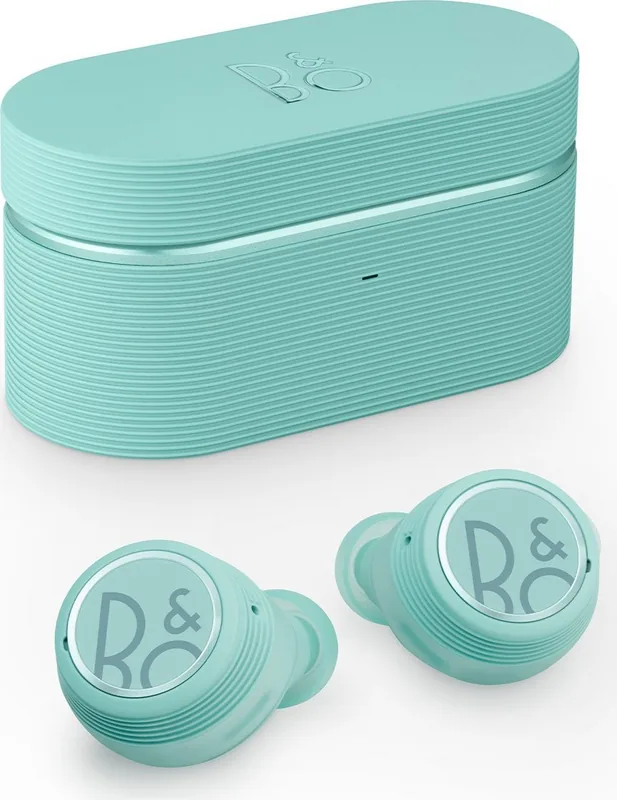
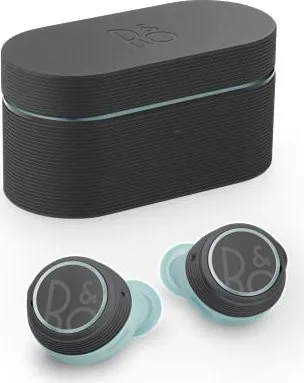
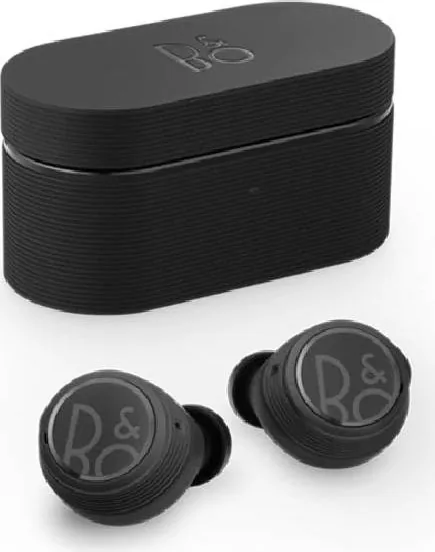
Bang & Olufsen Beoplay E8 Sport Manual
PDF manual · 64 Pages
English



Quick check
Incorrect answer, please try again.
Chat with your Bang & Olufsen Beoplay E8 Sport manual using AI
Get instant AI answers from your Bang & Olufsen Beoplay E8 Sport manual
Ask anything about the Bang & Olufsen Beoplay E8 Sport. Answers come from this manual, with the pages they are based on.
Ask a Question
Do you recommend Beoplay E8 Sport?
Yes NoFrequently Asked Questions
Turn the earphones on by removing them from the case. Ensure the status indicators flash blue. Open Bluetooth settings on your device and select Beoplay E8 Sport. Alternatively, place earphones within 20 cm and tap both buttons for 5 seconds to initiate pairing.
Is this answer helpful?
The earphones offer seven hours of playtime on a single charge. The charging case provides up to 3.5 extra charges for the earphones. Charging the earphones takes approximately two hours for seven hours of playtime.
Is this answer helpful?
Tap and hold either the left or right earphone to adjust the volume. Holding the touchpad increases or decreases the level depending on the gesture direction specified in the controls.
Is this answer helpful?
Within one minute of removing them from the charging case, double press and hold the touchpads of both earphones for 15 seconds. Wait until the LED indicator flashes green before removing them again to reconnect.
Is this answer helpful?
The SweatGuard membrane is a protective feature that prevents humidity and wax from entering the sound port of the earphones. It works alongside the silicone and Comply tips to ensure a secure and hygienic fit.
Is this answer helpful?
Tap the left earphone once to enable or disable Transparency mode. This feature allows you to hear your surroundings while listening to music.
Is this answer helpful?
You can register online at www.bang-olufsen.com/register-product. This ensures you receive important information about product and software updates as well as news from the BANG & OLUFSEN Group.
Is this answer helpful?
Advantages and Disadvantages
Advantages

- Seven hours of playtime on a single charge
- Charging case provides up to 3.5 extra charges
- Includes SweatGuard membrane to protect humidity and wax
- Customization available via the Bang Olufsen App
- Silicone tips come in four sizes for fit
Disadvantages

- Resetting must be done within one minute of removal
- Touch controls are sensitive and require practice
- Wireless charging takes approximately 2.5 hours
- Charging via USB cable takes approximately two hours
- Battery level indicators must be watched closely
Product Specification
Type
In-Ear Headphones
Design
Closed-Back
Microphone
Built-in
Wireless
Bluetooth 5.1, AAC, aptX
Control
Touch Control
Battery Life
7 h, 30 h (with charging case)
Battery
USB-C charging port, charging case (450mAh), wireless charging (Qi), 2.5 h charge time, fast charging feature (20 min for 1.5 h battery life)
Frequency Response
20 Hz-20 kHz
Impedance
16 Ohms
Sensitivity
107 dB
Drivers
5.7mm
Device Features
Ambient mode, waterproof (IP57)
Software Features
Equalizer presets, custom equalizer, App control
Weight
0.23 oz (per earbud), 1.94 oz (charging case)
Product Description
Bang & Olufsen Beoplay E8 Sport Review
Features
Experience premium sound with the Bang & Olufsen Beoplay E8 Sport. Designed for active lifestyles, these wireless earphones deliver exceptional audio quality while ensuring durability during intense workouts. The included Bang & Olufsen Beoplay E8 Sport Manual provides comprehensive guidance on setup, allowing you to maximize the Bang & Olufsen App for music enhancing features. Users can customize their sound profile and manage device settings effortlessly to suit individual preferences. The package includes the earphones, a compact charging case, a USB-C cable, and multiple tip options for a secure fit.
Silicone tips come in four sizes, alongside Comply tips that offer a SweatGuard membrane to protect against humidity and wax. This attention to detail ensures a comfortable seal, preventing unwanted distractions during use. The battery life is impressive, offering seven hours of playtime on a single charge. The charging case provides up to 3.5 extra charges, ensuring you stay connected throughout the day without interruption. Charging is straightforward via USB-C or a compatible wireless pad, taking approximately two hours for a full cycle. LED indicators clearly show battery status, flashing orange during charge and turning green when full.
Controls
The charging case also displays its own battery level. When opened without earphones, green light means over one charge remains orange indicates less than one. Red requires immediate charging. Always ensure the earphones are fully seated in the case to begin charging effectively. The touch controls are sensitive and require practice to master for optimal call management. Connectivity relies on Bluetooth pairing, which activates when status indicators flash blue. You can connect devices by tapping both earphones for five seconds or pairing directly through your device settings. The earphones remember previously connected devices, simplifying the reconnection process upon startup. Control features are intuitive and responsive tap gestures. Tap the right earphone to manage playback or calls, while holding enables volume adjustment. Transparency mode is toggled via the left earphone, allowing environmental awareness. Triple tapping activates voice commands for assistants, adding convenience. Resetting the earphones is simple within one minute of removal from the case, ensuring a fresh start if issues arise. Registration at the official website ensures you stay updated on software versions and vital product information. This blend of style and functionality makes them ideal for fitness enthusiasts and music lovers alike who demand reliability and performance in their daily audio gear. Make sure to charge the unit regularly for longevity. This ensures optimal performance at all times. Enjoy music on the go with confidence.
Search for 67,732 Manuals online


Type-in Brand or Model