
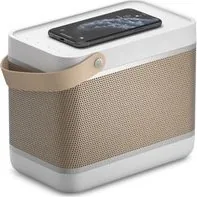
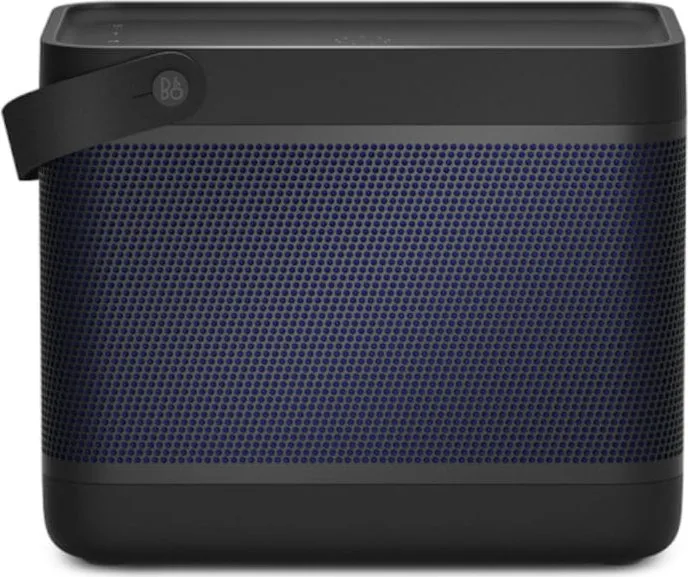
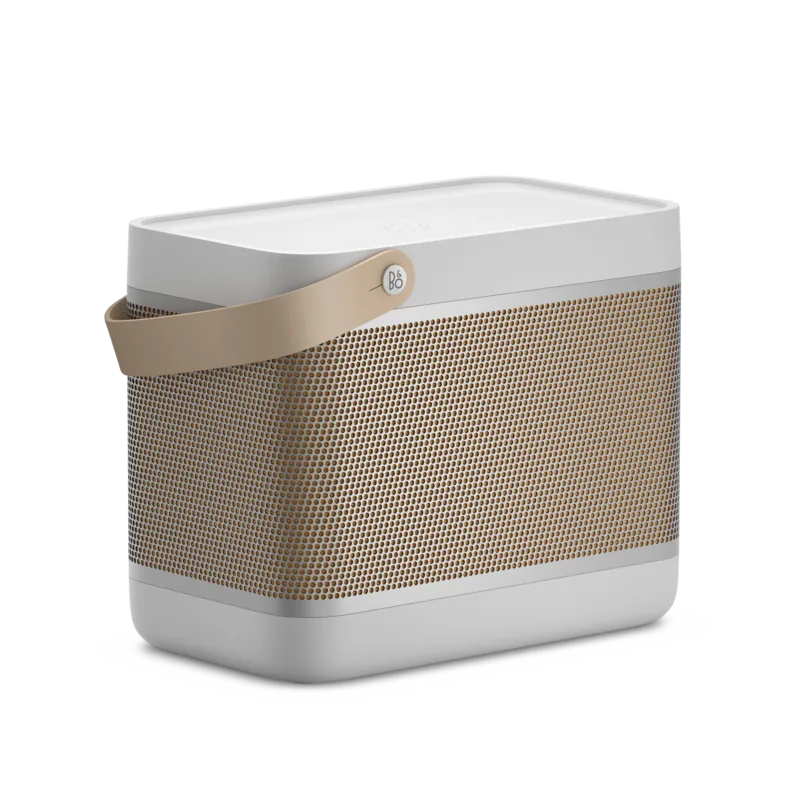
Bang & Olufsen Beolit 20 Manual
PDF manual · 25 Pages
English



Quick check
Incorrect answer, please try again.
Chat with your Bang & Olufsen Beolit 20 manual using AI
Get instant AI answers from your Bang & Olufsen Beolit 20 manual
Ask anything about the Bang & Olufsen Beolit 20. Answers come from this manual, with the pages they are based on.
Ask a Question
Do you recommend Beolit 20?
Yes NoFrequently Asked Questions
Press the power button located on the device. The product indicator will turn solid white to confirm that the speaker is powered on and ready for use.
Is this answer helpful?
Press and hold the Bluetooth button for two seconds until it flashes blue. Ensure Bluetooth is active on your mobile device, select Beolit 20 from the list, and wait for the confirmation sound.
Is this answer helpful?
Yes. Place a wireless charging compatible device on the top surface of the Beolit 20. The LED will flash orange during charging and turn green when fully charged.
Is this answer helpful?
Hold the Bluetooth button on the first speaker for five seconds until the light turns white. Wait twenty seconds for the prompt, then repeat the process on the second speaker. Both will signal when connected.
Is this answer helpful?
Press Play/Pause to start or stop music. Double press skips to the next song, triple press goes to the previous song. Use the plus or minus buttons to adjust volume levels.
Is this answer helpful?
Registering at the official website ensures you receive important information about product and software updates, as well as exclusive news and offers from the manufacturer.
Is this answer helpful?
Advantages and Disadvantages
Advantages

- Supports True Wireless Stereo pairing for immersive dual-speaker setups
- Features a convenient wireless charging pad for compatible mobile devices
- Intuitive physical controls for play, pause, skip, and volume adjustment
- Durable and stylish design suitable for both indoor and outdoor use
- Compatible with the Bang & Olufsen app for advanced customization
Disadvantages

- Requires manual setup for stereo pairing which involves waiting periods
- Wireless charging speed depends on the supported standards of the phone
- No auxiliary input jack mentioned for wired connections
- App registration is recommended but requires internet access initially
- Premium pricing compared to standard portable speakers
Product Specification
Power
70W Peak
Display
No
Tuner
No
Frequency Range
37Hz-20kHz
Connections
AUX In (3.5mm jack)
Wireless
Bluetooth 4.2
Power Supply
Li-Ion battery (3200mAh), USB-C, AC power
Playback Time
8h
Features
Stereo Pairing, Charging function (Qi, USB)
Dimensions
9.1x7.4x5.3in (WxHxD)
Weight
5.95lbs
Product Description
Discover the Bang & Olufsen BeoPlay Beolit 20
The Bang & Olufsen BeoPlay Beolit 20 stands as a pinnacle of portable audio engineering, blending iconic Scandinavian design with robust functionality. This speaker is not merely a device for playing music; it is a lifestyle accessory designed to elevate your listening experience anywhere you go. With its sleek, durable exterior and intuitive controls, it offers a seamless bridge between high-fidelity sound and modern convenience.
One of the standout features of the Beolit 20 is its versatility in connectivity. Users can easily pair the speaker via Bluetooth, indicated by a flashing blue light that turns solid upon successful connection. For those seeking an immersive soundscape, the unit supports True Wireless Stereo pairing. By holding the Bluetooth button for five seconds on two separate units, users can create a powerful stereo system without the need for cables or complex app configurations. The Bang & Olufsen mobile app further enhances this experience, allowing for deep customization of sound profiles, software updates, and product settings.
Power management is another critical aspect where the Beolit 20 excels. It features a convenient wireless charging surface on top, capable of charging compatible smartphones while the speaker operates. An orange LED indicates active charging, turning green once the connected device reaches full capacity. The speaker itself is powered by a long-lasting battery, ensuring hours of uninterrupted playback. Simple touch controls allow for easy management of music, including play, pause, skip, and volume adjustments directly from the device.
To ensure longevity and access to the latest features, owners are encouraged to register their product online. This step secures important notifications regarding software updates and exclusive offers from the brand. Whether used for outdoor gatherings or quiet indoor moments, the Beolit 20 delivers a rich, clear audio performance that respects the integrity of every track.
Search for 67,732 Manuals online


Type-in Brand or Model