
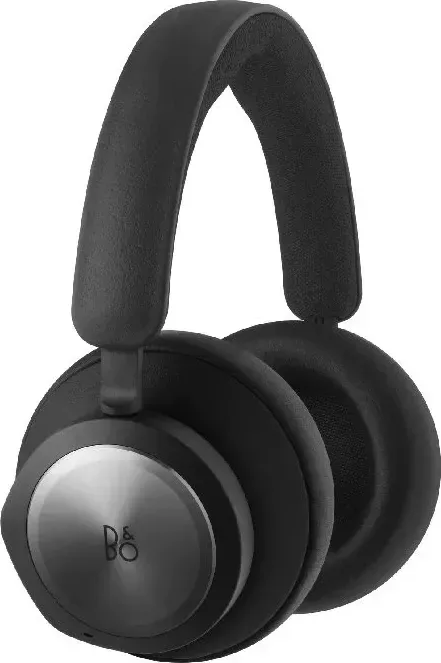
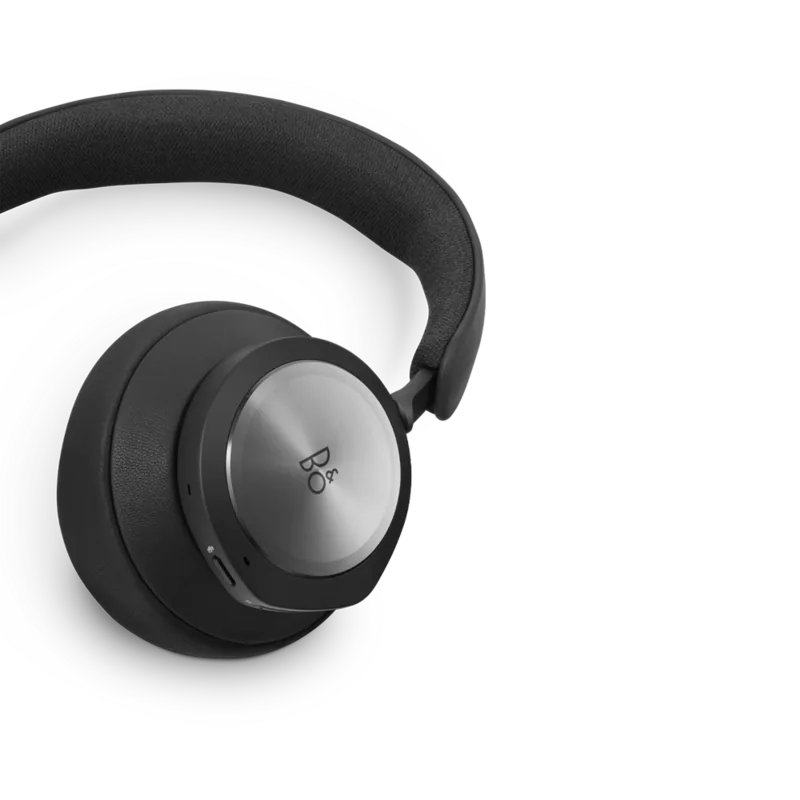
Bang & Olufsen Beocom Portal Manual
PDF manual · 156 Pages
English



Quick check
Incorrect answer, please try again.
Chat with your Bang & Olufsen Beocom Portal manual using AI
Get instant AI answers from your Bang & Olufsen Beocom Portal manual
Ask anything about the Bang & Olufsen Beocom Portal. Answers come from this manual, with the pages they are based on.
Ask a Question
Do you recommend Beocom Portal?
Yes NoFrequently Asked Questions
Turn on the headphones. Download the Bang & Olufsen App and create an account. Add the product in the app. Insert the included USB dongle into your port for automatic pairing.
Is this answer helpful?
It captures and adjusts your voice volume while filtering out background noises. This ensures a clear and true representation of how you sound during calls.
Is this answer helpful?
Yes, you can continue to use the headphones while they are connected to the USB-C cable included in the box.
Is this answer helpful?
Press and hold the power button for 2 seconds until you hear a sound prompt. The light indicator will flash blue to show pairing readiness.
Is this answer helpful?
Press and hold the button on the right earcup for more than 8 seconds until the light indicator flashes red. Wait for the device to switch off.
Is this answer helpful?
The indicator shows solid green when fully charged. When power is below 10%, the indicator turns red and plays a sound prompt.
Is this answer helpful?
Swipe down on the left slider to activate and adjust the level. You can also control this via the product page in the Bang & Olufsen App.
Is this answer helpful?
Advantages and Disadvantages
Advantages

- USB dongle enables automatic pairing with computer instantly without search.
- Own Voice technology filters background noise for natural speech representation.
- Touch sliders on earcups allow intuitive volume and noise control swipes.
- Transparency Mode provides situational awareness without removing the headset.
- Charging cable supports continuous use while power is connected to device.
Disadvantages

- Touch controls might activate accidentally if resting fingers on sliders.
- Factory reset requires precise eight second button hold duration.
- App is mandatory for full personalization and feature setup access.
- Visual battery indicator only turns red low than ten percent.
- Resetting dongle erases connection history requiring re-pairing session start.
Product Specification
Type
Headphones (Over-Ear)
Form Factor
Headband
Acoustic Design
Closed
Microphone
Integrated
Connectivity
3.5mm Jack, USB (Adapter), USB-C (Adapter)
Wireless
Bluetooth 5.1, AAC, aptX, aptX Adaptive, Google Fast Pair, Microsoft Swift Pair, Multipoint
Cable
49.21 inches, Single-sided, Detachable
Controls
Touch Control, Volume Control
Battery Life
23h (with ANC)
Battery
USB-C Charging Port, 2h Charging Time, Fast Charging (10min for 3h Battery Life)
Frequency Range
20Hz-22kHz
Impedance
24 Ohms
Sensitivity
95dB
Drivers
1.57 inches
Certified For
UC
Device Features
Adaptive Active Noise Cancellation (ANC), Ambient Mode
Software Features
Equalizer Presets, Custom Equalizer, App Control, Virtual Surround (Dolby Atmos for Headphones, Spatial Audio)
Special Features
Included USB Bluetooth Adapter
Color
Black
Weight
9.95 oz
Product Description
Premium Audio Clarity with Bang & Olufsen Beocom Portal
The Bang & Olufsen Beocom Portal represents a significant leap in communication audio technology. Designed for professionals, this headset integrates innovative features. Users enjoy a seamless connection experience thanks to the exclusive USB dongle. When you plug the dongle into your computer, the headphones automatically pair, eliminating complex Bluetooth searches. This pre-paired technology ensures you are ready to work immediately. Proper setup instructions ensure you maximize the utility of every component.
To unlock full potential, download the Bang & Olufsen app. Creating a user account allows you to save preferences. The interface relies on intuitive touch controls on both earcups. A slider on the left side manages Active Noise Cancellation and unique Own Voice technology. This feature analyzes voice volume and filters noise, ensuring colleagues hear a natural representation. Transparency Mode lets you hear the world without removing the headset. By swiping up on the left slider, you allow outside sounds to pass through. This is crucial for situational awareness in busy office environments.
The ability to adjust levels ensures your perfect balance between focus and awareness. Charging is handled through a modern USB-C cable available in the box. A significant benefit is the ability to use the headphones while connected to power. Visual indicators provide clear status updates, showing green when fully charged and flashing red when power drops below ten percent. If you need to return the unit to its original state, a factory reset is available through a specific button hold. This flexibility ensures your device serves various environments where interference might be high. Utilizing the USB port for direct connection reduces latency significantly compared to wireless Bluetooth only options. A universal approach saves you from carrying proprietary cables for your daily commute. Regular maintenance is simple but important for longevity.
Whether you are in a busy open office or a quiet study, the Bang & Olufsen Beocom Portal ensures your audio remains pristine and reliable. The touch sensitivity is calibrated to accept double taps for call management as well as swipes for continuous adjustment. The Bang & Olufsen app also allows you to control these modes remotely if you prefer a digital approach over physical gestures. This comprehensive suite of features makes the headset an essential tool for modern professionals who demand the highest standards of sound quality and communication clarity in their daily workflow. Additionally, the headset design prioritizes comfort during long calls to prevent fatigue.
Search for 67,732 Manuals online


Type-in Brand or Model