
BakkerElkhuizen Grip Mouse Manual
PDF manual · 1 Pages
English


Quick check
Incorrect answer, please try again.
Ask a Question
Do you recommend Grip Mouse?
Yes NoVideo Manual
Evoluent Mouse Review
Frequently Asked Questions
The vertical handshake position aligns the forearm to a natural angle, reducing twisting and decreasing strain on the wrist, neck, and shoulder areas during extended use.
Is this answer helpful?
Yes, it supports PC and Mac systems, providing broad compatibility. It uses USB plug-and-play for easy setup across platforms.
Is this answer helpful?
The model described uses USB with a potential wireless option up to 1600 DPI; for wireless operation, ensure the corresponding receiver and batteries are available, and use the power-saving switch when not in use.
Is this answer helpful?
Optical tracking with 1200 DPI by default, up to 1600 DPI in wireless mode for higher precision when needed.
Is this answer helpful?
Keep your forearm and wrist in a relaxed, neutral position, take regular breaks, and use the switch to power down the device when idle to save battery life.
Is this answer helpful?
No major software is required; it is plug-and-play via USB, though optional drivers may be available for advanced customization depending on the operating system.
Is this answer helpful?
Advantages and Disadvantages
Advantages

- Ergonomic vertical design reduces forearm twist and posture strain
- Plug-and-play USB connection for quick setup
- Compatible with PC and Mac systems
- LED scroll wheel for enhanced visibility in low light
- Power-saving switch helps extend battery life
Disadvantages

- Limited button customization without software (if applicable)
- Compact design may not fit larger hands perfectly
- Wireless option may require batteries and periodic charging/replacement
Product Specification
Usage
right hand (vertical)
Buttons
3 (total), 2 (main), 1 (scroll wheel click)
Scroll wheel
1x 2-way
Tracking
LED-red/IR
Resolution
1200dpi
Illumination
N/A
Connection
wired (55.12in), USB
Power supply
USB, PS/2
Dimensions (WxHxD)
2.95x2.56x5.00in
Approximate volume
9.89in^3 (approximate shape)
Weight
0.33lb
Color
multicolor, gray/black
Special features
Thumb rest
Product Description
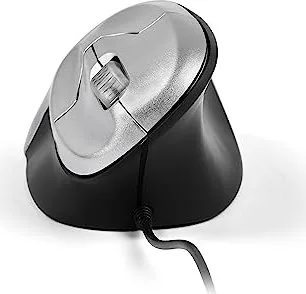
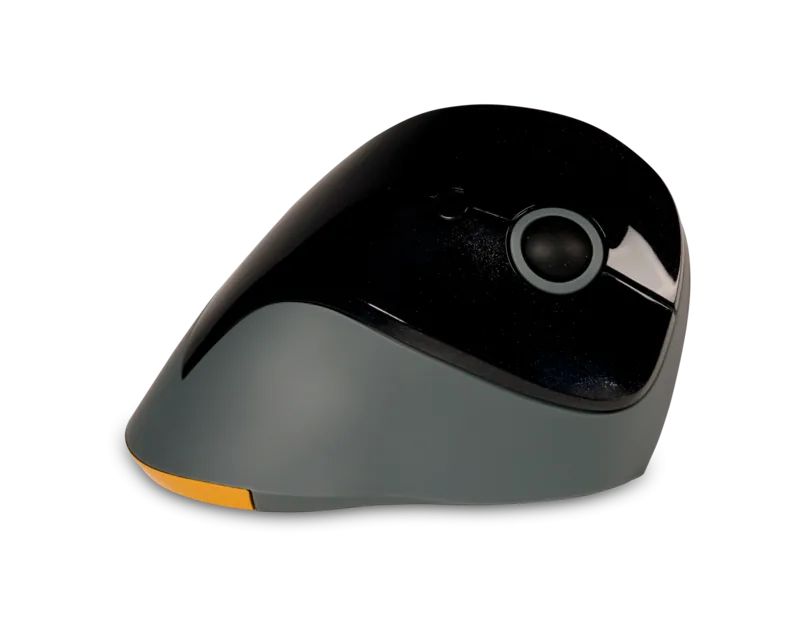
BakkerElkhuizen Grip Mouse, Vertical Mouse, USB: A Comfortable, Ergonomic Upgrade
The BakkerElkhuizen Grip Mouse offers a natural vertical hand position that reduces forearm twist and supports a healthier posture during long work sessions. Designed with an ergonomic grip in mind, this vertical mouse encourages a handshake-style posture, helping to minimize common issues like mouse-arm, neck, shoulder, and back discomfort. Ideal for daily computing, its USB connection ensures simple setup and broad compatibility across PCs and Macs, making it a practical choice for both home offices and professional environments.
With a precise optical sensor and multiple buttons, the Grip Mouse balances ease of use with reliable performance. Its plug-and-play capability means you can start working almost immediately, without the need for complicated software. The LED scroll wheel adds a touch of visibility for low-light desks, while the built-in power-saving switch helps extend battery life for wireless use. Whether you work at a desk, in a studio, or at a shared workstation, this mouse aims to deliver consistent control with reduced strain.
In terms of compatibility, the BakkerElkhuizen Grip Mouse supports both PC and Mac systems, ensuring broad adaptability. Its compact design remains comfortable for many hand sizes, and the vertical alignment promotes a relaxed forearm position from the moment you start scrolling. For users who spend long hours navigating through documents, spreadsheets, or design tools, the Grip Mouse can be a practical step toward a healthier computer setup.
Overall, the BakkerElkhuizen Grip Mouse, Vertical Mouse, USB provides a straightforward path to improved ergonomics without sacrificing everyday usability. It’s a solid option for users seeking an ergonomic upgrade that stays true to the essentials of plug-and-play practicality and cross-platform compatibility.
Notes:
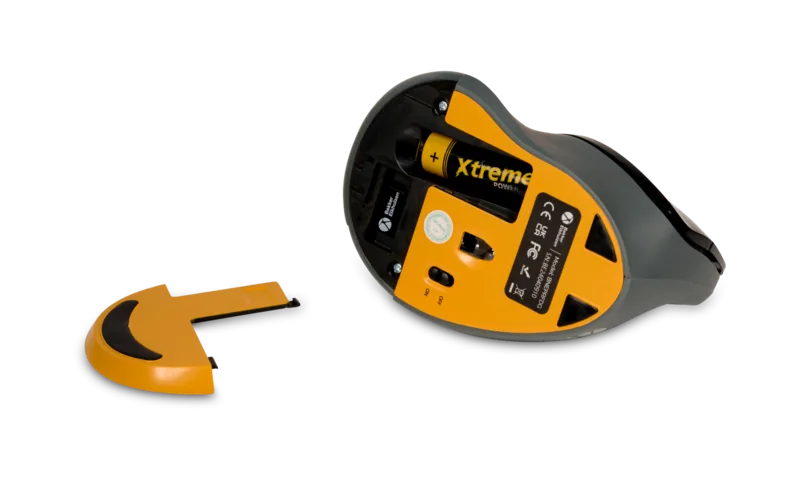
- Remember to switch off the wireless device to conserve battery when not in use.
- Regularly check for any firmware or driver updates if available, to maintain optimal performance.
Search for 67,706 Manuals online


Type-in Brand or Model