
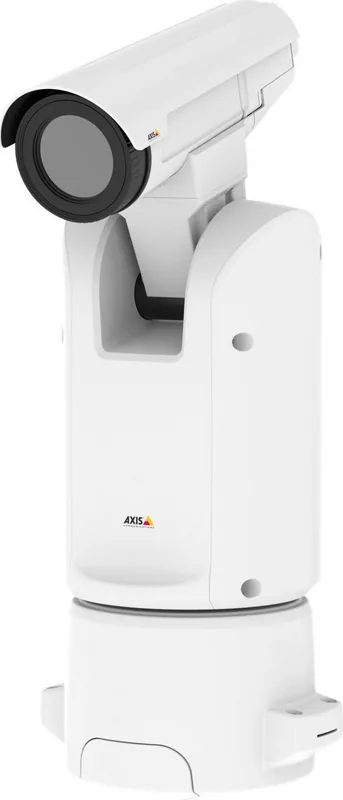
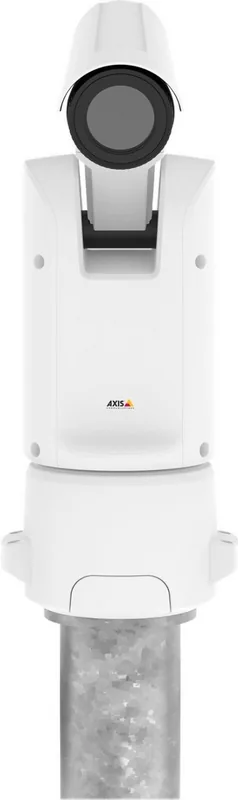
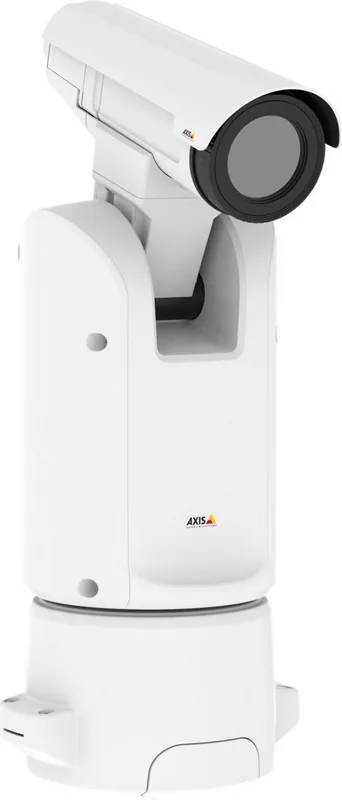
Axis Q8642-E Manual
PDF manual · 22 Pages
English



Quick check
Incorrect answer, please try again.
Chat with your Axis Q8642-E manual using AI
Get instant AI answers from your Axis Q8642-E manual
Ask anything about the Axis Q8642-E. Answers come from this manual, with the pages they are based on.
Ask a Question
Do you recommend Q8642-E?
Yes NoFrequently Asked Questions
The camera is ideal for mission-critical 24/7 monitoring of restricted or harsh environments—airports, perimeter security, industrial sites—where low light, smoke, fog, or obscured visibility make visual cameras ineffective.
Is this answer helpful?
Use H.264 compression with Zipstream enabled, turn on dynamic GOP, increase GOP length, or lower resolution and bitrate. Configure stream profiles to ensure identical streams for multiple viewers to reduce CPU and bandwidth impact.
Is this answer helpful?
Yes. The camera supports local SD card recordings and network storage via SMB. Configure network storage under Settings > System > Storage and install a compatible microSD card for local recording.
Is this answer helpful?
Set a strong root password, enable HTTPS to encrypt communications, and follow password best practices (minimum recommended eight characters, rotate periodically, and avoid exposing credentials).
Is this answer helpful?
Verify compatibility and resource usage: multiple or heavy applications can exhaust CPU and memory, reducing frame rates and overall performance. Test application combinations before deployment.
Is this answer helpful?
If an upgrade fails, the device attempts to reload the previous firmware. Common causes include uploading the wrong firmware file. Ensure the firmware matches your model and follow Axis upgrade instructions closely.
Is this answer helpful?
Disconnect power, press and hold the control button while reconnecting power for 15–30 seconds until the status LED flashes amber, then release. The device will reboot and restore factory settings; default IP is 192.168.0.90 if no DHCP.
Is this answer helpful?
Advantages and Disadvantages
Advantages

- Thermal imaging enables detection in complete darkness, smoke, and fog.
- PTZ with guard tours and presets for automated wide-area monitoring.
- Supports H.264 and Zipstream to reduce bandwidth and storage needs.
- ACAP support allows third-party analytics integration.
- Robust management: web UI, Axis Device Manager, and discovery utilities.
Disadvantages

- 8.3 fps thermal rate may be limiting for very fast-moving small objects.
- High-resolution or multiple streams increase CPU and network load.
- Running many ACAP apps can degrade performance if resources are constrained.
- Firmware upgrades require caution; wrong file may cause rollback.
- Initial passwords are sent in cleartext; HTTPS must be configured after first login.
Product Specification
Type
Thermal camera
Image sensor
Microbolometer
Resolution
640x480 Pixels (8fps)
Lens
2.36 in (F1.25)
Viewing angle
10° (horizontal)
Pan
360° (motorized)
Tilt
-90° to 45° (motorized)
Zoom function
N/A
Compression/Codecs
MJPEG, H.264
Multistreaming
supported
Alarm
4x alarm input/alarm output
Connections
1x SFP, 1x RJ-45 1Gb LAN
Data storage
1x microSD slot
Power supply
PoE (Type 1)
Protection class
IP66, NEMA 4X
Housing
suitable for outdoor use
System compatibility
ONVIF (Profile G, S), IPv6
Zone & analysis functions
Motion detection, shock detection
Manufacturer's warranty
3 years
Product Description
Axis Q8642-E PT Thermo Network Camera, 24V, 8.3fps Manual
The Axis Q8642-E PT Thermo Network Camera is a rugged, high-performance thermal PTZ designed for continuous, mission-critical surveillance. Built to operate in challenging environments and low-light scenarios, this unit combines long-range thermal imaging with pan-tilt-zoom capabilities, flexible network connectivity, and robust event management to help security teams detect and respond to threats around the clock.
Key features and capabilities
Offering thermal detection where visual cameras struggle, the Q8642-E excels at identifying heat signatures from people, vehicles, and other objects even in total darkness, smoke, or fog. The camera supports PTZ guard tours and preset positions for automated monitoring of wide areas. With a 24V power option and an 8.3 fps thermal imaging rate, it’s suited to perimeter protection, critical infrastructure, and transportation hubs.
Built-in streaming and storage options include H.264 and Motion JPEG, with Zipstream support to lower bandwidth and storage use while preserving important details. The camera supports local SD card recording and network storage via SMB shares, and can be configured to handle event-driven recordings and alerts. Privacy masks, electronic image stabilization (EIS) for shaken mounts, and multiple color palettes (including white-hot for analytics) enhance usability and image interpretation.
Management and integrations
Device discovery and IP addressing are handled through Axis utilities like AXIS IP Utility or AXIS Device Manager. A web-based interface provides comprehensive settings for image, stream, PTZ, events, and firmware maintenance. The Axis Camera Application Platform (ACAP) enables third-party analytics and applications, though administrators should verify application compatibility to avoid resource conflicts.
Security and lifecycle options include password management, HTTPS configuration, and Axis firmware tracks (Active and LTS) so you can choose faster feature updates or a stable, integration-friendly release cadence. Factory reset, firmware upgrade procedures, LED indicators, and troubleshooting guidance are provided to support deployment and maintenance.
Practical deployment notes
Performance considerations are emphasized: high resolution, low compression, multiple simultaneous streams, and heavy ACAP usage increase CPU and bandwidth load and can lower frame rates. Use identical stream profiles where possible, enable Zipstream or dynamic GOP to reduce bitrate, and plan network capacity for multicast or unicast H.264 use. For reliable external access, Axis companion tools or Camera Station solutions are recommended.
Notes
- Designed for 24/24 monitoring in harsh conditions with thermal imaging advantages over visual cameras.
- Supports SD card and network storage; configure Zipstream and H.264 to conserve bandwidth.
- Use Axis management tools for discovery, IP assignment, firmware upgrades, and external access setup.
- Choose Active or LTS firmware tracks based on need for features vs. long-term stability.
Search for 67,706 Manuals online


Type-in Brand or Model