
Axis Q6054 Mk II Manual
PDF manual · 19 Pages
English



Quick check
Incorrect answer, please try again.
Chat with your Axis Q6054 Mk II manual using AI
Get instant AI answers from your Axis Q6054 Mk II manual
Ask anything about the Axis Q6054 Mk II. Answers come from this manual, with the pages they are based on.
Ask a Question
Do you recommend Q6054 Mk II?
Yes NoFrequently Asked Questions
It combines PTZ movement with image optimization tools, event handling, and flexible recording options. That makes it suitable for monitoring large areas while still capturing details when something important happens.
Is this answer helpful?
Yes. The camera can switch to night mode and use IR-based black-and-white imaging when light drops. You can also tune exposure, gain, and sharpness to improve visibility in dim scenes.
Is this answer helpful?
Yes. Electronic Image Stabilization can smooth footage when the camera is affected by wind, traffic vibration, or other small movements. This improves visual stability and can reduce file size too.
Is this answer helpful?
It supports network storage and SD card recording, depending on how the system is configured. You can also enable audio and use event rules to start recording based on motion, sound, or shock detection.
Is this answer helpful?
Focus recall stores focus settings for a specific pan/tilt area and restores them when the camera returns there. This is especially useful for frequent manual operation or scenes with changing light.
Is this answer helpful?
Firmware updates can add features and fixes, but they should be done carefully and with the correct file. Also, factory resets remove all settings, so they should only be used when necessary.
Is this answer helpful?
Advantages and Disadvantages
Advantages

- Strong PTZ control for wide-area monitoring and precise target tracking.
- Good low-light tools, including night mode, IR support, and exposure tuning.
- Useful stabilization and image enhancement features such as EIS and WDR.
- Flexible recording and event automation with SD card, network storage, and triggers.
Disadvantages

- Advanced setup can be complex for first-time users.
- High image quality settings may increase bandwidth and storage usage.
- Some features depend on correct accessory use, such as the multicable for audio and I/O.
- Resetting to factory settings can erase important configuration, including the IP address.
Product Specification
Type
Dome
Image Sensor
1/3" CMOS
Resolution
1280x720 Pixels (50fps)
Lens
0.17-5.20in (F1.4-F4.6)
Light Sensitivity
0.15 Lux (Color), 0.03 Lux (B/W)
Viewing Angle
2.5-58.3° (horizontal), 1.4-34° (vertical)
Pan
360° (motorized)
Tilt
220° (motorized)
Zoom
30x optical
Compression/Codecs
MJPEG, H.264
Multistreaming
supported
Ports
1x RJ-45 100Mb LAN
Data Storage
1x SD Card-Slot
Power Supply
PoE (Type 1)
Ingress Protection
IP52
System Compatibility
ONVIF (Profile G, S), IPv6
Zone & Analysis Features
Motion detection, Privacy zones, IR filter
Product Description
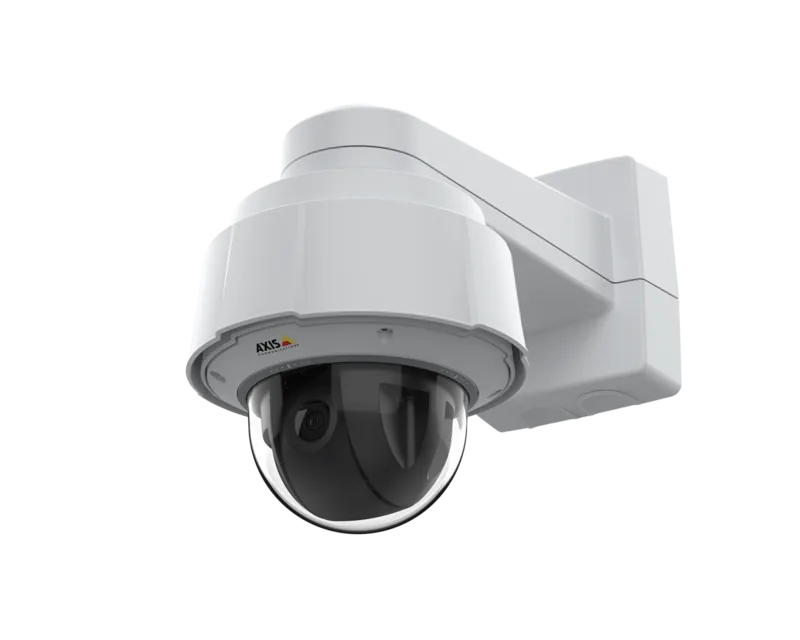
Axis Q6054 Mk II PTZ 50Hz: a flexible surveillance camera built for demanding sites
The Axis Q6054 Mk II PTZ 50Hz is designed for installations that need fast movement, clear imaging, and reliable day-to-night monitoring. It combines pan, tilt, and zoom control with a strong feature set aimed at parking lots, entrances, perimeters, and other areas where operators need both detail and coverage. For anyone looking up the Axis Q6054 Mk II PTZ 50Hz Manual, the camera stands out for its practical mix of image tuning, remote management, and event-based automation.
One of its biggest strengths is how well it adapts to changing scenes. Automatic exposure helps keep the picture balanced, while manual control is available for environments with stable lighting. In low-light conditions, night mode can switch the camera into black-and-white imaging with IR support, helping maintain visibility after sunset. WDR adds another layer of usefulness when bright skies, headlights, or doorway shadows create difficult contrast.
The PTZ platform is more than just movement. Focus recall areas can speed up operations by restoring saved focus settings as the camera returns to specific zones, which is especially helpful in active live-view monitoring or low-light scenes. EIS also helps steady the image when the camera is mounted in exposed locations, reducing shake caused by wind or traffic vibration.
For recording and streaming, the camera supports both Motion JPEG and H.264, giving users a choice between image accessibility and efficient compression. Zipstream, dynamic GOP, and dynamic FPS can help reduce bandwidth and storage use, while network storage and SD card recording provide flexible archiving options. Audio support, overlays, and event triggers make it easier to build a richer security workflow.
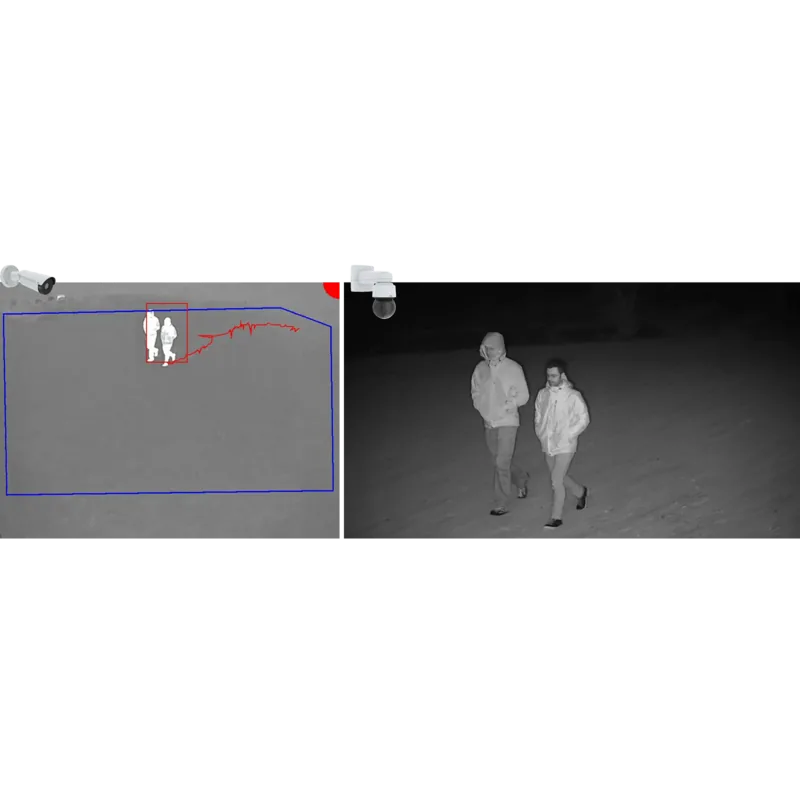
The platform also supports practical automation. Motion detection, audio detection, shock detection, and preset-position actions can be used to trigger recordings or direct the camera to a specific view. This makes the Q6054 Mk II suitable not only for live monitoring, but also for systems that need smart responses when activity occurs.
Notes
- Best suited for 50Hz environments and professional security deployments.
- Use secure passwords and HTTPS during setup.
- Combine PTZ presets, events, and storage settings for stronger coverage.
- Check firmware regularly to benefit from improvements and fixes.
Search for 67,732 Manuals online


Type-in Brand or Model