

Axis Q3515-LVE Manual
PDF manual · 24 Pages
English



Quick check
Incorrect answer, please try again.
Chat with your Axis Q3515-LVE manual using AI
Get instant AI answers from your Axis Q3515-LVE manual
Ask anything about the Axis Q3515-LVE. Answers come from this manual, with the pages they are based on.
Ask a Question
Do you recommend Q3515-LVE?
Yes NoFrequently Asked Questions
It combines professional imaging controls, event-based automation, and flexible storage options. That makes it a strong fit for security setups that need clear video, reliable alerts, and easy remote management.
Is this answer helpful?
Yes. The camera supports remote focus and zoom, so you can optimize the scene from a computer. This is especially helpful after installation or when the coverage area changes.
Is this answer helpful?
It supports automatic day/night switching and IR-assisted night mode. When visible light drops, the camera can use near-infrared illumination to produce brighter black-and-white images with better detail.
Is this answer helpful?
You can record to network storage or an SD card, depending on the setup. The camera also supports stream profiles and audio recording, which helps tailor storage use to your needs.
Is this answer helpful?
Yes. You can create action rules for motion detection, shock detection, and supervised I/O events. These can trigger recording, notifications, or other responses when an incident occurs.
Is this answer helpful?
A factory reset restores default settings, including the IP address, so it should be used carefully. Firmware updates can improve features and stability, but the camera should stay powered during the process.
Is this answer helpful?
Advantages and Disadvantages
Advantages

- Flexible image tuning with capture modes, remote focus/zoom, WDR, EIS, and night mode support.
- Efficient streaming options like H.264 and Zipstream help reduce bandwidth and storage use.
- Event rules can trigger recording, alerts, and notifications from motion, shock, or I/O tampering.
- Supports network storage, SD recording, audio, and third-party ACAP applications.
Disadvantages

- Some features such as WDR, EIS, and multiple privacy masks may slightly reduce image area or performance.
- H.264 use includes licensing considerations and may require attention to client compatibility.
- Factory reset clears settings and IP configuration, so recovery planning is important.
- Poor network conditions, heavy event use, or many viewers can lower framerate and responsiveness.
Product Specification
Type
Dome
Image Sensor
1/2.8" CMOS
Resolution
1920x1080 Pixels (30fps)
Lens
0.35-0.87in (F1.6)
Light Sensitivity
0.11 Lux (Color), 0.02 Lux (B/W)
Viewing Angle
15-36° (horizontal), 9-19° (vertical)
Pan
360°
Tilt
80°
Zoom Function
2.4x optical, 2x digital
Compression/Codecs
H.264, MJPEG
Multistreaming
supported
Connections
1x Audio Input, 1x Audio Output, 1x RJ-45 100Mb LAN
Data Storage
1x microSD slot
Illumination
IR Illumination (131.23ft)
Power Supply
PoE (Type 1)
Protection Class
IP6K9K, IK10
Housing
suitable for outdoor use
System Compatibility
ONVIF (Profile G, S), IPv6
Zone & Analysis Functions
Motion Detection, Audio Detection, Privacy Zones
Manufacturer's Warranty
3 Years
Product Description
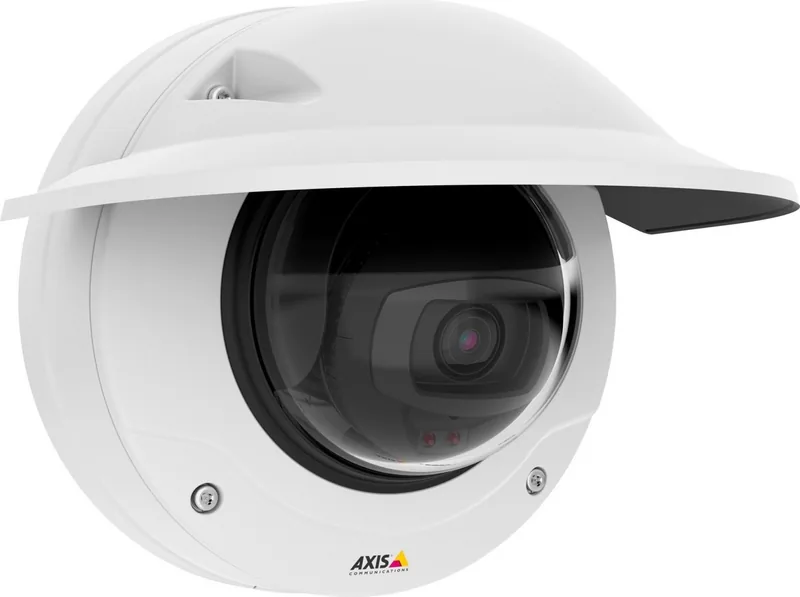
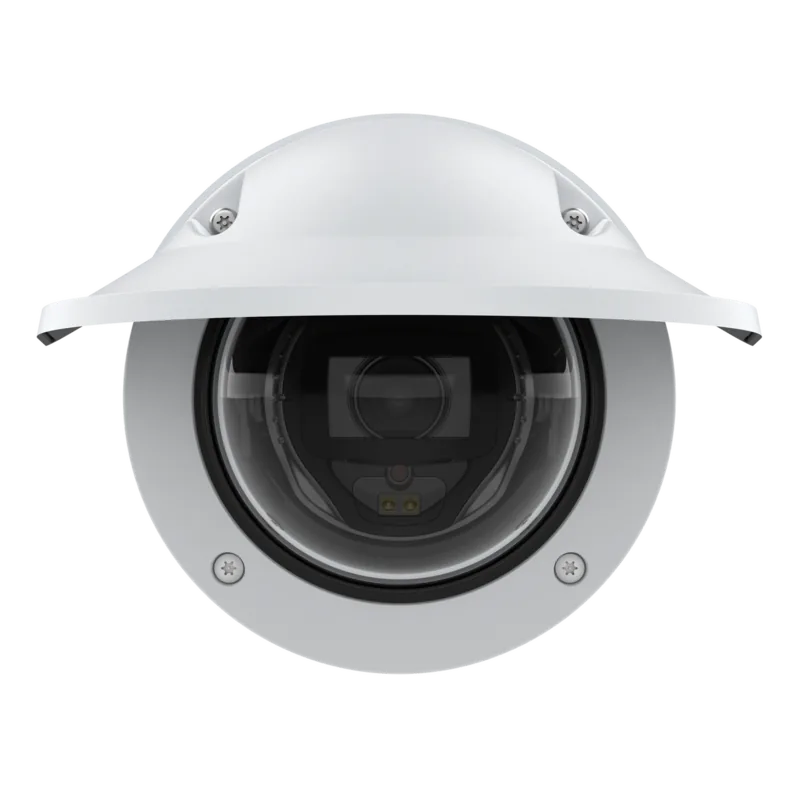
Axis Q3515-LVE, 22mm Manual
The Axis Q3515-LVE, 22mm is built for demanding security environments where image clarity, flexible setup, and reliable event handling matter. Positioned in the AXIS Q35 series, this network camera combines professional-grade surveillance tools with a practical workflow that fits modern installations. It is designed to support both everyday monitoring and more advanced security scenarios, from perimeter protection to indoor oversight.
One of the standout strengths of this camera is its strong imaging toolkit. Users can fine-tune capture modes, adjust exposure behavior, and benefit from remote focus and zoom to optimize coverage without needing constant on-site adjustments. The camera also supports image correction features such as straightening, privacy masks, and wide dynamic range, making it easier to maintain a usable picture even in challenging lighting conditions. In low light, night mode with IR support helps deliver more detailed black-and-white video when visible light drops.
For busy networks and long-term recording, the Axis Q3515-LVE, 22mm Manual offers multiple streaming and storage options. Motion JPEG and H.264 support let administrators balance image quality against bandwidth and storage needs, while Zipstream and dynamic FPS help reduce resource usage. Network storage, SD card recording, and audio support add more flexibility for real-world deployments. These features make it suitable for users who want a camera that can adapt to different operational demands.
The camera also goes beyond basic video capture by supporting event-driven actions. Motion detection, shock detection, supervised I/O, and notification rules can trigger recordings or alerts automatically. That means the system can respond faster to movement, tampering, or impacts, improving situational awareness without requiring constant human attention. The ACAP platform adds another layer of value by opening the door to compatible third-party applications.
Notes
- Use secure password practices during initial setup.
- Review capture mode and WDR settings to match the scene.
- Check storage, firmware, and network settings regularly.
- Some advanced settings may affect performance or image cropping.
Search for 67,732 Manuals online


Type-in Brand or Model