
Axis P3268-LV Manual
PDF manual · 36 Pages
English



Quick check
Incorrect answer, please try again.
Chat with your Axis P3268-LV manual using AI
Get instant AI answers from your Axis P3268-LV manual
Ask anything about the Axis P3268-LV. Answers come from this manual, with the pages they are based on.
P3268-LV Maintenance Schedule
Contact Axis support if a log message requests a battery change. Do not replace the battery yourself.
Use a soft cloth with neutral soap and water only if dirty. Do not polish or clean unnecessarily to avoid surface damage.
Free maintenance reminders
Timed to your purchase date. Always free, unsubscribe anytime.
Ask a Question
Do you recommend P3268-LV?
Yes NoFrequently Asked Questions
The Axis P3268-LV supports H.264 and H.265 video compression and includes an AAC decoder license for audio. These codecs reduce bandwidth and storage needs while preserving image quality.
Is this answer helpful?
Yes. The camera supports Power over Ethernet (PoE). Axis recommends using Axis midspans or PoE switches that comply with IEEE 802.3af and appropriate limited power source specifications for reliable operation.
Is this answer helpful?
Use a soft, clean cloth dampened with pure water or a neutral, nonabrasive, solvent-free soap mixed with pure water. Rinse with lukewarm water and dry with a soft cloth. Do not use aggressive chemicals, solvents, or polish the surface.
Is this answer helpful?
A low battery triggers a log message in the product server report. Do not replace the BR1632 coin cell yourself; contact Axis support or your Axis reseller to arrange battery service to preserve warranty and safety.
Is this answer helpful?
Axis recommends using shielded twisted pair (STP) network cables that are properly grounded to meet EMC and regulatory requirements and reduce interference, especially in commercial environments.
Is this answer helpful?
The product is classified as Class A digital equipment, intended for commercial environments. In residential settings, it may cause RF interference and the user may need to take corrective measures if interference occurs.
Is this answer helpful?
Axis provides product documentation, firmware updates, FAQs, and support via the Axis Support portal and Axis Learning Center. Contact your Axis reseller if immediate technical assistance is required.
Is this answer helpful?
Advantages and Disadvantages
Advantages

- High-quality imaging with H.264 and H.265 support for efficient bandwidth and storage.
- Designed for professional installations with PoE compatibility and STP grounding recommendations.
- Compliant with global safety and regulatory standards (CE, FCC, IEC/EN/UL, RoHS).
- Discrete dome housing preserves image quality and minimizes visual intrusion.
- Long-life internal RTC battery (BR1632) with server log notification for low voltage.
Disadvantages

- No user-serviceable components—repairs require support or reseller assistance.
- Battery replacement must be handled by Axis support, adding service dependency.
- Requires shielded cabling and proper grounding for optimal EMC performance.
- Class A device may cause RF interference in residential environments.
- Protective dome is sensitive to scratches and requires careful cleaning procedures.
Product Specification
Type
Dome
Image Sensor
1x 1/1.8" CMOS
Resolution
3840x2160 Pixels (30fps)
Lens
0.17-0.34in (F1.5)
Light Sensitivity
0.14 Lux (Color), 0 Lux (B/W), 0 Lux (IR)
Viewing Angle
53-100° (horizontal), 30-54° (vertical)
Pan
-190° to 190°
Tilt
-10° to 80°
Zoom Function
2x optical
Compression/Codecs
MJPEG, H.264, H.265, G.711, G.726, AAC-LC, PCM, LPCM, ADPCM, OPUS
Multistreaming
supported
Alarm
1x Alarm input, 1x Alarm output
Connections
1x Audio input, 1x RJ-45 100Mb LAN
Data Storage
1x microSD-Slot
Illumination
IR illumination (131.23 ft)
Power Supply
PoE (Type 1)
Operating Temperature
32°F to 122°F
Protection Class
IP52, IK10
Housing
Plastic, white
System Compatibility
ONVIF (Profile G, M, S, T), IPv6
Zone & Analysis Functions
Motion detection, Tamper detection, Sound detection, People detection, Vehicle detection, Zone monitoring (Line crossing, Zone entry, Zone exit), IR filter
Manufacturer's Warranty
5 Years
Product Description
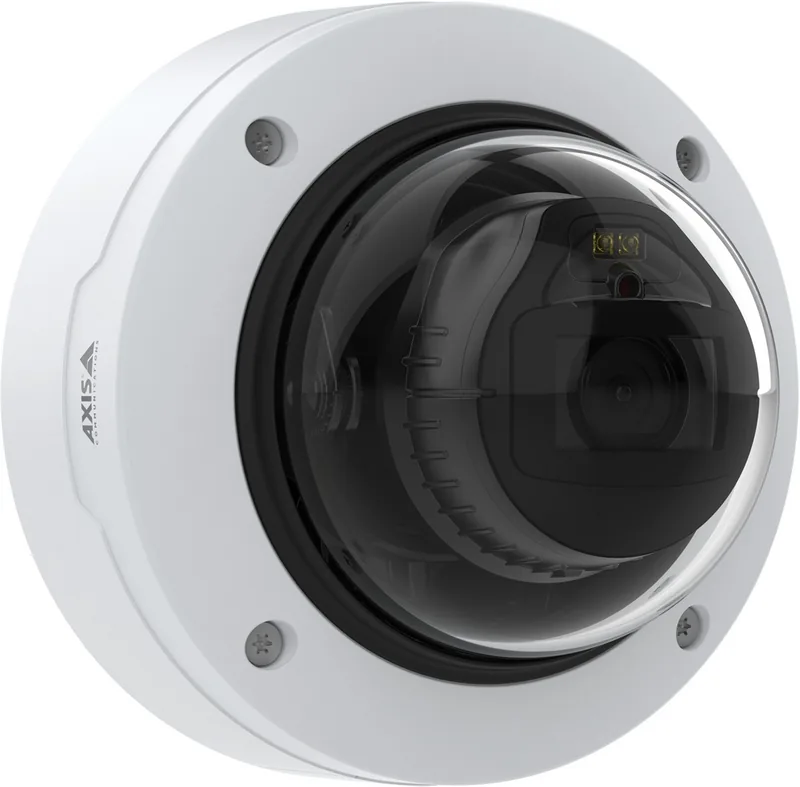
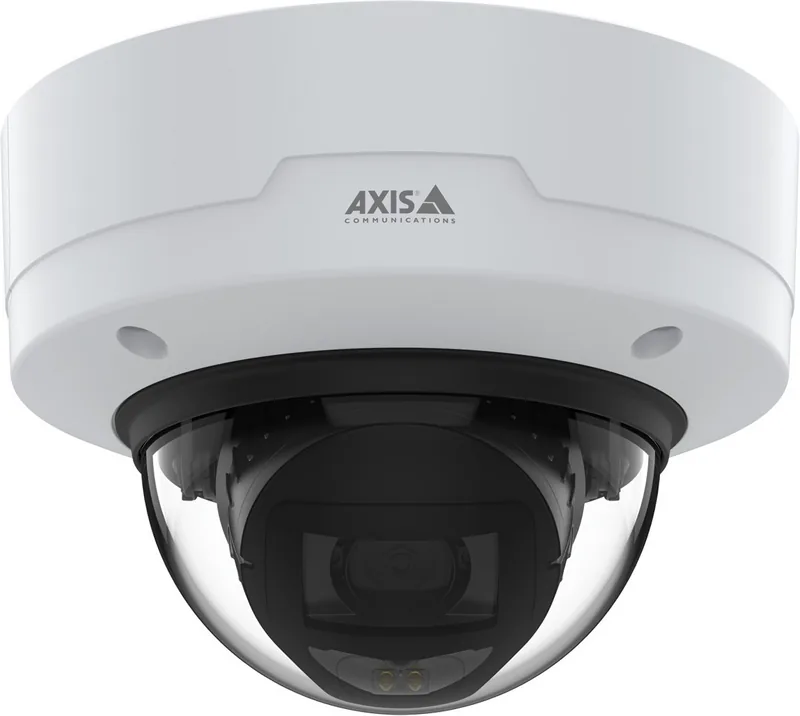
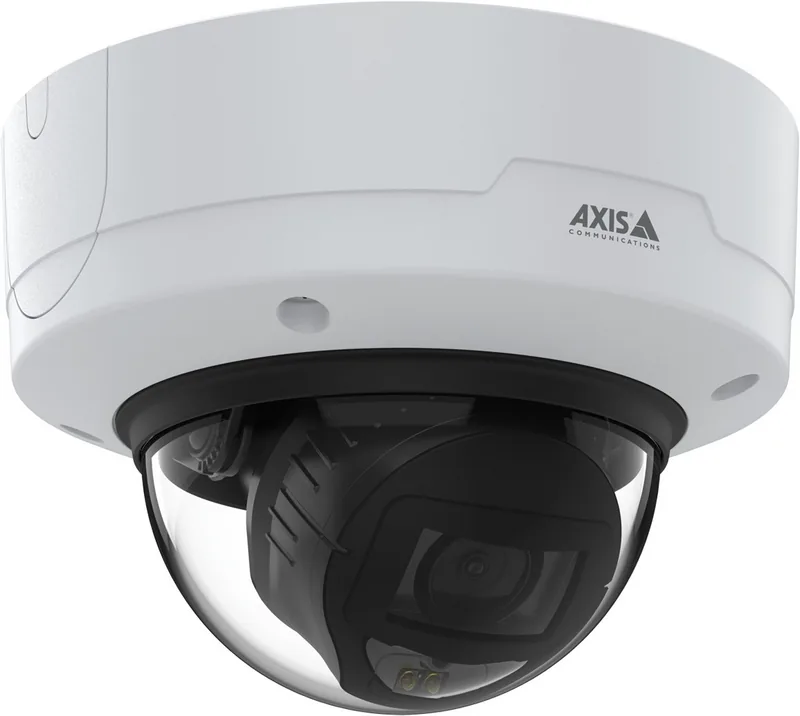
Axis P3268-LV Overview
The Axis P3268-LV is a high-performance dome network camera designed for professional indoor surveillance where reliability, image quality, and flexible installation matter. Built on Axis’ P32 platform, the P3268-LV combines advanced video compression, robust safety and regulatory compliance, and practical installation features to serve retail, office, and institutional environments that demand discreet but powerful monitoring.
Performance and imaging
Equipped with Axis’ efficient video codecs and capable sensors, the P3268-LV delivers clear, high-resolution footage while minimizing bandwidth and storage through H.264 and H.265 compression. The camera supports AAC audio decoding and benefits from Axis’ imaging processing to preserve detail in challenging lighting. A protective dome ensures the optics stay clean and unobtrusive, and recommended cleaning procedures keep image quality optimal.
Installation and power
The P3268-LV is designed for straightforward, secure installation. Axis recommends shielded network cables (STP) and compatible Power over Ethernet (PoE) solutions, such as Axis midspans or PoE switches, to ensure stable power and grounding. The product contains no user-serviceable components; installations should use appropriate screws, plugs and tools for the mounting surface to prevent damage. Transportation and packaging guidelines stress using original or equivalent materials to avoid damage in transit.
Safety, compliance and maintenance
Axis adheres to international safety and regulatory standards (CE, FCC, IEC/EN/UL62368-1, RoHS and others), and the P3268-LV includes required licenses for AAC, H.264 and H.265 decoding. Photobiological safety is met per IEC/EN62471. The camera uses an internal 3.0V BR1632 lithium coin cell for the real-time clock with an expected life of at least five years; low battery triggers a log message and battery replacement should be handled by Axis support. The device carries multilingual safety instructions covering handling, cleaning, and disposal.
Practical notes for users
Follow local laws and privacy regulations when deploying surveillance. Avoid exposure to shocks or excessive pressure and do not attempt internal repairs. Use only Axis-approved accessories and spare parts. Clean the dome with neutral, nonabrasive soap and pure water; never use solvents or harsh chemicals. Proper grounding and use of STP cabling help ensure EMC compliance and reduce interference risks.
Notes
- Keep protective plastic on the dome until installation is complete to prevent scratches and fingerprints.
- Battery replacement should be performed by authorized support to avoid damage and maintain warranty.
- For firmware, documentation, and support resources, visit Axis Support and Axis Learning Center.
Search for 67,732 Manuals online


Type-in Brand or Model