
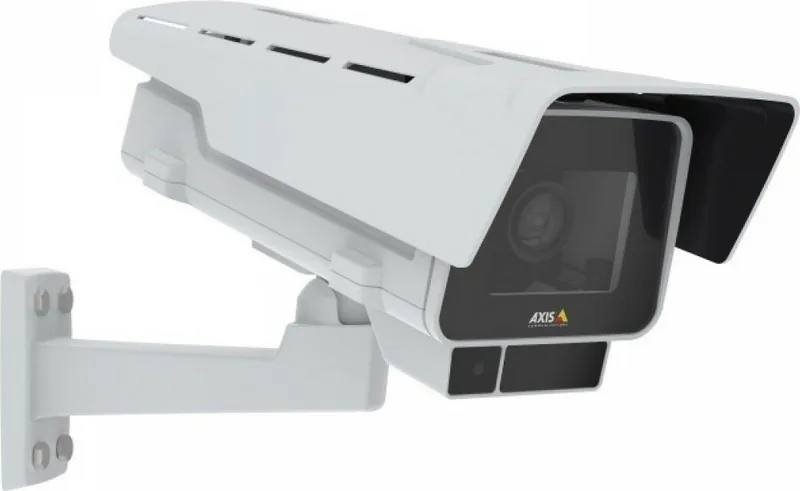

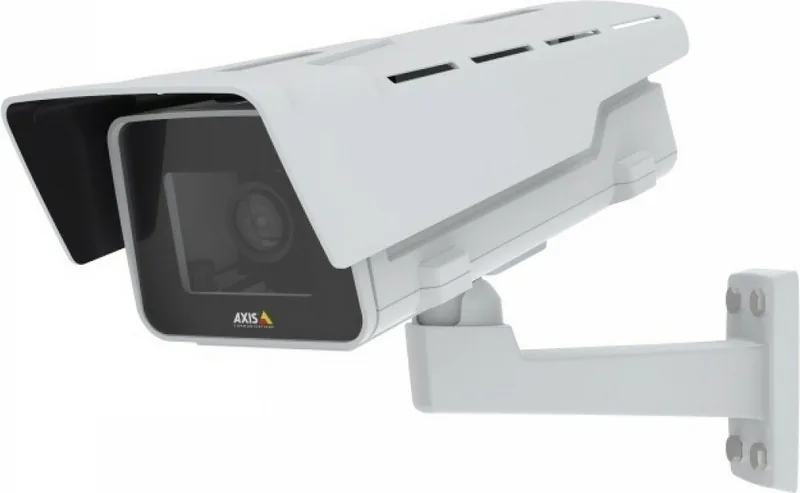
Axis P1375-E Manual
PDF manual · 23 Pages
English



Quick check
Incorrect answer, please try again.
Chat with your Axis P1375-E manual using AI
Get instant AI answers from your Axis P1375-E manual
Ask anything about the Axis P1375-E. Answers come from this manual, with the pages they are based on.
Ask a Question
Do you recommend P1375-E?
Yes NoFrequently Asked Questions
Use AXIS IP Utility or AXIS Device Manager to locate the camera and assign an IP. Then open a browser to the camera's IP or hostname, or use Bonjour on macOS. On first login, set the root password and enable HTTPS for secure access.
Is this answer helpful?
The camera supports Motion JPEG, H.264 and H.265. Motion JPEG offers highest per-frame access but uses more bandwidth. H.264 and H.265 provide major storage savings; use H.265 or H.264 with Zipstream and dynamic GOP/FPS to reduce bandwidth while retaining quality. Ensure your clients or VMS support H.265 decoding.
Is this answer helpful?
Enable WDR for scenes with strong backlight, choose appropriate exposure mode (Automatic, Flicker-free, Flicker-reduced or Hold current), adjust shutter, gain and max shutter to reduce noise, and use local contrast sliders to fine-tune WDR. Test settings in situ to balance motion blur and noise.
Is this answer helpful?
For network storage, configure Settings > System > Storage > Setup and enter host and share details (and credentials if needed). For SD card recording, insert a supported microSD card and use stream profiles to enable audio or recording. Start/stop recordings from live view and access recordings via Storage > Go to recordings.
Is this answer helpful?
Disconnect power, press and hold the control button while reconnecting power, keep it pressed 15–30 seconds until the status LED flashes amber, then release. The camera resets (IP address and settings revert). If no DHCP is available, default IP becomes 192.168.0.90.
Is this answer helpful?
Read release notes and upgrade instructions. Ensure the device stays powered during upgrade. Active track provides latest features; LTS focuses on stability and security for integrations. Most settings are preserved, but compatibility for new features isn't guaranteed.
Is this answer helpful?
Yes — the camera supports AXIS Camera Application Platform (ACAP), allowing third-party analytics and apps. Verify compatibility and performance when running multiple applications, as concurrent apps may increase CPU load and affect framerate.
Is this answer helpful?
Advantages and Disadvantages
Advantages

- Rugged, weather- and vandal-resistant design suitable for harsh outdoor environments.
- Advanced imaging features: WDR, multiple exposure modes, low-light noise reduction.
- Flexible connectivity: PoE, I/O, RS485/RS422, audio in/out and microSD recording.
- Bandwidth/storage optimization via H.264/H.265, Zipstream, dynamic GOP and view areas.
- Supports ACAP applications and event/action rules for analytics and automated responses.
Disadvantages

- H.265 and some client features require compatible decoders or additional licenses.
- High-resolution streams and multiple simultaneous viewers can strain bandwidth/CPU.
- Complex configuration (streams, overlays, event rules) may require experienced setup.
- Firmware track choices (Active vs LTS) require planning for feature updates or stability.
- Removing SD card while running risks data loss; must unmount before removal.
Product Specification
Type
Bullet
Image Sensor
1/2.8" CMOS
Resolution
1920x1080 Pixel (60fps)
Lens
0.11-0.39in (F1.2)
Light Sensitivity
0.05 Lux (Color), 0.01 Lux (B/W), 0 Lux (IR)
Viewing Angle
33-107° (horizontal), 19-57° (vertical)
Compression/Codecs
MJPEG, H.264, H.265, G.711, G.726, AAC, LPCM, OPUS
Multistreaming
supported
Alarm
2x Alarm Input/Alarm Output
Connections
1x Audio Input (3.5mm Jack), 1x Audio Output (3.5mm Jack), 1x RJ-45 100Mb LAN, 1x serial (RS-485), 1x serial (RS-422)
Data Storage
1x microSD-Slot
Power Supply
PoE (Type 1)
Protection Class
IP66, IK10, NEMA 4X
Housing
suitable for outdoor use
System Compatibility
ONVIF (Profile G, S), IPv6
Zone & Analytics Functions
Motion Detection, Tampering Detection, Sound Detection, Shock Detection, Privacy Zones, IR Filter
Manufacturer's Warranty
3 Years
Product Description
Axis P1375-E — Powerful Outdoor Network Camera ## Overview
The Axis P1375-E is a rugged, high-performance outdoor network camera designed for demanding surveillance tasks. It combines vandal resistance, weather protection and advanced imaging features to deliver reliable video in challenging conditions. With PoE support, I/O and serial connectors, and a microSD slot, it suits installations needing local recording, event integration and flexible connectivity.
Key features and capabilities
The camera offers wide dynamic range (WDR) for scenes with strong backlight, multiple exposure modes including Flicker-free and Hold current, and image tools to reduce noise in low light. Corridor (rotated) format and view area cropping help monitor long, narrow scenes or focus on regions of interest while saving bandwidth. Support for H.264 and H.265 compression (with license considerations) plus Motion JPEG provides options to balance image quality and storage needs. Built-in overlays, event/action rules and Axis applications (ACAP) enable motion-triggered text overlays, automated recording and third-party analytics.
Installation and operation notes
Installation emphasizes secure setup: use AXIS IP Utility or Device Manager to locate the camera, set a strong root password, and enable HTTPS. The unit includes a weather shield, cable cover, tamper/safety features and a control button for resets or Focus Assistant. Lens replacement and focus/zoom adjustments are covered, and the camera supports P-Iris, DC Iris or manual lenses. SD card recordings and network storage (SMB/NAS) are supported; configure stream profiles and enable audio recording if needed.
Performance and maintenance
Performance depends on resolution, compression, simultaneous streams and ACAP apps. Using identical stream profiles, enabling Zipstream for H.264/H.265, and tuning GOP/FPS reduces bandwidth and storage. Firmware is offered on active and LTS tracks—follow upgrade guidance and retain power during updates. Troubleshooting covers factory reset steps, IP conflicts, certificate/NTP issues for IEEE 802.1X, and browser compatibility (noting H.265 decoding requires supported clients or VMS).
Use cases
The P1375-E is suited for perimeter protection, streets, tunnels, parking and critical infrastructure where vandal resistance and weatherproofing are essential. Its I/O and RS485/RS422 interfaces allow integration with alarms, relays and PTZ controls, while onboard analytics capability supports automated monitoring workflows.
Notes
- Always set a secure root password and enable HTTPS after first login.
- Use Zipstream, dynamic GOP/FPS and appropriate compression to reduce storage.
- Do not remove the microSD card while the camera is running; unmount before removal.
- Follow firmware release notes and keep the device powered during upgrades.
Search for 67,732 Manuals online


Type-in Brand or Model