
Axis M5055 Manual
PDF manual · 61 Pages
English



Quick check
Incorrect answer, please try again.
Chat with your Axis M5055 manual using AI
Get instant AI answers from your Axis M5055 manual
Ask anything about the Axis M5055. Answers come from this manual, with the pages they are based on.
Ask a Question
Do you recommend M5055?
Yes NoFrequently Asked Questions
It is used for remote surveillance, live monitoring, and automated security workflows. Its PTZ control, audio support, and event rules make it useful for offices, retail, and facility monitoring.
Is this answer helpful?
Yes. It supports H.264 and Zipstream, which help lower bandwidth and storage use while keeping important details visible. Motion JPEG is also available when frame-by-frame clarity is preferred.
Is this answer helpful?
Yes. You can create preset positions and a home position, making it easy to return the camera to key viewing angles quickly. This is helpful for monitoring entrances, aisles, or fixed zones.
Is this answer helpful?
The camera can record to a microSD card or a network share. You can also configure continuous recording, event-based recordings, retention rules, and encryption for stored video.
Is this answer helpful?
It supports HTTPS, certificates, IEEE 802.1X, IP filtering, and user roles. These features help protect access to the device and secure communication across the network.
Is this answer helpful?
Yes. It can react to motion, schedules, manual triggers, PTZ movement, system status, and storage events. Actions include recording, notifications, overlays, and moving to preset positions.
Is this answer helpful?
Yes. The camera includes audio input and can stream audio with supported codecs. Audio can be used in live monitoring, recordings, and certain event-based workflows.
Is this answer helpful?
Advantages and Disadvantages
Advantages

- Smooth PTZ control with preset positions for fast scene changes and focused monitoring.
- Supports H.264, MJPEG, and Zipstream to save bandwidth and storage.
- Flexible event rules enable recording, alerts, overlays, and automated PTZ actions.
- Strong security options include HTTPS, certificates, IP filtering, and 802.1X.
Disadvantages

- Initial setup can be complex for users unfamiliar with network cameras and IP configuration.
- Advanced features may require time to tune for best image, audio, and event performance.
- Some functions depend on licenses, compatible software, or supported browsers.
- Shared PTZ use may need queue settings and careful permissions to avoid conflicts.
Product Specification
Type
Dome
Image Sensor
1/4.85" CMOS
Resolution
1920x1080 Pixels (25fps)
Lens
0.09-0.43 in (F1.4-F2.5)
Light Sensitivity
1.2 Lux (Color), 0.008 Lux (B/W)
Viewing Angle
14-71° (horizontal), 8-40° (vertical)
Pan
179° (motorized)
Tilt
90° (motorized)
Zoom Function
5x optical, 10x digital
Compression/Codecs
MJPEG, H.264
Multistreaming
supported
Connections
1x RJ-45 100Mb LAN
Data Storage
1x SD Card Slot
Microphone
integrated
Power Supply
PoE (Type 1)
Protection Class
IP51
System Compatibility
ONVIF (Profile G, S), IPv6
Zone & Analysis Functions
Motion detection, Sound detection, Privacy zones, IR filter
Manufacturer's Warranty
3 Years
Product Description
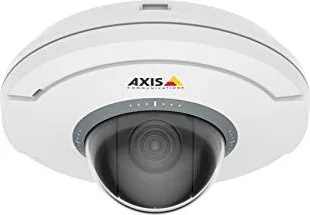
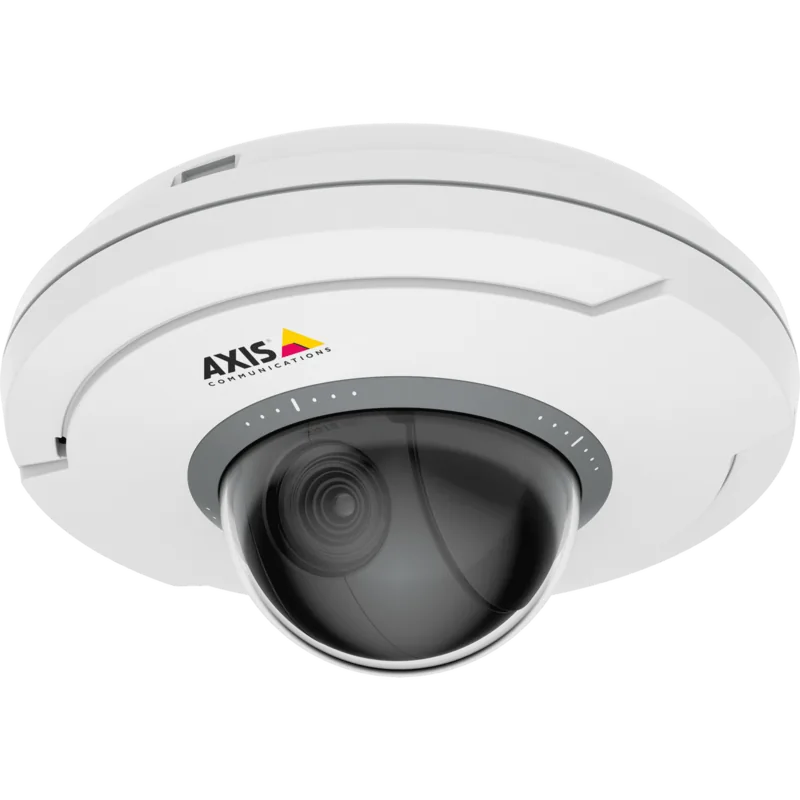
Axis M5055 PTZ: A Flexible Network Camera for Smarter Monitoring
The Axis M5055 PTZ is designed for users who want a compact yet capable pan-tilt-zoom camera for everyday surveillance and remote monitoring. It combines smooth movement, clear live viewing, and a broad set of configuration tools that make it suitable for small businesses, facilities, and professional security setups. If you are searching for the Axis M5055 PTZ Manual, the key takeaway is that this camera is built to balance ease of use with advanced control.
One of the strongest points of the M5055 PTZ is its versatile video handling. It supports H.264 and Motion JPEG, letting users choose between efficient compression and image-by-image clarity. Axis also includes Zipstream, which helps reduce bandwidth and storage needs without sacrificing the details that matter most. That makes the camera a practical option when long recording times or limited network capacity are important.
The PTZ features add another layer of value. Preset positions allow the camera to quickly return to important viewing angles, while the home position and control queue options make shared use more manageable. For live operation, users can switch between browser viewing, AXIS Media Control, and other access methods depending on the environment and device being used. The built-in microphone and audio stream support also make the system more useful for situations where sound matters as much as video.
Setup and customization are equally well covered. Administrators can adjust image appearance, white balance, exposure, overlays, privacy masks, and capture modes to fit the scene. Event rules can trigger recordings, notifications, overlays, or PTZ actions based on motion, schedules, manual input, or system status. Storage options include SD cards and network shares, with tools for recording management, encryption, and retention control.
Security and network features are another highlight. The camera supports HTTPS, certificates, IEEE 802.1X, IP filtering, ONVIF, and multiple network protocols, helping it fit into modern managed environments. Axis also provides application support through ACAP, opening the door to analytics such as audio volume detection, scream detection, and removed-object detection.
Overall, the Axis M5055 PTZ stands out as a well-rounded camera with serious configuration depth. It is especially appealing for users who want reliable control, efficient streaming, and flexible automation in one device.
Notes
- Best suited for professional surveillance and monitored spaces.
- Strong compression and storage tools help reduce operating costs.
- PTZ presets and event rules improve day-to-day usability.
- Security settings are important for safe deployment.
- Review local laws before using the camera for surveillance.
Search for 67,732 Manuals online


Type-in Brand or Model