A USB-C port with DisplayPort Alternate Mode (DP Alt Mode) or a Thunderbolt 3 port
required for correct adapter operation.
ADAPTER CONNECTION
/2
%
Quick check
I'm not a robot
Incorrect answer, please try again.
Chat with your AXAGON USB-C to DisplayPort 1.2 Adapter manual using AI
Get instant AI answers from your AXAGON USB-C to DisplayPort 1.2 Adapter manual
Ask anything about the AXAGON USB-C to DisplayPort 1.2 Adapter. Answers come from this manual, with the pages they are based on.
Ask a Question
0/1000
Do you recommend USB-C to DisplayPort 1.2 Adapter?
YesNo
Frequently Asked
Questions
A
No. The AXAGON USB-C to DisplayPort adapter is plug-and-play and requires no additional drivers. Simply connect the DP cable to your display and plug the adapter into a USB-C port that supports DisplayPort Alt Mode or Thunderbolt 3.
Is this answer helpful?
A
No. This adapter is one-way only: it converts a USB-C output to a DisplayPort input on the monitor side. It does not support conversion from DisplayPort source to USB-C display devices.
Is this answer helpful?
A
The adapter supports up to 4096×2160 @60Hz (DCI 4K) and common 4K/UWQHD and lower resolutions. Actual resolution and refresh rate depend on your host GPU and the display’s capabilities.
Is this answer helpful?
A
Yes. The host USB-C port must support DisplayPort Alt Mode or be a Thunderbolt 3 port to output video. Standard USB-C ports without DP Alt Mode will not provide video output.
Is this answer helpful?
A
Yes. The adapter supports up to 8-channel audio at 96kHz/24-bit, allowing multichannel sound to be passed through to compatible displays or AV receivers.
Is this answer helpful?
A
The adapter is powered directly via the USB-C port on the host device and does not require an external power supply.
Is this answer helpful?
A
Product manuals, FAQs and support resources are available on the AXAGON product support page at www.axagon.eu. If further help is needed, contact [email protected].
Is this answer helpful?
M: OA-GPT-5-NAN
Advantagesand
Disadvantages
Advantages
Supports up to 4096×2160 @60Hz and many ultrawide resolutions for high-quality video output
Plug-and-play operation with no drivers required; bus-powered via USB-C
Compact, lightweight 20cm design ideal for travel and clutter-free setups
HDCP 2.2 and 8-channel audio (96kHz/24-bit) ensure modern content and sound compatibility
Hot-plug capable; works with mirrored and extended desktop configurations
VS
Disadvantages
One-way adapter: only USB-C (host) to DisplayPort (display) — not bidirectional
Requires host USB-C port with DisplayPort Alt Mode or Thunderbolt 3 support
Limited by host GPU and display capabilities; maximum resolution depends on both
Short 20cm cable may require additional DP cabling to reach some displays
Not suitable for use in wet/explosive environments; manufacturer liability limited if misused
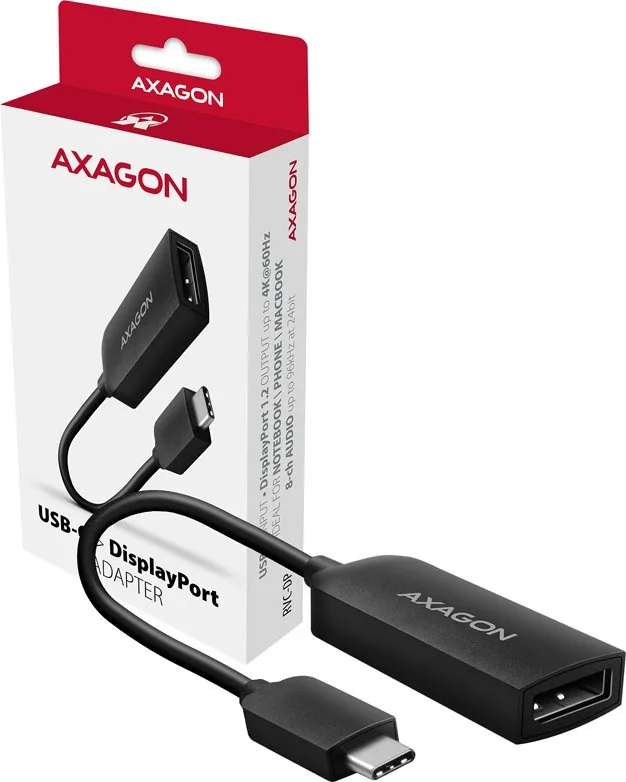
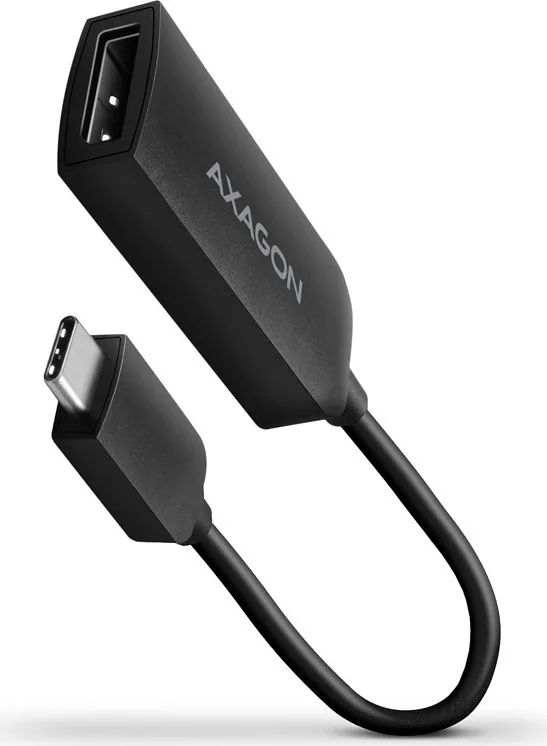
The AXAGON USB-C Plug to DisplayPort 1.2 Socket adapter is a compact, bus-powered cable solution that converts a USB-C (with DisplayPort Alt Mode or Thunderbolt 3) output into a DisplayPort 1.2 female connector. At just 20cm cable length and weighing about 17 g, it’s designed for users who need a simple, driver-free way to connect modern laptops, tablets, or phones to external monitors, TVs or projectors supporting DP. The adapter supports high-resolution video and multi-channel audio via HDCP 2.2, offering broad compatibility across Windows, macOS, Android and updated Chrome OS devices depending on manufacturer support.
Key features and usage
This adapter enables resolutions up to 4096 × 2160 @60Hz and a wide range of common DP resolutions including 4K UHD, ultrawide formats (3440 × 1440, 3840 × 1600) and legacy sizes down to SVGA and VGA-equivalent modes. It supports mirrored and extended desktop configurations and delivers up to 8-channel audio at 96 kHz / 24-bit. Installation is plug-and-play: connect the DisplayPort cable from your monitor to the adapter’s DP socket, plug the USB-C end into a compatible host, power is supplied via USB-C, and no drivers are required. Use the OS display selector (Windows key + P or equivalent) to choose mirror/extend settings.
The adapter is explicitly one-way: it converts USB-C output to DisplayPort input on the display side and does not work bidirectionally. It offers hot-plug capability for convenience and is small enough to stay attached to a laptop or fit in a bag for travel.
Practical scenarios
This adaptor is useful for business presentations, home office setups, and multi-monitor productivity where a reliable USB-C to DP connection is needed without additional power bricks or drivers. It’s particularly handy for ultrabook users and creators who need access to high-resolution external displays or ultrawide monitors.
Notes
The adapter requires a host USB-C port that supports DisplayPort Alt Mode or Thunderbolt 3. If the host lacks DP Alt Mode, video output will not function.
Maximum resolution and refresh rate depend on both the display and the host GPU capabilities.
Do not use in wet, explosive, or flammable environments. Recycle responsibly at end of life.