Manual.ly Logo

AXAGON RVD-VGN Manual

0.0 · 0 Ratings

PDF manual · 2 Pages

English

M: QW-35-FL
page

/ 2

Loading...
c6249dd26605877c227cffd039c9cdc44792 page 1
RVD-VGN
Poznámka:
Adaptér funguje
pouze jednosměrně
- ne obousměrně.
Hinweis:
Der Videoadapter
funktioniert nur in
eine Richtung - er
funktioniert nicht
bidirektional.
Note:
Video adapter
works only one-way
- does not work
bi-directionally.
Bemærk:
Videobåndet virker
kun envejs - fungerer
ikke tovejs.
Huomio:
Videoadapteri toimii
vain yhteen
suuntaan - ei
molempiin suuntiin.
Remarque:
la carte vidéo
ne fonctionne que
dans un sens, elle
ne fonctionne pas
dans les deux sens.
Nota:
El adaptador de
video funciona en
una sola dirección,
no funciona
bidireccionalmente.
Σημείωση:
Ο μετατροπέας
βίντεο δουλεύει
μόνο προς μια
κατεύθυνση και
όχι αμφίδρομα.
Megjegyzés:
A videó adapter
egy irányba
működik csak.
Nota:
La scheda video
funziona solo a una
via, non funziona
in modo
bidirezionale.
Napomena:
Video adapter radi
samo u jedno
smjeru – ne radi
dvosmjerno.
Opmerking:
Video-adapter werkt
slechts in één
richting - en werkt
niet in twee
richtingen.
Nota:
O adaptador de vídeo
funciona apenas
numa direção - não
funciona
bidireccionalmente.
Notă:
Adaptorul video
funcționează numai
într-o direcție - nu
funcționează
bidirecțional.
Uwaga:
Adapter wideo
działa tylko w jedną
stronę - nie działa
dwukierunkowo.
Примечание:
Видеоадаптер
работает только
в одном направле-
нии, он не работает
двунаправленно.
Obs:
Video-adaptern
fungerar bara
envägs - fungerar
ej i två riktningar.
Dikkat:
Video adaptörü
sadece tek yönlü
olarak çalışır - iki
yönlü çalışmaz.
Poznámka:
Adaptér funguje
iba jednosmerne -
nie obojsmerne.
Забележка:
Видео адаптерът
работи само
еднопосочно – не
работи двупосочно.
Klávesami „“+ „P“
zvolte režim
zobrazení.
Wählen Sie den
Anzeigemodus
durch Drücken der
Tastenkombination
„“+ „P“.
Select display
mode by pressing
„“+ „P“ keys.
Vælg visningstilstand
ved at trykke på
"" + "P" tasterne.
Valitse näyttötila
painamalla
„“+ „P“
- näppäimiä.
Sélectionnez
le mode d'affichage
en appuyant
sur „“ + "P".
Seleccione el modo
de display
presionando las
teclas ““+ “P “.
Επιλέξτε λειτουργία
εμφάνισης πατώντας
τα κουμπιά „“+ „P“.
Válassza ki
a megjelenítési
módot a „“+ „P“
kombinációval.
Selezionare
la modalità
di visualizzazione
premendo i „“+ „P“.
Odaberite način
prikaza pritiskom
na tipke „“+ „P“.
Selecteer
de weergavemodus
door op de toetsen
„“+ „P“ te drukken.
Selecione o modo
de exibição
pressionando
as teclas „“+ „P“.
Selectați modul
de afișare apăsând
tastele “” + “P”.
Wybierz tryb
wyświetlania
naciskając
klawisze „“+ „P“.
Выберите режим
отображения,
нажимая
на кнопки „“+ „P“.
Välj visnings-läge
genom att trycka
på tangenterna
„“+ „P“.
„“+ „P“ tuşlarına
basarak ekran
modunu seçin.
Klávesmi "" + "P"
zvoľte režim
zobrazenia.
Изберете режим
на показване чрез
натискане на
бутоните „“ + „P“.
Turn on the TV /
Monitor / Projector
and set the correct
input if necessary.
Zapněte monitor /
TV / projektor a
případně zvolte
správný vstup.
Schalten Sie den TV /
Monitor/Projektor ein
und stellen Sie bei
Bedarf den richtigen
Eingang ein.
Tænd for TV /
Monitor / Projektor
og indstil den
korrekte indgang,
hvis det er
nødvendigt.
Encienda el TV /
Monitor / Proyector
y ajuste la entrada
si es necesario.
Kytke TV /monitori /
projektori päälle ja
aseta oikea
sisääntulo
tarvittaessa.
Allumez
le téléviseur /
moniteur / projecteur
et réglez la bonne
entrée si nécessaire.
Ανοίξτε την
Τηλεόραση / Οθόνη /
Προβολέα και
επιλέξτε την σωστή
είσοδο αν χρειάζεται.
Upalite TV / Monitor /
Projektor i po potrebi
podesite pravilan
ulaz.
Kapcsolja be a TV /
Monitor / Projektor
készüléket és szükség
esetén válassza ki
a szükséges
bemenetet.
Accendi la TV /
Monitor / Proiettore
e imposta l'ingresso
corretto,
se necessario.
Schakel de TV /
Monitor / Projector
in en stel indien
nodig de juiste
ingang in.
Włącz telewizor /
monitor / projektor
i w razie potrzeby
ustaw odpowiednie
wejście.
Ligue a TV / Monitor /
Projetor e ajuste
a entrada correta
se necessário.
Porniți televizorul /
monitorul /
proiectorul și setați
intrarea corectă, dacă
este necesar.
Включите
телевизор /
монитор / проектор
и укажите нужный
вход, если
необходимо.
Zapnite monitor /
TV / projektor
a prípadne zvoľte
správny vstup.
Starta TV:n /
Skärmen / Projektorn
och ställ in rätt
ingång om
det behövs.
TV / Monitör /
Projektörü açın
ve gerekirse doğru
girişi ayarlayın.
Включете телеви-
зора / монитора /
проектора
и настройте
правилния вход,
ако е необходимо.
No need to install
any drivers.
Nejsou potřeba
žádné ovladače.
Es ist nicht
erforderlich, Treiber
zu installieren.
Du behøver ikke
installere nogen
drivere.
No necesita instalar
ningún driver.
Ajureita ei tarvitse
asentaa.
Aucune installation
de pilote
n'est requise.
Δεν χρειάζεται να
εγκαταστήσετε
κάποιον driver.
Nije potrebno
instalirati dodatne
upravljačke programe.
Nem kell semmilyen
illesztőprogramot
telepíteni.
Non è necessario
installare alcun driver.
U hoeft geen
stuurprogramma's
te installeren.
Nie ma potrzeby
instalowania
sterowników.
Não há necessidade
de instalar drivers.
Nu este nevoie
să instalați drivere.
Устанавливать
драйвера не нужно.
Nie sú potrebné
žiadne ovládače.
Inga drivrutiner
behöver installeras.
Herhangi bir sürücü
kurmanıza gerek yok.
Няма нужда
да инсталирате
драйвери.
Turn on computer,
the video adapter
is ready to use.
Zapněte počítač,
video adaptér
je připraven.
Schalten Sie
den Computer ein,
der Videoadapter
ist betriebsbereit.
Tænd for
computeren,
videoadapteren
er klar til brug.
Encienda la
computadora, el
adaptador de video
está listo para usar.
Käynnistä tietokone,
videoadapteri on
valmis käytettäväksi.
Allumez l'ordinateur,
la carte vidéo est
prête à être utilisée.
Ανοίξτε τον
υπολογιστή και
ο μετατροπέας βίντεο
είναι έτοιμος
για χρήση.
Upalite računalo,
video adapter je
spreman za
korištenje.
Kapcsolja be
a számítógépet,
a videó adapter
készen áll
a használatra.
Accendi il computer,
la scheda video
è pronta per l'uso.
Zet de computer
aan, de videoadapter
is klaar voor gebruik.
Włącz komputer,
adapter wideo jest
gotowy do użycia.
Ligue o computador,
o adaptador
de vídeo está
pronto a utilizar.
Porniți computerul,
adaptorul video
este gata de utilizare.
Включите
компьютер.
Видеоадаптер готов
к использованию.
Zapnite počítač,
video adaptér
je pripravený.
Starta datorn,
video-adaptern
är klar att användas.
Bilgisayarı açın,
video adaptörü
kullanıma hazır.
Включете
компютъра, видео
адаптерът е готов
за използване.
Connect cable from
TV / Monitor /
Projector to adapter
VGA output. Fix
the cable
with screws.
Připojte kabel TV /
monitoru / projektoru
do VGA výstupu
adaptéru
a zajistěte šrouby.
Schließen Sie
das Kabel von TV /
Monitor / Projektor
an den VGA-Ausgang
des Adapters an.
Befestigen Sie
das Kabel
mit Schrauben.
Tilslut kabel fra TV /
Monitor / Projektor til
adapter VGA-udgang.
Fastgør kablet med
skruer.
Conecte el cable
desde TV / Monitor /
Proyector a la salida
del adaptador VGA.
Fije el cable
con tornillos.
Yhdistä kaapeli
TV:stä / monitorista /
projektorista
adapterin
VGA-ulostuloon.
Kiinnitä kaapeli
ruuveilla.
Connectez le câble
du téléviseur /
moniteur / projecteur
à la sortie VGA
de l’adaptateur.
Fixez le câble
avec les vis.
Συνδέστε το
καλώδιο από την
Τηλεόραση / Οθόνη /
Προβολέα στην
έξοδο VGA του
μετατροπέα.
Σταθεροποιήστε το
καλώδιο με βίδες.
Spojite kabel s
TV-a / Monitora /
Projektora na VGA
izlaz adaptera.
Učvrstite kabel
vijcima.
Kapcsolja hozzá
a kábelt a TV /
Monitor / Projektor
készülékből a VGA
adapterhez.
Csavarokkal rögzítse
a kábelt.
Collegare il cavo
da TV / Monitor /
Proiettore all'uscita
VGA dell'adattatore.
Fissare il cavo
con le viti.
Verbind de kabel
van TV / Monitor /
Projector naar
de VGA-uitgang
van de adapter.
Bevestig de kabel
met schroeven.
Podłącz kabel
z telewizora /
monitora / projektora
do wyjścia VGA
adaptera. Przymocuj
kabel za pomocą
śrub.
Conecte o cabo
da TV / Monitor /
Projetor à saída VGA
do adaptador.
Fixe o cabo com
parafusos.
Conectați cablul
de la TV / Monitor /
Proiector la ieșirea
VGA a adaptorului.
Fixați cablul
cu șuruburi.
Подключите кабель
телевизора /
монитора /
проектора
к адаптеру через
VGA-порт. Закрепите
кабель шурупами.
Pripojte kábel od TV /
monitora / projektora
do VGA výstupu
adaptéra a zaistite
skrutkami.
Anslut kabeln från
TV:n / Skärmen /
Projektorn
till adapterns
VGA-utgång.
Fixera kablarna
med skruvarna.
Kabloyu, Monitör /
TV / Projektörden
adaptör VGA çıkışına
bağlayın.
Kabloyu vidalarla
sabitleyin.
Свържете кабела
от телевизор /
монитор / проектор
към адаптер VGA
изход. Закрепете
кабела с винтове.
Plug the adapter
to computer
DP output.
Připojte adaptér k
DP výstupu PC.
Schließen Sie
den Adapter an den
DP-Ausgang des
Computers an.
Slut adapteren til
computerens
DP-udgang.
Enchufe
el adaptador
a la salida DP
de la computadora.
Yhdistä adapteri
tietokoneen
DP-ulostuloon.
Connectez
l'adaptateur
à la sortie DP
de l'ordinateur.
Συνδέστε τον
μετατροπέα στην
έξοδο DP του
υπολογιστή.
Priključite adapter
na DP izlaz
računala.
Helyezze be
az adaptert
a számítógép DP
csatlakozójára.
Collegare
l'adattatore all'uscita
DP del computer.
Sluit de adapter
aan op
de DP-uitgang
van de computer.
Podłącz adapter
do wyjścia DP
komputera.
Conecte o adaptador
à saída DP
do computador.
Conectați adaptorul
la ieșirea DP
a computerului.
Вставьте адаптер
в DP-порт
компьютера.
Pripojte adaptér
k DP výstupu PC.
Anslut adaptern till
datorns DP-uttag.
Adaptörü bilgisayarın
DP çıkışına takın.
Включете адаптера
към DP изхода
на компютъра.
INPUT INTERFACE
DisplayPort v1.1a
DisplayPort (M) male connector
OUTPUT INTERFACE
VGA
D-Sub 15-pin (F) female connector
SIZE NET WEIGHT
42 x 37 x 16mm & 31g
POWER SUPPLY
Powered via DisplayPort bus
OTHER FEATURES
Mirrored desktop • Extended desktop
OS SUPPORTED
All OS SUPPORTED - OS INDEPENDENT
NOTE:
The resolution depends on themonitor / TV / projector
and video card parameters.
. DP    
.  .
VGA  /  /     
.       
.     
.        /  /   
"" + "P" .       
.    -        :
1.将适配器DP(高清晰度多媒体接口)输入插头连接到正确的计算机视
频输出口。
2.将电视/显示器/投影仪连接到视频适配器VGA输出端。
用螺钉固定电缆以避免断开连接。同时使用优质,未损坏的电缆。
3.将电脑开机,视频适配器即可使用,无需安装任何驱动程序。
4.必要时,打开电视/显示器/投影仪并设置正确的输入参数。
5.按“+P”键选择显示状态,与此同时您还可以设置其他参数,例如分辨率,
刷新率和文本大小。
备注:视频适配器只能单向工作,不能双向工作
INSTRUCTIONS
FOR USE
(original)
revision 2.0
RVD-VGN
Instructies voor gebruik (vertaling)
Instrukcja użycia (tłumaczenie)
Instruções de utilização (translação)
Instrucțiuni pentru utilizare (traducere)
Инструкция по эксплуатации (трансляция)
Návod na použitie (preklad)
Användarinstruktioner (translation)
Kullanım talimatları (tercüme)
Инструкции за Употреба (превод)
使用说明
(翻译)
( )
NL
PL
PT
RO
RU
SK
SWE
TR
BG
CN
ARA
Instructions for use (original)
Návod k použití (originál)
Gebrauchsanweisungen (Übersetzung)
Brugsanvisning (translation)
Instrucciones de uso (traducción)
Käyttöohjeet (käännös)
Instructions d'utilisation (traduction)
Oδηγίες χρήσης (μετάφραση)
Upute za korištenje (prijevod)
Felhasználói kézikönyv (fordítás)
Istruzioni per l'uso. (traduzione)
ENG
CZ
DE
DK
ESP
FIN
FR
GR
HR
HU
IT
© 2021 AXAGON
Výrobce / Manufacturer: RealQ s.r.o. - Železná 5, 619 00 Brno, Czech Republic
All rights reserved. All text and pictorial materials contained in this document
are protected by Copyright Act.
All marks indicated here are the registered trademarks of their appropriate owners.
Specifications are subject to change without prior notice.
Made in CHINA for Axagon.
http://axagon.eu/produkty/rvd-vgn#supportLinkGoal
PRODUCT SUPPORT LINK
EN
CZ DE DK
ESP
FIN FR GR
HR
HU IT NL
PL
PT RO RU
SK
SWE TR BG
CN
ARA
TECHNICAL SPECIFICATIONS
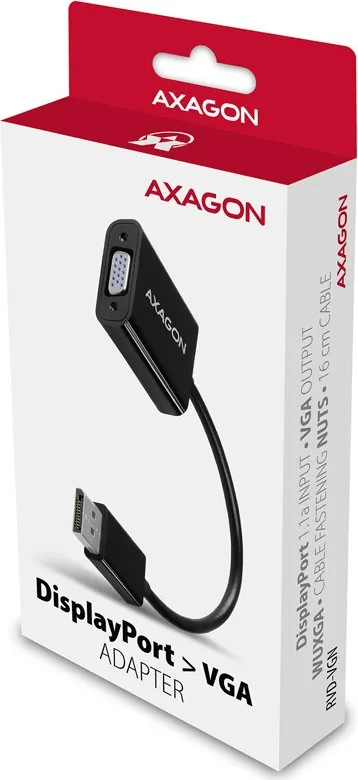
DisplayPort >VGA
ADAPTER
1920x1200 (16:10) WUXGA
1920 x 1080 (16:9) Full HD/1080p
1680 x 1050 (16:10) WSXGA+
1600 x 1200 (4:3) UXGA
1600 x 900 (16:9) HD+
1440 x 900 (16:10) WXGA+
1400 x 1050 (4:3) SXGA+
1366 x 768 (16:9) WXGA
1360 x 768
1280 x 1024 (5:4) SXGA
1280 x 960 (4:3) SXGA-
1280 x 800 (16:10) WXGA
1280 x 768 (5:3) WXGA
1280 x 720 (16:9) HD/WXGA/720p
1280 x 600
1152 x 864 (4:3) XGA+
1024 x 768 (4:3) XGA
800 x 600 (4:3) SVGA
640 x 480 (4:3) VGA
576i/576p PAL
480i/480p NTSC
RESOLUTIONS SUPPORTED
ADAPTER CONNECTION
ENG Video adapter from DP to VGA
CZ Video adaptér z DP na VGA
DE Videoadapter von DP auf VGA
DK Videoadapter fra DP til VGA
ESP Adaptador de video de DP a VGA
FIN DP - VGA -videoadapteri
FR Adaptateur vidéo DP vers VGA
GR Μετατροπέας βίντεο από DP σε VGA
HR Video adapter za DP na VGA
HU Adapter DP to VGA video
IT Adattatore video da DP a VGA
NL Video-adapter van DP naar VGA
PL Adapter wideo z DP do VGA
PT Adaptador de vídeo de DP para VGA
RO Adaptor video de la DP la VGA
RU Видео адаптер из DP в VGA
SK Video adaptér DP na VGA
SWE Videoadapter från DP till VGA
TR DP'dan VGA'ya video adaptörü
BG Видео адаптер от DP към VGA
CN
视频适配器可以实现从DP传输到VGA(视频传输标准)
ARA VGA  DP  
VGA OUT
DP IN

Chat with your AXAGON RVD-VGN manual using AI

Get instant AI answers from your AXAGON RVD-VGN manual

Ask anything about the AXAGON RVD-VGN. Answers come from this manual, with the pages they are based on.

Ask a Question

0/1000

Do you recommend RVD-VGN?

Yes No

Frequently Asked Questions

A

No, this adapter is plug-and-play. It does not require any driver installation as it draws power from the DisplayPort bus and is supported by most operating systems automatically.

Is this answer helpful?

A

No, this adapter only works in one direction: from DisplayPort to VGA. It cannot convert a VGA signal from a camera or other source into a DisplayPort signal for a monitor.

Is this answer helpful?

A

The adapter supports resolutions up to 1920x1200 (WUXGA) and 1920x1080 (Full HD). Actual resolution depends on the capabilities of your monitor and graphics card.

Is this answer helpful?

A

No, VGA is an analog video-only standard. This adapter transmits video signals only. You will need a separate audio cable to hear sound.

Is this answer helpful?

A

The VGA cable connects to the adapter via a 15-pin female connector. You must tighten the two screws on the sides of the VGA connector to lock it in place and prevent it from loosening.

Is this answer helpful?

A

Yes, the adapter is OS independent and works with all operating systems that have a DisplayPort output, including macOS, Windows, and Linux.

Is this answer helpful?

M: QW-35-FL

Advantages and Disadvantages

Advantages

  • No drivers required for installation
  • Supports multiple high resolutions up to 1920x1200
  • Compact 15cm length for portability
  • Powers directly from the DisplayPort connection
  • Enables extended or mirrored desktop modes
VS

Disadvantages

  • Only works in one direction (DP to VGA)
  • Requires physical screws to secure VGA cable
  • Does not support audio transmission
  • Dependent on monitor resolution capabilities
  • Cannot convert VGA signals to DisplayPort
M: QW-35-FL

Product Specification

Type

Adapter Cable

Connector

DisplayPort 1.1

Socket

VGA

Cable Length

0.49 ft

Manufacturer Warranty

two years

M: QW-35-FL

Product Description

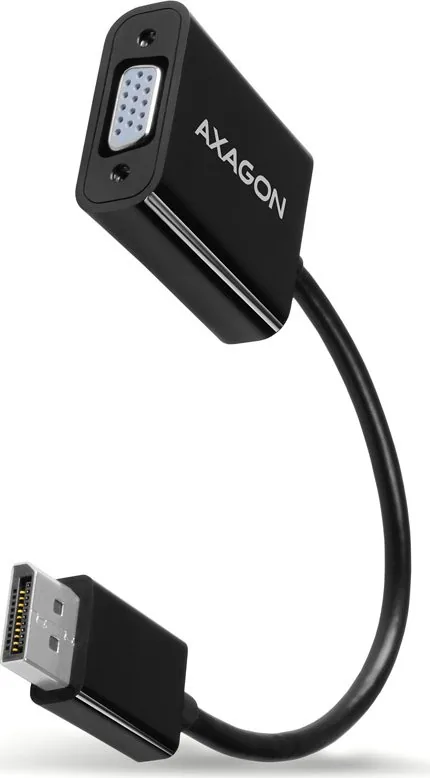
AXAGON DisplayPort 1.1 Plug to VGA Socket Adapter Cable 15cm

The AXAGON DisplayPort 1.1 Plug to VGA Socket Adapter Cable 15cm is a compact and essential tool for connecting modern computers with DisplayPort outputs to older displays using VGA inputs. This adapter bridges the gap between digital and analog video signals, allowing users to utilize projectors, monitors, or televisions that lack native digital connectivity.

Seamless Connectivity Without Drivers

One of the standout features of this adapter is its plug-and-play capability. It requires no additional software or driver installation on your computer. Once you connect the DisplayPort end to your laptop or desktop and the VGA end to your display, the system recognizes it immediately. The device draws power directly from the DisplayPort bus, eliminating the need for an external power source. This makes it incredibly convenient for presentations, home office setups, or educational environments where quick setup is crucial.

Versatile Display Options

This adapter supports a wide range of resolutions, including Full HD (1920x1080), WUXGA (1920x1200), and various standard VGA modes. It allows for both mirrored and extended desktop configurations, giving you flexibility in how you present content. Whether you are displaying a slideshow on a large screen or extending your workspace to a secondary monitor, this cable ensures stable performance.

Important Usage Note

It is vital to understand that this video adapter works only in one direction. It converts a Digital Signal from DisplayPort to an Analog Signal for VGA. It does not function bi-directionally, meaning you cannot use it to send a VGA signal back into a DisplayPort input. Always ensure your source device has a DisplayPort output and your display has a VGA input before purchasing.

Setup Instructions

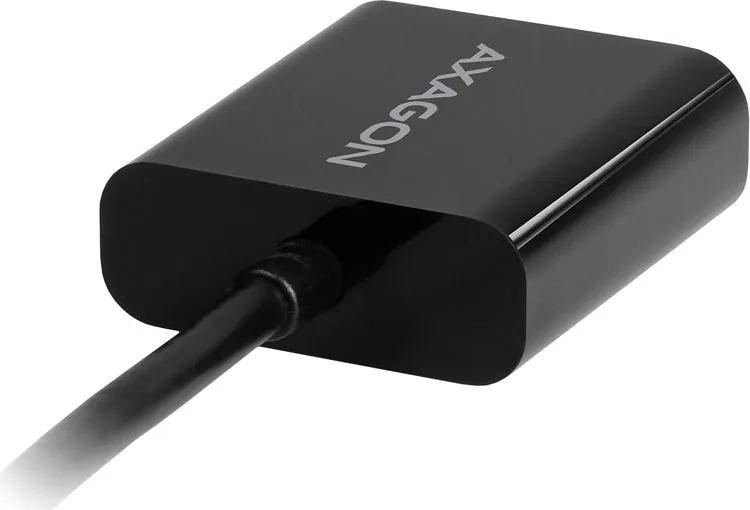
To get started, simply plug the adapter into the DisplayPort output of your computer. Connect a standard VGA cable from the adapter to your TV, monitor, or projector. Secure the VGA connector using the screws provided to prevent accidental disconnection. Turn on your display and select the correct VGA input source. If needed, adjust your display settings using the Windows key plus P shortcut to choose between duplicate or extend modes.

Final Thoughts

For anyone needing to connect legacy equipment to modern hardware, the AXAGON DisplayPort 1.1 to VGA adapter offers a reliable, low-profile solution. Its small size makes it easy to carry in a bag, ensuring you are always ready to connect.

M: QW-35-FL

© Copyright 2026 Manual.ly