Manual.ly Logo

AXAGON RVC-DPC Manual

0.0 · 0 Ratings

PDF manual · 2 Pages

English

M: QW-35-FL
page

/ 2

Loading...
2006068c061dc8574ad69e90b627a6e33f7c page 1
INSTRUCTIONS
FOR USE
(original)
revision 2.0
RVC-DPC
Instructies voor gebruik (vertaling)
Instrukcja użycia (tłumaczenie)
Instruções de utilização (translação)
Instrucțiuni pentru utilizare (traducere)
Инструкция по эксплуатации (трансляция)
Návod na použitie (preklad)
Användarinstruktioner (translation)
Kullanım talimatları (tercüme)
Инструкции за Употреба (превод)
使用明
(翻译)
( )
NL
PL
PT
RO
RU
SK
SWE
TR
BG
CN
ARA
Instructions for use (original)
Návod k použití (originál)
Gebrauchsanweisungen (Übersetzung)
Brugsanvisning (translation)
Instrucciones de uso (traducción)
Käyttöohjeet (käännös)
Instructions d'utilisation (traduction)
Oδηγίες χρήσης (μετάφραση)
Upute za korištenje (prijevod)
Felhasználói kézikönyv (fordítás)
Istruzioni per l'uso. (traduzione)
ENG
CZ
DE
DK
ESP
FIN
FR
GR
HR
HU
IT
© 2020 AXAGON
Výrobce / Manufacturer: RealQ s.r.o. - Železná 5, 619 00 Brno, Czech Republic
All rights reserved. All text and pictorial materials contained in this document
are protected by Copyright Act.
All marks indicated here are the registered trademarks of their appropriate owners.
Specifications are subject to change without prior notice.
Made in CHINA for Axagon.
http://axagon.eu/produkty/rvc-dpc#supportLinkGoal
PRODUCT SUPPORT LINK
EN
CZ DE DK
ESP
FIN FR GR
HR
HU IT NL
PL
PT RO RU
Poznámka:
Adaptér funguje
pouze jednosměrně
- ne obousměrně.
Hinweis:
Der Videoadapter
funktioniert nur in
eine Richtung - er
funktioniert nicht
bidirektional.
Note:
Video adapter
works only one-way
- does not work
bi-directionally.
Bemærk:
Videobåndet virker
kun envejs - fungerer
ikke tovejs.
Huomio:
Videoadapteri toimii
vain yhteen
suuntaan - ei
molempiin suuntiin.
Remarque:
la carte vidéo
ne fonctionne que
dans un sens, elle
ne fonctionne pas
dans les deux sens.
Nota:
El adaptador de
video funciona en
una sola dirección,
no funciona
bidireccionalmente.
Σημείωση:
Ο μετατροπέας
βίντεο δουλεύει
μόνο προς μια
κατεύθυνση και
όχι αμφίδρομα.
Megjegyzés:
A videó adapter
egy irányba
működik csak.
Nota:
La scheda video
funziona solo a una
via, non funziona
in modo
bidirezionale.
Napomena:
Video adapter radi
samo u jedno
smjeru – ne radi
dvosmjerno.
Opmerking:
Video-adapter werkt
slechts in één
richting - en werkt
niet in twee
richtingen.
Nota:
O adaptador de vídeo
funciona apenas
numa direção - não
funciona
bidireccionalmente.
Notă:
Adaptorul video
funcționează numai
într-o direcție - nu
funcționează
bidirecțional.
Uwaga:
Adapter wideo
działa tylko w jedną
stronę - nie działa
dwukierunkowo.
Примечание:
Видеоадаптер
работает только
в одном направле-
нии, он не работает
двунаправленно.
Klávesami „“+ „P“
zvolte režim
zobrazení.
Wählen Sie den
Anzeigemodus
durch Drücken der
Tastenkombination
„“+ „P“.
Select display
mode by pressing
„“+ „P“ keys.
Vælg visningstilstand
ved at trykke på
"" + "P" tasterne.
Valitse näyttötila
painamalla
„“+ „P“
- näppäimiä.
Sélectionnez
le mode d'affichage
en appuyant
sur „“ + "P".
Seleccione el modo
de display
presionando las
teclas ““+ “P “.
Επιλέξτε λειτουργία
εμφάνισης πατώντας
τα κουμπιά „“+ „P“.
Válassza ki
a megjelenítési
módot a „“+ „P“
kombinációval.
Selezionare
la modalità
di visualizzazione
premendo i „“+ „P“.
Odaberite način
prikaza pritiskom
na tipke „“+ „P“.
Selecteer
de weergavemodus
door op de toetsen
„“+ „P“ te drukken.
Selecione o modo
de exibição
pressionando
as teclas „“+ „P“.
Selectați modul
de afișare apăsând
tastele “” + “P”.
Wybierz tryb
wyświetlania
naciskając
klawisze „“+ „P“.
Выберите режим
отображения,
нажимая
на кнопки „“+ „P“.
Turn on the TV /
Monitor / Projector
and set the correct
input if necessary.
Zapněte monitor /
TV / projektor a
případně zvolte
správný vstup.
Schalten Sie den TV /
Monitor/Projektor ein
und stellen Sie bei
Bedarf den richtigen
Eingang ein.
Tænd for TV /
Monitor / Projektor
og indstil den
korrekte indgang,
hvis det er
nødvendigt.
Encienda el TV /
Monitor / Proyector
y ajuste la entrada
si es necesario.
Kytke TV /monitori /
projektori päälle ja
aseta oikea
sisääntulo
tarvittaessa.
Allumez
le téléviseur /
moniteur / projecteur
et réglez la bonne
entrée si nécessaire.
Ανοίξτε την
Τηλεόραση / Οθόνη /
Προβολέα και
επιλέξτε την σωστή
είσοδο αν χρειάζεται.
Upalite TV / Monitor /
Projektor i po potrebi
podesite pravilan
ulaz.
Kapcsolja be a TV /
Monitor / Projektor
készüléket és szükség
esetén válassza ki
a szükséges
bemenetet.
Accendi la TV /
Monitor / Proiettore
e imposta l'ingresso
corretto,
se necessario.
Schakel de TV /
Monitor / Projector
in en stel indien
nodig de juiste
ingang in.
Włącz telewizor /
monitor / projektor
i w razie potrzeby
ustaw odpowiednie
wejście.
Ligue a TV / Monitor /
Projetor e ajuste
a entrada correta
se necessário.
Porniți televizorul /
monitorul /
proiectorul și setați
intrarea corectă, dacă
este necesar.
Включите
телевизор /
монитор / проектор
и укажите нужный
вход, если
необходимо.
No need to install
any drivers.
Nejsou potřeba
žádné ovladače.
Es ist nicht
erforderlich, Treiber
zu installieren.
Du behøver ikke
installere nogen
drivere.
No necesita instalar
ningún driver.
Ajureita ei tarvitse
asentaa.
Aucune installation
de pilote
n'est requise.
Δεν χρειάζεται να
εγκαταστήσετε
κάποιον driver.
Nije potrebno
instalirati dodatne
upravljačke programe.
Nem kell semmilyen
illesztőprogramot
telepíteni.
Non è necessario
installare alcun driver.
U hoeft geen
stuurprogramma's
te installeren.
Nie ma potrzeby
instalowania
sterowników.
Não há necessidade
de instalar drivers.
Nu este nevoie
să instalați drivere.
Устанавливать
драйвера не нужно.
Turn on computer,
the video adapter
is ready to use.
Zapněte počítač,
video adaptér
je připraven.
Schalten Sie
den Computer ein,
der Videoadapter
ist betriebsbereit.
Tænd for
computeren,
videoadapteren
er klar til brug.
Encienda la
computadora, el
adaptador de video
está listo para usar.
Käynnistä tietokone,
videoadapteri on
valmis käytettäväksi.
Allumez l'ordinateur,
la carte vidéo est
prête à être utilisée.
Ανοίξτε τον
υπολογιστή και
ο μετατροπέας βίντεο
είναι έτοιμος
για χρήση.
Upalite računalo,
video adapter je
spreman za
korištenje.
Kapcsolja be
a számítógépet,
a videó adapter
készen áll
a használatra.
Accendi il computer,
la scheda video
è pronta per l'uso.
Zet de computer
aan, de videoadapter
is klaar voor gebruik.
Włącz komputer,
adapter wideo jest
gotowy do użycia.
Ligue o computador,
o adaptador
de vídeo está
pronto a utilizar.
Porniți computerul,
adaptorul video
este gata de utilizare.
Включите
компьютер.
Видеоадаптер готов
к использованию.
Connect cable to
TV / Monitor /
Projector.
Připojte kabel do TV /
monitoru / projektoru.
Schließen Sie
das Kabel an TV /
Monitor / Projektor.
Tilslut kabel til TV /
Monitor / Projektor.
Conecte el cable
a TV / Monitor /
Proyector.
Yhdistä kaapeli
TV:stä / monitorista /
projektorista.
Connectez le câble
à téléviseur /
moniteur / projecteur.
Συνδέστε το
καλώδιο στο
Τηλεόραση / Οθόνη /
Προβολέα.
Spojite kabel na
TV-a / Monitora /
Projektora.
Kapcsolja hozzá
a kábelt a TV /
Monitor / Projektor.
Collegare il cavo
a TV / Monitor /
Proiettore.
Verbind de kabel
naar TV / Monitor /
Projector.
Podłącz kabel
do telewizora /
monitora /
projektora.
Conecte o cabo
ao TV / Monitor /
Projetor.
Conectați cablul
la TV / Monitor /
Proiector.
Подключите кабель
к телевизора /
монитора /
проектора.
Plug the adapter
to computer
USB-C output.
Připojte adaptér k
USB-C výstupu PC.
Schließen Sie
den Adapter an den
USB-C-Ausgang des
Computers an.
Slut adapteren til
computerens
USB-C-udgang.
Enchufe
el adaptador
a la salida USB-C
de la computadora.
Yhdistä adapteri
tietokoneen
USB-C-ulostuloon.
Connectez
l'adaptateur
à la sortie USB-C
de l'ordinateur.
Συνδέστε τον
μετατροπέα στην
έξοδο USB-C του
υπολογιστή.
Priključite adapter
na USB-C izlaz
računala.
Helyezze be
az adaptert
a számítógép USB-C
csatlakozójára.
Collegare
l'adattatore all'uscita
USB-C del computer.
Sluit de adapter
aan op
de USB-C-uitgang
van de computer.
Podłącz adapter
do wyjścia USB-C
komputera.
Conecte o adaptador
à saída USB-C
do computador.
Conectați adaptorul
la ieșirea USB-C
a computerului.
Вставьте адаптер
в USB-C-порт
компьютера.
SK
SWE TR BG
Obs:
Video-adaptern
fungerar bara
envägs - fungerar
ej i två riktningar.
Dikkat:
Video adaptörü
sadece tek yönlü
olarak çalışır - iki
yönlü çalışmaz.
Poznámka:
Adaptér funguje
iba jednosmerne -
nie obojsmerne.
Забележка:
Видео адаптерът
работи само
еднопосочно – не
работи двупосочно.
Välj visnings-läge
genom att trycka
på tangenterna
„“+ „P“.
„“+ „P“ tuşlarına
basarak ekran
modunu seçin.
Klávesmi "" + "P"
zvoľte režim
zobrazenia.
Изберете режим
на показване чрез
натискане на
бутоните „“ + „P“.
Zapnite monitor /
TV / projektor
a prípadne zvoľte
správny vstup.
Starta TV:n /
Skärmen / Projektorn
och ställ in rätt
ingång om
det behövs.
TV / Monitör /
Projektörü açın
ve gerekirse doğru
girişi ayarlayın.
Включете телеви-
зора / монитора /
проектора
и настройте
правилния вход,
ако е необходимо.
Nie sú potrebné
žiadne ovládače.
Inga drivrutiner
behöver installeras.
Herhangi bir sürücü
kurmanıza gerek yok.
Няма нужда
да инсталирате
драйвери.
Zapnite počítač,
video adaptér
je pripravený.
Starta datorn,
video-adaptern
är klar att användas.
Bilgisayarı açın,
video adaptörü
kullanıma hazır.
Включете
компютъра, видео
адаптерът е готов
за използване.
Pripojte kábel do TV /
monitora / projektora.
Anslut kabeln till
TV:n / Skärmen /
Projektorn.
Kabloyu bağlayın
Monitör / TV /
Projektörden.
Свържете кабела
към телевизор /
монитор / проектор.
Pripojte adaptér
k USB-C výstupu PC.
Anslut adaptern till
datorns USB-C-uttag.
Adaptörü bilgisayarın
USB-C çıkışına takın.
Включете адаптера
към USB-C изхода
на компютъра.
. USB-C    
.  /  /     
.       
.     
.        /  /   
"P" + "" .       
.    -        :
CN
1.将适配器USB-C(高清晰度多媒体接口)输入插头连接到正确的计算机视
频输出口。
2.将电缆连接到电视/显示器/投影仪。
3.将电脑开机,视频适配器即可使用,无需安装任何驱动程序。
4.必要时,打开电视/显示器/投影仪并设置正确的输入参数。
5.按“+P”键选择显示状态,与此同时您还可以设置其他参数,例如分辨率,
刷新率和文本大小。
备注:视频适配器只能单向工作,不能双向工作
ARA
INPUT INTERFACE
USB-C
USB type C (M) male connector
OUTPUT INTERFACE
DisplayPort 1.2
DisplayPort (M) male connector with latch
NOTE
The resolution depends on the monitor / TV / projector and video card parameters.
SIZE NET WEIGHT
47x 22 x 10mm · 180 cm cable lenght · 71g
OTHER FEATURES
HDCP 2.2 · HOT PLUG · 8-ch sound up to 96kHz/24-bit
Mirrored desktop · Extended desktop
POWER SUPPLY
Powered via USB-C
OS SUPPORTED
Windows 10 · Mac OS · Android
Chrome OS (updated)
Compability depends on used
Operating System and support
from device manufacturer
TECHNICAL SPECIFICATIONS
DP
OUT
USB-C
IN
A USB-C port with DisplayPort Alternate Mode (DP Alt Mode) or a Thunderbolt 3 port
required for correct adapter operation.
ADAPTER CONNECTION
USB-C > DisplayPort
CABLE
max. 4096 x 2160 (19:10) @60Hz DCI 4K
3840 x 2160 (16:9) @60Hz UHD-1 4K (UHDTV)
3840 x 1600 (21:9) UW 4K (Ultrawide 1600p)
3840 x 1200 (32:10) 29:9 4K (Super ultrawide 1200p)
3840 x 1080 (32:9) 32:9 4K (Super ultrawide 1080p)
3440 x 1440 (21:9) UWQHD (Ultrawide 1440p)
2560 x 2048 (5:4) QSXGA
2560 x 1920 (4:3)
2560 x 1600 (16:10) WQXGA
2560 x 1440 (16:9) QHD
2560 x 1080 (21:9) UWFHD (Ultrawide 1080p)
2048 x 1536 (4:3) QXGA
2048 x 1152 (16:9) QWXGA
1920 x 1440 (4:3)
1920 x 1200 (16:10) WUXGA
1920 x 1080 (16:9) Full HD/1080p
1856 x 1392 (4:3)
1792 x 1344 (4:3)
1680 x 1050 (16:10) WSXGA+
1600 x 1200 (4:3) UXGA
1600 x 900 (16:9) HD+
1536 x 864 (16:9)
1440 x 900 (16:10) WXGA+
1400 x 1050 (4:3) SXGA+
1366 x 768 (16:9) HD
1360 x 768 (16:9) HD
1280 x 1024 (5:4) SXGA
1280 x 960 (4:3) SXGA-
1280 x 800 (16:10) WXGA
1280 x 768 (5:3) WXGA
1280 x 720 (16:9) HD/WXGA/720p
1280 x 600
1152 x 864 (4:3) XGA+
1024 x 768 (4:3) XGA
800 x 600 (4:3) SVGA
RESOLUTIONS SUPPORTED
ENG video adapter from USB-C to DP
CZ video adaptér z USB-C na DP
DE videoadapter von USB-C auf DP
DK videoadapter fra USB-C til DP
ESP adaptador de video de USB-C a DP
FIN USB-C - DP -videoadapteri
FR adaptateur vidéo USB-C vers DP
GR μετατροπέας βίντεο από USB-C σε DP
HR video adapter za USB-C na DP
HU video adapter USB-C to DP
IT adattatore video da USB-C a DP
NL video-adapter van USB-C naar DP
PL adapter wideo z USB-C do DP
PT adaptador de vídeo de USB-C para DP
RO adaptor video de la USB-C la DP
RU видео адаптер из USB-C в DP
SK video adaptér USB-C na DP
SWE videoadapter från USB-C till DP
BG видео адаптер от USB-C към DP
TR USB-C'dan DP'ya video adaptörü
CN视频适配器可以实现从USB-C传输到 DP(视频传输标准)
ARA DP ﻰﻟإ ﻦﻣ ﻮﯾﺪﯿﻔﻟا لﻮﺤﻣ
USBC

Chat with your AXAGON RVC-DPC manual using AI

Get instant AI answers from your AXAGON RVC-DPC manual

Ask anything about the AXAGON RVC-DPC. Answers come from this manual, with the pages they are based on.

Ask a Question

0/1000

Do you recommend RVC-DPC?

Yes No

Frequently Asked Questions

A

No, the AXAGON USB-C to DisplayPort adapter is plug-and-play. It works immediately on Windows 10, Mac OS, Chrome OS, and Android without needing any additional software or drivers.

Is this answer helpful?

A

The adapter supports resolutions up to 4096 x 2160 (DCI 4K) at 60Hz. It also handles various ultrawide resolutions like 3840 x 1600 and 3440 x 1440 depending on the monitor capabilities.

Is this answer helpful?

A

No, this adapter is for video and audio output only. It does not support Power Delivery passthrough to charge the connected computer while in use.

Is this answer helpful?

A

No, the adapter works only in one direction. It converts USB-C output to DisplayPort input. It cannot take a DisplayPort signal and send it to a USB-C port.

Is this answer helpful?

A

Yes, the adapter transmits digital audio along with the video signal. It supports up to 8 channels of sound at 96kHz/24-bit quality.

Is this answer helpful?

A

It works with any device having a USB-C port that supports DisplayPort Alternate Mode or Thunderbolt 3, including many modern laptops, tablets, and smartphones running Windows, macOS, or Android.

Is this answer helpful?

M: QW-35-FL

Advantages and Disadvantages

Advantages

  • Supports ultra-high resolutions up to 4K DCI and 60Hz refresh rates for crisp visuals
  • Plug-and-play design requires no driver installation on Windows, Mac, or Android
  • Transmits high-quality 8-channel audio alongside video up to 96kHz/24-bit
  • Includes HDCP 2.2 protection for secure playback of copyrighted media content
  • Generates sufficient power via USB-C without needing an external adapter
VS

Disadvantages

  • Functionality is strictly unidirectional and cannot work as a bidirectional converter
  • Requires a specific USB-C port with DisplayPort Alt Mode or Thunderbolt 3 support
  • Cable length is fixed at 1.8 meters which may not suit all desk layouts
  • Not compatible with older USB-C ports lacking video output capabilities
  • Does not support charging passthrough for powering the connected laptop
M: QW-35-FL

Product Specification

Input

USB-C

Output

DisplayPort 1.2

Resolution

max. 4096x2160@60Hz

Features

HDCP 2.2

Manufacturer Warranty

two years

M: QW-35-FL

Product Description

Unlock High-Resolution Displays with the AXAGON USB-C to DisplayPort Adapter

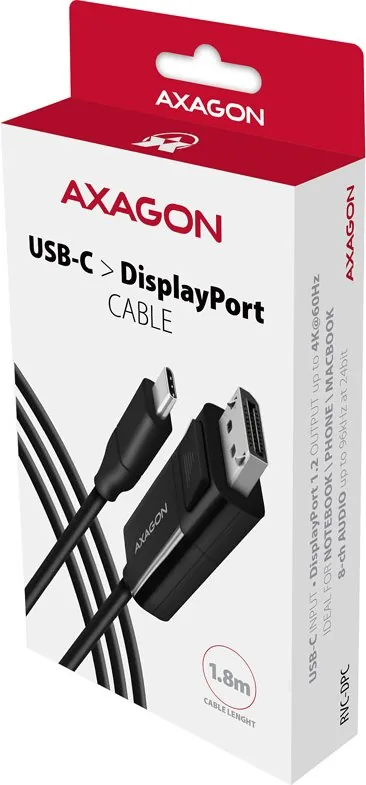
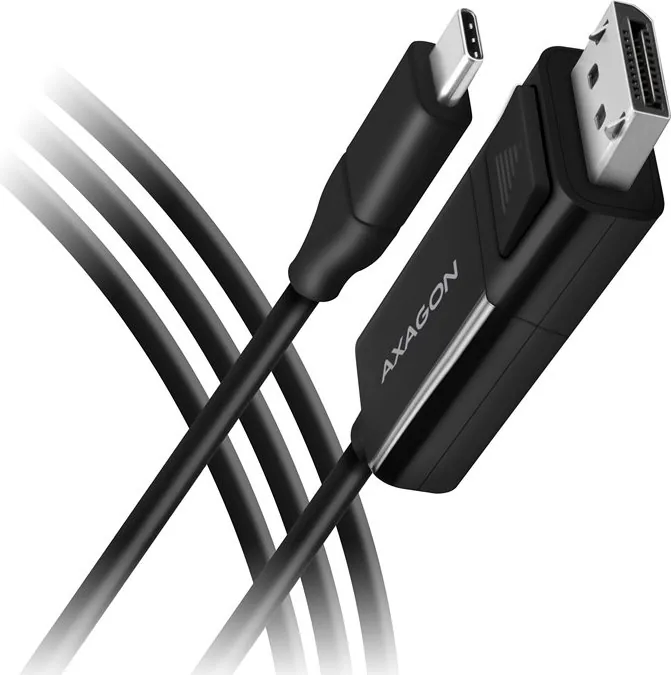
The AXAGON USB-C to DisplayPort 1.2 Connector Adapter Cable is a robust solution designed to bridge modern laptops and desktops with high-performance external monitors, TVs, or projectors. This 1.8-meter cable ensures you have ample reach while maintaining signal integrity for stunning visual experiences. Whether you are a professional needing an extended desktop for multitasking or a gamer seeking crisp visuals, this adapter delivers reliable performance without the hassle of complex setups.

Designed for seamless connectivity, the adapter supports resolutions up to 4096 x 2160 at 60Hz, including DCI 4K and UHD-1 standards. It also accommodates various ultrawide formats like UWQHD and Super Ultrawide configurations, making it versatile for different screen aspect ratios. The device features HDCP 2.2 support, ensuring compatibility with protected content from streaming services and Blu-ray players. Additionally, it handles 8-channel audio transmission up to 96kHz/24-bit, providing a complete multimedia experience directly through your display connection.

One of the standout features of this AXAGON product is its plug-and-play functionality. There is no need to install any drivers or software on Windows, Mac OS, Chrome OS, or Android devices. Simply connect the USB-C end to your computer's output port that supports DisplayPort Alternate Mode or Thunderbolt 3, and plug the DisplayPort connector into your display. The adapter draws power directly from the USB-C port, eliminating the need for an external power source. Users can easily switch between mirrored and extended desktop modes using the standard keyboard shortcut keys.

Please note that this video adapter operates in one direction only; it cannot transmit signals from a DisplayPort source to a USB-C input. Always ensure your computer's USB-C port supports video output before purchasing. With its durable construction and compliance with EU safety standards regarding electromagnetic compatibility and restricted hazardous substances, this adapter is built for long-term reliability in both home and office environments.

M: QW-35-FL

© Copyright 2026 Manual.ly