
AVM FRITZ!Powerline 510E 2-Pack Manual
PDF manual · 38 Pages
English



Quick check
Incorrect answer, please try again.
Chat with your AVM FRITZ!Powerline 510E 2-Pack manual using AI
Get instant AI answers from your AVM FRITZ!Powerline 510E 2-Pack manual
Ask anything about the AVM FRITZ!Powerline 510E 2-Pack. Answers come from this manual, with the pages they are based on.
Ask a Question
Do you recommend FRITZ!Powerline 510E 2-Pack?
Yes NoFrequently Asked Questions
The device supports powerline transmission speeds of up to 500 Mbit/s gross. This is sufficient for HD video, music, photos, and general internet surfing within your home network.
Is this answer helpful?
It is recommended to plug the powerline device directly into the wall outlet. If you must use a power strip, avoid one with surge protection and connect the device to the first socket near the cable.
Is this answer helpful?
Yes. The device uses AES 128-bit encryption. The adapters are pre-configured and encrypted upon delivery for secure communication over the electrical network.
Is this answer helpful?
You can press the Security button on the new device for one second. Then press the button on an existing device within two minutes to link them securely into the network.
Is this answer helpful?
Yes. Three LEDs indicate the status. One shows power, one shows LAN usage, and one shows the network connection. Flashing lights indicate security settings or restarts.
Is this answer helpful?
You can use the free AVM FRITZ!Powerline software to manage your network. It allows you to view connections and update firmware for the devices.
Is this answer helpful?
Advantages and Disadvantages
Advantages

- Easy plug and play setup without complex configuration
- Fast Ethernet ports support gaming and streaming devices
- AES 128-bit encryption ensures secure data transmission
- Compact size prevents blocking adjacent power sockets
- Compatible with various other Powerline classes including 500 and 1200
Disadvantages

- Speeds may drop if connected across multiple electrical phases
- Surge protected power strips can significantly reduce data performance
- Indoor use only makes it unsuitable for outdoor wiring
- LED lights may be too bright for sensitive sleeping areas
- Performance relies on the quality of existing electrical wiring
Product Specification
Type
Powerline Adapter (Standalone), Bundle
Form Factor
2x Wall Outlet Adapter
Interface
1x RJ-45 (10/100Base-T, 2 Devices)
Connection
1x HomePlug AV (2-68MHz, IEEE 1901, 2 Devices)
Transfer Rate
1x HomePlug AV (200/500Mbps, OFDM, 128-bit AES, 2 Devices)
Dimensions
2.28 x 2.68 x 1.22 in (WxHxD)
Weight
0.17 lbs
Compatibility
HomePlug AV
Features
Bundle (2x Powerline Adapter)
Manufacturer Warranty
2 Years
Product Description
A Complete Home Network Solution
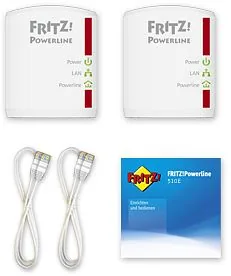
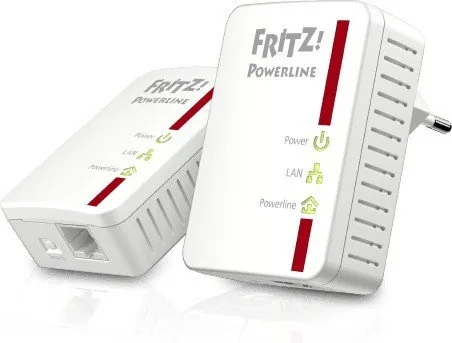
Connecting devices across your house can be difficult without wired Ethernet. The AVM FRITZ!Powerline 510E HomePlug AV Adapter 2-Pack solves this by using existing electrical wiring. This allows you to extend your internet connection to any room with a power outlet. The kit includes two adapters that transmit data at speeds up to 500 Mbit/s gross. This is enough for HD video streaming and gaming.
Installation and Setup
Setup is incredibly simple for anyone. You do not need technical skills. Just plug the first adapter into a wall socket near your router and connect it via a LAN cable. Plug the second adapter into another room and connect your PC or TV. The devices pair automatically and are encrypted for security. You can also use the Security button to manually pair devices if needed.
Network Management
Managing the network is easy with the AVM FRITZ!Powerline software. This tool shows all devices in your network. You can view connection data and encryption status. Firmware updates are also possible through this interface. It provides a clear overview of your home network health.
Optimization Tips
Powerline performance depends on your home wiring. Avoid using surge protected power strips as they block data signals. For best results, plug adapters directly into wall outlets. Keep away from high-power appliances like vacuum cleaners during transfer. Ensure you are on the same electrical phase for faster speeds.
Compatibility and Security
This device works with other Powerline adapters using IEEE P1901 standards. It uses AES 128-bit encryption for safety. LEDs display connection status clearly. It is designed for indoor use only. The compact design fits discreetly behind furniture. Overall, this kit is a robust way to expand network reach without new cables. The FRITZ!Powerline 510E features Fast Ethernet ports at 100 Mbit/s for local connections. This is suitable for smart TVs, game consoles, and NAS devices. The adapters consume very little power with idle consumption around 0.5 watts. Dimensions are small at 68 by 58 by 31 mm. This ensures they do not block adjacent sockets significantly.
Diagnostics data is sent to AVM support to improve future products. This helps in developing better optimizations and updates for the FRITZ!OS. Users benefit directly from these continuous improvements. If issues arise, service information is available on the official website. You can also access manuals and guides there. The product complies with European safety directives. Proper disposal is required under the Electrical and Electronic Equipment Act. Do not throw them in household waste. Bring them to local collection points. Cleaning should be done with a moist cloth while unplugged. Never open the housing as it poses a hazard. The device is intended for dry, dust-free places. Direct sunlight should be avoided.
In summary, expanding your LAN via power lines is a reliable method. The AVM FRITZ!Powerline 510E HomePlug AV Adapter 2-Pack delivers stable connectivity. It bridges the gap where Wi‑Fi signals are weak and cables are hard to run. With easy setup and security features, it is a top choice for home networking improvements worldwide.
Status Display
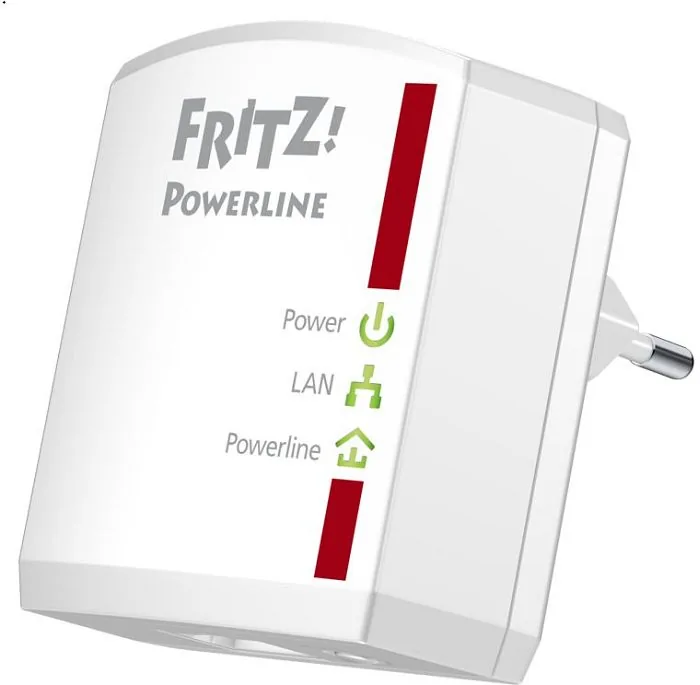
The status display features three LEDs to show connection status clearly. One indicator shows electrical power. Another indicates LAN port usage. The third shows powerline network connection readiness. Flashing lights mean security settings are being implemented. This helps users troubleshoot connection issues quickly without software. If the light is off, no power is detected.
Expansion Capabilities
Furthermore, the device supports integrating additional adapters easily. You can expand the network by pressing the Security button within two minutes. This keeps the process streamlined as you add more devices. It allows creating a mesh of connections throughout the property. You can switch LEDs off to reduce light pollution at night. This flexibility makes it suitable for bedrooms or living areas concerned about lighting.
Hardware Note
The AVM FRITZ!Powerline 200E HomePlug AV Adapter also exists for slower needs but this model is preferred. Compatibility with older generation hardware ensures longevity. This ensures you get the best performance for your modern needs.
Search for 67,732 Manuals online


Type-in Brand or Model
Stefan Weber
8 months ago
Does this Fritz!Powerline 510E adapter include Wi-Fi capabilities or is it strictly for LAN Ethernet connections?
Manual.ly
8 months ago
The Fritz!Powerline 510E is a LAN-only device. It extends your network via power lines but does not broadcast its own Wi-Fi signal. If you need wireless coverage in the target room, you must connect a router or access point to the LAN port, or purchase a Wi-Fi capable Powerline model like the 540E.