
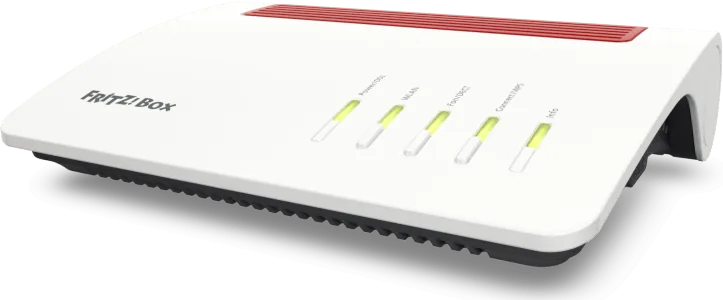
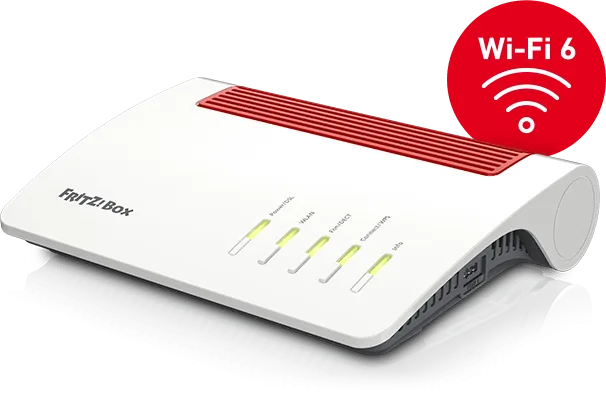
AVM FRITZ!Box 7590 AX Manual
PDF manual · 288 Pages
English



Quick check
Incorrect answer, please try again.
Chat with your AVM FRITZ!Box 7590 AX manual using AI
Get instant AI answers from your AVM FRITZ!Box 7590 AX manual
Ask anything about the AVM FRITZ!Box 7590 AX. Answers come from this manual, with the pages they are based on.
Ask a Question
Do you recommend FRITZ!Box 7590 AX?
Yes NoDo you recommend FRITZ!Box 7590 AX?
Yes NoFrequently Asked Questions
It supports ADSL2+, VDSL2 with vectoring and supervectoring, cable modems, fiber optic modems, and mobile networks via USB dongles or smartphones.
Is this answer helpful?
You can register up to six cordless DECT telephones simultaneously. It also supports analog phones, ISDN systems, and IP phones.
Is this answer helpful?
Yes, by connecting a USB hard drive to one of the two USB 3.0 ports, you can create a FRITZ!NAS for storing and sharing files across your network.
Is this answer helpful?
Yes, the FRITZ!Box 7590 AX supports WPA3 combined with WPA2, offering the highest level of security available for Wi-Fi connections.
Is this answer helpful?
Absolutely. You can register and control various Smart Home devices like smart plugs, radiator controls, and LED lights directly through the user interface.
Is this answer helpful?
You can restore factory settings using the physical reset button on the back of the device or via the telephone keypad if configured.
Is this answer helpful?
Yes, you can expand your network using Mesh technology with FRITZ!Repeaters or FRITZ!Powerline devices for seamless coverage.
Is this answer helpful?
Advantages and Disadvantages
Advantages

- Supports Wi-Fi 6 (AX) for faster speeds and better handling of multiple devices
- Integrated DECT base station supporting up to six cordless phones
- Versatile internet connection options including DSL, VDSL, Cable, Fiber, and Mobile
- Built-in FRITZ!NAS for easy file sharing and media streaming
- WPA3 encryption ensures top-tier security for wireless networks
Disadvantages

- No dedicated WAN port for separate modem connections without reconfiguration
- USB ports may not support all printer models out of the box
- Advanced features require a web browser and some technical knowledge to configure
- Base unit heats up during normal operation and requires clear air circulation
- Mobile network usage may have restrictions on incoming calls depending on provider
Product Specification
Modem
VDSL2/ADSL2+, Annex B/J/Q
Modem connection
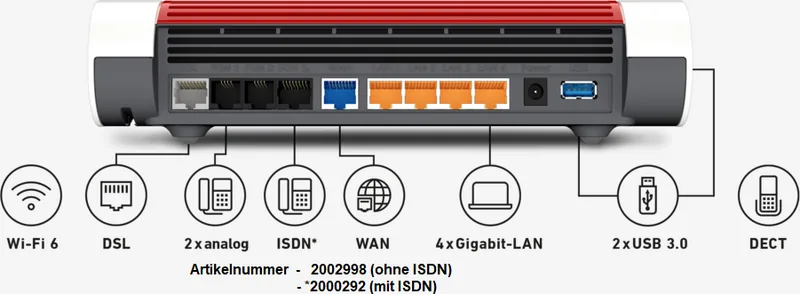
1x RJ-45
WAN
1x 1000Base-T
LAN
4x 1000Base-T
Wireless
WLAN 802.11a/g/n/ac/ax (Wi-Fi 6), simultaneous
Transmission rate
1148Mbps (2.4GHz), 2402Mbps (5GHz)
Security
WPA, WPA2, WPA2/WPA3-Transition Mode, WPS
Antennas
internal
Connections
2x USB-A 3.0
Power consumption
16W (consumption, operation), not specified (max. power supply rating)
Dimensions
9.84x7.28x1.89 inches
Features
MU-MIMO, WLAN on/off switch, VDSL2-Vectoring (Profile 17a), VDSL2-SuperVectoring (Profile 35b), TPC/DFS, VoIP, supports mobile modems (3G/4G), VPN passthrough (IPSec), IPv6, DLNA, Mesh (shared band)
Band capability
Dual Band (simultaneous), Mesh (shared band)
Manufacturer warranty
five years
Transmission rate 802.11ax (Wi-Fi 6 / Wi-Fi 6E) 2.4GHz
1148Mbps (Spatial Streams: 4x4, Bandwidth: 40MHz, Modulation: 1024-QAM)
Transmission rate 802.11ax (Wi-Fi 6 / Wi-Fi 6E) 5GHz
2402Mbps (Spatial Streams: 4x4, Bandwidth: 80MHz, Modulation: 1024-QAM)
Note
Specification of transmission rate for 802.11ax at 2.4GHz and 5GHz. 802.11ax (2.4GHz) 4x4 40MHz 1024-QAM: 1148Mbps, 802.11ax (5GHz) 4x4 80MHz 1024-QAM: 2402Mbps.
Product Description
AVM FRITZ!Box 7590 AX: The Ultimate Home Network Hub
The AVM FRITZ!Box 7590 AX represents a significant leap in home networking technology, combining high-speed internet connectivity with advanced telephony and smart home capabilities. Designed for modern households, this device serves as a central hub that manages DSL, VDSL, cable, fiber optic, and even mobile network connections seamlessly. Its support for Wi-Fi 6 (AX) ensures robust wireless coverage, allowing multiple devices to connect simultaneously without performance degradation.
Beyond just internet access, the FRITZ!Box 7590 AX functions as a comprehensive telephone system. It supports up to six cordless DECT phones, two analog devices, and ten IP phones, making it ideal for families or small offices. The integrated answering machine can save voicemails and forward them via email, while the built-in fax function eliminates the need for external hardware. For tech enthusiasts, the device includes USB 3.0 ports for connecting printers or storage drives, turning the router into a personal cloud server known as FRITZ!NAS.
Security is paramount with this unit. It features WPA3 encryption alongside WPA2, ensuring your data remains protected from unauthorized access. The user-friendly interface allows for easy configuration of parental controls, port sharing, and dynamic DNS settings. Whether you are setting up a mesh network to extend coverage throughout a large home or configuring complex VPN remote access, the FRITZ!Box 7590 AX provides the tools needed for a stable and secure digital environment.
Key Features Overview
This router excels in versatility. It can be connected directly to telephone jacks for DSL/VDSL lines or linked to cable modems, fiber optics, and existing routers. The device also supports mobile broadband via USB dongles or smartphone tethering, providing internet redundancy. Smart Home integration allows users to control radiators, switches, and lights through the FRITZ!OS ecosystem, creating an automated and energy-efficient living space.
Notes for Users
- Always ensure proper ventilation to prevent overheating during operation.
- Use the provided power adapter only to maintain warranty validity.
- Regularly update the FRITZ!OS to benefit from the latest security patches and features.
Search for 67,732 Manuals online


Type-in Brand or Model