
Avantree Resolve Manual
PDF manual · 1 Pages
English


Quick check
Incorrect answer, please try again.
Chat with your Avantree Resolve manual using AI
Get instant AI answers from your Avantree Resolve manual
Ask anything about the Avantree Resolve. Answers come from this manual, with the pages they are based on.
Ask a Question
Do you recommend Resolve?
Yes NoFrequently Asked Questions
Plug the 3.5mm audio connector into the PC’s headphone/microphone jack (or use a compatible adapter). Then open Windows Sound Settings, select the headset as the input and output device, and adjust volume levels as needed.
Is this answer helpful?
Increase bass using your PC’s equalizer or the playback app’s audio settings. Some apps offer presets (Bass Boost) that enhance low frequencies. Also ensure the headset is worn properly and the ear cushions seal around the ear.
Is this answer helpful?
Yes. The Avantree Resolve includes in-line controls for volume and microphone mute, plus an integrated microphone designed for clear voice capture during calls and meetings.
Is this answer helpful?
No special drivers are typically required. The headset uses a standard analog connection and should work as a plug-and-play device. If issues occur, check Sound Settings and update your audio drivers via Device Manager.
Is this answer helpful?
Visit Avantree’s support page at avantree.com/support/resolve for troubleshooting steps, FAQs, and additional resources. Contact options and guides are available if you need further assistance.
Is this answer helpful?
Advantages and Disadvantages
Advantages

- Plug-and-play wired connection with low latency and no pairing required.
- Comfort-focused design with soft ear cushions and adjustable headband.
- Clear voice emphasis ideal for calls, meetings, and spoken content.
- In-line controls for convenient volume and microphone management.
- Multilingual quick-start guidance and accessible online support.
Disadvantages

- Wired connection restricts mobility compared to wireless options.
- Bass response may be limited without EQ adjustments.
- Requires 3.5mm jack or adapter for some modern devices.
- Less feature-rich than premium headsets (no ANC, limited sound customization).
- Physical cable can be prone to wear over long-term heavy use.
Product Specification
Design
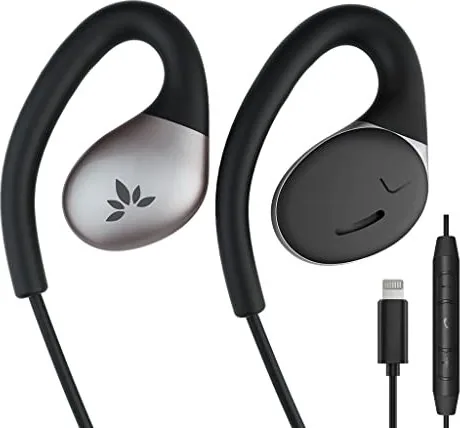
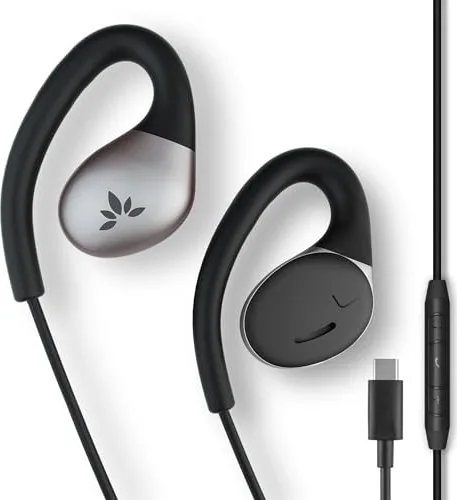
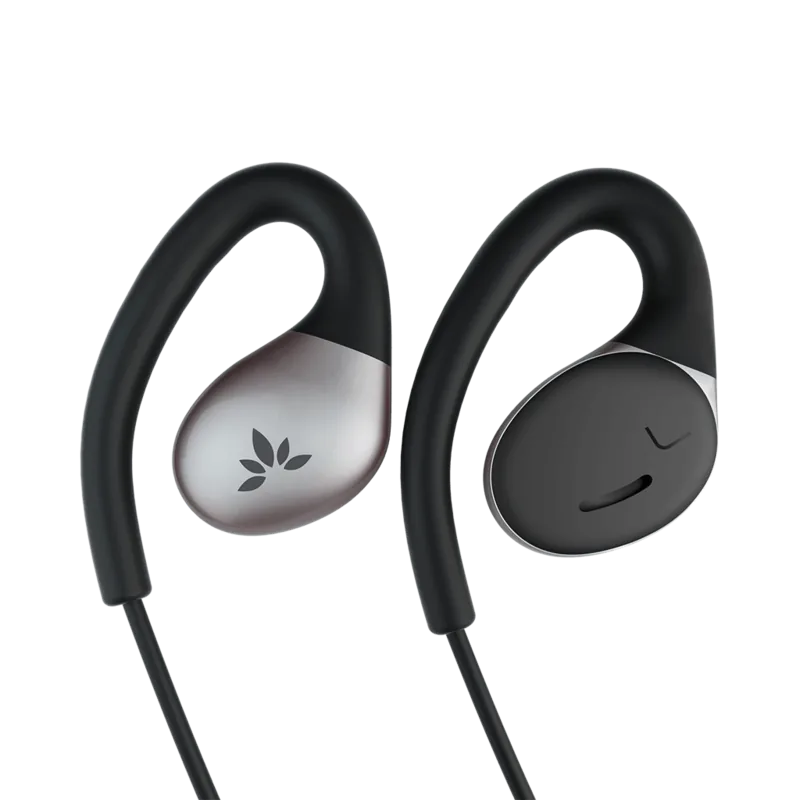
Earphones (Open-Ear)
Wearing style
Ear-hook
Acoustic design
open
Microphone
In-line microphone
Wireless
no
Cable
47.24 in
Controls
3-button remote control
Frequency range
20Hz-20kHz
Impedance
23 ohm
Sensitivity
117dB
Color
black, silver
Weight
0.05 lb
Product Description
Avantree Resolve — Clear, Comfortable Listening
The Avantree Resolve is a wired headset designed for everyday use, offering reliable audio performance, simple setup, and user-focused comfort. Lightweight and practical, it’s tailored for work calls, online meetings, language learning, and casual media playback. Its streamlined design makes it easy to connect to Windows PCs and other devices via a standard wired connection, minimizing latency and removing the need for pairing or batteries.
Ergonomics are a priority: soft ear cushions and an adjustable headband help maintain comfort during extended wear. The earcups are shaped to reduce pressure while still providing a secure fit. Built-in in-line controls allow quick access to volume adjustment and microphone mute, so users can manage calls and audio without fumbling with their device.
Sound is balanced for voice clarity, which benefits conferencing and spoken-word content. While the Resolve emphasizes mids and treble for intelligibility, it also delivers a reasonable low end for music and videos. If users desire stronger bass, simple EQ adjustments on the PC or playback app can enhance low-frequency response.
Setup is straightforward for Windows: plug the 3.5mm connector into the PC’s audio jack (or use an adapter where needed), select the headset as the input/output device in system sound settings, and adjust levels. The wired connection ensures stable audio without dropouts, making the Resolve a dependable choice for remote work, virtual classrooms, and long-form listening.
The Avantree Resolve is also service-friendly: troubleshooting tips and FAQs are available from Avantree’s support resources, and the product includes multilingual quick-start guidance to help users get going quickly. Overall, the Resolve is a practical, no-fuss headset that focuses on comfort, clear voice reproduction, and ease of use for everyday audio tasks.
Notes
- Use system EQ or playback app settings to boost bass if desired.
- Confirm the correct input/output device in Windows sound settings after connecting.
- Visit avantree.com/support/resolve for additional assistance and FAQs.
Search for 67,706 Manuals online


Type-in Brand or Model