
Avantree Orbit Pro Manual
PDF manual · 22 Pages
English



Quick check
Incorrect answer, please try again.
Chat with your Avantree Orbit Pro manual using AI
Get instant AI answers from your Avantree Orbit Pro manual
Ask anything about the Avantree Orbit Pro. Answers come from this manual, with the pages they are based on.
Ask a Question
Do you recommend Orbit Pro?
Yes NoVideo Manual
Orbit Pro Video Guide - New Bluetooth Audio Transmitter & Receiver for TV
Frequently Asked Questions
Connect via HDMI ARC (recommended), optical (TOSLINK), 3.5mm AUX, or RCA using the included cables or adapters. Set the input switch to match the chosen connection and adjust your TV audio output (PCM/stereo) if using optical or HDMI ARC.
Is this answer helpful?
Yes. The Orbit Pro supports connecting two Bluetooth headphones or speakers simultaneously. Put the second headset into pairing mode, press the Orbit’s search, select the device on the LCD, and confirm connection. Note: some earbuds may not support dual mode reliably.
Is this answer helpful?
Audio delay occurs when devices don’t share a low-latency codec. Use headphones that support aptX Low Latency or FastStream and ensure the Orbit Pro is using the matching codec. True wireless earbuds often lack these codecs, so delays may persist with them.
Is this answer helpful?
Bypass lets you output audio to both Bluetooth headphones and an external speaker or soundbar simultaneously. It only works when input and output use the same connection type (e.g., optical in and optical out or AUX in and AUX out). It is not supported when connected via HDMI ARC.
Is this answer helpful?
The Orbit Pro requires 5V USB power (DC 5.0V / 500mA–2A). You can use your TV’s USB port (recommended for auto power on/off) or a standard phone USB adapter. Contact support if you need a complimentary adapter in some regions.
Is this answer helpful?
After initial pairing devices typically reconnect automatically when both are on. If not, use the Orbit’s device list on the LCD: select the device and press the connect button. To clear pairing history, hold volume buttons for 5 seconds.
Is this answer helpful?
The Orbit Pro supports audio formats like Dolby/DTS and PCM/LPCM for optical inputs, and Bluetooth codecs including aptX Low Latency, FastStream, aptX, and SBC. Actual performance depends on the connected devices’ supported codecs.
Is this answer helpful?
Advantages and Disadvantages
Advantages

- Supports HDMI ARC, optical, AUX and RCA for wide TV compatibility.
- AptX Low Latency and FastStream reduce lip-sync delay with compatible headphones.
- Can pair two Bluetooth headphones simultaneously for shared listening.
- Pass-through (bypass) lets speakers and headphones play concurrently when using matching ports.
- Functions as transmitter (TX) and receiver (RX) to add Bluetooth to many devices.
Disadvantages

- Bypass only works with identical port types; HDMI ARC bypass is not supported.
- Low-latency benefits require compatible headphones; many true wireless earbuds lack support.
- Some TVs disable optical when HDMI ARC is active, requiring manual audio setting changes.
- May need phone charger/USB adapter if TV USB power is unavailable or insufficient.
- Certain wireless earbuds and devices may not work well with dual-pairing or reconnect.
Product Specification
Type
Transmitter & Receiver
Signal Transmission
Bluetooth 5.0
Range
164.04 ft
Connections
Digital Audio In (optical), Digital Audio Out (optical), AUX In (3.5mm jack), Stereo Line Out (3.5mm jack), HDMI In
Power Supply
USB-C
Features
aptX, aptX LL, Multipoint
Dimensions
3.35x3.94x3.15in (WxHxD)
Weight
0.50 lb
Product Description
Avantree Orbit Pro — Powerful, Flexible Bluetooth Audio Hub
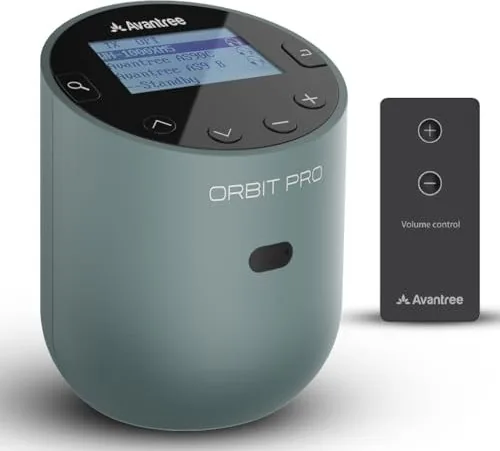
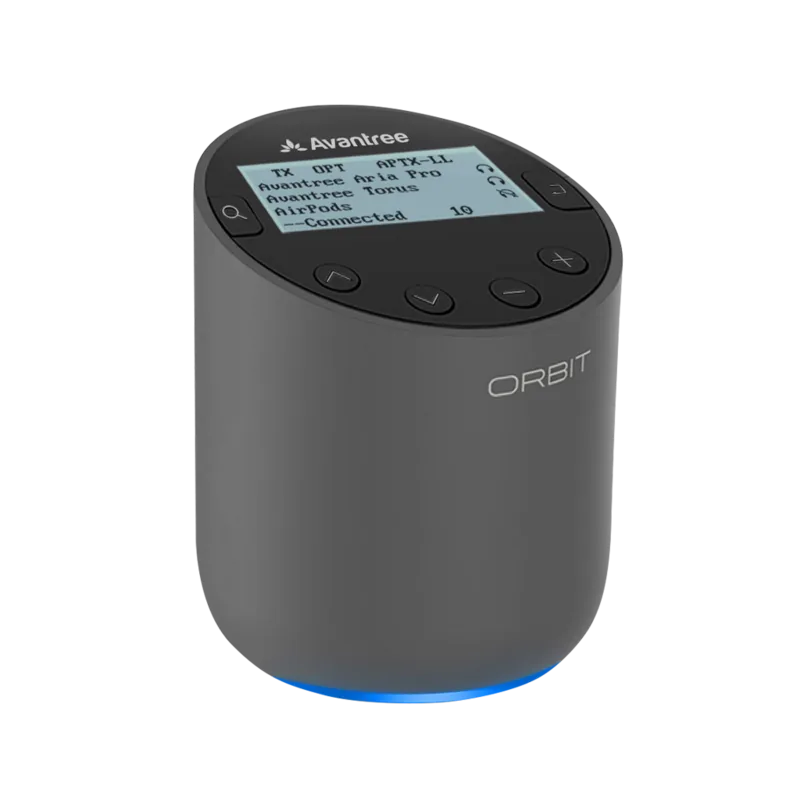
The Avantree Orbit Pro is a versatile Bluetooth transmitter and receiver designed to bridge modern wireless headphones and older audio systems. Built for TV viewers, gamers, and audio enthusiasts, it supports multiple input and output types (HDMI ARC, optical, AUX, RCA) and offers low-latency codecs so audio stays in sync with on-screen action. A clear LCD, tactile controls, and an included remote make switching modes, selecting devices, and adjusting volume straightforward.
As a transmitter (TX), the Orbit Pro connects to a TV via HDMI ARC, optical, or analog outputs and streams audio to one or two Bluetooth headphones or speakers at once. It supports aptX Low Latency and FastStream to minimize lip-sync delay when paired with compatible headsets. The device also offers a pass-through (bypass) function so you can simultaneously play audio to your TV speakers or an external soundbar while listening on headphones — handy for family viewing without disturbing others.
In receiver (RX) mode the Orbit Pro accepts Bluetooth from phones, tablets, or computers and outputs to non‑Bluetooth speakers or sound systems. This turns older stereo setups into wireless endpoints. The unit runs on 5V USB power (TV USB or phone charger), and the compact housing fits easily near TVs and audio racks.
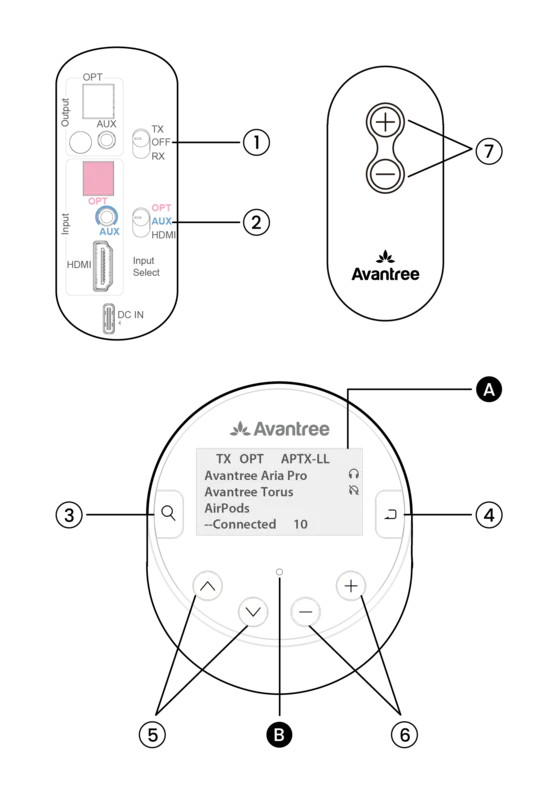
The Orbit Pro’s pairing process is simple: place headphones in pairing mode, press the Orbit’s search button, and select the device from the LCD menu. It stores pairing history and can reconnect automatically. The remote controls volume and pairing, and the front-panel display shows input, codec, and connection status. Additional touches include support documentation, QR-guides for TV audio settings, and responsive customer support contact options.
Practical use cases include latency-sensitive TV watching with aptX-LL headphones, adding Bluetooth input to legacy speakers, connecting two listeners simultaneously, and routing audio through a dedicated soundbar while allowing private headphone listening.
Notes
- For lowest latency, use headphones that support aptX Low Latency or FastStream. Many true wireless earbuds do not support these codecs.
- HDMI ARC is recommended but may disable other digital outputs on some TVs; check TV audio settings and set output to PCM/stereo if needed.
- Bypass (pass-through) requires matching port types: optical-to-optical or AUX-to-AUX; bypass isn’t possible when using HDMI ARC.
- Power via TV USB is convenient for auto on/off; alternatively use a 5V/500mA–2A USB adapter.
Search for 67,706 Manuals online


Type-in Brand or Model