
Avantree NB16 Manual
PDF manual · 9 Pages
English


Quick check
Incorrect answer, please try again.
Chat with your Avantree NB16 manual using AI
Get instant AI answers from your Avantree NB16 manual
Ask anything about the Avantree NB16. Answers come from this manual, with the pages they are based on.
Ask a Question
Do you recommend NB16?
Yes NoFrequently Asked Questions
From power-off status, press and hold the power/pair button for about 5 seconds until the LED flashes blue and red alternately. For first-time use it may enter pairing mode automatically after powering on.
Is this answer helpful?
Charging takes about 2 hours. Use a USB wall charger or computer USB port with DC 5V / 0.5–2A output. The LED stays red while charging and turns off when charging is complete.
Is this answer helpful?
With the NB16 powered on, press and hold the specified two buttons together for about 5 seconds until the LED lights blue and red simultaneously (appears pink). The headset will power off, indicating pairing history cleared.
Is this answer helpful?
On PC, set Avantree NB16 as the default audio playback and hands-free microphone device. For TV via Bluetooth transmitter, ensure the TV audio format is PCM/LPCM or external speaker/headset mode and both transmitter and headset are in pairing mode.
Is this answer helpful?
RED blinking indicates low battery, steady RED means charging, alternating BLUE and RED means ready to pair, BLUE flashing twice every 5s means connected, and BLUE once every 5s means not connected. Voice prompts also confirm connection and low battery.
Is this answer helpful?
Yes. When turned on, the NB16 normally reconnects automatically to the last paired device. If it does not, tap the headset once or connect manually from your device's Bluetooth menu.
Is this answer helpful?
Avoid prolonged high-volume listening to prevent hearing damage, keep electronic parts away from moisture and extreme heat, follow disposal guidelines, and observe RF exposure guidance by maintaining at least 20 cm between the device and your body while transmitting. The product complies with FCC and CE requirements.
Is this answer helpful?
Advantages and Disadvantages
Advantages

- Comfortable neckband with secure ear fins for stable, extended wear.
- Easy one-touch controls for playback, volume, and call handling.
- Straightforward Bluetooth pairing with automatic reconnection to last device.
- Clear LED and voice prompts for status, charging, and connectivity.
- Fast charge via common 5V USB sources; about 2 hours to full charge.
Disadvantages

- Supports only two mobile devices concurrently; not compatible with PC/transmitter pairing limits.
- No mention of advanced codecs or high-resolution audio support.
- Basic feature set; lacks noise cancellation and premium extras.
- LED-only status indicators may be confusing without referencing patterns.
- Small parts and waterproof limits require careful handling.
Product Specification
Design
Earbuds (In-Ear)
Form Factor
Ear wings (detachable), without ear hooks, Neckband
Acoustic Design
closed
Microphone
Cable microphone
Wireless
Bluetooth 5.0
Control
3-button remote control
Operating Time
20h
Battery
USB Micro-B Charging Port
Color
black
Weight
0.22 lb
Product Description
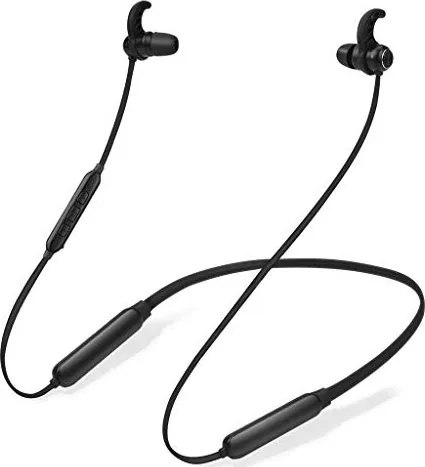
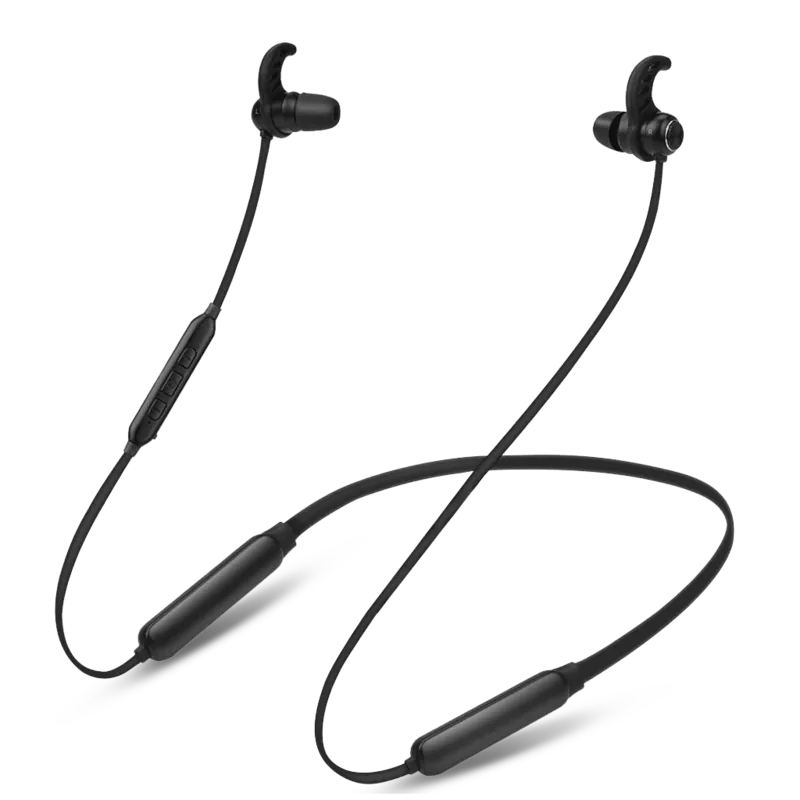
Avantree NB16 — Comfortable Bluetooth Neckband Headphones
The Avantree NB16 is a lightweight wireless neckband headphone set designed for everyday listening, calls, and on-the-go use. Featuring secure ear fins and a flexible neckband, the NB16 balances comfort and stability for workouts, commuting, and extended wear. Its controls are easy to reach for play/pause, track skip, volume adjustment, and call handling, making single-handed operation simple.
Connectivity is handled via Bluetooth with straightforward pairing and automatic reconnection to the last paired device. The NB16 supports multi-device pairing (up to two mobile devices) and indicates status with clear LED signals and voice prompts. Battery and charging behaviors are intuitive: the LED shows charging and low-battery states, and a full recharge takes roughly two hours using a standard 5V USB source.
The NB16 includes call features such as answer/end, reject, and voice dial depending on phone capabilities. It also provides troubleshooting tips for common issues like pairing failures, PC audio routing, and TV transmitter compatibility — including guidance to set TV audio to PCM/LPCM or external speaker mode when using optical outputs. For stubborn pairing problems, recommendations include toggling device Bluetooth, removing the NB16 from device lists, clearing pairing history on the headset, and performing a reset via charging or specific button sequences.
Attention to safety and compliance is noted: volume warnings to prevent hearing damage, cautions about small parts and moisture exposure, and regulatory conformity with FCC and CE standards. The manual also covers proper disposal and RF exposure guidance (keep at least 20 cm from the body when transmitting).
Overall, the Avantree NB16 presents as a no-frills, practical neckband headset emphasizing comfort, reliable Bluetooth performance, and easy controls for everyday audio and call needs.
Notes
- LED colors and flashing patterns indicate power, pairing, connection, charging, and low-battery states.
- Pairing mode is entered by holding the power/button for about 5 seconds until the LED flashes blue and red alternately.
- Clear pairing history by holding the specified buttons until LED shows blue and red (appears pink) then powers off.
- Charge with DC 5V / 0.5–2A USB source for about 2 hours.
- Designed to reconnect automatically to the last paired device; supports two mobile devices concurrently.
Search for 67,706 Manuals online


Type-in Brand or Model