

Avantree Ensemble Manual
PDF manual · 1 Pages
English


Quick check
Incorrect answer, please try again.
Chat with your Avantree Ensemble manual using AI
Get instant AI answers from your Avantree Ensemble manual
Ask anything about the Avantree Ensemble. Answers come from this manual, with the pages they are based on.
Ask a Question
Do you recommend Ensemble?
Yes NoFrequently Asked Questions
The system supports Optical, AUX 3.5mm, and RCA AUDIO OUT connections to work with most modern televisions. You can choose the port available on your TV for the setup process.
Is this answer helpful?
If you have no sound, check the TV audio settings in the menu. Switch the digital audio format to PCM or Stereo on your remote control. This setting change often resolves compatibility noise issues.
Is this answer helpful?
Included items are the transmitter, headphones, charging dock, micro USB cable, and extra ear pads. Additional cables like AUX or Optical are also part of standard packaging depending on the set.
Is this answer helpful?
Yes, you can purchase the AS50 second pair of headphones for synchronized listening. This allows a partner to join you for private audio experiences without disturbing others in the room.
Is this answer helpful?
Use a soft cloth to wipe the exterior of the headband and ear pads. Ensure liquid does not enter the speaker area. Replaceable ear pads can be swapped if they become worn out over time.
Is this answer helpful?
You can register your product at avantree.com/product-registration to activate warranty benefits. Make sure to keep your purchase invoice safe for future reference regarding returns.
Is this answer helpful?
Yes, support is available in English through various contact channels. You can visit the support website or call dedicated phone lines in the US, UK, and other regions listed on their contact page.
Is this answer helpful?
Advantages and Disadvantages
Advantages

- Supports multiple connection types for various TV models including Optical and RCA.
- Includes rechargeable charging dock for convenient power management of devices.
- Comfortable ear pads are replaceable for long-lasting use and comfort.
Disadvantages

- Requires specific PCM audio settings to prevent noise issues on some TVs.
- HDMI extractor sold separately for older TV setups that lack standard ports.
- Pairing steps may require patience for first-time users to establish connection.
Product Specification
Type
Headphones (Over-Ear)
Form
Headband
Technology
Closed
Microphone
Integrated
Connectivity
3.5mm Jack, Digital Audio In (optical), Stereo Line In (RCA)
Wireless
Bluetooth 5.0, aptX, aptX LL
Cable
Single-sided, Detachable
Controls
3-button Remote
Battery Life
35h
Battery
Proprietary Charging Port, Charging Dock
Device Features
Rotating Ear Cups
Special Features
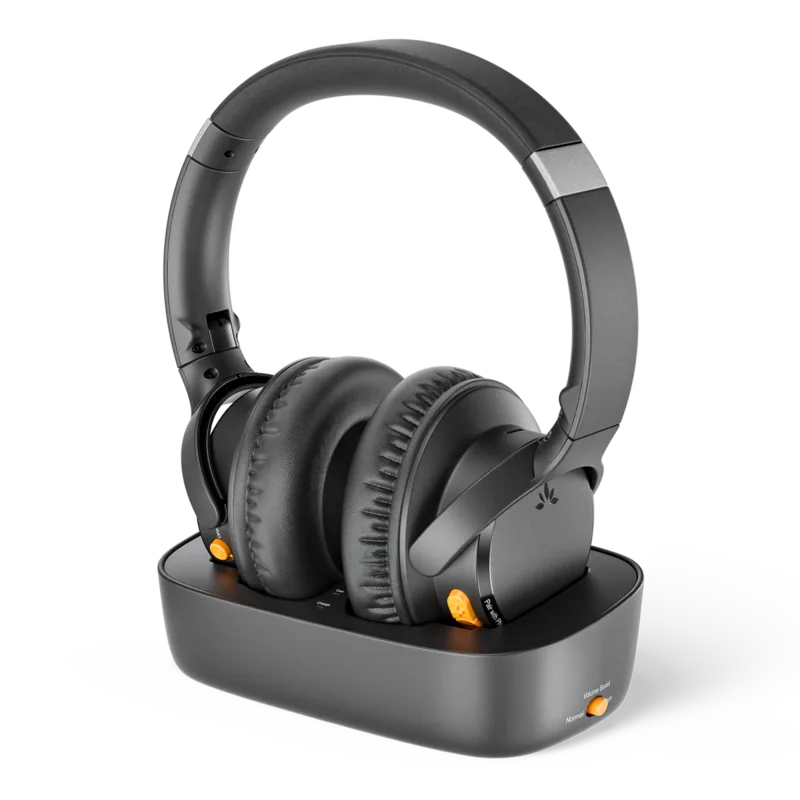
Includes base station
Color
Black
Weight
0.52 lbs
Product Description
Welcome to Private TV Viewing
The Avantree Ensemble Experience Defined
The Avantree Ensemble system revolutionizes home theater audio by allowing users to listen privately without headphones affecting others in the house. This wireless headset solution connects directly to your television, offering crystal clear sound that does not disturb family members sleeping in adjacent rooms. Whether you enjoy late-night movies or morning news, the clarity provided ensures every dialogue is crisp and easy to understand.
Flexible Connection Options Explained
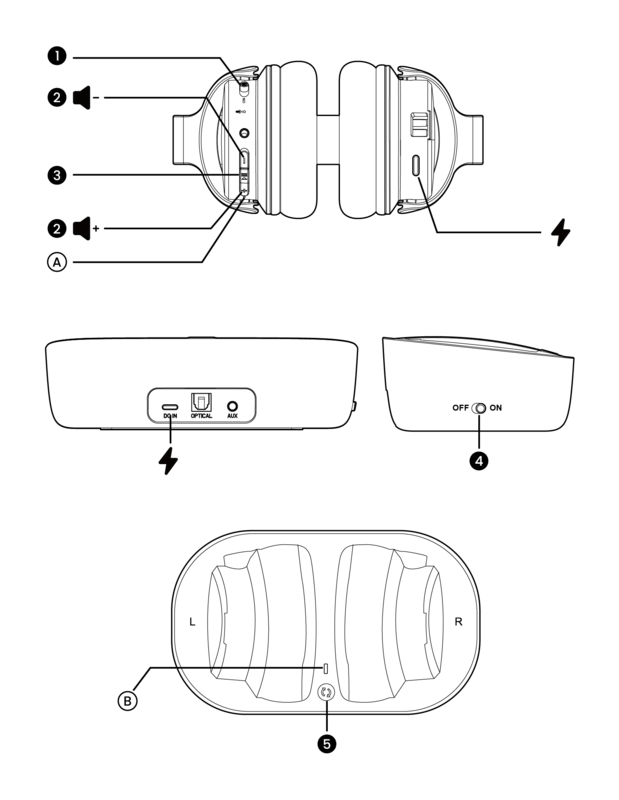
Most modern televisions offer various audio output ports to accommodate different setups effectively. The Ensemble supports Optical, AUX, and RCA connections seamlessly. This versatility means compatibility extends across major brands like Samsung, LG, and Sony without extra hardware purchases. Setup involves a simple transmitter plugged into your TV. Once paired, your headset becomes the primary speaker system instantly. You can toggle between different input methods easily depending on your receiver.
Powerful Charging and Comfort Features
Battery life is crucial for uninterrupted viewing sessions throughout long weekends or marathon events. The charging dock keeps your transmitters and headphones ready when needed most. Extra ear pads included in the box ensure long-term comfort during extended usage periods. Replaceable parts mean this investment lasts longer than standard wireless pairs found in many consumer stores today.
Accessories Enhance Overall Functionality
Optional add-ons like the HDMI audio extractor convert digital signals for older setups that lack standard ports. A second headphone pair allows synchronized listening with a partner for shared entertainment experiences safely. Support resources are accessible online for quick troubleshooting regarding sound or pairing issues efficiently.
Key Considerations For Users
Ensure your TV output is set to PCM or Stereo within settings for best results always. Some digital outputs require specific formatting to prevent audio dropouts during playback. Always check the specific manual for region-specific warranty info to protect your purchase properly.
Troubleshooting Steps If Needed
Users often encounter connection problems if audio settings are incorrect initially. If sound fails, check the digital audio format on your remote control panel. Switching from Dolby to Stereo PCM often resolves noise issues completely. Online video tutorials assist with step-by-step installation processes accurately. Visit the support page for detailed instructions on pairing failure scenarios.
Product Specifics
The main model number is BTHT-5150. It utilizes a wireless transmitter with a charging point. The headset charges via micro USB cable included in the accessory box. This ensures reliable power management over long usage periods consistently.
Final Thoughts on Quality
Buying the right audio gear impacts your entire living environment significantly. This system offers a practical alternative to noisy Bluetooth speakers available today. It bridges the gap between personal comfort and public audio needs efficiently. Installation is straightforward for most users without professional help. Customer service contacts are listed for multiple regions globally. This ensures help is available regardless of your location worldwide.
Search for 67,706 Manuals online


Type-in Brand or Model