
Avantree Aria Manual
PDF manual · 6 Pages
English



Quick check
Incorrect answer, please try again.
Chat with your Avantree Aria manual using AI
Get instant AI answers from your Avantree Aria manual
Ask anything about the Avantree Aria. Answers come from this manual, with the pages they are based on.
Ask a Question
Do you recommend Aria?
Yes NoFrequently Asked Questions
Enter pairing mode by holding the power switch for 3 seconds until the LED flashes blue and red. Turn on Bluetooth on your smartphone or computer and select Avantree AS90 to connect.
Is this answer helpful?
Yes, turn on NFC on your Android smartphone (4.1 or later). Power on the headset and touch the phone against the headphones N-mark to complete pairing automatically.
Is this answer helpful?
Yes, but you must power the headphones on first. The controls and microphone do not work in wired mode, but the Active Noise Cancellation can remain active if power is on.
Is this answer helpful?
These headphones offer up to 35 hours of continuous music playback time on a single charge. Charging takes approximately 2 hours using a standard USB port or wall charger.
Is this answer helpful?
Turn on the headset in a non-calling status. Press and hold the power and button for 5 seconds until the LED blinks pink. The headphones will enter pairing mode automatically.
Is this answer helpful?
The device supports SBC audio format. It also supports aptX, aptX-LL, and aptX-HD for higher quality wireless transmission on compatible devices.
Is this answer helpful?
Check if the device is set as the default output on your PC. Ensure Bluetooth transmitter and headphones are connected. Check TV audio settings to PCM or external speakers for TV use.
Is this answer helpful?
Advantages and Disadvantages
Advantages

- Up to 35 hours of continuous music playback time for extended listening sessions without interruption.
- Active Noise Cancellation allows users to silence background noise with a simple switch activation.
- Support for aptX-HD and aptX-LL audio codecs ensures high quality wireless audio transmission.
- NFC one-touch pairing feature enables rapid connection with compatible Android devices quickly.
- Wired mode option available using the included 3.5mm cable for non-Bluetooth devices.
Disadvantages

- Control buttons and microphone do not function when connected in wired mode only.
- ANC feature will not work if the battery level is too low to support the function.
- Bluetooth effective range is limited to approximately 10 meters with line of sight.
- Voice prompts must be manually disabled via buttons if the user prefers quiet operation.
- Pairing history must be cleared manually if the device fails to reconnect to a phone.
Product Specification
Type
Headphones (Over-Ear)
Form Factor
Headband
Technology
Closed
Microphone
Boom mic (detachable), integrated
Connection
0.14 inch Jack
Wireless
Bluetooth 5.0, NFC, Multipoint
Cable
Single-sided, detachable
Controls
3-button remote, mute button
Battery Life
20h (with ANC), 30h (without ANC)
Frequency Range
20Hz-20kHz
Impedance
32 ohms
Drivers
1.57 inches
Device Features
Active Noise Cancellation (ANC), swivel earcups, foldable
Color
Black
Weight
0.51 lbs
Product Description
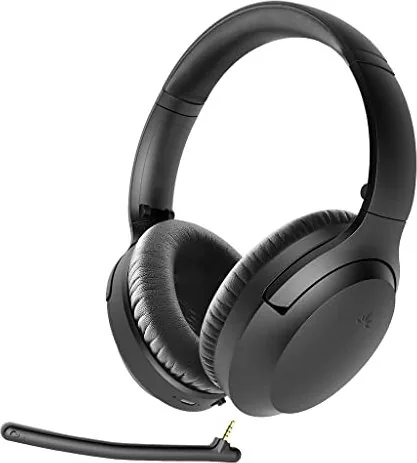
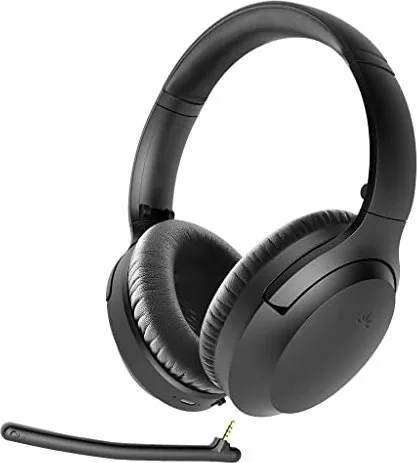
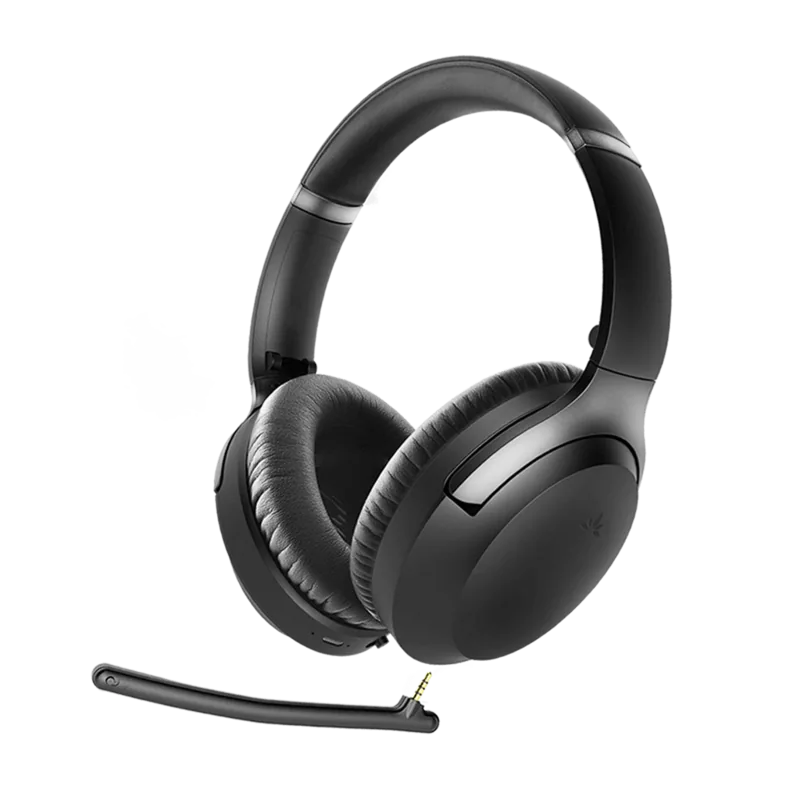
Discover the Avantree Aria Wireless Headphones
Experience immersive sound with the Avantree Aria Stereo Wireless ANC Headphones. Designed for comfort and longevity, this device offers a robust audio solution for daily commuters and audiophiles alike. The 40mm drivers deliver deep bass and clear highs, ensuring every note comes through distinctly across a broad frequency response of 20Hz to 20KHz. Support for advanced audio formats like aptX-HD ensures minimal latency and superior clarity during wireless transmission. Users will appreciate the versatility these headphones bring to their listening experience.
Noise Cancellation Technology
Silence the world around you with Active Noise Cancellation. Activate the ANC switch to engage the feature after powering on. A green LED indicator confirms activation. Slide the slider opposite to deactivate, turning the light OFF. Please note that ANC will not function if the battery is critically low. For users who prefer wired setups, you can connect via the 3.5mm audio cable. Just remember that the controls and microphone do not function in wired mode unless the device is powered on separately. If you use ANC in wired mode, turn the headphones on first. This flexibility ensures you are never without audio regardless of your power source or cable availability.
All-Day Battery Life
One of the standout features is the exceptional battery life. You can enjoy up to 35 hours of continuous music playback on a single charge. Recharging is straightforward using the included micro USB cable, taking approximately two hours to reach full capacity. A red blinking LED warns you when power levels are low. While charging, the red light remains on until complete. You can recharge via a wall charger or powered USB port efficiently.
Seamless Connectivity
Connecting to your devices is effortless thanks to Bluetooth V4.1 support. Pair with Android smartphones using the NFC one-touch feature. Simply place the phone near the headphone N-mark if NFC is active and the screen is unlocked. Alternatively, select Avantree AS90 in your Bluetooth settings. The headphones reconnect automatically to the last paired device within 10 seconds of power-on. If connection fails, delete the device from history and pair again.
Call and Music Controls
Manage calls and tracks easily with dedicated buttons. Press once to answer or pause music. Hold for two seconds to reject calls or skip tracks. Mute the microphone on the headset or boom mic during active calls by pressing specific keys. Voice prompts assist you, though they can be turned off.
Important Operating Notes
- Voice prompts can be disabled by holding specific buttons for one second.
- To clear pairing history, power on and hold buttons for five seconds until the LED blinks pink.
- The effective range is approximately 10 meters with line of sight.
- Product weight is 230 grams for balanced portability.
- Ensure you set the device correctly in system settings for voice over IP calls.
- Check the specific audio output format on TVs if using a Bluetooth transmitter.
Enjoy high-quality audio without wires while maintaining control over your music and calls with intuitive button controls. Always read the full user guide to maximize the longevity and performance of your equipment.
Search for 67,706 Manuals online


Type-in Brand or Model