
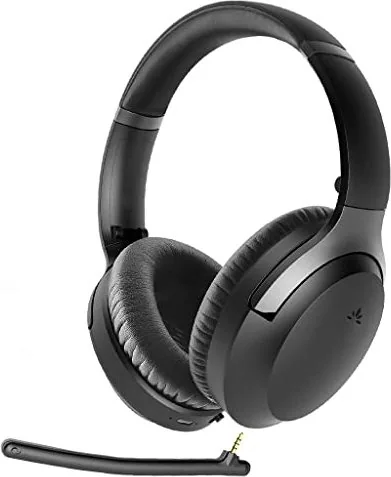
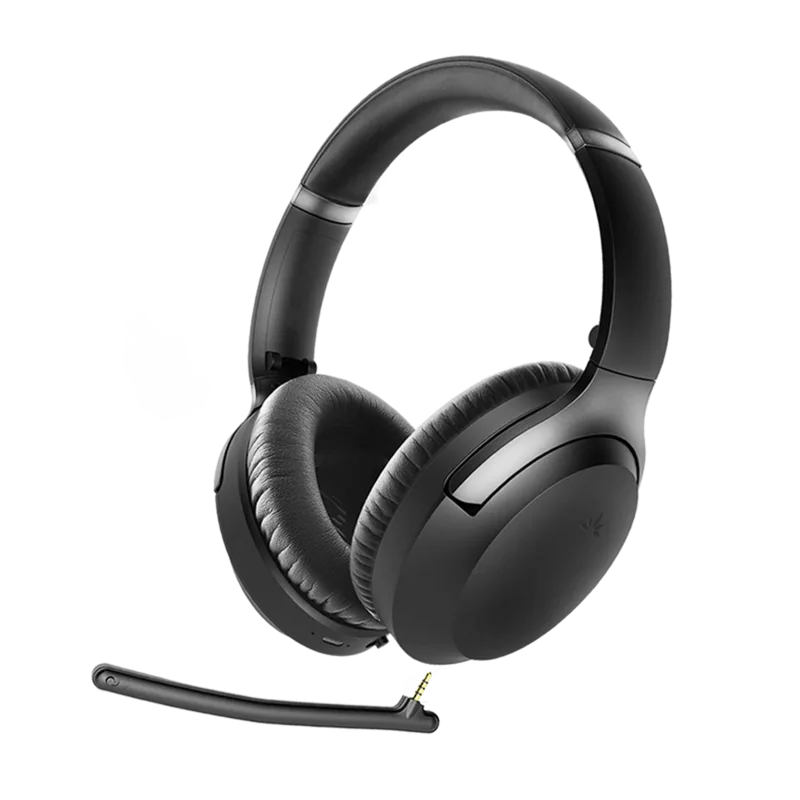
Avantree Aria Pro Manual
PDF manual · 7 Pages
English



Quick check
Incorrect answer, please try again.
Chat with your Avantree Aria Pro manual using AI
Get instant AI answers from your Avantree Aria Pro manual
Ask anything about the Avantree Aria Pro. Answers come from this manual, with the pages they are based on.
Ask a Question
Do you recommend Aria Pro?
Yes NoFrequently Asked Questions
Enter pairing mode via the power switch and connect to the first device. Repeat the process for the second device. Power off and restart the headphones to switch automatically between them.
Is this answer helpful?
The headphones support SBC, aptX, aptX-LL, and aptX-HD audio codecs. Ensure your source device also supports these formats for high-definition transmission.
Is this answer helpful?
Turn on the headset and hold the volume up and down buttons for five seconds until the LED blinks pink. The device will then enter pairing mode automatically.
Is this answer helpful?
No, NFC quick pairing is supported for Android devices running version 4.1 or later. You must use Bluetooth settings for iOS connection.
Is this answer helpful?
Yes, you can use ANC in wired mode, but you must power on the headset first before connecting the audio cable. The LED indicator will turn green when active.
Is this answer helpful?
A full charge takes approximately two hours. The LED indicator remains red during charging and turns off when the battery is full.
Is this answer helpful?
Set Avantree AS90P as the default output device in your system settings. For VoIP calls, set the hands-free profile as the microphone and speaker device in the app.
Is this answer helpful?
Advantages and Disadvantages
Advantages

- Excellent battery life provides up to twenty-four hours of music playback time.
- Supports high-quality audio CODECs like aptX HD for superior sound fidelity.
- Active Noise Cancellation blocks out distracting ambient sounds effectively.
- Dual device connection allows switching between phone and tablet easily.
- NFC pairing offers fast and secure Bluetooth connection setup.
Disadvantages

- Wired mode disables control buttons and microphone functionality completely.
- Charging time requires two hours for a full battery replenishment cycle.
- Some compatibility issues occur with older Bluetooth transmitters or PCs.
- Voice prompts can be annoying if not disabled via specific button press.
- Low battery prevents the use of ANC function until fully charged.
Product Specification
Type
Headphones (Over-Ear)
Headband
Headband
Principle
Closed-back
Microphone
Microphone arm (detachable), built-in
Connector
3.5mm jack
Wireless
Bluetooth 5.0, aptX, aptX HD, aptX LL, NFC, Multipoint
Cable
Single-sided, detachable
Controls
3-button remote, mute button
Battery Life
15h (with ANC), 24h (without ANC)
Frequency Response
20Hz-20kHz
Impedance
32 Ohm
Driver
1.57 inches
Features
Active Noise Cancellation (ANC), Foldable
Color
Black
Weight
0.51 lbs
Product Description
Discover Superior Sound with Avantree Aria Pro
The Avantree Aria Pro headphones offer an exceptional audio experience for music lovers and professionals alike.
Designed with high-quality components, these headphones support multiple audio codecs including aptX HD for studio-quality wireless transmission.
The device features Bluetooth 5.0 technology, ensuring a stable connection up to thirty feet away in line of sight.
Users appreciate the versatility of connecting to two devices simultaneously, allowing seamless switching between a phone and a tablet.
This feature does not apply to PC connections or standard Bluetooth transmitters.
This feature works best with mobile devices.
Active Noise Cancellation Features
By sliding the dedicated switch to the ANC position, users can block out ambient noise effectively.
An LED indicator confirms when this mode is active by turning green.
Note that the ANC function requires sufficient battery power and will not engage if the charge is low.
When using the wired connection, ensure the headset is powered on first to utilize noise reduction.
A detachable boom microphone enhances call quality while on the go.
This feature ensures clear conversations in noisy environments.
Connectivity and Controls
Pairing is straightforward via Bluetooth or NFC on compatible Android devices running version 4.1 or later.
Once connected, the LED lights provide visual status updates, blinking blue for normal operation and red for low battery.
The built-in controls allow for music playback, volume adjustment, and call management without reaching for your smartphone.
During calls, you can mute the microphone or answer directly from the ear cup.
Qualcomm aptX Low Latency minimizes audio sync issues for better video performance.
Specifications and Battery
The internal battery promises up to twenty-four hours of continuous music time.
Charging is completed in approximately two hours using the provided micro USB cable.
A low battery warning appears as a blinking red light or an audio prompt.
For those needing a backup option, a 3.5mm audio cable supports wired playback.
Keep in mind that remote controls and the microphone do not function in this mode unless the device is turned on.
The unit weighs 230 grams for comfortable wear.
If you encounter connectivity issues, resetting the pairing history by holding buttons for five seconds can resolve conflicts.
Troubleshooting guides suggest checking default output settings on computer systems for proper audio routing in VoIP applications.
Ensure the audio port on devices like TVs is set to PCM format for optimal transmission.
Regular use maintains a reliable connection for years.
It is recommended to check the Bluetooth profile support list before purchasing accessories.
Search for 67,706 Manuals online


Type-in Brand or Model