
Avantree AH6B Manual
PDF manual · 6 Pages
English



Quick check
Incorrect answer, please try again.
Chat with your Avantree AH6B manual using AI
Get instant AI answers from your Avantree AH6B manual
Ask anything about the Avantree AH6B. Answers come from this manual, with the pages they are based on.
Ask a Question
Do you recommend AH6B?
Yes NoFrequently Asked Questions
Slide the power switch to the left and hold it for three seconds. You will hear the voice prompt 'Pairing' and the LED indicator will blink red and blue alternately.
Is this answer helpful?
Yes, connect the first phone, turn off headphones, then connect the second. Then tap the first phone again to link the headset to two phones simultaneously.
Is this answer helpful?
The LED will blink red three times every ten seconds. A voice prompt will also say 'Low battery please turn off and charge'.
Is this answer helpful?
Set Avantree AH6B as the default output device. For Skype or VoIP, select 'AH6B Hands-Free' as the microphone and speakers device in audio settings.
Is this answer helpful?
Turn on the headset. Press and hold both the Power Button and Mute button for five seconds until the LED blinks pink for two seconds.
Is this answer helpful?
Yes, use the supplied 3.5mm audio cable. Plugging the cable in will power the headphones off automatically while wired operation continues.
Is this answer helpful?
Advantages and Disadvantages
Advantages

- Supports dual Bluetooth pairing allowing connection to two phone devices simultaneously for multitasking.
- Includes a 3.5mm audio cable for wired use and automatic power off to conserve battery life.
- Features intuitive volume wheel and voice prompts that confirm actions like pairing or calls.
- Automatic reconnection to the last paired device saves time on initial connection attempts.
- LED status indicators clearly show connectivity, mute, battery, and pairing states visually.
Disadvantages

- Charging relies on a micro USB cable rather than the modern USB-C standard for power.
- Resetting pairing history requires a specific button combination that may be hard to locate initially.
- Voice prompts might be too loud for users seeking absolute silence in quiet environments.
- No active noise cancellation feature is mentioned in the standard specifications provided.
- PC audio settings require manual configuration for both media playback and VoIP calls separately.
Product Specification
Type
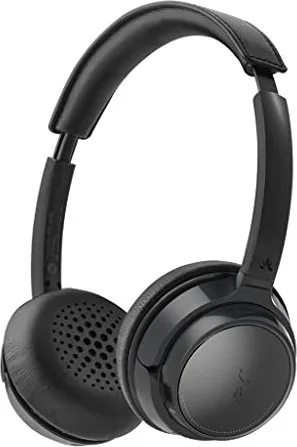
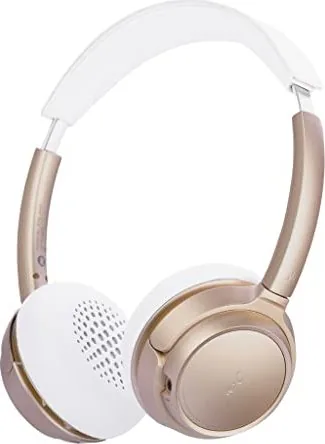
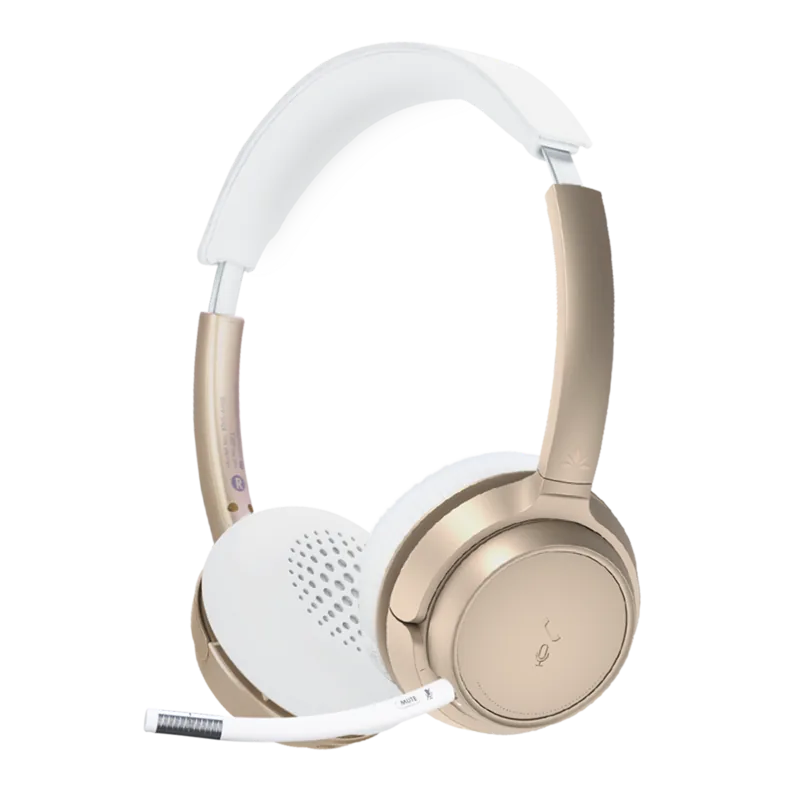
Headphones (On-Ear)
Form Factor
Headband
Microphone
Microphone arm (detachable), integrated
Connection
3.5mm jack
Wireless
Bluetooth 5.0
Cable
Single-sided, detachable
Control
3-button remote control
Battery Life
22 hours
Battery
USB Micro-B charging port
Frequency Range
20Hz-20kHz
Impedance
32 Ohms
Driver
1.57 inches
Device Features
Swivel ear cups
Software Features
Voice Assistant (Apple Siri, Google Assistant)
Weight
0.34 lbs
Product Description
Discover the Avantree AH6B Experience
Wireless Freedom
The Avantree AH6B represents a significant leap in stereo wireless headphone technology designed for everyday convenience. Users often seek reliable audio solutions that seamlessly connect to their favorite devices. Whether streaming music, taking calls, or gaming, these headphones deliver consistent performance. The device supports dual Bluetooth connectivity, allowing you to pair with two phones simultaneously. This feature ensures you never miss an important call while streaming content from another device. It bridges the gap between stationary work setups and mobile lifestyles efficiently.
Connectivity and Compatibility
Connecting the headphones is straightforward for most users. To enter pairing mode, slide the power switch to the left and hold it for three seconds. The LED indicators will blink red and blue alternately to signal readiness. Once paired, the headphones reconnect automatically to the last used device. For wired connections, a 3.5mm audio cable is included, which is essential when the battery depletes. Plugging in the cable also powers the unit off automatically, preventing drain while sleeping or stored.
LED Status Indicators
Understanding the lights is key to operation. A blue and red blink indicates pairing mode. Solid blue means connected. A red blink every few seconds warns of low battery. These visual cues prevent confusion during setup. If the device disconnects, a slow blue blink every ten seconds signals the status clearly. This visual feedback system aids in diagnosing connection issues immediately without needing external tools.
Audio Quality and Controls
Control functions are intuitive and responsive. The volume wheel manages levels up or down easily without fumbling. During active calls, pressing the power switch answers or ends calls, while holding it rejects incoming ones. Voice prompts confirm actions like microphone mute or pairing status. This feedback loop reduces confusion during operation in noisy environments. If audio issues arise, resetting the pairing history involves holding two specific buttons until the LED blinks pink. This troubleshooting step clears conflicts often encountered with PC audio settings.
Battery and Maintenance
Charging takes approximately two hours using the included micro USB cable. A low battery warning flashes red three times or announces via voice prompt. Users should ensure proper charging habits to maintain longevity. Adjusting audio settings on PCs requires selecting the Avantree AH6B as the playback default. For Skype or VoIP apps, the Hands-Free profile must be chosen for microphone functionality. This distinction ensures clear communication during online meetings without distortion or lag.
Conclusion
Navigating these features requires attention to the specific operational guidelines. Many users find the Avantree AH6B Manual serves as a helpful reference for optimizing their setup for maximum efficiency. The versatility makes it suitable for home offices, gaming, and daily commutes alike. With proper care and configuration, this headset remains a top choice for wireless audio enthusiasts seeking reliability without complexity. The combination of wired and wireless modes ensures continuous utility regardless of power status. Referencing technical guidance helps resolve common pairing hurdles quickly.
Search for 67,706 Manuals online


Type-in Brand or Model